
If your Instagram feed feels like a chaotic mix of outdated trends, irrelevant promotions, and posts from accounts you barely remember following, you're not alone. Over time, Instagram's algorithm learns from your behavior—likes, comments, shares, and even how long you linger on a post—and curates your feed accordingly. But if your interests have evolved or you’ve fallen into passive scrolling habits, the content you see may no longer serve you. The good news? You can reset and retrain the algorithm to reflect what you truly want to see.
This isn’t about deleting your account or starting over. It’s about taking intentional steps to recalibrate how Instagram understands your preferences. By understanding how the algorithm works and applying strategic adjustments, you can regain control of your feed and make it a source of inspiration, connection, and value.
How Instagram’s Algorithm Works (And Why It Needs Resetting)
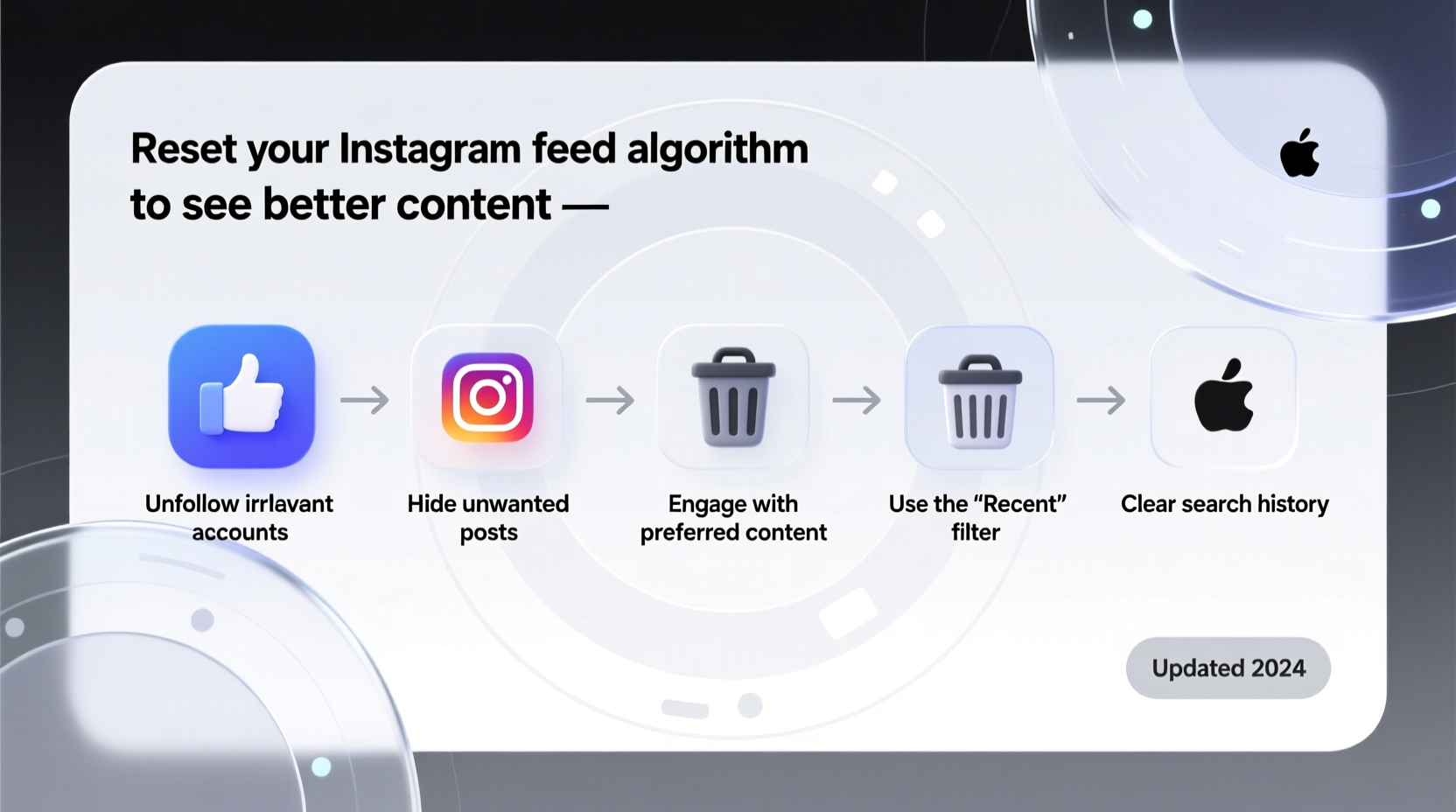
Instagram’s recommendation system is powered by machine learning models that analyze user behavior to predict what content will keep you engaged. According to Adam Mosseri, Head of Instagram, the algorithm prioritizes four main signals when ranking content in your feed: interest, timeliness, relationship, and frequency.
- Interest: Predicts how likely you are to engage with a post based on past interactions.
- Timeliness: Favors newer content over older posts.
- Relationship: Prioritizes content from people you interact with most—commenting, DM’ing, tagging.
- Frequency: Adjusts based on how often you open the app; more frequent users see fresher content.
The problem arises when these signals become outdated. For example, if you liked several fitness posts during a short-lived health kick six months ago, the algorithm might still push similar content—even if you’re now interested in travel photography or digital art. Passive scrolling without engagement reinforces misleading patterns. The result? A feed that feels stale, repetitive, or disconnected from your current life.
“Instagram’s goal is to show you what you’ll care about most—but sometimes it gets stuck in old patterns. User behavior resets the model.” — Sarah Johnson, Social Media Data Analyst at TechInsight Labs
Step-by-Step Guide to Reset Your Instagram Feed Algorithm
Resetting your feed doesn’t require technical tools or third-party apps. It’s a behavioral reboot. Follow this structured timeline over 7–10 days to effectively retrain the algorithm.
- Day 1–2: Audit and Unfollow Ruthlessly
Clean out accounts that no longer align with your interests. Long-press each post in your feed and tap “Not Interested” → “Show fewer posts like this.” Unfollow at least 50 accounts that don’t inspire or inform you. - Day 3: Clear Your Search History
Go to Settings → Security → Search History → Clear All. This removes outdated keyword associations that influence Explore page recommendations. - Day 4–6: Engage Intentionally
Spend 15 minutes daily interacting only with content you genuinely enjoy. Like, comment meaningfully (e.g., “This lighting is incredible!”), and share posts to stories. Focus on 5–10 high-quality accounts in your desired niche. - Day 7: Reset Explore Page Preferences
Visit the Explore page and long-press posts that misalign with your goals. Select “Not Interested” repeatedly until you start seeing better suggestions. Then, actively search for topics like “minimalist design” or “urban hiking” and engage with top results. - Day 8–10: Follow New, Relevant Accounts
Follow 20–30 new accounts in your target interest areas. Prioritize creators who post consistently and foster community interaction. Avoid mass-following; quality matters more than quantity.
Do’s and Don’ts When Recalibrating Your Feed
| Do | Don’t |
|---|---|
| Engage deeply with 3–5 meaningful posts per day | Scroll endlessly without liking or commenting |
| Use specific keywords in Explore searches (e.g., “watercolor tutorials”) | Rely solely on the default Explore feed without input |
| Follow accounts that align with your current passions | Follow spammy or low-effort content farms |
| Clear search history monthly | Ignore posts you dislike—use “Not Interested” |
| Comment thoughtfully to strengthen relationship signals | Use generic comments like “Nice!” across multiple posts |
Real Example: How Maya Transformed Her Feed in One Week
Maria, a graphic designer from Portland, noticed her Instagram feed was dominated by home decor and parenting content—despite her professional focus on branding and typography. She realized she had briefly followed a few interior design influencers during a kitchen remodel months earlier, and the algorithm never adjusted.
She followed the reset process: unfollowed 67 irrelevant accounts, cleared her search history, and began engaging daily with design studios like Pentagram and typographic artists like @typeguy. Within five days, her Explore page began showing curated font collections, logo breakdowns, and creative coding projects. By day ten, over 80% of her main feed consisted of design-related content.
“It felt like getting my Instagram back,” Maria said. “Now I open the app for inspiration, not just distraction.”
Advanced Tips to Maintain a High-Quality Feed
Once you’ve reset your algorithm, maintaining it requires consistent habits. Instagram continuously adapts, so periodic tune-ups are essential.
- Create a “Quality Circle” of Accounts: Identify 15–20 creators whose work consistently inspires you. Rotate through their latest posts every few days to reinforce positive signals.
- Use Lists for Priority Content: Go to a profile → three dots → “Add to favorites list.” Check this list first when opening Instagram to guide the algorithm toward preferred relationships.
- Leverage Reels Wisely: Watching random Reels trains the algorithm quickly. If you see something off-topic, swipe away immediately. Instead, seek out Reels using precise hashtags like #Bookstagram or #UrbanSketching.
- Limit Exposure to Clickbait: Avoid engaging with sensational thumbnails or curiosity-gap titles—even out of boredom. These train the algorithm to deliver low-value, high-engagement content.
Frequently Asked Questions
Can I completely reset the algorithm overnight?
No single action instantly resets the algorithm. It learns progressively, so changes take 5–10 days of consistent behavior to fully take effect. Immediate improvements may appear in the Explore page, but the main feed adjusts gradually.
Does unfollowing a lot of people hurt my account?
No. Instagram does not penalize users for unfollowing accounts. In fact, pruning your following list improves content relevance. Just avoid bot-like mass-unfollowing (e.g., 500 accounts in an hour), which could trigger temporary restrictions.
Will blocking accounts help reset my feed?
Blocking has minimal impact on the algorithm unless you’re blocking accounts that frequently appear in your feed due to prior engagement. Use “Not Interested” or “Snooze” for better control without cutting off access entirely.
Checklist: Reset Your Instagram Feed in 10 Days
- Unfollow 50+ irrelevant accounts
- Tap “Not Interested” on 20+ unwanted posts
- Clear search history in Settings
- Engage meaningfully (like, comment, share) with 5 high-quality posts daily for 7 days
- Search for and follow 20 new accounts in your desired niche
- Visit Explore page and refine suggestions using “Not Interested”
- Add 10 priority accounts to your Favorites list
- Avoid engaging with clickbait or low-effort content
- Review feed quality after Day 7 and repeat key steps if needed
- Repeat full reset every 3–6 months for optimal results
Take Control of What You See
Your Instagram feed should reflect who you are now—not who you were last year. The algorithm isn’t broken; it’s simply mirroring your past actions. By making small, deliberate changes in how you interact with the platform, you can transform your feed into a personalized source of creativity, learning, and joy.
Start today. Clean up your following list, engage with intention, and guide the algorithm toward content that uplifts and informs you. In less than two weeks, you’ll notice a shift—not just in what appears on your screen, but in how you feel when you open the app.




 浙公网安备
33010002000092号
浙公网安备
33010002000092号 浙B2-20120091-4
Comments
No comments yet. Why don't you start the discussion?