
Outdoor lighting enhances both the safety and aesthetic appeal of your home. But leaving decorative or functional light strings on all night wastes energy and diminishes their impact. The solution? Integrate motion detection so lights activate only when needed. The best part: you don’t need to rewire a single wire. Modern plug-and-play technology allows homeowners to retrofit motion sensing into existing outdoor light setups—safely, affordably, and in under an hour.
This guide walks through proven methods to add motion sensors to standard outdoor string lights using non-invasive tools and smart accessories. Whether you're illuminating a porch, patio, garden path, or backyard fence, these techniques maintain your current setup while adding intelligent automation.
Why Add Motion Sensors to Outdoor Light Strings?
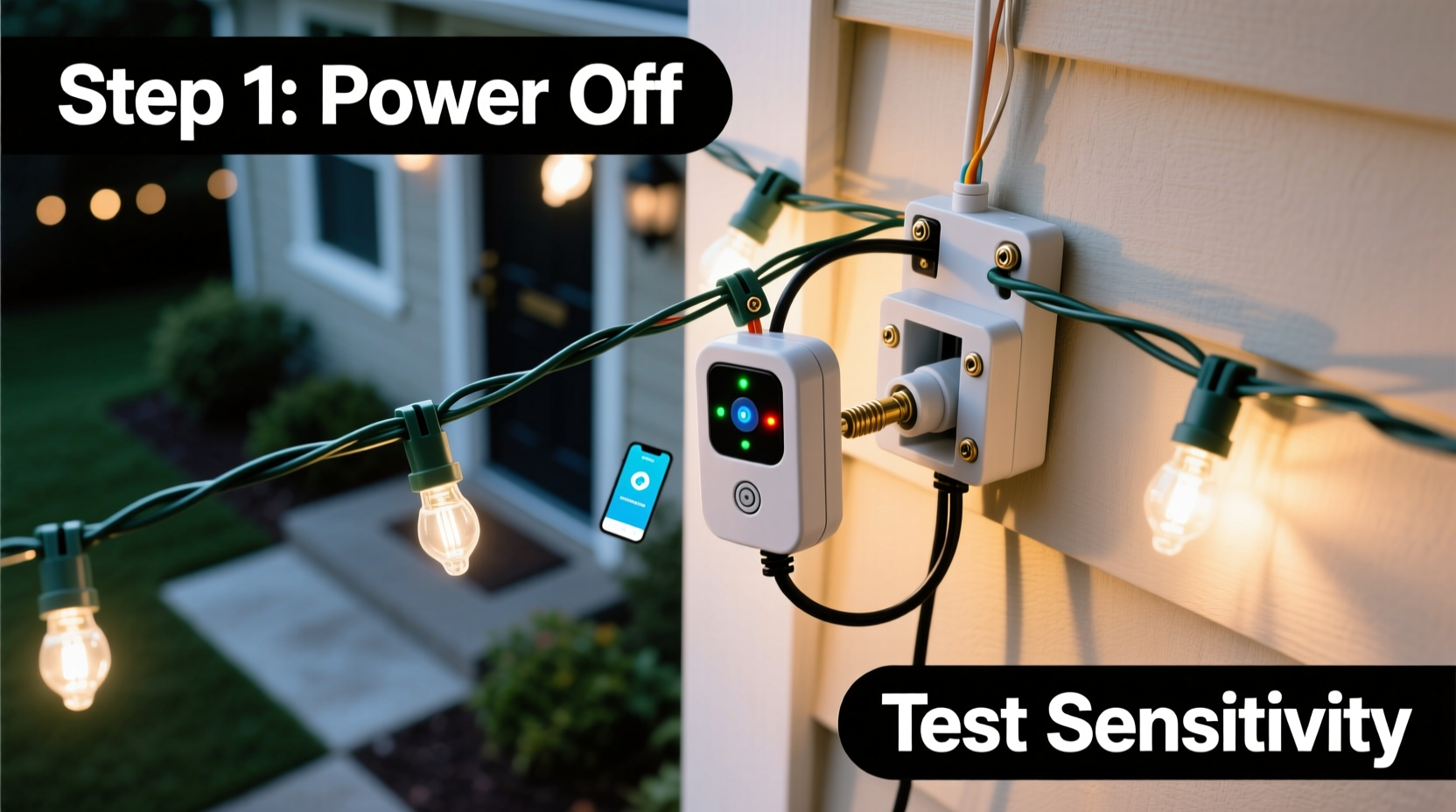
Motion-activated lighting isn’t just for floodlights anymore. Extending this functionality to decorative or ambient light strings offers multiple benefits:
- Improved security: Unexpected illumination deters intruders by revealing movement around your property.
- Energy savings: Lights operate only when needed, reducing electricity consumption and extending bulb life.
- Enhanced convenience: Automatically illuminate walkways at night without manual switching.
- Ambiance on demand: Create a welcoming glow when someone approaches, then let it fade when not in use.
Unlike hardwired systems that require electrician-level skills, today’s solutions work with standard plug-in light strings—no voltage testing, junction boxes, or permits required.
Understanding Your Light String Setup
Before integrating motion detection, assess your current lighting system. Most outdoor string lights fall into one of three categories:
- Plug-in LED strings: Low-voltage, often battery-powered or USB-connected; common for patios and railings.
- Standard AC-powered incandescent or LED strands: Plug directly into outdoor-rated electrical outlets, typically used for seasonal or permanent installations.
- Solar-powered strings: Charge during daylight and turn on at dusk; limited compatibility with external sensors due to internal circuitry.
The first two types are ideal candidates for motion sensor integration. Solar strings usually have built-in photocells and timers, making external control difficult without bypassing safety features.
Also note the total wattage of your light string. Most plug-in motion sensor outlets support up to 1800 watts (15 amps), but smaller smart plugs may cap out at 300–600 watts. Exceeding these limits can trip breakers or damage devices.
Step-by-Step: Adding a Motion Sensor Without Rewiring
You can install motion detection in four straightforward steps using off-the-shelf components. This method assumes your string lights are plugged into an outdoor outlet protected by a GFCI (Ground Fault Circuit Interrupter) and covered with a weatherproof box.
Step 1: Choose the Right Motion-Sensing Device
Select a device based on your needs and technical comfort level:
- Smart plug with motion scheduling: Devices like the Kasa Smart Wi-Fi Plug or TP-Link KP125 allow app-based control and can simulate motion activation via schedules or integrations with separate motion detectors.
- Outdoor motion-sensing outlet adapter: These screw between your outlet and light plug (e.g., Belkin WeMo Motion + Switch). They include a wireless sensor that detects movement within a 20–30 foot range.
- Extension cord with built-in motion sensor: Products like the GE Ultra Bright Motion-Detecting Extension Cord combine power delivery and sensing in one unit—ideal for long runs of string lights.
Step 2: Install the Motion Sensor Hardware
For a typical smart plug or sensor outlet:
- Turn off the outdoor circuit at the breaker panel for safety.
- Ensure the outlet cover is dry and free of debris.
- Attach the motion-sensing outlet adapter or plug in the smart plug.
- If using a separate motion sensor (like WeMo), mount it nearby using included brackets—ensure it has a clear line of sight to the detection zone.
- Re-energize the circuit.
Step 3: Connect and Configure (for Smart Devices)
If using a Wi-Fi-enabled sensor:
- Download the manufacturer’s app (e.g., Kasa, Smart Life).
- Follow pairing instructions—usually involves holding a reset button while connecting via Bluetooth or 2.4 GHz Wi-Fi.
- Name the device (e.g., “Patio Lights Sensor”).
- Set automation rules: “Turn on when motion is detected between sunset and sunrise.”
- Adjust sensitivity and duration (e.g., stay on for 1–5 minutes after last motion).
Step 4: Test and Optimize Placement
Walk through the intended detection zones—doorsteps, walkways, decks—to verify responsiveness. Reposition the sensor if coverage is spotty. Avoid pointing it toward roads or neighbor pathways to reduce false triggers.
Do’s and Don’ts: Safe Integration Practices
| Do | Don’t |
|---|---|
| Use outdoor-rated, UL-listed sensors and extension cords | Use indoor-only devices outdoors, even temporarily |
| Check total load against sensor capacity | Daisy-chain multiple high-wattage light strings beyond rated limits |
| Mount sensors under eaves to protect from rain | Submerge or expose sensors directly to sprinklers or downspouts |
| Pair LED strings with motion sensors—they handle frequent cycling well | Use older incandescent strings excessively with motion controls (shortens lifespan) |
| Test monthly for proper function and GFCI response | Ignore flickering or partial illumination—it may indicate moisture ingress |
Real-World Example: A Backyard Safety Upgrade
Consider Sarah, a homeowner in Portland, Oregon. She had a set of 100-bulb LED string lights strung across her backyard pergola. While beautiful, they were left on from dusk to dawn, increasing her energy bill and drawing insects unnecessarily.
She purchased a Kasa Smart Wi-Fi Plug and connected it between the outlet and her light string. Using the Kasa app, she created a schedule: “Lights turn on at sunset, activate only when motion is detected, turn off completely at 11 PM.” She also added a small weather-resistant motion sensor near the back gate, syncing it via IFTTT to trigger the lights only when movement occurred past the main deck.
Result: Her lights now illuminate only when family members step outside after dark or when animals enter the yard. Energy use dropped by 70%, and she feels safer knowing unexpected movements are highlighted.
Expert Insight: Electrical Safety First
“Even low-voltage systems can pose risks when combined with outdoor moisture. Always use GFCI protection and weatherproof enclosures. If you’re unsure about load calculations or device compatibility, consult a licensed electrician before proceeding.” — Marcus Tran, Residential Electrical Systems Inspector, NFPA Member
Alternative Solutions for Hard-to-Reach Areas
Not every outdoor space has easy access to an outlet. In such cases, consider:
- Battery-powered motion-activated LEDs: Replace a section of your string with standalone motion-sensing bulbs (e.g., Philips Hue Outdoor Motion Sensor paired with Bluetooth-enabled lights).
- Solar motion spotlights: Position near the edge of your string light zone to trigger ambient illumination indirectly.
- Wireless relay systems: Use a 12V wireless switch kit where a solar-powered motion sensor sends a signal to a receiver connected to your light string’s power source.
These options eliminate the need for trenching or conduit runs while still delivering responsive lighting behavior.
Checklist: Pre-Installation Preparation
Before starting your project, ensure you have the following:
- ✅ Outdoor-rated motion-sensing plug, outlet adapter, or smart switch
- ✅ Access to a GFCI-protected exterior outlet
- ✅ Knowledge of your light string’s total wattage
- ✅ Weatherproof outlet cover (if not already installed)
- ✅ Smartphone with compatible app (for smart devices)
- ✅ Ladder or step stool (if mounting sensor overhead)
- ✅ Notepad to record settings and test results
Frequently Asked Questions
Can I use a motion sensor with fairy lights or micro LED strings?
Yes, as long as the total power draw is within the sensor’s rating—most micro-LED strings consume less than 10 watts, making them ideal for even basic smart plugs. Just ensure the sensor is rated for low-load devices, as some mechanical relays struggle with very small currents.
Will frequent on/off cycling damage my string lights?
Modern LED string lights are designed for thousands of cycles and handle motion-based switching well. Incandescent or halogen strings suffer reduced lifespan with frequent switching and are less efficient overall. Stick with LEDs for motion applications.
What if my Wi-Fi signal is weak outdoors?
Weak signal can disrupt smart plug performance. Consider using a Zigbee or Z-Wave hub with a long-range extender, or opt for a local-control device like the GE motion-sensing extension cord that doesn’t rely on internet connectivity.
Conclusion: Smarter Lighting Starts Today
Adding motion sensors to existing outdoor light strings doesn’t require rewiring, specialized tools, or electrical expertise. With the right plug-in adapter or smart device, you can transform passive decoration into active security and convenience—all while cutting energy costs and reducing light pollution.
The key is choosing compatible, weather-safe components and installing them according to manufacturer guidelines. By leveraging today’s smart home ecosystem, even temporary holiday displays can gain intelligence and responsiveness.




 浙公网安备
33010002000092号
浙公网安备
33010002000092号 浙B2-20120091-4
Comments
No comments yet. Why don't you start the discussion?