
Robot vacuums have become essential tools in modern homes, offering convenience and consistent floor maintenance with minimal effort. However, like any electronic device, they require regular cleaning to function efficiently. A dirty robot vacuum can lose suction power, get stuck more often, or even overheat. The challenge arises when users attempt to clean their devices but unknowingly breach manufacturer guidelines—potentially voiding the warranty. Understanding the right way to maintain your robot vacuum is crucial not only for performance but also for protecting your investment.
Cleaning a robot vacuum might seem straightforward, but many models contain sensitive sensors, sealed battery compartments, and proprietary components that manufacturers explicitly warn against tampering with. A single misstep—like using a damp cloth on a sensor port or disassembling a non-removable part—can lead to permanent damage and denial of warranty claims. This guide provides a detailed, warranty-safe approach to cleaning your robot vacuum, combining manufacturer recommendations, expert insights, and practical routines that preserve both functionality and coverage.
Why Proper Cleaning Matters—and What’s at Stake
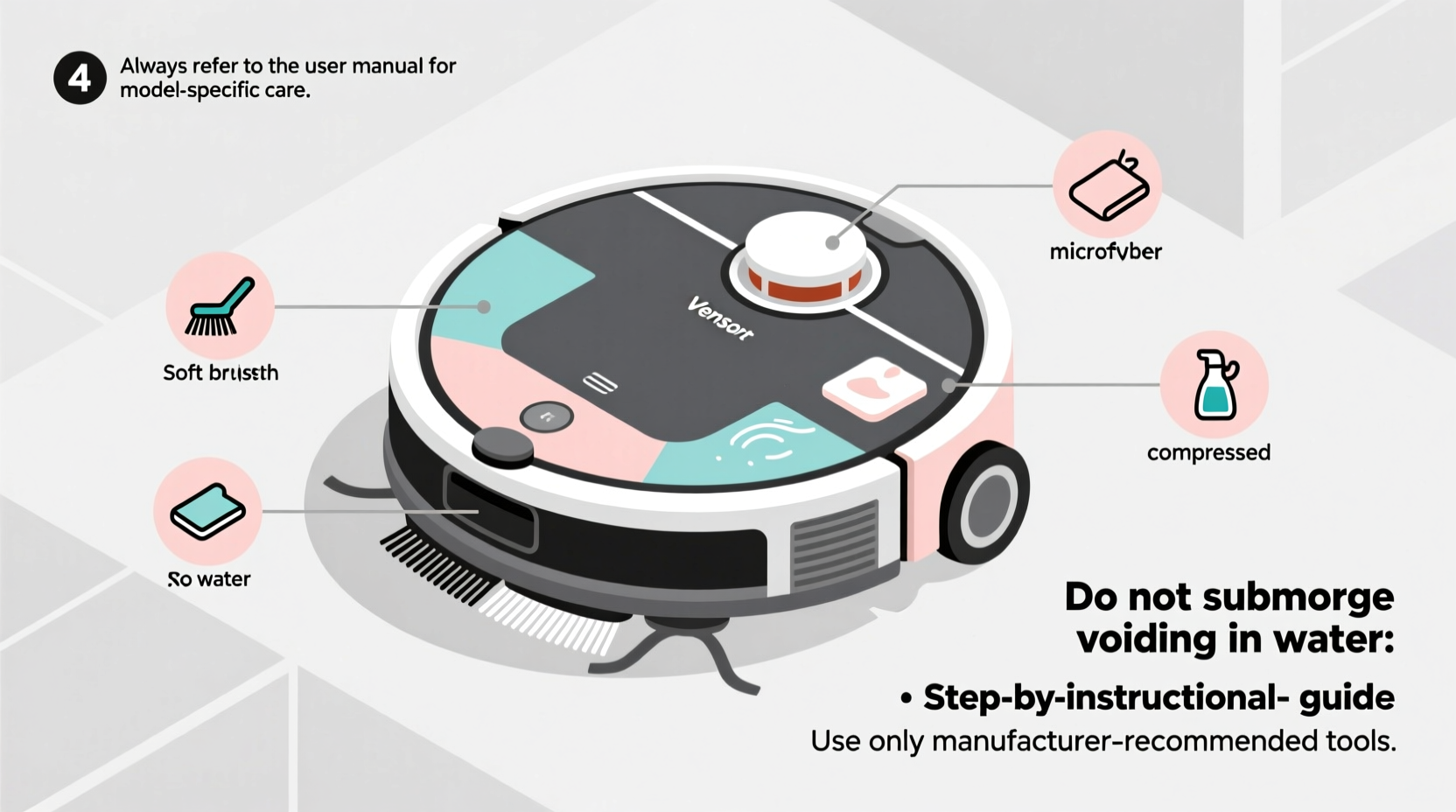
Regular maintenance directly affects a robot vacuum’s lifespan and efficiency. Dust, pet hair, and debris accumulate in brushes, filters, and wheels, reducing suction and mobility. Over time, this buildup forces motors to work harder, increasing wear and energy consumption. According to a 2023 report by the Consumer Technology Association, over 40% of robot vacuum service calls stem from preventable maintenance issues—not hardware failure.
However, improper cleaning methods pose equal risks. Many warranties are invalidated not by physical damage alone, but by evidence of unauthorized disassembly or use of non-approved cleaning agents. For example, opening the dustbin housing beyond the user-accessible parts or applying solvents to plastic casings may trigger automatic disqualification under “user misuse” clauses. The key is knowing what you can clean, how to clean it, and what to leave untouched.
“Manufacturers design robot vacuums with specific service boundaries. Staying within those limits during cleaning ensures long-term reliability and keeps warranty protection intact.” — Dr. Lena Patel, Senior Engineer at Home Robotics Institute
Step-by-Step: Safe Cleaning Procedure (Without Voiding Warranty)
Follow this structured routine monthly—or biweekly if you have pets or high foot traffic—to keep your robot vacuum operating optimally while respecting warranty terms.
- Power down and disconnect: Turn off the robot and remove it from the charging dock. Never clean while powered or charging.
- Remove and empty the dustbin: This is universally user-accessible. Slide it out, open the lid, and tap contents into the trash. Avoid rinsing unless the manual explicitly allows it.
- Clean the filter: Most filters are washable (e.g., HEPA). Rinse under lukewarm water, gently squeeze out excess moisture, and air-dry for at least 24 hours before reinserting. Never reinstall a damp filter.
- Clear the main brush and side brushes: Use scissors or a seam ripper to cut tangled hair and fibers. Pull debris straight off—do not yank sideways, which can damage bearings.
- Wipe exterior surfaces: Dampen a microfiber cloth with water or a 70% isopropyl alcohol solution. Wipe the body, avoiding sensors, charging contacts, and seams.
- Check wheels and tracks: Remove visible debris from wheel axles. Ensure free rotation. Do not lubricate—this is considered modification.
- Inspect sensors: Gently wipe lens areas (front bumper, cliff sensors, camera dome) with a dry or slightly damp cloth. Never use abrasive cleaners.
- Reassemble and test: Reinstall all parts securely. Power on and run a short cycle to confirm normal operation.
What You Should Never Do (Common Warranty-Voiding Mistakes)
Even well-intentioned actions can compromise warranty eligibility. Below are frequent mistakes users make, often unaware of the consequences.
| Action | Risk | Manufacturer Response |
|---|---|---|
| Using compressed air inside the chassis | Forces debris deeper; damages internal circuits | Denies claim due to internal contamination |
| Removing screws or opening casing | Exposes electronics; voids tamper-proof seals | Immediate warranty invalidation |
| Submerging any component in water | Causes corrosion and short circuits | Classified as liquid damage—non-covered |
| Using household cleaners (e.g., Windex, bleach) | Degrades plastic and sensor coatings | Considered chemical misuse |
| Replacing batteries or upgrading firmware unofficially | Alters original configuration | Treated as unauthorized modification |
Manufacturers like iRobot, Roborock, and Eufy all include explicit warnings in their user manuals about these practices. While some models are more serviceable than others, none permit full internal access without professional authorization.
Real Example: How One User Lost Warranty Coverage
Sarah M., a homeowner in Portland, noticed her Roborock S7 losing suction after six months. Believing the issue was clogged internals, she watched a third-party YouTube tutorial showing how to open the side cover to clean fan blades. She carefully followed the steps, used a soft brush, and reassembled the unit. Initially, performance improved—but two weeks later, the robot failed to charge.
She contacted customer support and requested a repair under warranty. After inspection, Roborock denied the claim, citing “evidence of unauthorized disassembly” based on disturbed adhesive seals and screw markings inconsistent with factory assembly. Sarah was quoted $120 for out-of-warranty service—nearly half the cost of a new model.
This case highlights how easily warranty protection can be lost, even with good intentions. Had Sarah stuck to the official cleaning guide—focusing on filter, brush, and dustbin maintenance—she could have avoided the issue entirely or qualified for legitimate support.
Expert-Approved Maintenance Checklist
Use this checklist monthly to ensure thorough yet safe cleaning:
- ✅ Empty dustbin after every 3–5 runs
- ✅ Clean main brush weekly (daily if you have pets)
- ✅ Wash and dry filter monthly
- ✅ Wipe sensors and charging contacts with dry cloth
- ✅ Clear debris from wheel assemblies
- ✅ Inspect side brushes for wear or breakage
- ✅ Verify cliff sensors are unobstructed
- ✅ Confirm robot returns to dock and charges properly
- ✅ Check app for error codes or performance alerts
- ✅ Store in a dry, temperature-controlled area
Frequently Asked Questions
Can I use a vacuum cleaner to clean my robot vacuum’s dustbin?
Yes, but only externally. Use a handheld vacuum to remove loose dust around the bin’s intake port. Never insert attachments into internal ducts or motor housings, as this may push debris into restricted zones.
Is it safe to clean the robot with disinfectant wipes?
Only if they’re alcohol-based (70% isopropyl) and used sparingly on non-porous surfaces. Avoid wipes containing bleach, hydrogen peroxide, or citric acid, as these can degrade plastic and rubber components over time.
What if my model doesn’t have a washable filter?
Replace it according to the manufacturer’s schedule—typically every 6 to 12 months. Using a non-recommended filter (e.g., third-party HEPA) may affect air quality and could void warranty if linked to motor strain.
Extending Lifespan Within Warranty Boundaries
Long-term care goes beyond cleaning. To maximize performance and protect warranty status, integrate these habits:
- Update firmware regularly: Manufacturers release updates that optimize navigation and cleaning patterns. These are safe and encouraged.
- Avoid extreme environments: Don’t operate or store the robot in areas below 40°F or above 104°F, or in high humidity, which can condense inside electronics.
- Use only approved accessories: Replacement brushes, filters, and docks should be OEM or certified compatible. Off-brand parts may not meet safety standards.
- Document maintenance: Keep a log of cleaning dates, filter changes, and software updates. Some brands request proof of care during warranty claims.
Additionally, avoid running the robot on wet floors, carpets with fringes, or cluttered spaces where it frequently gets stuck. These conditions accelerate wear and increase the likelihood of errors that mimic hardware failure.
“The best way to respect your warranty is to treat your robot vacuum like a precision appliance, not a disposable gadget. Small, consistent efforts pay off in longevity and service eligibility.” — Mark Tran, Customer Support Lead at Neato Robotics
Conclusion: Maintain Smart, Stay Covered
Cleaning your robot vacuum doesn’t have to be complicated or risky. By adhering to manufacturer guidelines and focusing on accessible components, you maintain peak performance without jeopardizing warranty protection. The goal isn’t just cleanliness—it’s sustainability. A well-maintained robot vacuum can last five years or more, delivering daily value while minimizing repair costs and environmental waste.
Start today by reviewing your user manual, gathering the right tools, and scheduling your first full cleaning session. Share your experience or ask questions in the comments—your insight could help another user avoid a costly mistake. With the right approach, your robot will keep your floors spotless, and its warranty will remain intact when you need it most.




 浙公网安备
33010002000092号
浙公网安备
33010002000092号 浙B2-20120091-4
Comments
No comments yet. Why don't you start the discussion?