
Remote controls are among the most frequently touched items in homes and offices, yet they are often overlooked when it comes to cleaning. A 2020 study by the University of Arizona found that the average TV remote harbors more bacteria per square inch than a toilet seat. Given that smart TV remotes contain delicate electronics and sensitive buttons, improper cleaning can damage functionality or spread contaminants further. Cleaning your remote correctly isn’t just about hygiene—it’s about maintaining device performance while protecting your household from illness.
This guide provides a science-backed, step-by-step approach to sanitizing your smart TV remote safely. From selecting the right disinfectants to avoiding common mistakes, you’ll learn practical techniques that preserve both cleanliness and electronics.
Why Your Smart TV Remote Needs Regular Cleaning
Every time someone uses the remote, fingerprints, skin cells, oils, and microbes transfer onto its surface. Family members, guests, and even pets may handle the device, increasing contamination risks. Cold and flu viruses, including influenza and rhinovirus, can survive on plastic surfaces for up to 72 hours. In high-touch environments like living rooms, especially during cold season or after illness, the remote becomes a potential vector for reinfection.
Beyond health concerns, accumulated grime can interfere with button responsiveness. Sticky residue from food, lotions, or spills can cause keys to stick or malfunction. Dust buildup inside crevices may also disrupt infrared or Bluetooth signals over time. Regular maintenance prevents these issues and extends the lifespan of your remote.
“Electronics like remotes are microbial hotspots. Routine disinfection with appropriate materials reduces transmission risk significantly.” — Dr. Lena Patel, Environmental Health Researcher at Johns Hopkins Bloomberg School of Public Health
Step-by-Step Guide to Safely Disinfecting Your Smart TV Remote
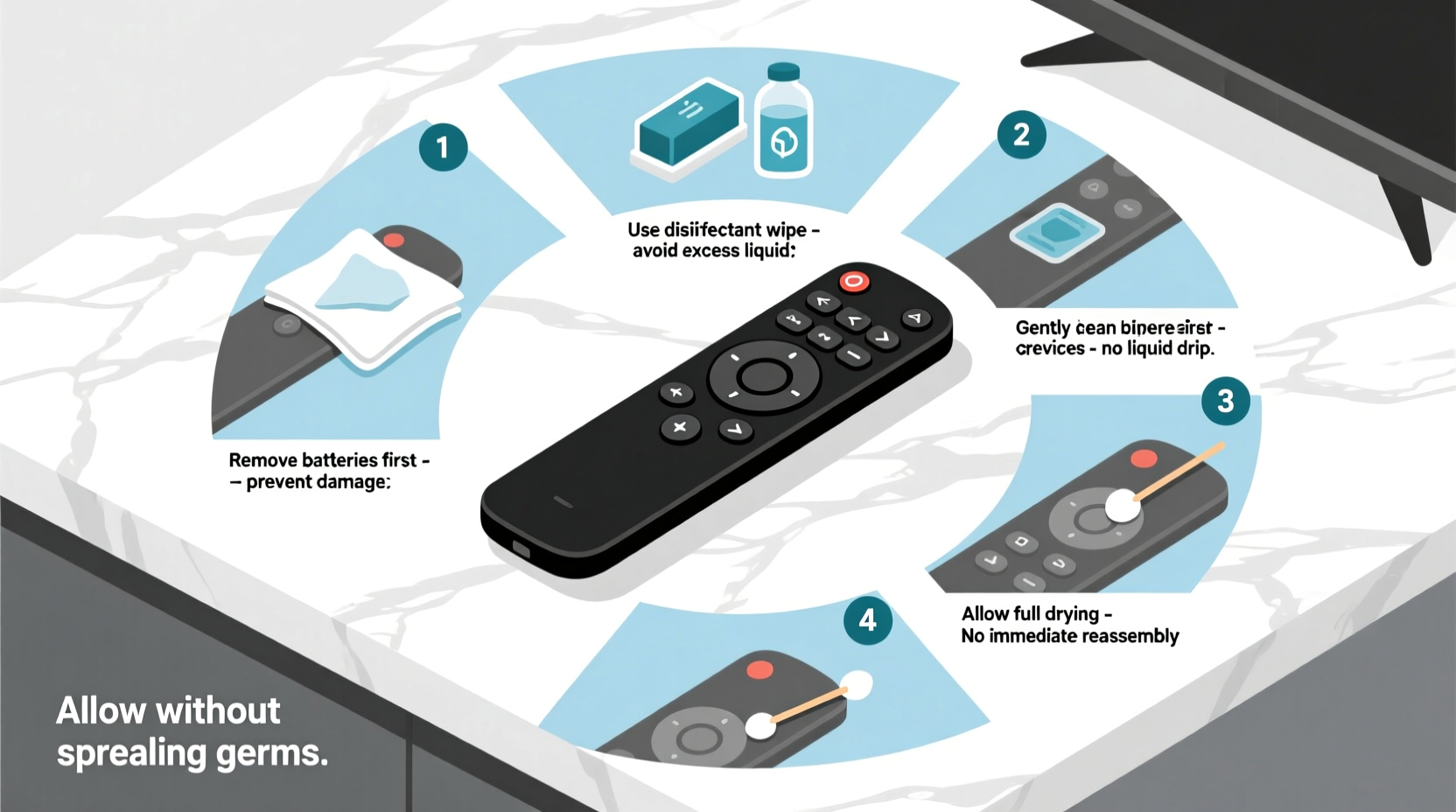
Cleaning a smart TV remote requires precision to avoid damaging internal components. Follow this detailed sequence to ensure thorough sanitation without compromising function.
- Power down and remove batteries: Turn off the remote and take out the batteries. This prevents accidental activation and protects circuits from moisture exposure.
- Remove visible debris: Use a dry microfiber cloth or soft-bristled brush (like a clean toothbrush) to gently sweep away dust, crumbs, and lint from between buttons and along edges.
- Prepare a safe cleaning solution: Mix 70% isopropyl alcohol with distilled water in a 1:1 ratio. Alternatively, use pre-moistened disinfectant wipes labeled safe for electronics (e.g., Clorox Disinfecting Wipes for Electronics).
- Dampen—don’t soak—a lint-free cloth: Lightly moisten a corner of a microfiber or cotton cloth with the solution. Never spray liquid directly onto the remote.
- Wipe all surfaces systematically: Start from the top and work downward. Pay attention to button tops, sides, back panel, and battery compartment. Apply gentle pressure; avoid forcing liquid into seams.
- Allow air drying: Place the remote on a clean towel in a well-ventilated area. Wait at least 15–20 minutes before reinserting batteries and using it.
- Test functionality: After drying, press each button to confirm responsiveness. If any key feels sticky or unresponsive, repeat steps 4–6 with minimal moisture.
Do’s and Don’ts of Remote Sanitization
Mistakes during cleaning can lead to permanent damage or ineffective germ removal. The table below outlines best practices and common errors.
| Do’s | Don’ts |
|---|---|
| Use 70% isopropyl alcohol diluted with water | Use bleach, ammonia, or window cleaners |
| Clean every 1–2 weeks in shared households | Submerge the remote in liquid |
| Use compressed air for deep crevices | Apply excessive pressure while wiping |
| Store the remote in a designated holder after cleaning | Leave it on couch cushions or pet-accessible areas |
| Wash hands before and after handling | Use kitchen sponges or paper towels with loose fibers |
Alcohol-based solutions are ideal because they evaporate quickly and effectively kill bacteria and viruses without leaving residue. Avoid household cleaners like Windex or Lysol sprays unless explicitly labeled safe for electronics—they may degrade plastic coatings or seep into circuitry.
Real-Life Example: Preventing Reinfection in a Shared Household
In early 2023, the Thompson family in Denver experienced recurring colds despite frequent handwashing and surface disinfection. After consulting a local infection control specialist, they discovered their entertainment center was a contamination hub. Their smart TV remote, regularly handled by all four family members—including two young children—had not been cleaned in months.
Following professional advice, they implemented a biweekly cleaning routine using alcohol wipes and stored the remote in a ventilated acrylic case when not in use. Within three weeks, reported respiratory symptoms decreased significantly. A follow-up swab test conducted by a home hygiene service showed a 92% reduction in detectable pathogens on the remote surface.
Their experience highlights how overlooked objects contribute to illness cycles—and how simple interventions yield measurable results.
Choosing the Right Tools and Supplies
Not all cleaning materials are suitable for electronic devices. Below is a checklist of recommended supplies for safe remote cleaning.
- 70% isopropyl alcohol
- Distilled water
- Microfiber cloths (lint-free)
- Cotton swabs (for tight spaces)
- Soft-bristled brush or clean toothbrush
- Compressed air canister
- Disposable gloves (optional but recommended)
- Replacement batteries (if needed)
For households with multiple remotes (e.g., cable box, soundbar, streaming device), consider color-coding cloths or storing each in labeled cases to prevent cross-contamination. Microfiber is preferred over paper towels because it traps particles instead of scattering them and won’t scratch glossy finishes.
When using compressed air, hold the can upright and use short bursts to dislodge hidden debris. Tilting the can may release liquid propellant, which can damage plastic or leave oily residue.
How Often Should You Clean Your Remote?
Frequency depends on usage and environment. General guidelines include:
- Weekly: In homes with children, pets, or frequent visitors.
- Biweekly: For standard household use.
- After illness: Immediately following a cold, flu, or stomach bug.
- Before and after guest stays: Especially in vacation rentals or multi-family homes.
High-traffic areas like hotel rooms or waiting rooms may require daily sanitization. In residential settings, setting a recurring calendar reminder improves consistency. Pair remote cleaning with other weekly chores—such as vacuuming or dusting—for better habit integration.
Frequently Asked Questions
Can I use hand sanitizer to clean my remote?
No. While hand sanitizer contains alcohol, it often includes moisturizers, fragrances, and thickening agents that leave sticky residues. These can attract dust and impair button function over time. Stick to pure isopropyl alcohol solutions or approved disinfectant wipes.
Is it safe to clean voice-controlled remotes with microphones?
Yes, but with caution. Avoid getting moisture near microphone ports—usually small holes near the top. Use a dry cotton swab to lightly clean around these areas. Never insert anything into the port. If unsure, refer to the manufacturer’s care instructions online.
What if my remote stops working after cleaning?
If the remote fails post-cleaning, moisture likely entered the internal circuitry. Remove the batteries immediately and place the device in a sealed bag with silica gel packets or uncooked rice for 24–48 hours to absorb humidity. If it still doesn’t function, contact the manufacturer for repair options.
Protecting Your Remote Between Cleanings
Prevention reduces the need for intensive cleaning. Consider these protective strategies:
- Use a silicone cover: Many brands offer snug-fitting skins that shield against spills and germs while allowing full button access.
- Designate a storage spot: Keep the remote on a tray or stand away from food, drinks, and pet zones.
- Encourage hand hygiene: Place hand sanitizer nearby and promote washing hands before prolonged TV use, especially after meals or bathroom visits.
- Rotate remotes: In multi-device setups, alternate usage to allow one unit to rest and dry between uses.
Silicone covers should be cleaned weekly using mild soap and water, then thoroughly dried before reuse. They act as a first line of defense, minimizing direct contact with high-risk surfaces.
Final Thoughts: Small Habits, Big Impact
Cleaning your smart TV remote might seem minor, but it plays a crucial role in household hygiene. With minimal effort and the right tools, you can eliminate harmful pathogens, maintain device performance, and reduce the risk of illness transmission. Unlike larger appliances, remotes are portable and easy to overlook—yet they sit at the intersection of technology and human touch.
By integrating safe cleaning habits into your routine, you protect not only your electronics but also the people who use them. Whether you live alone or share space with others, taking a few minutes every week to sanitize this everyday object delivers outsized benefits.




 浙公网安备
33010002000092号
浙公网安备
33010002000092号 浙B2-20120091-4
Comments
No comments yet. Why don't you start the discussion?