
In an age where nearly every service requires an online account, it’s easy to accumulate digital profiles over time—social media, shopping sites, forums, cloud storage, and more. Many of these accounts are abandoned but remain active, storing personal data that could be exploited in a breach or used for identity theft. Deleting old accounts isn’t just about decluttering; it’s a crucial step in protecting your digital privacy. Yet, simply stopping use doesn’t erase your presence. This guide outlines a practical, secure method to permanently remove outdated accounts from the web, minimize data exposure, and regain control of your online identity.
Why Deleting Old Accounts Matters
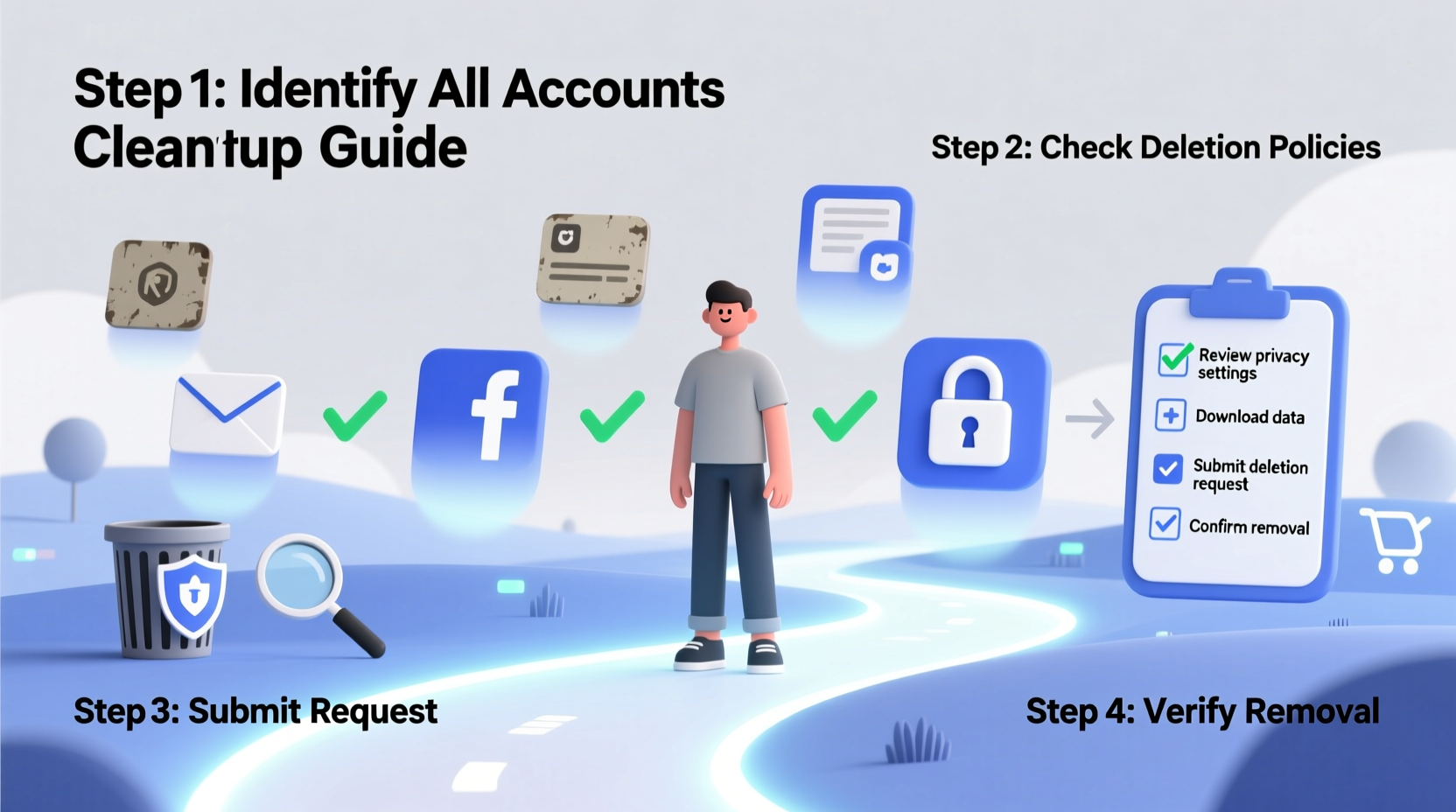
Every online account you’ve ever created holds some form of personal information: your name, email address, phone number, birthdate, location, payment details, and even behavioral data. Even inactive accounts can become targets. Data breaches frequently expose records from forgotten platforms, and companies may continue to share or sell user data long after you’ve stopped using their services.
According to a 2023 report by the Identity Theft Resource Center, over 1,800 data breaches were reported in the U.S. alone, many involving legacy accounts with outdated security. The longer an account exists, the greater the chance it becomes a liability.
“Most people don’t realize that inactive accounts are often less monitored by companies, making them low-hanging fruit for hackers.” — Dr. Lena Patel, Cybersecurity Researcher at the Digital Privacy Institute
Deleting old accounts reduces your digital footprint, limits exposure during breaches, and helps prevent impersonation or phishing attempts. It’s not just about security—it’s about reclaiming ownership of your personal information.
Step-by-Step Guide to Safely Delete Old Accounts
Deleting accounts may seem straightforward, but many platforms make the process difficult or obscure. Follow this structured approach to ensure each deletion is complete and secure.
- Inventory Your Accounts: Start by listing every online service you’ve ever signed up for. Think beyond social media—include shopping sites, newsletters, forums, gaming platforms, cloud tools, and trial subscriptions. Use your email provider’s “sent mail” filter to search for “welcome,” “account created,” or “verify email” messages to uncover forgotten sign-ups.
- Categorize by Priority: Sort accounts into three tiers:
- High Risk: Services with financial, health, or government data (e.g., banks, medical portals).
- Medium Risk: Social networks, email aliases, and e-commerce sites.
- Low Risk: Newsletters, comment systems, or temporary trial accounts.
- Back Up Important Data: Before deletion, download any essential files, messages, photos, or records. Most platforms offer a data export tool under settings (e.g., “Download Your Information” on Facebook). Save this locally on an encrypted drive.
- Deactivate vs. Delete: Know the Difference: Some platforms offer a “deactivate” option, which temporarily hides your profile but retains data. Always choose permanent deletion if available. Look for terms like “Delete Account,” “Close Account,” or “Permanently Remove.”
- Follow the Deletion Process: Navigate to account settings, usually under “Privacy,” “Security,” or “Help.” If you can’t find the option, search “[Service Name] + delete account” online. Some companies hide the link intentionally. Use trusted sources like JustDelete.me, a crowdsourced directory of direct deletion links.
- Confirm Completion: After submitting a deletion request, check your email for confirmation. Some services require final verification via email or waiting 14–30 days before permanent removal. During this window, logging back in may cancel the request.
- Clear Associated Data: Even after deletion, your information might linger in backups, third-party databases, or public archives. Consider submitting data removal requests to data brokers (e.g., Spokeo, Whitepages) separately.
Common Obstacles and How to Overcome Them
Not all platforms make deletion easy. Here are frequent challenges and solutions:
- No visible delete option: Smaller or older websites may lack self-service tools. In such cases, contact customer support directly. Under GDPR (Europe) or CCPA (California), users have legal rights to request data deletion. Cite these regulations in your message for faster response.
- Account locked or password lost: Use password recovery tools first. If that fails, explain your situation to support and provide proof of identity. Some companies allow deletion through verified recovery channels.
- Two-factor authentication barriers: If you no longer have access to your authenticator app or backup codes, look for “lost device” options. These often involve email verification or identity forms.
- Automatic reactivation: Some services reactivate accounts if you log in during the deletion grace period. Avoid accessing the platform until the process is fully complete.
Data Broker Cleanup: An Often-Missed Step
Even after deleting accounts, your personal information may persist on data aggregation sites. These brokers collect public and semi-public data to build detailed profiles. To remove your info:
- Search your name, email, and phone number on Google and specialized sites like Spokeo, PeopleFinder, and Intelius.
- Visit each site and follow their opt-out process. This may require email verification or manual form submission.
- Use automated services like DeleteMe or OneRep (paid) to streamline removal across multiple brokers.
Do’s and Don’ts of Account Deletion
| Do | Don’t |
|---|---|
| Use incognito mode when accessing old accounts to avoid saving cookies or login data. | Assume that “deactivating” removes your data permanently. |
| Keep a log of deleted accounts, including dates and confirmation emails. | Delete accounts from public or shared devices without clearing browser history. |
| Revoke third-party app access (e.g., “Login with Google”) before deleting the main account. | Share sensitive verification codes or ID documents over unsecured channels. |
| Update passwords on linked accounts after deletion to prevent cross-account compromise. | Ignore follow-up emails from the service post-deletion request. |
Mini Case Study: Recovering Control After a Breach
Sarah, a freelance writer in Portland, discovered her old blog hosting account had been compromised when she received spam emails sent from her domain. She hadn’t logged in for over five years but had used her primary email and real name during registration. A quick search revealed her username, bio, and partial IP history were exposed in a 2021 breach database.
She followed a systematic cleanup: first exporting archived posts, then navigating the host’s help center to find the hidden account deletion page. When the portal required SMS verification—but her old number was disconnected—she contacted support with a scanned ID and explained her case under GDPR. Within 72 hours, the account was removed. She then submitted removal requests to three data brokers where her info appeared. Six months later, a repeat scan showed no trace of the account.
Sarah now audits her digital presence quarterly and uses a secondary email for non-essential sign-ups. “I didn’t think an old blog mattered,” she said. “But it was the weakest link in my privacy chain.”
Essential Checklist for Safe Account Removal
Use this checklist to ensure no step is missed when deleting any account:
- ☐ Back up important data before proceeding
- ☐ Log in securely using a private browser
- ☐ Revoke third-party app permissions linked to the account
- ☐ Locate and initiate the permanent delete function (not deactivation)
- ☐ Confirm deletion via email or follow-up steps
- ☐ Wait the required period (if applicable) without logging back in
- ☐ Check for confirmation that data will be erased within 30–90 days
- ☐ Submit data removal requests to major data brokers if personal info is exposed
- ☐ Update passwords on any accounts that shared credentials or recovery methods
- ☐ Record the deletion in your personal privacy log
Frequently Asked Questions
Can I really delete all my data from a company?
In most cases, yes—especially under privacy laws like GDPR (EU), CCPA (California), and similar regulations in Canada, Brazil, and Japan. Companies must comply with verified deletion requests. However, some data may be retained for legal or audit purposes, but it should be disassociated from your identity.
What if a website doesn’t respond to my deletion request?
If support ignores your request, escalate by citing relevant privacy laws. For U.S.-based companies, file a complaint with the FTC. For EU services, submit a report to your local Data Protection Authority. Publicly tagging the company on social media can also prompt a faster response.
Is it safe to delete old email accounts?
Yes, but only after ensuring no critical services (banking, social media, two-factor auth) rely on that email for recovery. Migrate important contacts and messages first. Once deleted, the email address typically enters a quarantine period before being recycled—so act before that happens.
Final Steps Toward a Cleaner Digital Life
Deleting old accounts is one of the most effective yet overlooked privacy practices. It’s not a one-time fix but part of an ongoing strategy to manage your digital presence. Just as you wouldn’t leave unused keys lying around, you shouldn’t leave dormant accounts collecting dust in cyberspace.
Start small: pick five old accounts this week and go through the deletion process. Use the checklist and resources provided to ensure each step is thorough. Over time, you’ll reduce your exposure, improve your security posture, and gain peace of mind knowing your personal data isn’t sitting idle on forgotten servers.
“Privacy isn’t about hiding—it’s about control. Every account you delete is a step toward owning your digital life.” — Marcus Tran, Digital Rights Advocate




 浙公网安备
33010002000092号
浙公网安备
33010002000092号 浙B2-20120091-4
Comments
No comments yet. Why don't you start the discussion?