
In an age where nearly every service requires an email sign-up, most people accumulate dozens of online accounts over the years—social media profiles, shopping sites, forums, trial subscriptions, and forgotten memberships. Many of these linger indefinitely, collecting data and posing potential security risks. Deleting unused accounts isn't just about decluttering; it's a crucial step in protecting your digital identity, minimizing exposure to data breaches, and reducing your overall online footprint.
Yet, many users hesitate to delete accounts due to uncertainty about the process, fear of losing data, or confusion about whether deletion is even possible. This guide provides a comprehensive, practical roadmap for identifying, accessing, and permanently removing old online accounts—safely and effectively.
Why You Should Delete Unused Online Accounts
Leaving dormant accounts active might seem harmless, but it introduces several risks:
- Data Vulnerability: Inactive accounts are often neglected in terms of password updates and two-factor authentication, making them easy targets for hackers.
- Data Harvesting: Companies may continue collecting and selling usage data—even from inactive profiles.
- Identity Theft Risk: Old accounts with personal information can be exploited if breached.
- Digital Clutter: Unused logins complicate password management and increase the chance of phishing success.
“Every inactive account is a silent liability. The fewer digital traces you leave behind, the lower your attack surface.” — Lena Torres, Cybersecurity Analyst at Digital Shield Labs
Deleting unnecessary accounts strengthens your digital hygiene and aligns with privacy best practices recommended by experts worldwide.
Step-by-Step Guide to Safely Delete Old Accounts
Deleting an account involves more than clicking “Delete” — some services bury the option, others require confirmation steps, and a few don’t allow full deletion at all. Follow this structured approach to ensure each deletion is secure and complete.
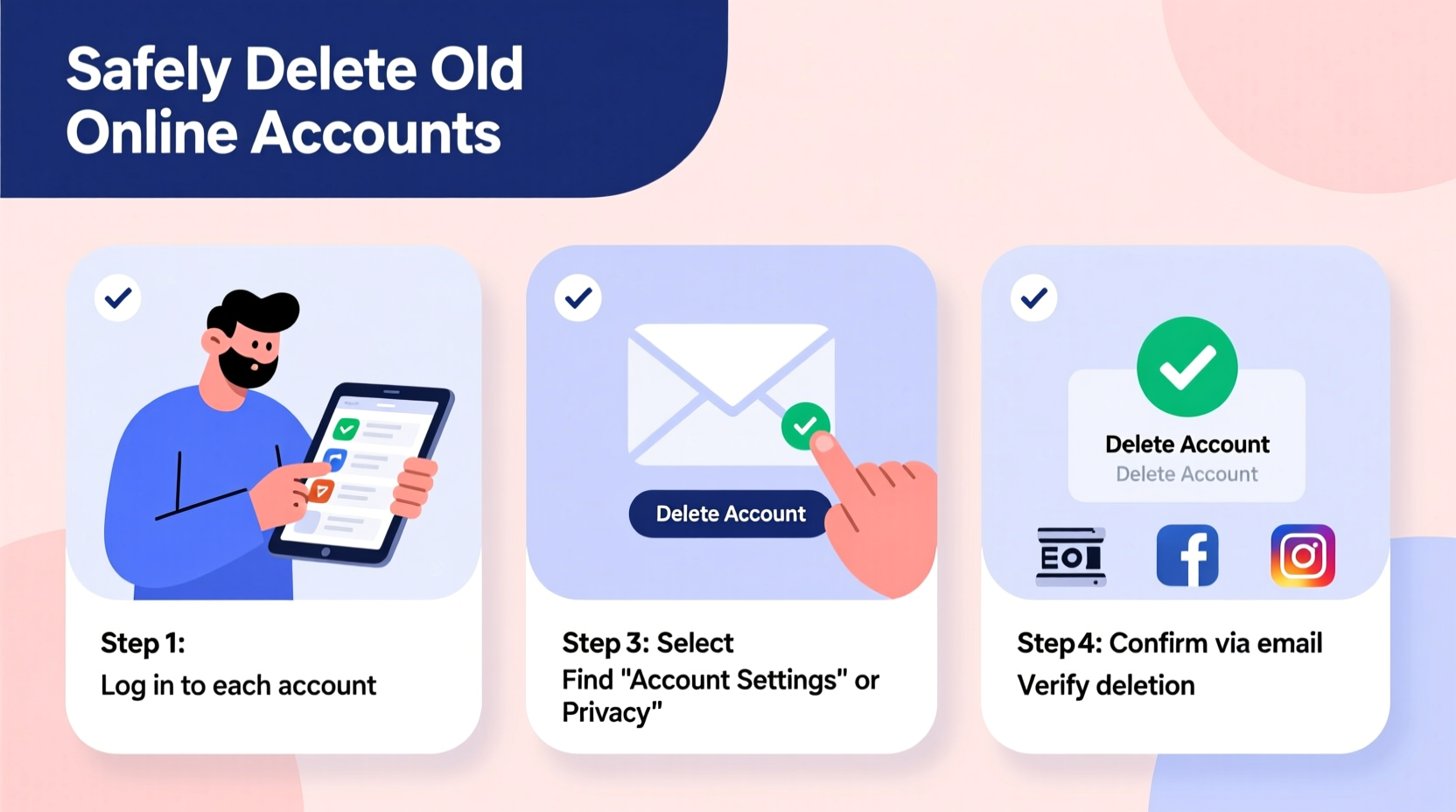
- Inventory Your Accounts
Create a list of all known accounts. Start with major platforms (social media, email, shopping), then expand to forums, apps, and subscription services. Use your email’s “Sign-in & security” history or password manager to identify logins. - Back Up Important Data
Before deletion, download any photos, messages, documents, or purchase history you may want to keep. Most platforms offer export tools under settings (e.g., Google Takeout, Facebook’s “Your Information”). - Log In and Navigate to Account Settings
Visit the site directly (not through third-party links) and log in securely. Look for sections labeled “Privacy,” “Security,” or “Account Management.” - Locate Deletion Option
Search for phrases like “Delete Account,” “Close Account,” or “Deactivate.” If not visible, check help centers or use site search with keywords like “permanently delete account.” - Follow Deletion Instructions
Complete required steps: confirm identity, answer security questions, cancel subscriptions, or provide feedback. Some services impose waiting periods before final deletion. - Confirm Deletion
After initiating deletion, wait 30 days and attempt to log back in. If access is denied, the account was likely removed. Note that some companies anonymize data instead of deleting it immediately. - Update Password Managers and Recovery Options
Remove the account from your password manager and update recovery emails/phones if they were linked.
Do’s and Don’ts When Deleting Online Accounts
| Do’s | Don’ts |
|---|---|
| ✔ Export important data before deletion | ✘ Assume “deactivation” means permanent removal |
| ✔ Use official website URLs (not email links) | ✘ Share account details on third-party deletion services |
| ✔ Cancel recurring payments first | ✘ Skip two-factor authentication during login |
| ✔ Keep a record of deletion requests and dates | ✘ Expect instant deletion—many services take 14–30 days |
| ✔ Clear cookies and saved passwords after deletion | ✘ Ignore follow-up emails confirming deletion status |
Common Challenges and How to Overcome Them
Not all platforms make deletion straightforward. Here are common obstacles and solutions:
- No Visible Delete Option: Smaller websites or outdated platforms may lack self-service deletion. In such cases, contact customer support via email with a formal request citing data protection laws like GDPR or CCPA.
- Linked Subscriptions: Before deleting, visit billing settings to cancel any active subscriptions. Failure to do so may result in continued charges even after account closure.
- Verification Loops: If you’ve lost access to recovery emails or phones, try using legacy login methods or reach out to support with proof of identity.
- Permanent vs. Temporary Deactivation: Platforms like Instagram or Facebook offer temporary deactivation instead of immediate deletion. Choose “Permanently Delete” only after understanding the consequences.
“Companies benefit from retaining user data. It’s up to individuals to assert their right to be forgotten.” — Dr. Marcus Reed, Privacy Law Researcher, Stanford Center for Internet Policy
Real Example: Cleaning Up a Decade of Digital Clutter
Sophie, a 34-year-old graphic designer, realized she had over 60 online accounts tied to an old email address. After a phishing attempt compromised her cloud storage, she decided to audit her digital presence. Using her password manager, she exported her login list and categorized accounts into three groups: essential, inactive, and unknown.
She started with social networks and e-commerce sites, downloading photo archives and order histories. For platforms like MySpace and early blogging services, she found no direct delete option. Instead, she sent GDPR-compliant requests through contact forms, referencing her right to erasure. Within six weeks, 47 accounts were confirmed deleted or deactivated. She updated her primary email recovery settings and began using a dedicated alias for new sign-ups.
The process took time, but Sophie reduced her risk exposure significantly and regained control over her digital identity.
Checklist: Secure Account Deletion Process
Use this checklist to ensure no step is missed when deleting an old account:
- ☐ Identify the account and verify current login status
- ☐ Back up necessary files, photos, or messages
- ☐ Cancel any recurring subscriptions or memberships
- ☐ Log in securely using HTTPS and 2FA
- ☐ Navigate to account deletion settings (not deactivation)
- ☐ Complete verification steps and submit deletion request
- ☐ Save confirmation email or reference number
- ☐ Wait 14–30 days and test login to confirm removal
- ☐ Remove credentials from password managers and browsers
- ☐ Update linked accounts that used this profile for login (e.g., “Sign in with Google”)
Frequently Asked Questions
Can I recover an account after deletion?
Most platforms state that account deletion is irreversible after a grace period (usually 14–30 days). During this window, you may restore the account by logging in. Afterward, all personal data is either erased or anonymized, and recovery is impossible.
What if a website doesn’t let me delete my account?
If there’s no self-service option, contact customer support with a clear request to delete your account. Under regulations like the General Data Protection Regulation (GDPR) in Europe or the California Consumer Privacy Act (CCPA), many companies are legally obligated to honor such requests. Include your username, email, and a statement invoking your right to erasure.
Is it safe to use third-party services that delete accounts for me?
Exercise caution. While some legitimate services exist (like JustDelete.me, which catalogs deletion links), avoid platforms that require full access to your email or password manager. Manually deleting accounts ensures better control and reduces the risk of credential misuse.
Final Steps and Ongoing Maintenance
Deleting old accounts is not a one-time task but part of ongoing digital hygiene. As new services emerge and trials expire, regularly auditing your online presence helps maintain privacy and security.
Adopt these habits:
- Review your password manager quarterly to spot unused logins.
- Use unique email aliases (e.g., Gmail’s + addressing) for non-critical sign-ups.
- Enable alerts for unrecognized logins or data breaches via services like HaveIBeenPwned.
- Consider using privacy-focused alternatives that respect data minimization principles.
Each deleted account is a step toward a leaner, safer digital life. You don’t need to eliminate everything at once—start with high-risk or data-rich platforms, then work your way down the list.
Take Control of Your Digital Identity Today
Your online presence should reflect your current needs, not past impulses. By proactively removing unused accounts, you reduce vulnerability, reclaim privacy, and simplify your digital experience. The effort invested now pays long-term dividends in security and peace of mind.




 浙公网安备
33010002000092号
浙公网安备
33010002000092号 浙B2-20120091-4
Comments
No comments yet. Why don't you start the discussion?