
In an era where digital footprints are nearly impossible to erase, social media platforms like Facebook collect vast amounts of personal information. From your browsing habits to your location history, the data you generate can be used in ways you may not fully understand or consent to. If you're considering stepping back from Facebook—not just deactivating, but truly disconnecting—this guide provides a clear, secure process to help you reclaim control over your digital identity.
Disconnecting your Facebook account goes beyond simply logging out. It involves carefully managing connected apps, securing your data, and permanently removing your presence from the platform. Done incorrectly, you risk leaving behind access points, exposed information, or even reactivation by mistake. This guide walks you through every essential step to ensure your disconnection is both safe and complete.
Why Disconnecting Is Different from Deactivating
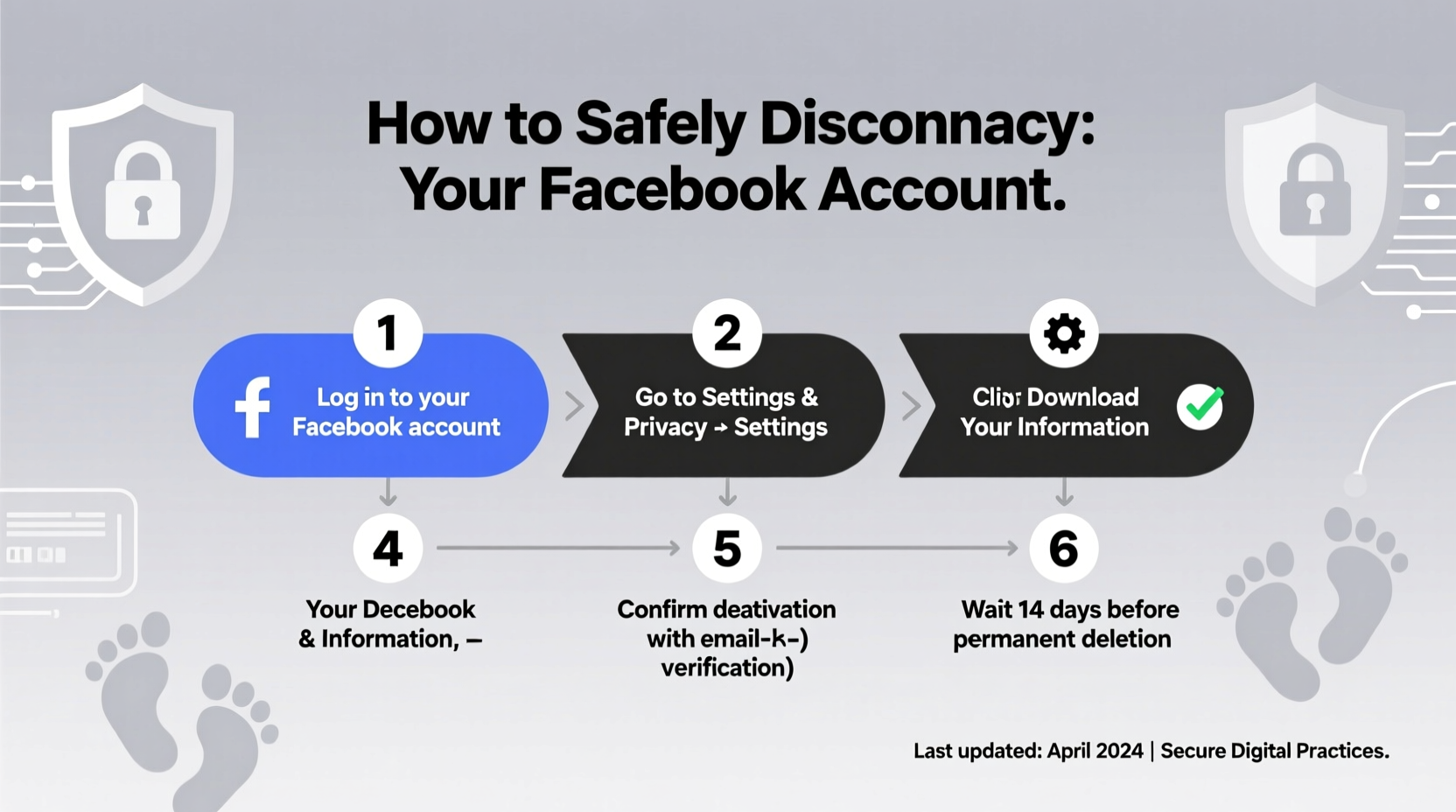
Many users confuse deactivation with permanent disconnection. Deactivating your account temporarily hides your profile, photos, and posts. You can reactivate it at any time by logging back in. However, your data remains stored on Facebook’s servers, and third-party apps linked to your account may still retain access.
Disconnecting—specifically, permanently deleting your account—removes your profile, timeline, photos, friend lists, and most associated data from Facebook’s systems. While some residual metadata may remain due to legal or operational requirements, your personal footprint is significantly reduced.
“Deleting your account is the only way to stop Facebook from collecting new data about you. Temporary measures don’t halt tracking.” — Dr. Lena Patel, Digital Privacy Researcher at the Center for Internet Accountability
Step-by-Step Guide to Safely Disconnect Your Facebook Account
Follow this structured sequence to ensure no loose ends compromise your privacy during the disconnection process.
- Review what will be deleted and what won’t
Facebook retains certain information after deletion, such as messages sent to others (which remain in their inbox), unpaid ads, and records required by law. Understand these limitations upfront. - Download your data
Before deletion, use Facebook’s “Download Your Information” tool to archive your photos, posts, messages, and activity log. This ensures you keep a personal copy of memories and records. - Unlink third-party apps and services
Many websites and apps use “Login with Facebook.” These connections can retain access even after account deletion. Removing them prevents future authentication issues and reduces data leakage. - Log out of all active sessions
Ensure no devices or browsers remain logged into your account. This prevents automatic logins or unauthorized access during the deletion window. - Delete the account via official channels
Only use Facebook’s designated account deletion page. Avoid third-party tools or shortcuts that may compromise security. - Wait out the 30-day grace period
Facebook imposes a 30-day waiting period before final deletion. During this time, logging in cancels the request. Use this window to confirm your decision and ensure nothing was missed. - Verify deletion
After 30 days, attempt to log in. If access is denied and no recovery option appears, your account has been successfully removed.
Managing Connected Apps and Services
One of the most overlooked risks when disconnecting from Facebook is the persistence of app authorizations. Games, fitness trackers, dating apps, and even smart home devices often use Facebook for login credentials. Even after account deletion, these apps may continue storing your data or fail to update authentication protocols.
To minimize exposure:
- Go to Settings > Apps and Websites in your Facebook account.
- Review each connected service and click “Remove” to revoke access.
- For critical services (e.g., health apps), manually create new accounts using email instead of social logins.
- Update passwords on any platform that previously used Facebook login.
| Action | Purpose | Timing |
|---|---|---|
| Revoke app permissions | Prevent continued data sharing | Before deletion request |
| Change login method | Ensure ongoing access to services | Before deletion |
| Clear browser cache | Remove stored Facebook cookies | After deletion confirmation |
| Monitor email for alerts | Catch failed logins or recovery attempts | Ongoing, post-deletion |
Real Example: Maria’s Successful Disconnection
Maria, a freelance writer from Portland, decided to delete her Facebook account after noticing targeted ads referencing private conversations. Alarmed, she began researching how to truly disconnect without losing years of shared family photos.
She started by downloading her entire data archive—over 12 GB of photos and messages. She then spent two evenings reviewing and removing 37 connected apps, including a meditation app and a travel planner. After ensuring all devices were logged out, she initiated the deletion process.
During the 30-day waiting period, she received an automated reminder from a food delivery app that still used Facebook login. Thanks to her preparation, she had already migrated to an email-based account and ignored the prompt. Thirty-one days later, she confirmed her Facebook profile was gone—no search results, no login access.
“It felt like closing a chapter,” Maria said. “I didn’t realize how much mental space I was giving to that app until it was gone.”
Essential Checklist Before You Delete
Use this checklist to ensure you’ve covered all bases before submitting your deletion request:
- ✅ Downloaded all personal data from Facebook
- ✅ Reviewed and removed all connected apps and websites
- ✅ Updated login methods for critical services
- ✅ Logged out of Facebook on all devices (phone, tablet, desktop)
- ✅ Notified close contacts of alternative ways to reach you
- ✅ Disabled auto-backups (e.g., Facebook Photos to iCloud/Google Photos)
- ✅ Set up two-factor authentication (if still active) to prevent hijacking during transition
- ✅ Confirmed no pending payments or ad campaigns
Frequently Asked Questions
Can I recover my account after deletion?
No. Once the 30-day grace period passes, Facebook permanently deletes your account and associated data. Recovery is not possible. If you log in during the 30 days, the deletion is canceled automatically.
Will my messages to others disappear?
No. Messages you sent to friends will remain in their inbox unless they manually delete them. Facebook does not remove your messages from other users’ accounts.
What happens to my comments on other people’s posts?
Your comments will remain visible but will appear under a generic name like “Former Facebook User.” The links to your profile will no longer work.
Final Steps and Long-Term Privacy Habits
Disconnecting from Facebook is a powerful step toward digital autonomy, but true privacy requires ongoing effort. Consider replacing Facebook with more privacy-respecting communication tools like Signal, Matrix, or email for staying in touch. Avoid using social logins elsewhere—opt for dedicated email and password combinations, preferably managed through a secure password manager.
Regularly audit your digital footprint: review app permissions, delete unused accounts, and enable privacy settings on remaining platforms. Just as you wouldn’t leave your front door unlocked, treat your online presence with the same level of vigilance.




 浙公网安备
33010002000092号
浙公网安备
33010002000092号 浙B2-20120091-4
Comments
No comments yet. Why don't you start the discussion?