
Every year, millions of tons of electronic waste—commonly known as e-waste—are generated worldwide. From outdated smartphones and laptops to broken televisions and kitchen appliances, discarded electronics have become one of the fastest-growing waste streams on Earth. Unfortunately, many of these devices end up in landfills, where they leach toxic substances like lead, mercury, and cadmium into soil and water supplies. The good news is that individuals can take meaningful action to reduce this environmental burden. By understanding proper disposal methods, supporting certified recyclers, and rethinking ownership models, you can help protect ecosystems and conserve valuable resources.
Why Proper E-Waste Disposal Matters
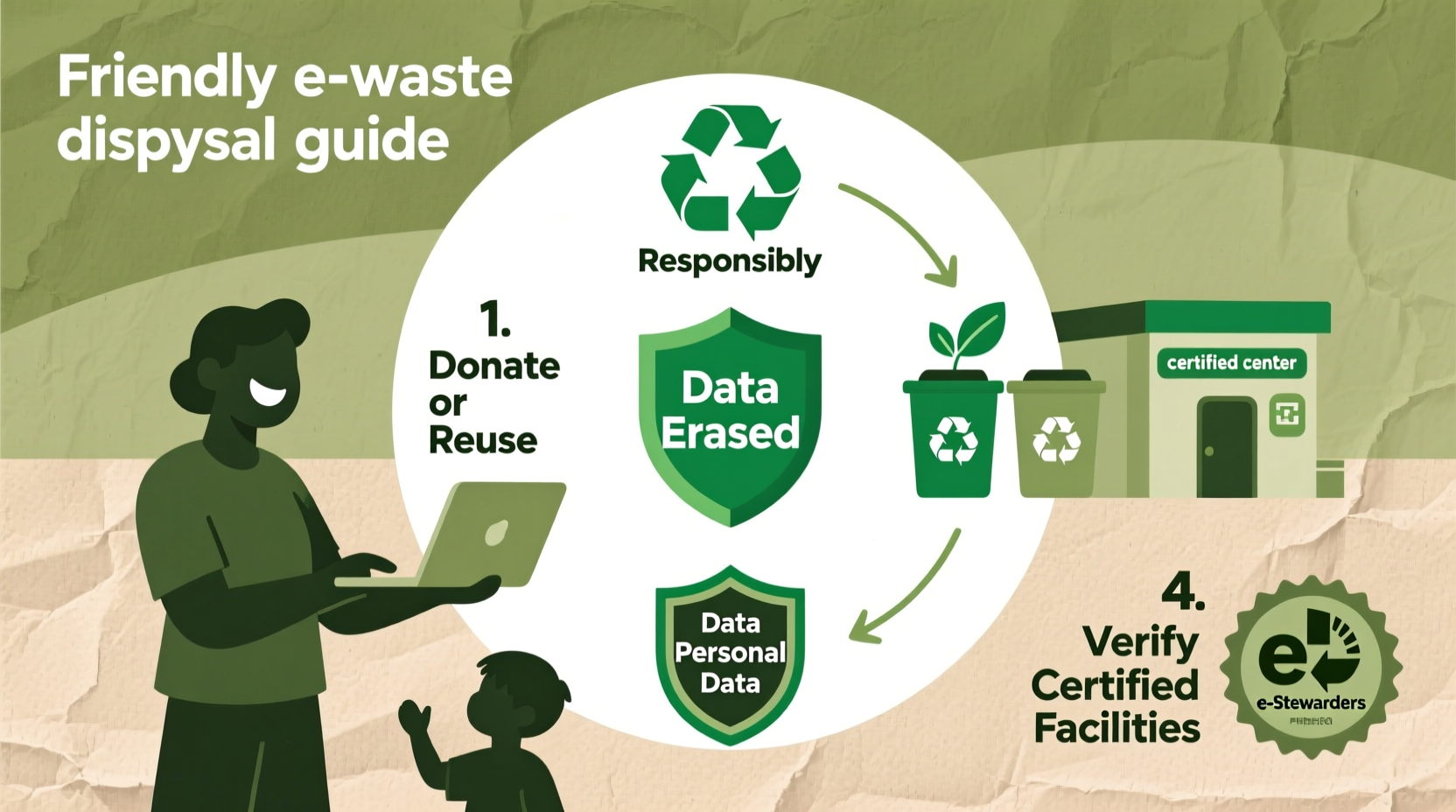
Electronics contain a mix of hazardous materials and precious resources. Circuit boards may carry gold, silver, and copper, while batteries often include lithium and cobalt. When improperly disposed of, these components can contaminate groundwater and emit greenhouse gases during decomposition. At the same time, throwing away functional or repairable devices wastes energy and raw materials used in manufacturing.
The United Nations estimates that only about 17% of global e-waste was formally recycled in 2023. The rest was either dumped, incinerated, or informally processed under unsafe conditions—often in developing countries where workers dismantle devices by hand without protective gear. This not only harms human health but also undermines efforts toward a circular economy.
“E-waste is more than an environmental issue—it’s a resource management crisis. We’re burying tomorrow’s raw materials in today’s landfills.” — Dr. Lena Patel, Environmental Scientist at the Global E-Waste Monitor Initiative
Step-by-Step Guide to Responsible Electronics Disposal
Safely disposing of old electronics doesn’t require special tools or expertise. Follow this clear, actionable process to ensure your devices are handled responsibly:
- Inventory Your Devices: Take stock of all unused electronics—phones, tablets, chargers, printers, cables, etc.—and categorize them by condition (working, damaged, obsolete).
- Back Up and Wipe Data: Before letting go of any device, back up important files. Then perform a factory reset and use data-wiping software if necessary to prevent identity theft.
- Explore Reuse Options: If the item still works, consider donating it, selling it, or gifting it to someone who needs it.
- Find a Certified Recycler: Locate a recycler certified by standards such as R2 (Responsible Recycling) or e-Stewards. These organizations adhere to strict environmental and labor practices.
- Drop Off or Mail In: Bring your electronics to a designated drop-off location or use a mail-in program offered by manufacturers or retailers.
- Track the Outcome: Some programs provide certificates of recycling or tracking numbers so you know exactly what happened to your device.
Donation vs. Recycling: Making the Right Choice
Not every old gadget belongs in a recycling bin. Functional devices can extend their life through reuse, which has a far lower carbon footprint than recycling or producing new units. However, determining whether a device is suitable for donation requires some judgment.
| Condition | Recommended Action | Examples |
|---|---|---|
| Fully functional, updated OS | Donate or sell | Laptop with Windows 10+, smartphone with iOS 14+ |
| Minor issues (slow performance, cracked screen) | Repair or recycle | Tablet with responsive touchscreen but poor battery |
| Non-functional, unrepairable | Recycle via certified facility | Dead hard drive, water-damaged phone |
| Battery swelling or leakage | Immediate professional recycling | Swollen laptop battery, corroded AA cells |
Charities like Goodwill, the World Computer Exchange, and local schools often accept working electronics. Always confirm acceptance policies beforehand, as requirements vary. For sensitive equipment—such as company-issued laptops—ensure compliance with data security protocols before transferring ownership.
Where and How to Recycle Responsibly
Not all recycling centers follow ethical practices. Some export e-waste overseas or engage in open burning to extract metals. To avoid contributing to these harmful systems, choose recyclers verified by independent certification bodies.
- R2 (Responsible Recycling): A globally recognized standard ensuring safe handling, worker protection, and environmental accountability.
- e-Stewards: A stricter certification that prohibits prison labor, child labor, and export of waste to developing nations.
- Manufacturer Take-Back Programs: Companies like Apple, Dell, HP, and Samsung offer free return options for their products, often including shipping labels.
Many major retailers also participate in collection programs:
- Best Buy: Accepts most electronics (with some fees for large appliances) at all U.S. stores.
- Staples: Takes computers, monitors, and accessories; limits apply per day.
- Home Depot & Lowe’s: Offer battery and light bulb recycling bins near entrances.
To find a nearby option, visit websites like Earth911.com or the U.S. Environmental Protection Agency’s recycling locator.
Mini Case Study: Turning Old Tech Into Community Impact
In Portland, Oregon, a high school teacher named Marcus Reed organized a “Tech Renewal Drive” after noticing students struggling with remote learning due to lack of devices. Instead of discarding his office’s outdated laptops, he partnered with a local nonprofit, FreeGeek, to refurbish 42 machines. Volunteers cleaned the hardware, installed Linux-based operating systems, and added webcams.
The refreshed laptops were distributed to low-income families through the district’s digital equity program. Each device came with a three-month support plan and basic training sessions. Within six months, participating students showed a 23% improvement in homework completion rates. Meanwhile, non-functional parts were sent to an e-Stewards-certified recycler, ensuring zero landfill contribution.
This example shows how thoughtful disposal can bridge social gaps while protecting the environment.
Eco-Friendly Alternatives to Disposal
Before deciding to dispose of electronics, explore sustainable alternatives that align with the principles of reduce, reuse, and repair:
- Upgrade Instead of Replace: Add more RAM or replace a battery rather than buying a new computer.
- Participate in Trade-In Programs: Retailers like Apple and Amazon offer credit for old devices, which are then refurbished or responsibly recycled.
- Support Right-to-Repair Initiatives: Advocate for legislation allowing consumers to fix their own devices, reducing premature obsolescence.
- Buy Refurbished: Choose professionally restored electronics to lower demand for new production.
Common Myths About E-Waste Debunked
Misinformation often prevents people from taking action. Let’s clarify a few widespread misconceptions:
- Myth: “Recycling electronics releases more pollution than making new ones.”
Reality: While recycling requires energy, studies show it uses up to 80% less than virgin material extraction and manufacturing. - Myth: “All recyclers do the same thing.”
Reality: Only certified recyclers guarantee ethical processing. Uncertified handlers may dump or burn e-waste. - Myth: “Tiny devices like earbuds aren’t worth recycling.”
Reality: Even small items contain recoverable metals and plastics. Programs like Call2Recycle now accept wearables.
Checklist: Your Personal E-Waste Action Plan
Use this checklist to systematically manage your electronic waste:
- ☐ Audit all unused electronics in your home or office
- ☐ Back up data from devices you plan to discard
- ☐ Perform full factory resets and remove SIM/memory cards
- ☐ Test functionality—can it be reused or donated?
- ☐ Research certified recyclers or retailer take-back programs
- ☐ Schedule drop-off or print a mail-in label
- ☐ Keep a record of recycling receipts or certificates
- ☐ Share responsible disposal habits with friends and family
FAQ: Common Questions About E-Waste Disposal
Can I recycle electronics curbside with my regular recycling?
No. Most municipal curbside programs do not accept electronics due to safety and sorting challenges. Always use designated drop-off points or special collection events.
Are there laws about e-waste disposal?
Yes. Over 25 U.S. states have enacted e-waste recycling laws requiring manufacturers to fund take-back programs. Penalties may apply for illegal dumping, especially for businesses disposing of large volumes.
What happens to my device after I recycle it?
Certified recyclers first test for reuse potential. If not viable, devices are dismantled manually or mechanically. Metals are smelted, plastics are shredded and pelletized, and hazardous components (like CRT glass) are treated separately. Up to 85% of materials can be recovered and reused in new products.
Conclusion: Small Actions, Big Impact
Disposing of old electronics responsibly isn’t just about following rules—it’s about stewardship. Every device diverted from a landfill represents cleaner air, safer communities, and preserved natural resources. You don’t need to overhaul your lifestyle to make a difference. Start with one drawer of cables, one forgotten tablet, or one outdated printer. Find its next step—reuse, repair, or responsible recycling—and act.
As consumer habits shift, so too must our relationship with technology. By treating electronics as valuable assets rather than disposable commodities, we pave the way for a more sustainable digital future.




 浙公网安备
33010002000092号
浙公网安备
33010002000092号 浙B2-20120091-4
Comments
No comments yet. Why don't you start the discussion?