
The holiday season brings opportunities to elevate your smart home experience beyond convenience—into ambiance, warmth, and even storytelling. When synchronized thoughtfully, Christmas lights can become part of a broader smart scene that adjusts the thermostat when guests arrive, unlocks the front door remotely, and illuminates the path with festive lighting. However, integrating decorative lighting into an automated ecosystem requires attention to safety, compatibility, and timing. Done correctly, it enhances both comfort and security. Done poorly, it risks electrical overload, device conflicts, or compromised home access.
This guide walks through the technical and practical considerations of weaving Christmas lights into a smart home routine that includes thermostat regulation and door lock automation. From selecting the right hardware to designing cohesive scenes and avoiding common pitfalls, you’ll learn how to create a holiday environment that’s as safe as it is magical.
Selecting Compatible Smart Lighting Hardware
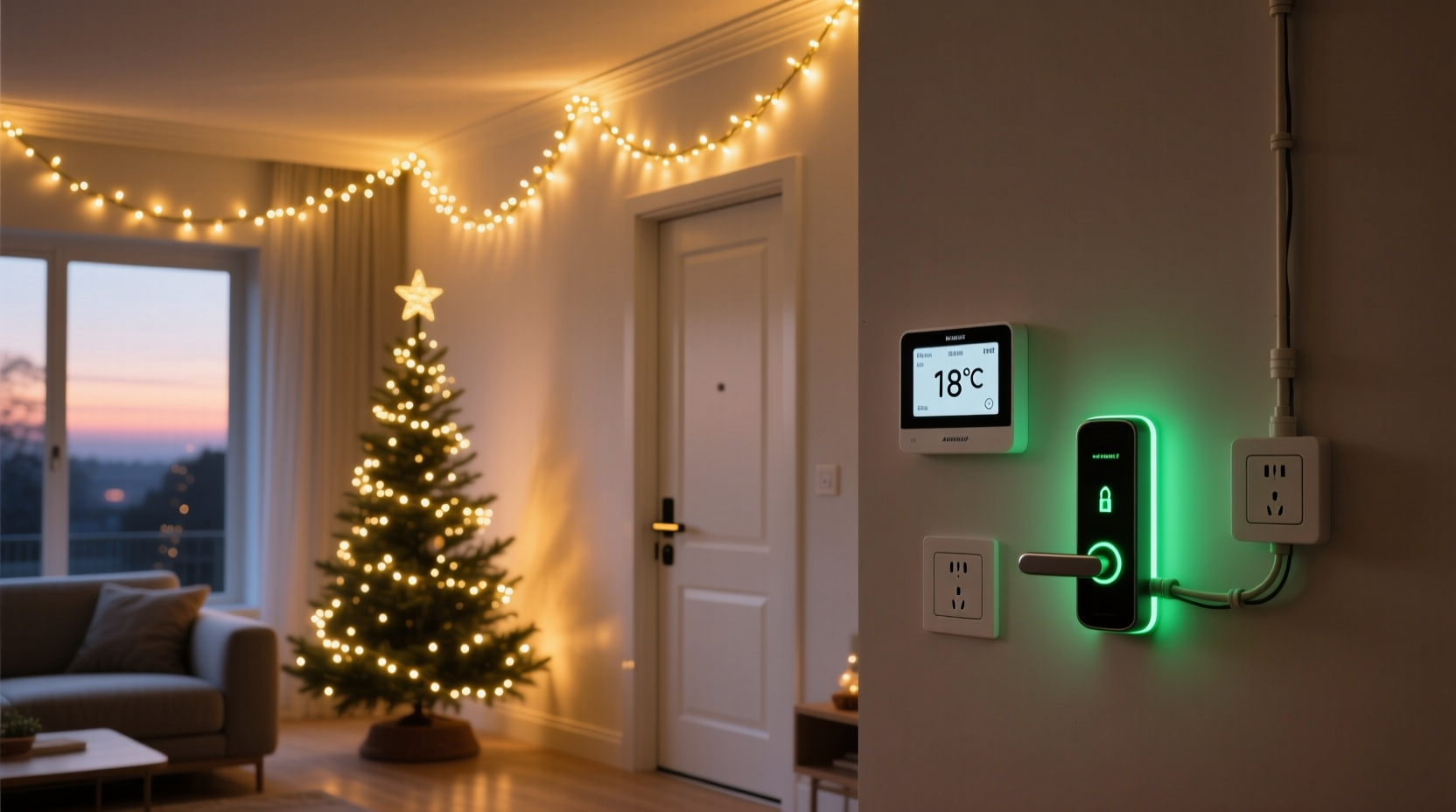
Not all Christmas lights are created equal—especially when integration is the goal. For reliable performance within a smart home scene, choose lights designed specifically for app control, scheduling, and voice assistant compatibility. Look for products certified by major platforms like Amazon Alexa, Google Assistant, Apple HomeKit, or Samsung SmartThings.
LED string lights with built-in Wi-Fi or Zigbee connectivity offer the best balance of responsiveness and energy efficiency. Avoid older plug-in models without dimming or scheduling features. Instead, opt for smart plugs paired with standard lights if full smart strings aren’t feasible. These allow legacy lighting to participate in automation without sacrificing control.
Ensure each lighting segment operates within the amperage limits of your circuit. Most household circuits support 15–20 amps; exceeding this risks tripped breakers or overheating. As a rule of thumb, never daisy-chain more than three strands of incandescent lights or eight LED sets unless explicitly rated for extended chaining.
Designing Unified Scenes Across Devices
A “scene” in smart home terminology refers to a single command that triggers multiple actions across different devices. The goal here is to design a holiday scene where turning on Christmas lights coincides with adjusting the indoor temperature and confirming the front door is locked—or unlocking it for expected guests.
For example, a “Welcome Home for Holidays” scene might include:
- Front door unlocks at 6:00 PM (if geofencing confirms arrival)
- Thermostat increases from 62°F to 68°F starting at 5:45 PM
- Exterior Christmas lights turn on at dusk (via sunset trigger)
- Interior accent lights activate with warm white tone
- Entryway motion sensor turns on pathway lighting
To build such a scene, ensure all devices are connected to the same hub or platform. Popular choices include Apple HomeKit, Google Home, or Samsung SmartThings, which support multi-brand interoperability via Matter or Thread protocols. If using Alexa, leverage Routines to group actions under a single verbal or scheduled command.
“Modern smart homes thrive on context-aware automation. A light isn’t just on or off—it’s part of a response to time, weather, location, and user behavior.” — Dr. Lena Patel, IoT Systems Architect
Step-by-Step: Creating a Holiday Arrival Scene
Follow this sequence to implement a coordinated holiday scene that activates lights, adjusts climate, and manages access:
- Inventory Your Devices: Confirm that your Christmas lights (via smart plug or native app), thermostat (e.g., Nest, Ecobee), and smart lock (e.g., August, Yale) are online and updated.
- Group Devices by Zone: In your smart home app, assign labels like “Front Yard,” “Entryway,” “Living Room,” and “Main Thermostat” for easier targeting.
- Set Time and Trigger Conditions: Choose whether the scene activates at a fixed time, based on geolocation, or in response to sunset. Sunset-based triggers are ideal for seasonal lighting.
- Build the Scene: Using your platform’s automation tool, create a new routine. Name it “Holiday Evening Mode.” Add actions:
- Turn on “Porch Lights” (smart plug controlling outdoor LEDs)
- Set “Tree Lights” to 80% brightness, warm white
- Adjust thermostat to 69°F
- Verify front door is locked; if not, lock automatically after 30 seconds
- Add Safety Delays: Program a 15-second delay between power-on commands for lights to prevent surge issues when multiple devices activate simultaneously.
- Test Manually First: Activate the scene from your phone before relying on automation. Confirm all devices respond correctly.
- Enable Geofencing (Optional): Configure the scene to trigger when your smartphone enters a 0.5-mile radius of home, ensuring warmth and light greet you upon arrival.
Safety and Security Considerations
Integrating lighting with locks and thermostats introduces convenience but also potential vulnerabilities. A malfunctioning automation could inadvertently unlock the door or leave lights on indefinitely, signaling vacancy. To mitigate risks:
- Never automate door unlocking without multi-factor verification (e.g., geofencing + manual confirmation).
- Use “lock-only” modes during overnight hours, even in holiday scenes.
- Monitor power consumption: Track energy usage through your smart plug or hub dashboard to detect anomalies.
- Install surge protectors for outdoor lighting circuits, especially in regions with frequent winter storms.
- Set end times for lighting scenes—e.g., auto-off at 11:00 PM—to reduce fire risk and light pollution.
Additionally, avoid linking door unlock actions directly to public-facing events like “Christmas lights turned on.” This could expose patterns to observers. Instead, base access decisions on private triggers like authenticated app commands or verified proximity.
| Action | Safe Practice | Risky Practice |
|---|---|---|
| Door Unlock Automation | Requires geofence + PIN confirmation | Unlocks when any light turns on |
| Light Activation | Uses staggered start times via smart plugs | Daisy-chained strings powered simultaneously |
| Thermostat Adjustment | Pre-heats 20 min before expected arrival | Runs at max heat all day |
| Scene Scheduling | Ends at 11 PM with auto-lock reminder | No end time; runs indefinitely |
Real-World Example: The Thompson Family Holiday Setup
The Thompsons live in a suburban neighborhood where curb appeal matters year-round—but especially during December. They wanted their home to feel welcoming without compromising security or energy efficiency. Their solution:
They installed UL-listed LED Christmas lights around windows and rooflines, controlled via Kasa smart plugs. Inside, a pre-lit tree connects to a separate smart switch. Their Ecobee thermostat learns family schedules, and a Yale Assure Lock handles entry.
Every evening at sunset, a Home Assistant automation triggers:
- Outdoor lights ramp up over 10 seconds (preventing surge)
- Indoor tree lights turn on at 70% brightness
- Thermostat raises temperature to 70°F if occupied
- Front door verifies locked status; sends alert if open
When either parent approaches home after dark, geofencing initiates a “Coming Home” mode: porch light brightens, thermostat adjusts, and the door unlocks only after facial recognition via doorbell camera confirms identity. Christmas lights remain on a separate timer, unaffected by access events.
The result? A festive, energy-conscious home that feels alive during the holidays while maintaining strict control over physical access.
Checklist: Safe Smart Holiday Integration
Before Activating Your Holiday Scene:
- ✅ Verify all smart devices are updated and online
- ✅ Test individual components (lights, lock, thermostat) manually
- ✅ Confirm circuit load won’t exceed breaker capacity
- ✅ Set automatic shutoff times for all lights
- ✅ Enable two-step verification for door unlock automations
- ✅ Use a trusted hub or platform that supports cross-device scenes
- ✅ Label all smart plugs and circuits clearly
- ✅ Share emergency override instructions with household members
Frequently Asked Questions
Can I use voice commands to activate a full holiday scene?
Yes—platforms like Alexa and Google Assistant allow you to create custom routines triggered by voice. Say, “Hey Google, it’s Christmas time,” to turn on lights, adjust the thermostat, and announce a holiday message. Ensure sensitive actions like unlocking doors require additional confirmation.
What happens if the internet goes down during automation?
Most smart hubs support local execution for basic functions (e.g., scheduled on/off), but cloud-dependent actions may fail. To maintain reliability, use devices with local control capability (e.g., Matter-compatible products) and set fallback rules, such as default thermostat settings or manual light switches as backup.
Are smart Christmas lights safe for outdoor use in snowy climates?
Only if labeled for outdoor use and properly insulated. Look for IP44 or higher ratings indicating resistance to moisture and dust. Always plug outdoor lights into GFCI outlets and avoid placing connections directly on the ground. Use conduit or protective covers to shield junctions from snow accumulation.
Conclusion: Create Magic Without Compromising Safety
Blending Christmas lights with thermostat and door lock controls transforms seasonal decoration into a dynamic expression of smart living. When approached with care, these integrations deliver comfort, elegance, and peace of mind. The key lies in thoughtful planning—choosing compatible hardware, respecting electrical limits, and prioritizing security in every automated decision.
Start small: test one light circuit with a thermostat adjustment before layering in door controls. Refine timing, brightness, and conditions until the experience feels intuitive. Over time, your holiday setup can evolve into a signature feature of your smart home—one that welcomes loved ones warmly and safely.




 浙公网安备
33010002000092号
浙公网安备
33010002000092号 浙B2-20120091-4
Comments
No comments yet. Why don't you start the discussion?