
As holiday seasons grow smarter, millions of homes now light up with synchronized, voice-controlled smart Christmas lights. While the spectacle is impressive—flashing in rhythm to “Jingle Bells” on command—the underlying strain on home networks often goes unnoticed until it’s too late. Slow Wi-Fi, unresponsive devices, or even router crashes can turn festive joy into technical frustration.
The integration of smart lighting with platforms like Amazon Alexa and Google Home is seamless in theory, but real-world conditions—especially during the holidays—can push consumer-grade routers beyond their limits. With dozens of bulbs, multiple hubs, and other connected devices competing for bandwidth, a single strand of lights can become a hidden bottleneck.
This guide walks through practical, tested strategies to connect and control your smart Christmas lights using Alexa and Google Assistant while preserving network stability, device responsiveness, and overall home automation performance.
Understanding the Network Load from Smart Lights
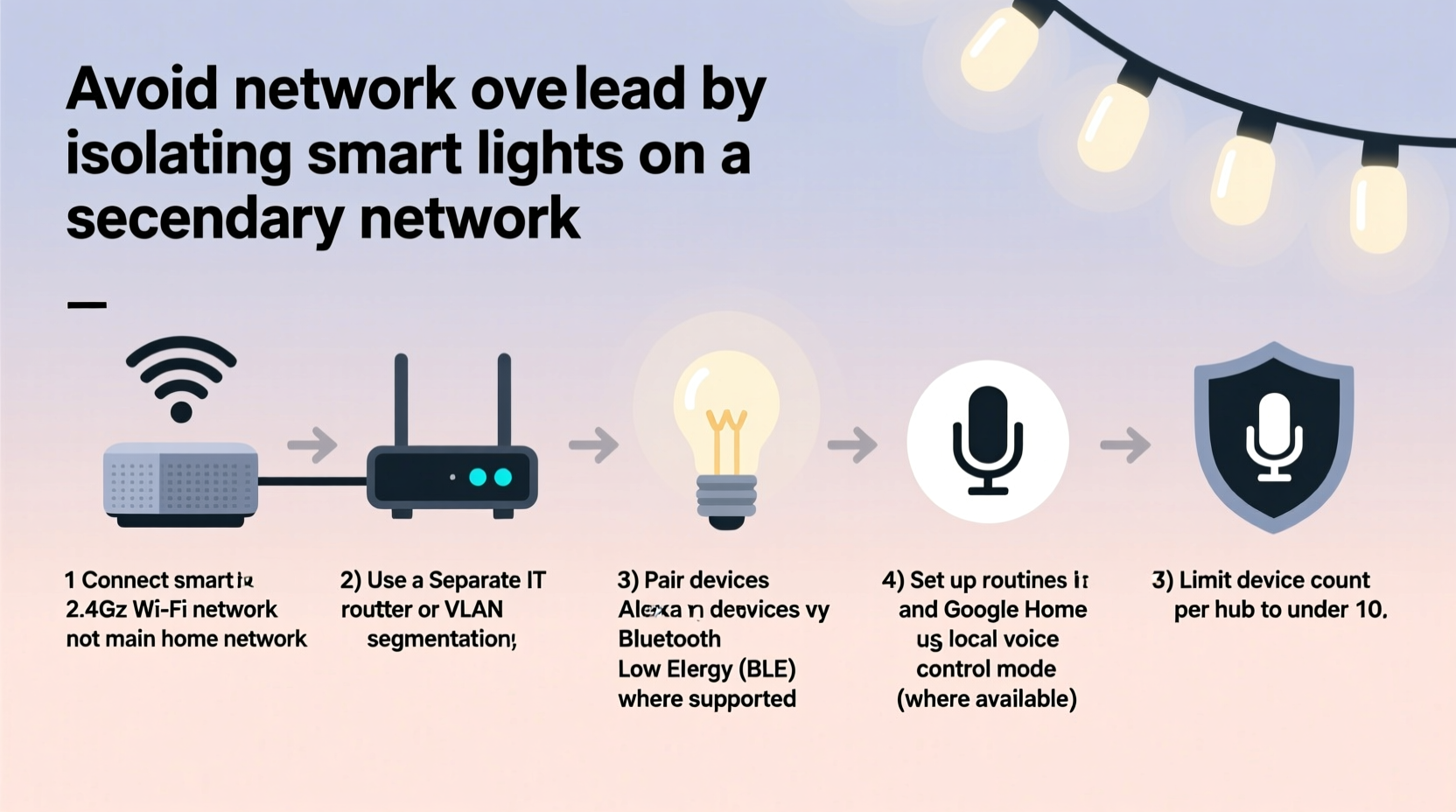
Smart Christmas lights are typically Wi-Fi-, Bluetooth-, or Zigbee-enabled. The most common type—Wi-Fi-connected strands—communicate directly with your router, sending and receiving data every time you adjust brightness, color, or effects via an app or voice assistant.
Each bulb or controller acts as a separate client on your network. A 50-bulb string might only use one IP address if managed by a central hub, but some systems assign individual addresses to each segment. Multiply that by several strands, outdoor displays, and seasonal decorations, and you could easily add 10–20 new devices during the holidays.
Every connected device consumes bandwidth, even when idle. Smart lights periodically check in with their cloud servers (e.g., Philips Hue, LIFX, or TP-Link Kasa) to maintain synchronization, report status, and stay responsive to commands. This background chatter, known as “keep-alive” traffic, increases latency and reduces available bandwidth for streaming, gaming, or video calls.
“During peak holiday usage, we’ve seen smart lighting arrays increase local network traffic by up to 35%, especially when synchronized across assistants.” — Rajiv Mehta, Senior Network Engineer at HomeNet Labs
Step-by-Step Guide: Safe Integration Without Overload
Follow this structured process to deploy smart Christmas lights alongside Alexa and Google Home while minimizing network impact.
- Inventory Your Current Network Load
Before adding any new devices, assess your existing setup. Use your router’s admin interface or apps like Fing or GlassWire to count active devices and monitor bandwidth usage. Note which devices are high-bandwidth (streaming boxes, security cameras) and prioritize their stability. - Choose the Right Communication Protocol
Opt for Zigbee or Z-Wave lights whenever possible, especially for large installations. These protocols operate on low-power mesh networks and communicate through a central hub (like Amazon Echo Plus or Samsung SmartThings), reducing direct Wi-Fi congestion. - Segment Your Network Using a Guest SSID or VLAN
Dedicate a separate network for holiday devices. Most modern routers support guest networks or VLANs. Assign all smart lights, controllers, and holiday gadgets to this isolated segment. This prevents them from interfering with primary devices and enhances security. - Update Firmware and Apps
Ensure your smart lights’ firmware, voice assistant apps (Alexa, Google Home), and router software are up to date. Manufacturers often release optimizations that reduce communication overhead and improve efficiency. - Configure Schedules Instead of Constant Voice Control
Instead of relying on daily voice commands, set automated routines. For example, schedule lights to turn on at dusk and off at 11 PM. This reduces repeated API calls to the cloud and minimizes real-time network demands. - Test Responsiveness Gradually
Add one strand at a time. After integrating each, test voice commands (“Alexa, red and green flash”) and observe response time and network lag. If delays occur, scale back or reconfigure. - Limit Simultaneous Effects During Peak Usage
Avoid running complex animations (rainbow cycles, music sync) when family members are streaming or working from home. Reserve dynamic modes for evenings or special occasions.
Device Comparison: Smart Light Protocols and Network Impact
| Protocol | Bandwidth Use | Max Devices per Network | Voice Assistant Compatibility | Best For |
|---|---|---|---|---|
| Wi-Fi | High | 15–25 (varies by router) | Alexa, Google Home (direct) | Small indoor displays, simple setups |
| Zigbee | Low | 50+ | Via hub (Echo Plus, SmartThings) | Large, scalable installations |
| Z-Wave | Very Low | 232 | Via compatible hub | Secure, reliable whole-home use |
| Bluetooth | Medium (short range) | 7–8 (per host) | Limited; requires proximity | Single-room, temporary decor |
Checklist: Pre-Integration Network Safety Steps
- ✅ Audit current connected devices and close unused connections
- ✅ Upgrade router firmware to latest version
- ✅ Enable Quality of Service (QoS) settings to prioritize critical devices
- ✅ Create a guest network for holiday IoT devices
- ✅ Confirm smart lights are on the same regional server as your voice assistant (e.g., North America vs. EU)
- ✅ Test one smart light strand before full deployment
- ✅ Disable unnecessary cloud features (e.g., remote access if not needed)
- ✅ Set up scheduled on/off times to reduce idle polling
Real Example: Avoiding Holiday Network Collapse
The Thompson family in Denver installed 12 strands of Wi-Fi smart lights across their home and yard, all linked to Alexa. By mid-December, they noticed their Netflix streams buffering, Zoom calls freezing, and even their doorbell camera becoming unresponsive. Their router logs showed over 40 active devices, many from the lights syncing every 30 seconds.
After consulting a local smart home technician, they restructured their setup: they moved eight strands to a Zigbee hub connected to their second-generation Echo Show, created a guest network for remaining Wi-Fi lights, and scheduled all animations to run only between 5 PM and 9 PM. They also enabled QoS to prioritize laptops and phones.
The result? Lights remained fully controllable by voice, but network lag dropped by 70%. Streaming resumed smoothly, and the display stayed vibrant—without sacrificing digital peace of mind.
Frequently Asked Questions
Can I use both Alexa and Google Home with the same smart lights?
Yes, but with caveats. Most smart lights can be linked to either platform, but simultaneous connection may cause conflicts or double-triggering. It’s best to designate one primary assistant for control. Some apps allow dual linking, but this increases background sync requests and network load.
Why do my smart lights respond slowly after connecting to Google Home?
Delays often stem from poor Wi-Fi signal strength, router congestion, or excessive device polling. Ensure the light controller is within range of the router or hub. Also, check if other high-traffic devices are active. Moving holiday devices to a guest network usually resolves sluggish responses.
Do smart Christmas lights consume a lot of data?
Individually, no. A typical strand uses about 10–20 MB per month for status updates and commands. However, in bulk—especially with music synchronization or frequent color changes—data usage can exceed 100 MB monthly. While this won’t max out most internet plans, it can strain limited bandwidth environments like apartments or rural connections.
Expert Tips for Long-Term Stability
Once your lights are integrated, maintain performance throughout the season with these habits:
- Monitor device counts weekly. Remove inactive or forgotten holiday gadgets from your network.
- Use local execution when available. Platforms like Google Home now support “local control” for select devices, meaning commands execute on your network instead of the cloud—reducing latency and bandwidth use.
- Power down non-essential strands overnight. Even in standby, devices generate network noise. Use smart plugs with scheduling to cut power completely during downtime.
- Label devices clearly in your app. Rename “Light Strip 4” to “Front Porch Red/Green” to avoid confusion and streamline voice commands.
“Local control is the future of responsive smart homes. Devices that don’t rely on the cloud are faster, more private, and less taxing on your network.” — Dr. Lena Torres, IoT Researcher at Stanford Connected Systems Lab
Conclusion: Enjoy the Glow Without the Glitch
Smart Christmas lights bring magic to the season, and with Alexa or Google Home, that magic becomes effortless. But convenience shouldn’t come at the cost of connectivity. By understanding network limitations, choosing efficient protocols, and organizing your devices strategically, you can enjoy dazzling displays without slowing down your Wi-Fi or frustrating your household.
The key lies not in limiting technology, but in deploying it wisely. Segmented networks, scheduled routines, and mindful device selection ensure your home stays bright—and responsive—all December long.




 浙公网安备
33010002000092号
浙公网安备
33010002000092号 浙B2-20120091-4
Comments
No comments yet. Why don't you start the discussion?