
Moving a computer monitor without its original packaging is a common challenge, especially when relocating after years of use or purchasing a secondhand display. The delicate nature of LCD, LED, and OLED panels means even minor pressure or vibration can result in permanent damage—cracks, dead pixels, or internal circuit failure. While the manufacturer’s box with custom foam inserts offers optimal protection, it’s not always available. Fortunately, with careful preparation and the right materials, you can transport your monitor safely using alternatives found around the home or purchased affordably.
The key lies in understanding what makes a monitor vulnerable: the glass surface, thin bezels, and sensitive internal components. Protection must focus on shock absorption, scratch prevention, and structural support. This guide walks through proven methods, material substitutions, and real-world tested strategies to ensure your screen arrives at its destination intact—even without the original box.
Why Monitor Packaging Matters
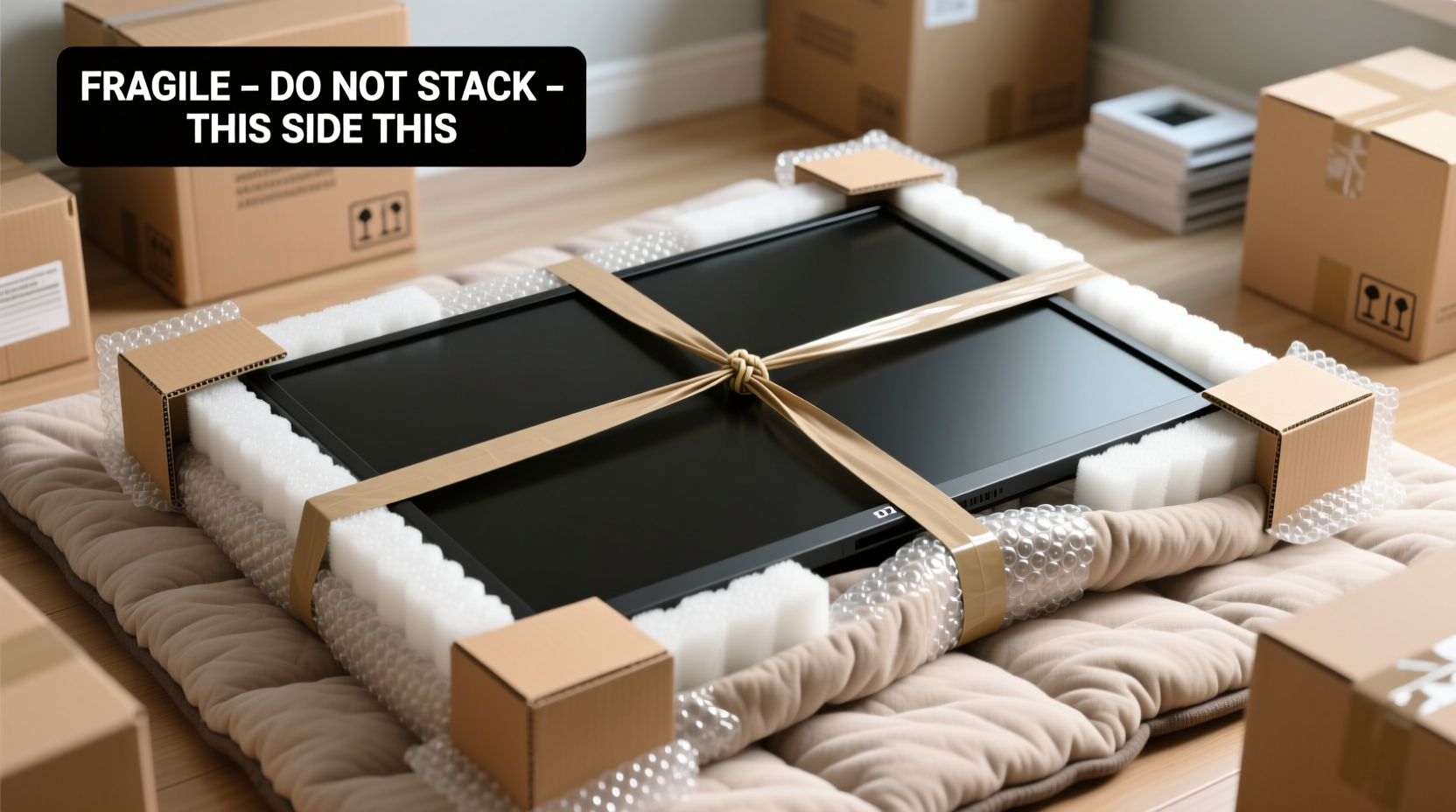
A monitor’s original box isn’t just for branding—it’s engineered for safety. Manufacturers design these boxes with specific dimensions, cushioning materials (like molded EPS foam), and internal bracing to immobilize the screen and absorb impacts. Without this protection, monitors become susceptible to three primary risks during a move:
- Impact damage: Dropping or bumping the monitor can crack the glass or damage internal layers.
- Pressure points: Stacking items on top or pressing against edges can cause microfractures that spread over time.
- Scratches and abrasions: Contact with rough surfaces or debris can mar the screen permanently.
According to the International Safe Transit Association (ISTA), up to 68% of electronic damage during moves occurs due to improper packing—not accidents during transit. This highlights that preparation, not luck, determines whether your monitor survives relocation.
“Even a small jolt can compromise pixel integrity in modern flat-panel displays. The absence of original packaging doesn’t mean you can’t protect it—you just need to replicate the core principles: cushioning, containment, and constraint.” — Dr. Alan Reyes, Electronics Logistics Engineer
Essential Materials for Safe Packing
You don’t need specialty equipment to pack a monitor securely. Most effective substitutes are accessible and inexpensive. Below is a list of recommended materials, ranked by effectiveness:
| Material | Purpose | Household Alternative |
|---|---|---|
| Moving blankets | Shock absorption and surface protection | Thick comforters or quilts |
| Bubble wrap (large bubble) | Cushioning edges and screen | Packaging air pillows (less ideal) |
| Cardboard sheets (double-wall) | Rigid outer shell and edge shielding | Flattened shipping boxes taped together |
| Foam corner guards | Protect vulnerable corners from impact | Rolls of bubble wrap shaped into L-brackets |
| Packing tape (heavy-duty) | Secure wrapping and seal outer layers | Duct tape (only for external reinforcement) |
Step-by-Step Guide to Packing a Monitor Without the Original Box
Follow this sequence to maximize protection. Allow at least 30–45 minutes for careful execution.
- Power down and disconnect: Turn off the monitor and unplug all cables. Remove HDMI, power cords, and stands. Label each cable with tape for easy reassembly.
- Clean the screen: Use a microfiber cloth and screen-safe cleaner to remove dust and fingerprints. A clean surface prevents trapped debris from scratching during transit.
- Protect the screen face: Lay a piece of soft cloth or anti-static foam over the display. Avoid pressing hard. Tape lightly at the edges if needed, but never across the center.
- Wrap with bubble wrap: Starting from one side, wrap the entire monitor in 2–3 layers of large-bubble bubble wrap. Pay special attention to corners, which are most prone to impact damage. Seal seams with tape, but avoid direct contact with the screen surface.
- Reinforce with rigid cardboard: Cut two pieces of double-wall cardboard to match the height and width of the monitor. Place one on the front (over the bubble-wrapped screen) and one on the back. These act as a makeshift clamshell case.
- Secure the assembly: Use heavy-duty packing tape to bind the cardboard panels together along all four edges. Wrap tape around the perimeter for added stability. Do not stack anything on top of the packed monitor.
- Place in a larger moving box (optional): If available, put the sealed unit into a slightly oversized box filled with crumpled kraft paper or packing peanuts on all sides. This adds an extra buffer against shocks.
- Label clearly: Mark the package “Fragile,” “This Side Up,” and “Do Not Stack” with bold, visible lettering.
Alternative Method: Using a Suitcase or Hard Case
If you have access to a hard-shell suitcase, tool case, or photography gear bag with customizable foam inserts, it can serve as a high-protection alternative. Trim EVA foam or closed-cell padding to fit snugly around the monitor, ensuring no movement inside. This method is especially effective for smaller monitors (under 27 inches) and frequent movers.
Real-World Example: Moving a 32-Inch Gaming Monitor
Mark, a graphic designer relocating from Chicago to Denver, faced the challenge of transporting his 32-inch ultrawide monitor without the original box, lost during a prior move. He used a combination of a wool blanket, 40 inches of bubble wrap, and two reinforced cardboard panels from a refrigerator box. After wrapping and sealing the unit, he placed it upright in the corner of his moving van, wedged between a sofa and bookshelf to prevent shifting. Upon arrival, the monitor powered on without issue—no scratches, cracks, or performance changes. His total cost: $0, using only recycled materials.
His success came from three key decisions: avoiding horizontal stacking, minimizing vibration exposure by placing it in a stable zone, and refusing to let movers lay it flat under other items. This case illustrates that proper technique outweighs expensive materials.
Common Mistakes to Avoid
Even well-intentioned efforts can backfire if based on misconceptions. Here are frequent errors and their consequences:
- Laying the monitor flat in a truck: Increases pressure on the center of the screen, risking delamination or backlight damage.
- Using plastic bags for wrapping: Traps moisture and creates static, which may affect internal circuits.
- Taping directly onto the screen: Residue and adhesive pressure can damage coatings or pixels.
- Over-tightening straps around the package: Excessive force on a fragile structure can cause internal stress fractures.
- Storing in extreme temperatures: Heat causes expansion; cold increases brittleness. Both raise breakage risk.
Checklist: Monitor Packing Without Original Box
Use this checklist before finalizing your packed monitor:
- ✅ Monitor powered off and disconnected from all cables
- ✅ Screen cleaned with microfiber cloth
- ✅ Soft protective layer applied over the display (cloth or foam)
- ✅ Wrapped in 2–3 layers of bubble wrap, corners reinforced
- ✅ Front and back protected with rigid cardboard cut to size
- ✅ Cardboard panels securely taped around all edges
- ✅ Package labeled “Fragile,” “This Side Up,” and “Do Not Stack”
- ✅ Stored upright during transit, not laid flat or leaned
- ✅ Placed in low-vibration area of moving vehicle
Frequently Asked Questions
Can I use a TV box to pack my monitor?
Yes, provided the monitor fits snugly and there’s enough space for padding on all sides. Fill gaps with crumpled paper or foam to prevent movement. Ensure the monitor doesn’t rattle inside, as vibration accelerates wear.
Is it safe to pack a curved monitor the same way?
Curved monitors require extra caution. Their shape makes them more vulnerable to edge stress. Use additional foam or rolled towels along the curved edges and avoid any pressure across the arc. Ideally, keep it in a custom-cut foam insert if possible.
What if I have to fly with my monitor?
Air travel poses higher risks due to pressure changes and rough handling. If carrying it on, keep it wrapped and request it be stowed upright. For checked baggage, consider a hard-shell pelican-style case with custom foam. Airlines generally do not accept liability for screen damage in luggage.
Final Tips for Long-Term Monitor Safety
Packing is just one phase of protection. Once moved, allow the monitor to acclimate for 1–2 hours if it was exposed to extreme temperatures during transit. Condensation inside the panel can cause short circuits when powered on too soon. Also, inspect for physical damage before connecting.
For future moves, consider preserving the original box or investing in a reusable monitor shipping case. Some third-party manufacturers offer universal padded cases with adjustable straps and foam lining, priced between $40 and $80—often less than the cost of replacing a damaged screen.
“The best packing solution is the one that mimics factory conditions: immobilized, cushioned, and clearly marked. When done right, a monitor can survive dozens of moves without issue.” — Lena Park, Senior Technician at TechMove Logistics
Conclusion
Packing a monitor without its original box doesn’t have to be risky. With thoughtful material selection, attention to structural vulnerabilities, and disciplined execution, you can achieve professional-grade protection at minimal cost. Whether you're moving across town or across the country, treating your monitor with the care it deserves ensures continued performance and longevity.




 浙公网安备
33010002000092号
浙公网安备
33010002000092号 浙B2-20120091-4
Comments
No comments yet. Why don't you start the discussion?