
Modern smartphones rely on SIM cards to connect to cellular networks, making them essential for communication, data access, and even identity verification in some regions. However, when a SIM card becomes lodged in the tray—either due to improper insertion, debris buildup, or mechanical failure—the situation can quickly escalate from inconvenient to alarming. Attempting to force it out with sharp objects or excessive pressure risks damaging internal components, scratching the motherboard contacts, or rendering the SIM slot unusable.
The good news is that most cases of a stuck SIM card can be resolved at home using safe, methodical approaches. With the right tools, patience, and understanding of your device’s design, you can extract the SIM without costly repairs or permanent damage. This guide walks through practical steps, preventive measures, and real-world insights to help you regain control of your device safely and efficiently.
Understanding Why SIM Cards Get Stuck
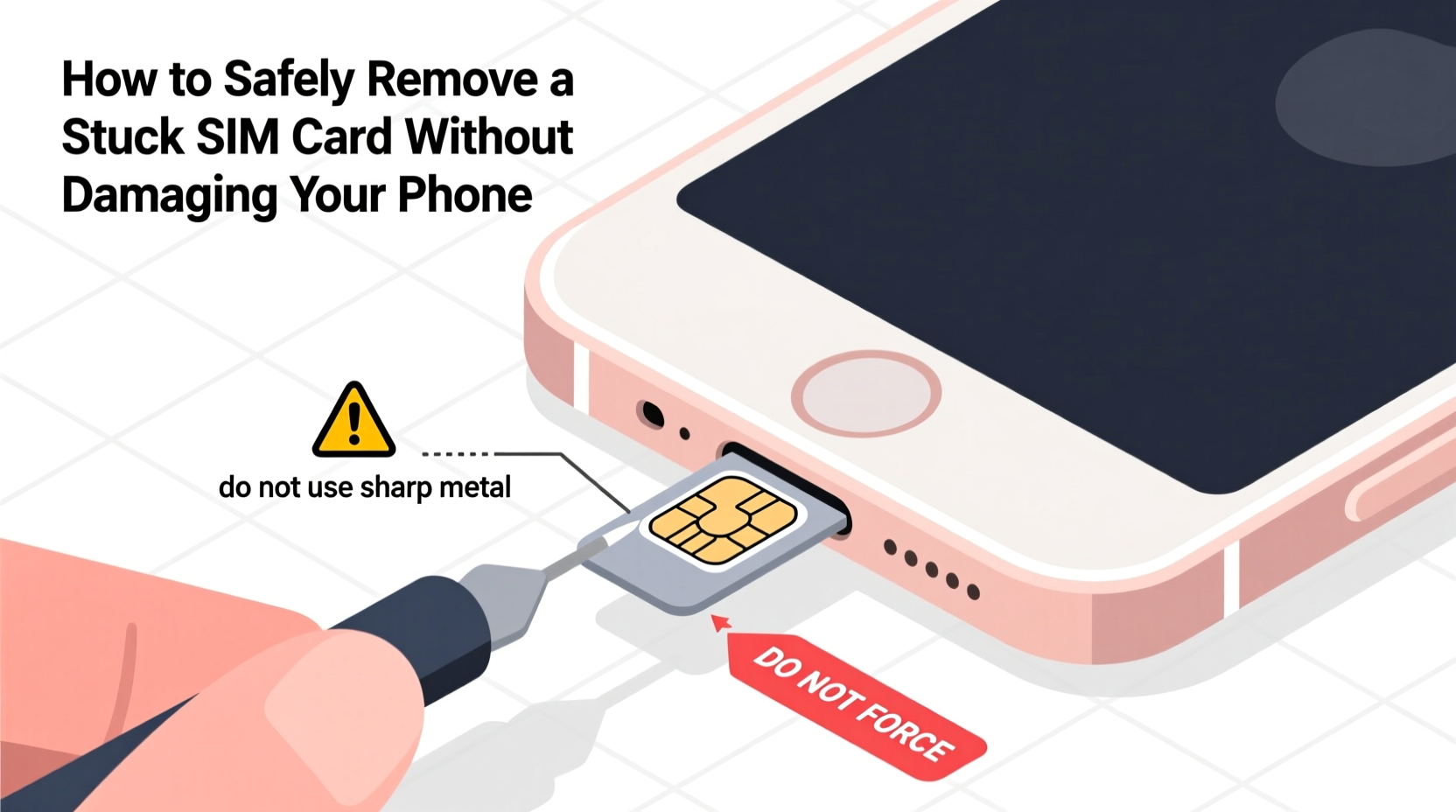
SIM trays are designed for repeated insertion and removal, but several factors can interfere with smooth operation. Recognizing the root cause helps determine the safest extraction strategy.
- Improper alignment: Inserting the SIM at an angle can wedge it against the tray walls or misalign it with the ejection mechanism.
- Debris accumulation: Dust, lint, or pocket residue can build up inside the tray channel, creating friction that prevents retraction.
- Corrosion or moisture exposure: Phones exposed to humidity or liquids may develop minor corrosion around metal contacts, causing the tray to seize.
- Worn or damaged tray: Repeated use or prior impact can deform the tray, reducing its ability to slide smoothly.
- Over-tightening during insertion: Pressing too hard when inserting the tray can compress internal springs or displace alignment pins.
Before attempting any removal technique, power off your device completely. This minimizes the risk of short circuits if conductive tools accidentally touch internal components.
Step-by-Step Guide to Remove a Stuck SIM Card Safely
Follow this structured sequence to maximize success while minimizing risk. Each step builds on the previous one, progressing from non-invasive to more involved methods only if needed.
- Power down the device: Turn off your phone completely. This protects internal electronics and ensures no active signals interfere with the process.
- Inspect the tray opening: Use a bright flashlight to examine the SIM slot. Look for visible obstructions like dust clumps, bent metal, or foreign objects.
- Try the standard eject tool: Insert the official SIM eject pin (or a straightened paperclip) into the release hole. Apply steady, firm pressure straight in—do not wiggle. If the tray doesn’t pop out within 5 seconds, stop and reassess.
- Use compressed air: Blow short bursts into the gap between the tray and the phone body to dislodge dust or particles. Hold the nozzle at least 1 inch away to avoid moisture transfer.
- Apply gentle vibration: Tap the side of the phone lightly on a soft surface (like a folded cloth) while holding it with the SIM slot facing downward. Sometimes gravity and micro-vibrations help loosen the tray.
- Warm the area slightly: Rub your fingertip over the SIM slot for 30 seconds to transfer mild heat. Thermal expansion can break minor adhesions caused by condensation or oxidation.
- Use adhesive putty (if tray is partially exposed): Roll a small piece of museum putty or Blu Tack onto the visible edge of the tray. Gently pull straight out once adhered. Avoid pulling at an angle.
- Seek professional help if unresolved: If none of the above work, do not attempt drilling, prying, or disassembling the phone yourself unless experienced.
Patience is critical. Rushing increases the chance of irreversible damage. Allow time between attempts for thermal shifts or loosening effects to take place naturally.
Do’s and Don’ts When Handling a Stuck SIM Tray
| Do’s | Don’ts |
|---|---|
| Use the correct-sized SIM eject tool | Force the pin deeper than 5mm |
| Clean the tray with isopropyl alcohol before reuse | Use sharp blades or scissors near the slot |
| Store the phone in a dry environment post-repair | Blow into the slot with your mouth (moisture risk) |
| Check compatibility of replacement trays | Insert SIMs while the phone is powered on |
| Test functionality after successful removal | Tap the phone aggressively on hard surfaces |
This table serves as a quick-reference checklist to reinforce best practices and prevent common mistakes that lead to further complications.
Real Example: Recovering a SIM from a Water-Damaged iPhone
In early 2023, Sarah, a freelance photographer based in Miami, left her iPhone 12 in a beach bag overnight after a shoot. The next morning, she noticed the SIM wasn’t recognized. Assuming it was software-related, she restarted the phone multiple times. When diagnostics suggested a hardware issue, she tried ejecting the tray—but the pin had no effect.
Upon closer inspection, salt residue was visible around the tray edges. She avoided using water or vinegar, knowing they could worsen corrosion. Instead, she used a can of electronics-safe compressed air and gently warmed the area with her hands. After three rounds of airing and tapping, the tray loosened enough to catch with a piece of sticky tack. Once removed, she cleaned both the tray and slot with 90% isopropyl alcohol and a cotton swab. The SIM worked perfectly upon reinsertion, and the phone resumed normal service.
Sarah’s experience highlights the importance of environmental awareness and gentle intervention. A hasty decision to pry open the phone could have voided her warranty and damaged the logic board.
“Many SIM issues stem from environmental exposure rather than mechanical failure. A calm, systematic approach almost always yields better results than brute force.” — David Lin, Senior Mobile Technician at FixHub Repair Network
When to Seek Professional Help
There comes a point where DIY methods should end and professional service should begin. Knowing when to step back prevents turning a fixable problem into a catastrophic one.
If the SIM tray shows no movement after multiple safe attempts, especially on newer devices with sealed designs like iPhones or Samsung Galaxy S series models, internal mechanisms may be compromised. These phones often use spring-loaded or magnetic retention systems that require specialized tools to manipulate safely.
Authorized repair centers have access to micro-suction cups, anti-static tweezers, and diagnostic software that can verify whether the SIM reader itself is functional. They also maintain OEM replacement trays, ensuring perfect fit and finish.
Additionally, if your phone has been dropped recently or shows other signs of internal damage—such as flickering screens, unresponsive buttons, or charging issues—it's wise to have a technician evaluate the entire unit. What seems like a stuck SIM might actually be a symptom of broader structural misalignment.
Frequently Asked Questions
Can a stuck SIM card damage my phone over time?
Not directly, but prolonged obstruction can delay necessary repairs or upgrades. Additionally, if moisture enters through gaps around a jammed tray, corrosion may develop on internal contacts, leading to long-term reliability issues.
Is it safe to use tape to pull out a partially ejected SIM tray?
Yes, but only with low-adhesion tape like painter’s tape or Scotch tape. Wrap a small strip around the edge of the tray and pull straight out. Avoid duct tape or packing tape, which can leave residue or tear delicate metal edges.
What should I do if the SIM tray won’t stay inserted after removal?
This usually indicates a worn spring or deformed tray. Replace the tray with an OEM-compatible part. Third-party trays vary in quality and may not seat properly, increasing future ejection risks.
Preventive Measures for Future SIM Stability
Once you’ve successfully removed a stuck SIM, take steps to prevent recurrence. Prevention is far simpler and cheaper than troubleshooting another incident.
- Regular cleaning: Every few months, remove the SIM tray and wipe it with a dry microfiber cloth. Use a cotton swab dampened with isopropyl alcohol for stubborn grime.
- Proper insertion technique: Align the tray correctly before pushing. It should slide in smoothly with light pressure. Resistance means misalignment—do not force it.
- Avoid mixing trays between devices: Even slight dimensional differences between models can cause binding. Always use the tray designed for your specific phone.
- Protect from moisture: Store your phone in a dry place. Consider silica gel packs in storage drawers if you live in a humid climate.
- Carry a backup eject tool: Many keychains now include dual-purpose SIM ejectors and styluses. Having one readily available reduces improvisation under stress.
“Over 40% of SIM-related service visits are due to user-induced jams from incorrect tools or insertion angles. Education and proper tools go a long way.” — Tech Support Report, Global Mobile Repair Alliance (2023)
Conclusion
Removing a stuck SIM card doesn’t have to mean risking your phone’s integrity. By understanding the mechanics behind the SIM tray, applying careful techniques, and recognizing when to seek expert assistance, you can resolve the issue safely and effectively. Most problems stem from simple causes—dust, misalignment, or minor corrosion—that respond well to patient, informed handling.
The key is to resist the urge to rush. Take time to assess, prepare, and proceed with precision. Your phone is designed for serviceability; respecting its engineering ensures longevity and performance.




 浙公网安备
33010002000092号
浙公网安备
33010002000092号 浙B2-20120091-4
Comments
No comments yet. Why don't you start the discussion?