
Water damage is one of the most common yet stressful mishaps for smartphone users. Whether it’s a splash from the sink, a dropped phone in the toilet, or an unexpected rainstorm, moisture trapped in your phone’s speaker can lead to muffled sound, distortion, or even permanent hardware failure. For years, people have turned to rice as a quick fix—but it's outdated, ineffective, and potentially harmful. Rice doesn’t absorb moisture efficiently, and its fine dust can clog ports and speakers further.
The good news? There are far better, scientifically sound methods to safely extract water from your phone’s speaker without risking additional damage. This guide walks you through proven techniques, backed by electronics experts, that prioritize safety, speed, and effectiveness.
Why Rice Isn’t the Answer (And What It Actually Does)
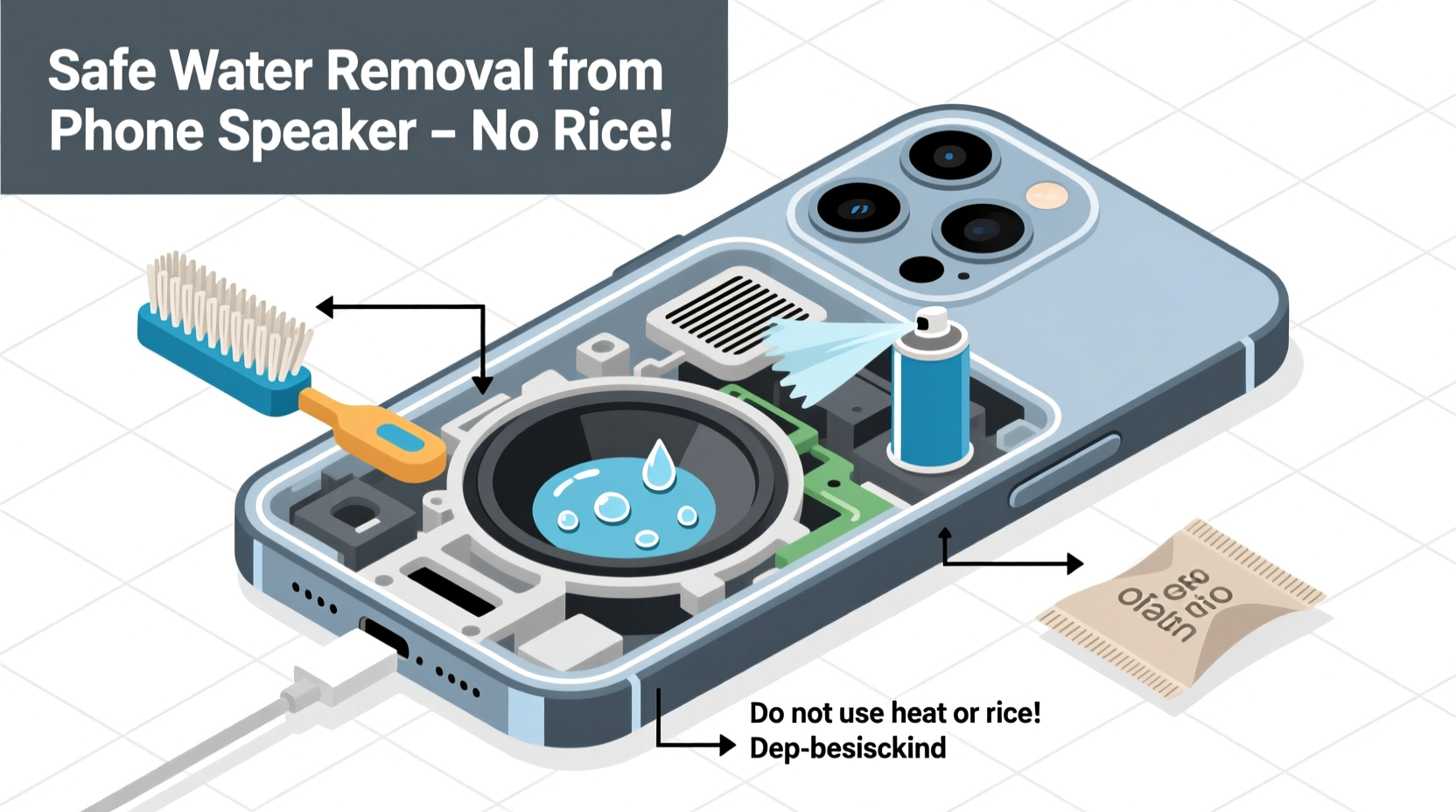
The myth of using rice to dry out wet electronics persists because it seems logical: rice absorbs moisture, so it should help a wet phone, right? In reality, uncooked rice has very low hygroscopic efficiency—meaning it pulls in moisture slowly and incompletely. According to a 2012 study conducted by the University of California, San Diego, rice removed only about 13% of moisture after 48 hours. Desiccants like silica gel performed significantly better, extracting up to 90% of moisture in the same timeframe.
Beyond inefficiency, rice poses real risks:
- Dust contamination: Tiny rice particles can enter speaker grilles, charging ports, or microphones, causing blockages or interfering with internal components.
- No airflow: Submerging your phone in a bowl of rice creates a stagnant environment. Without air circulation, evaporation slows dramatically.
- False sense of security: Users may believe their phone is “drying” when in fact, moisture remains trapped internally, leading to corrosion over time.
Immediate Steps to Take When Your Phone Gets Wet
Speed matters. The longer moisture stays in contact with internal circuitry, the higher the risk of short circuits and corrosion. Follow this timeline immediately after exposure:
- Turn off the device instantly. If your phone is still on, power it down immediately. Do not attempt to restart it or press any buttons if it was submerged while active.
- Remove external accessories. Take off cases, screen protectors, SIM cards, and any connected cables. These trap moisture and slow drying.
- Wipe the exterior gently. Use a lint-free cloth to dab (not rub) visible water from the surface, especially around ports and speaker grilles.
- Avoid heat sources. Do not use hairdryers, ovens, microwaves, or direct sunlight. Excessive heat can warp internal components and melt adhesives.
- Do not shake aggressively. Shaking may force water deeper into sensitive areas like the speaker chamber or microphone.
“The first five minutes after water exposure are critical. Powering down immediately can prevent irreversible electrical damage.” — Dr. Alan Reyes, Electronics Repair Specialist, iFix Electronics Lab
Effective Alternatives to Rice: Proven Drying Methods
Instead of relying on kitchen staples, use targeted strategies that enhance evaporation and moisture absorption safely.
1. Silica Gel Packets (Best for Absorption)
Silica gel—the small packets often found in shoeboxes or pill bottles—is highly effective at pulling moisture from enclosed spaces. Place your powered-off phone in an airtight container or resealable bag with 5–10 silica gel packets. Seal completely and leave for 24–48 hours.
2. Vacuum Method (Gentle Suction)
Use a vacuum cleaner with a narrow nozzle attachment to gently pull air—and moisture—out of speaker openings. Hold the nozzle 1–2 cm away from the speaker grille for 2–3 minutes per side. Never touch the speaker mesh directly. This method encourages airflow without forcing water inward.
3. Compressed Air (For Surface Moisture Only)
Canned air can help dislodge water droplets clinging to the speaker mesh. Hold the can upright and use short bursts at a 45-degree angle. Avoid prolonged spraying, which can condense moisture due to rapid cooling.
4. Warm, Dry Environment (Passive Evaporation)
Place your phone in a warm room with low humidity and good ventilation—such as near a dehumidifier or under a fan (not blowing directly onto the device). Maintain a temperature between 20–25°C (68–77°F). Avoid heating devices.
| Method | Effectiveness | Time Required | Risk Level |
|---|---|---|---|
| Rice | Low | 48+ hours | Moderate (dust, no airflow) |
| Silica Gel | High | 24–48 hours | Low |
| Vacuum Suction | Moderate-High | 5–10 minutes | Low (if used carefully) |
| Compressed Air | Moderate | 2–5 minutes | Low-Moderate (condensation risk) |
| Natural Airflow + Fan | Moderate | 12–24 hours | Very Low |
Step-by-Step Guide: Removing Water from Speaker Safely
Follow this structured process to maximize your chances of restoring clear audio without damaging your device.
- Power Off Immediately
Shut down your phone. If it won’t turn off normally, let the battery drain completely before proceeding. - Extract Excess Water
Gently tap the phone with the speaker facing downward. Use gravity to help water escape. Do not insert tools or cloths into the grille. - Prepare a Drying Chamber
Place the phone in a sealed container with silica gel packets. Aim for at least 10 packets for every cubic foot of space. Replace packets every 12 hours if possible. - Apply Gentle Suction (Optional)
After 6–12 hours, use a vacuum on the lowest setting to encourage airflow around the speaker. Limit to 3 minutes per session. - Wait Patiently
Leave the phone undisturbed for at least 24 hours. Rushing the process increases the risk of turning it on while moisture remains. - Test the Speaker
Power on the device and play audio at low volume. Listen for crackling, muffling, or distortion. If issues persist, repeat drying steps or seek professional help.
Mini Case Study: Recovering a Waterlogged iPhone
Jamie, a college student, accidentally dropped her iPhone 13 in a sink full of soapy water. She retrieved it within 10 seconds but noticed immediate muffled sound during calls. Instead of using rice, she followed a professional repair guide:
- Powered off the phone immediately.
- Dried the exterior with a microfiber cloth.
- Placed the phone in a ziplock bag with 8 silica gel packets overnight.
- Used a vacuum cleaner nozzle (on cool setting) for 2 minutes the next morning.
- Waited another 12 hours before powering on.
Result: Audio returned to normal. No lasting damage occurred. Jamie avoided costly repairs by acting quickly and avoiding outdated methods.
When to Seek Professional Help
Some situations require expert intervention. If your phone exhibits any of the following, stop DIY attempts and consult a technician:
- Visible corrosion inside ports or under the screen.
- Speaker produces no sound at all, even after 48 hours of drying.
- Device fails to power on despite a charged battery.
- Fogging visible under the screen or camera lens.
Professionals use ultrasonic cleaning, internal inspection tools, and controlled drying chambers that home methods cannot replicate. Attempting to open the phone yourself may void warranties and increase damage risk.
FAQ: Common Questions About Water in Phone Speakers
Can water permanently damage my phone speaker?
Yes, if left untreated. Pure water is less conductive, but impurities in tap or salt water can cause corrosion on metal contacts and speaker coils. Permanent damage typically occurs within 24–72 hours if moisture isn’t removed.
Is it safe to use alcohol to clean a wet speaker?
No. While isopropyl alcohol evaporates quickly, applying it directly to a wet speaker can push liquids deeper into the housing. It should only be used by technicians during internal cleaning after disassembly.
Will playing loud music help dry the speaker?
Not reliably. While sound vibrations may dislodge tiny droplets, excessive volume can strain a compromised speaker. Use only low-volume tones after the device is fully dried.
Final Checklist: What to Do (and Not Do)
- DO:
- ✅ Turn off the phone immediately
- ✅ Use silica gel in a sealed container
- ✅ Allow 24–48 hours for passive drying
- ✅ Test audio gradually after drying
- ✅ Consult a repair shop if problems persist
- DO NOT:
- ❌ Use rice, cat litter, or oatmeal
- ❌ Apply heat from hairdryers or heaters
- ❌ Shake or blow into the speaker
- ❌ Charge or plug in while damp
- ❌ Ignore signs of internal fogging or corrosion
Conclusion: Protect Your Device with Smarter Habits
Removing water from your phone speaker doesn’t require gimmicks or pantry items—it requires knowledge, patience, and the right tools. By replacing the outdated rice method with science-backed techniques like silica gel desiccation and controlled airflow, you significantly increase your chances of full recovery. Prevention is equally important: consider using waterproof cases, enabling water-repellent coatings, or activating built-in water protection features (available on some newer models).
Your smartphone is a sophisticated piece of technology. Treat it with care, respond swiftly to accidents, and trust proven methods over myths. A little preparation today can save you hundreds tomorrow.




 浙公网安备
33010002000092号
浙公网安备
33010002000092号 浙B2-20120091-4
Comments
No comments yet. Why don't you start the discussion?