
TikTok has become one of the most influential platforms for short-form video content. Whether it's dance challenges, life hacks, or viral comedy clips, users often want to keep their favorite videos for personal use, inspiration, or sharing across other platforms. However, TikTok automatically adds its watermark — including the username and logo — which can be distracting or unprofessional when repurposing content. Fortunately, there are reliable ways to download TikTok videos without watermarks quickly and cleanly. This guide walks through trusted methods, tools, and best practices to help you save videos with ease and clarity.
Why Remove the Watermark?
The watermark on TikTok videos serves as a branding tool, promoting both the creator and the platform. While crediting creators is important, there are legitimate reasons to remove the watermark:
- Using clips in presentations or educational material where branding distracts from the message.
- Editing videos for compilation reels, social media posts, or marketing content.
- Saving memories or favorite performances without cluttered overlays.
- Avoiding accidental promotion of accounts not relevant to your audience.
“While TikTok’s watermark helps grow creators, professionals and educators often need clean versions for integration into broader projects.” — Dana Reyes, Digital Media Strategist
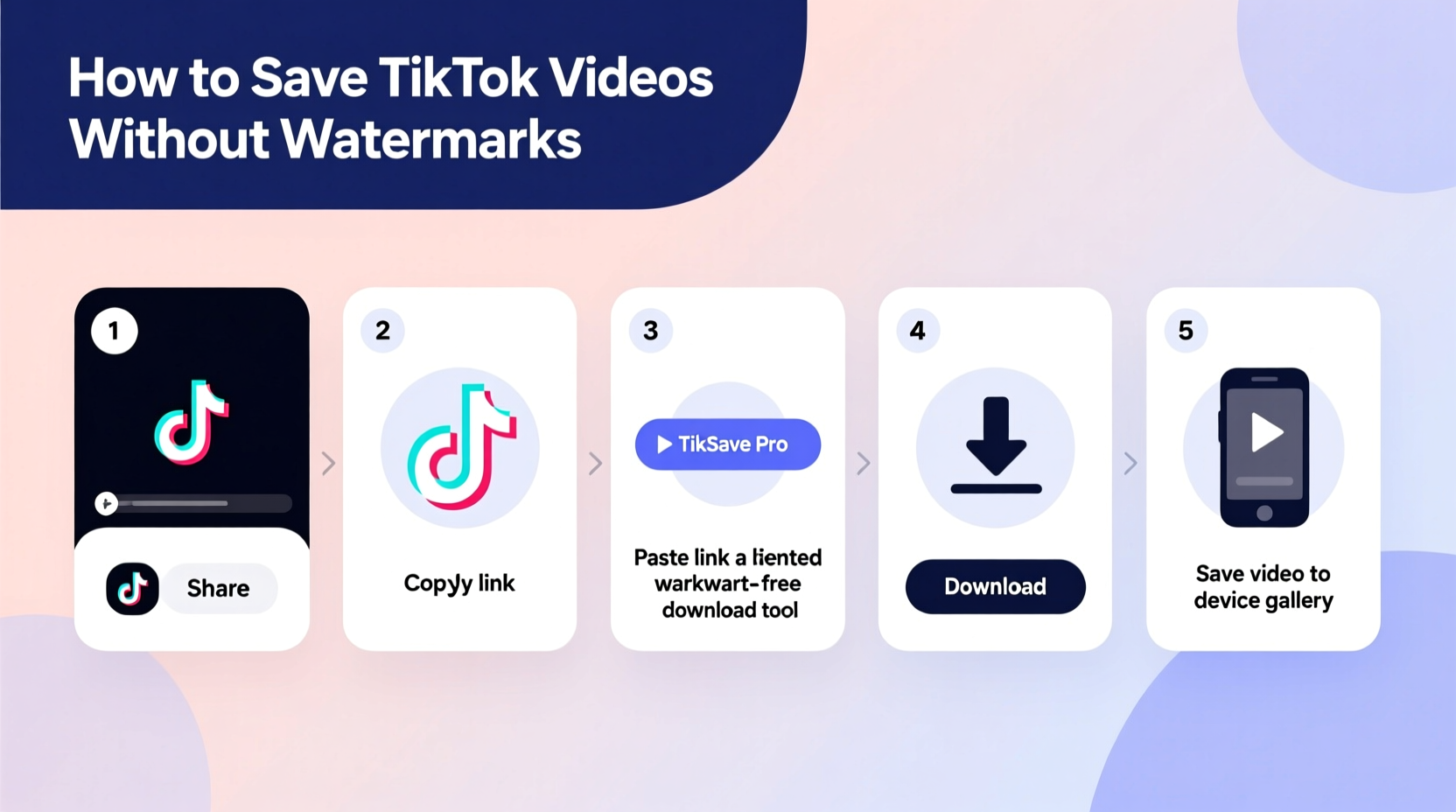
Step-by-Step Guide to Download TikTok Videos Without Watermarks
Downloading TikTok videos without watermarks doesn’t require technical expertise. Follow this clear, five-step process using free and accessible tools.
- Open the TikTok App and Find the Video
Locate the video you’d like to save. Tap the share arrow (→) on the right-hand side of the screen. - Copy the Video Link
Select “Copy link” from the menu. This copies the full URL of the video to your device’s clipboard. - Visit a Trusted No-Watermark Downloader Website
Open a web browser and go to a reputable TikTok downloader such as Snaptik, TTDown, or SaveTik. These services are designed specifically to strip watermarks and deliver clean MP4 files. - Paste the Link and Process
Paste the copied URL into the input box on the downloader site. Click “Download” or “Get Video.” The tool will analyze the link and generate two options: one with the watermark and one without. - Choose the No-Watermark Option and Save
Select the version labeled “No watermark” or “HD (without logo).” The video will begin downloading directly to your phone or computer. On mobile devices, check your Downloads folder; on desktops, refer to your browser’s default download location.
Recommended Tools and Their Features
| Tool | Watermark-Free Output | Speed | Platform Support | Ads/Pop-ups |
|---|---|---|---|---|
| Snaptik.app | Yes | Fast (under 10 sec) | Mobile & Desktop | Minimal |
| TTDown.net | Yes | Fast | Mobile & Desktop | Moderate |
| SaveTik.co | Yes | Very Fast | All Devices | High (use ad-blocker) |
| TikSave.io | Yes | Fast | iOS, Android, PC | Low |
Alternative Methods: Browser Extensions and Apps
Beyond online tools, several browser extensions and mobile apps offer automated solutions for saving TikTok videos without watermarks.
Browser Extensions (For Desktop Users)
- TikTok Video Downloader for Chrome: Adds a download button directly below TikTok videos when browsing on desktop. Works seamlessly with Google Chrome and Microsoft Edge.
- Video Downloader Plus: A multipurpose extension that detects TikTok video URLs and offers one-click download with watermark removal.
To install:
- Go to the Chrome Web Store.
- Search for “TikTok downloader” and choose a highly rated extension (4.5+ stars).
- Click “Add to Chrome,” then confirm installation.
- Refresh TikTok and look for the new download icon beneath videos.
Mobile Apps (Use with Caution)
Some third-party apps like TikSave, VidMate, or Snaptube claim to support watermark-free downloads. However, these are not available on official app stores due to policy restrictions. Installing them requires enabling “Unknown Sources” on Android, which poses security risks. For safety, stick to web-based tools unless you fully trust the source.
Mini Case Study: Using Clean TikTok Clips in Education
Sophia Martinez, a high school media teacher in Austin, Texas, uses TikTok content to teach digital storytelling. She regularly saves trending videos to show students how pacing, music, and visuals drive engagement. Initially, she used screen recordings, but the quality was poor and the watermark distracted from the lesson.
After discovering Snaptik.app, Sophia began downloading high-definition, watermark-free versions. She now integrates these clips into slide decks and student assignments. “My students focus on the technique, not the username flashing in the corner,” she says. “It makes analysis much more effective.”
This real-world example shows how removing watermarks isn’t about bypassing credit — it’s about enhancing usability in professional and academic settings.
Best Practices and Ethical Considerations
While downloading TikTok videos without watermarks is technically straightforward, ethical use matters. Consider the following checklist before saving and sharing:
✅ TikTok Download Checklist
- ☑️ Copy the video link from the official TikTok app or website.
- ☑️ Use a secure, ad-light downloader site (avoid suspicious domains).
- ☑️ Select the “No watermark” option during download.
- ☑️ Save the creator’s username and video caption for proper attribution.
- ☑️ Do not monetize or redistribute content without permission.
- ☑️ Avoid downloading private or sensitive content.
“Technology gives us access, but responsibility defines how we use it. Always respect creators’ rights, even when the tool allows anonymity.” — Marcus Lin, Digital Ethics Consultant
Frequently Asked Questions
Is it legal to download TikTok videos without watermarks?
Downloading videos for personal, educational, or commentary purposes generally falls under fair use. However, redistributing or profiting from someone else’s content without permission may violate copyright laws. Always credit the original creator and avoid commercial use unless authorized.
Can I download TikTok videos on an iPhone without jailbreaking?
Yes. iPhone users can copy the TikTok link and paste it into a watermark-free downloader website using Safari. The video can then be saved via the “Share” sheet or a built-in download manager. No jailbreak or third-party app installation is required.
Why do some downloader sites fail or show errors?
TikTok frequently updates its security protocols, which can temporarily disrupt third-party tools. If a site isn’t working, try an alternative service or wait a few hours. Persistent issues may indicate the tool is outdated or unreliable.
Final Tips for Consistent Success
- Always test the downloaded video to ensure audio and video sync properly.
- Clear your browser cache periodically if download buttons stop responding.
- Use incognito mode to avoid tracking or pop-up overload on downloader sites.
- Keep a folder labeled “TikTok Saves” to organize downloaded content by topic or project.
Conclusion
Saving TikTok videos without watermarks is simpler than most people think. With the right tools and a mindful approach, you can preserve high-quality clips for personal enjoyment, creative editing, or educational use. The key is choosing reliable downloaders, respecting creators, and staying informed about evolving platform rules. Now that you have a clear, step-by-step method at your fingertips, start collecting your favorite moments — cleanly and confidently.




 浙公网安备
33010002000092号
浙公网安备
33010002000092号 浙B2-20120091-4
Comments
No comments yet. Why don't you start the discussion?