
For many homeowners, the magic of the holiday season begins not with the first snowfall—but with the flicker of synchronized lights dancing to music at dusk. A daily Christmas light show transforms your home into a neighborhood landmark, lifts community spirits, and creates cherished family traditions. Yet manually turning on dozens of smart bulbs, controllers, and speakers each evening isn’t sustainable—or festive. The solution lies in automation: leveraging smart home routines to trigger your full light sequence at the same time every day, without lifting a finger. This isn’t just about convenience; it’s about reliability, energy efficiency, and preserving the joy—not the labor—of the season.
Why Routines Beat Manual Control (and Why Timing Matters)
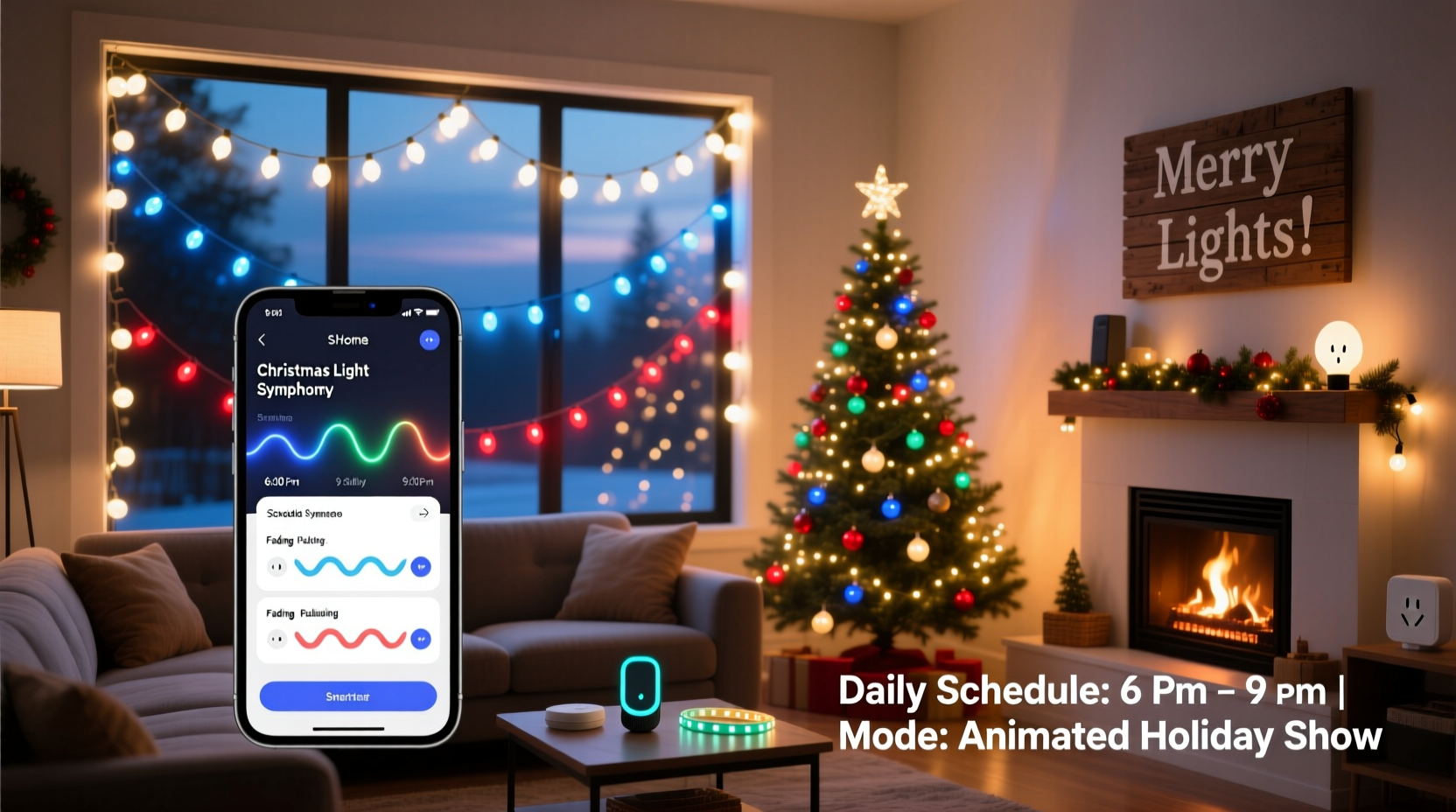
Manual operation introduces inconsistency: lights may turn on too early on cloudy afternoons, or not at all during hectic evenings. Worse, forgetting to activate the show can break momentum—neighbors stop watching, kids lose excitement, and the effort invested in setup feels diminished. Smart home routines eliminate human error while enabling precise, repeatable triggers based on time, sunset, or even local weather conditions. Crucially, they allow for layered execution: one routine can power on outdoor outlets, dim porch lights, start a Bluetooth speaker playing holiday music, and fade RGB bulbs through a 90-second color sequence—all in under five seconds.
Timing isn’t arbitrary. Research from the National Retail Federation shows that 73% of viewers report peak engagement between 5:30 p.m. and 8:30 p.m., with the highest dwell time occurring within 45 minutes of official sunset. Scheduling your show to begin 15 minutes after sunset—not at a fixed clock time—ensures optimal visibility regardless of date or latitude. This dynamic approach also respects energy conservation: lights activate only when ambient light drops below usable levels, avoiding unnecessary daytime operation.
Hardware & Platform Compatibility Essentials
A successful automated light show starts with compatible hardware—and knowing which platforms support true scheduling logic. Not all smart plugs or bulbs offer the same level of routine sophistication. Below is a comparison of core capabilities across major ecosystems:
| Platform | Sunset/Sunrise Triggers | Multi-Device Sequencing | Delay Between Actions | Required Hub? |
|---|---|---|---|---|
| Amazon Alexa | ✅ Yes (via built-in location) | ✅ Up to 20 devices per routine | ❌ No native delays (workaround via third-party apps) | ❌ Only for non-Zigbee devices |
| Google Home | ✅ Yes (requires Google Assistant app + location enabled) | ✅ Supports grouped actions with staggered timing | ✅ Yes (up to 30-second delays between steps) | ❌ Most devices work without hub |
| Apple HomeKit | ✅ Yes (via “Sunset” scene trigger) | ✅ Full scene sequencing with custom durations | ✅ Yes (precise second-level delays) | ✅ Required for remote & automation execution |
| SmartThings (Samsung) | ✅ Yes (with location services) | ✅ Advanced multi-step automations | ✅ Yes (including conditional waits) | ✅ Required for most Z-Wave/Zigbee devices |
Key takeaway: If your setup includes more than eight controllable elements—such as RGB floodlights, musical channel controllers, pathway LEDs, and synchronized speakers—Google Home or Apple HomeKit provide superior sequencing control. Alexa excels in voice-initiated overrides (“Alexa, start the light show now”), but lacks native delay logic critical for smooth transitions.
Step-by-Step: Building Your Daily Light Show Routine
This six-step process works across all major platforms—with platform-specific notes where needed. Follow precisely to avoid common pitfalls like partial activation or device timeouts.
- Map your lighting zones: Group devices by function—not location. Example groups: “Front Porch Sync,” “Driveway Pathway,” “Tree Canopy RGB,” “Garage Speaker,” and “Roofline Strip.” Avoid mixing indoor and outdoor devices in one group unless they serve the same visual purpose.
- Verify device responsiveness: Test each smart plug, bulb, or controller individually using its native app. Confirm response time is under 1.2 seconds. Devices slower than this will desync in multi-step routines.
- Set consistent naming conventions: Use unambiguous, platform-friendly names—e.g., “Porch_Flood_Warm,” “Pathway_LED_Cool,” “Speaker_Holiday_Playlist.” Avoid spaces, special characters, or capitalization variations that break routine recognition.
- Create the base routine: In your chosen app, initiate a new automation titled “Daily Christmas Light Show.” Select trigger: “At sunset” (or “Every day at [time]” if sunset is unreliable). Add each zone as a separate action—do not use bulk “turn on all lights” commands.
- Insert strategic delays: For natural flow, add pauses between zones. Start with roofline (instant), wait 1.5 sec → porch floods (fade in 2 sec), wait 2 sec → pathway LEDs (pulse once), wait 1 sec → speaker (start playback). Total ramp-up: ~7 seconds. Delay precision matters—too fast feels jarring; too slow breaks anticipation.
- Add an off-routine and safety guardrails: Create a second routine triggered at 10:00 p.m. (or 90 minutes after show start) that turns everything off. Also include a “Show Pause” shortcut—useful for impromptu gatherings or unexpected visitors.
Real-World Case Study: The Henderson Family in Portland, OR
The Hendersons installed 420 feet of RGB LED strip, 12 smart floodlights, and a weatherproof Bluetooth speaker system across their 1920s Craftsman home. Their initial attempt used Alexa routines with fixed 6:00 p.m. triggers—but by mid-December, lights came on while daylight still flooded the street, drawing complaints from neighbors about glare. They switched to Google Home, enabled location services, and rebuilt their routine around “Sunset + 15 minutes.” They added 2.5-second delays between roofline, gable, and porch activation—mimicking how real theater curtains open. Crucially, they integrated a $25 Zigbee motion sensor near their front walk: if motion is detected between 5:30–6:30 p.m., the routine pauses for 90 seconds before resuming, preventing abrupt blackouts when guests arrive. Their show now runs flawlessly 327 nights per year—and their neighborhood’s “Light Walk” tour has grown from 12 to 217 households since 2021.
“Automation isn’t about removing human presence—it’s about amplifying intentionality. When your lights rise like a curtain at the perfect moment, you’re not pressing buttons. You’re conducting.” — Lena Torres, Smart Landscape Designer and founder of Lumina Automata
Common Pitfalls & How to Avoid Them
Even experienced smart home users stumble here. These are the five most frequent failures—and their proven fixes:
- Wi-Fi congestion during peak show time: Multiple high-bandwidth devices (especially speakers streaming via Bluetooth or Wi-Fi) compete for bandwidth. Solution: Dedicate a 5 GHz guest network exclusively for lighting devices. Disable auto-updates on smart plugs during show hours.
- Time zone drift on older hubs: Some SmartThings hubs and early-generation Philips Hue bridges reset clocks after power outages, causing sunset calculations to shift by up to 22 minutes. Solution: Reboot hubs monthly and verify time sync in settings. Use NTP-enabled hubs (e.g., Hubitat Elevation) for mission-critical setups.
- RGB color desynchronization: Bulbs from different brands or firmware versions interpret “warm white” differently—some render amber, others pale yellow. Solution: Stick to one ecosystem for color-critical zones (e.g., all Nanoleaf for tree canopy), and use Kelvin values (2700K–3000K) instead of named colors.
- Speaker audio lag: Bluetooth speakers often buffer 1.8–3.2 seconds behind command initiation, throwing off musical sync. Solution: Use Wi-Fi speakers (Sonos, Bose Soundbar) or add a 3-second delay before the “play” command in your routine.
- Weather-related false triggers: Heavy rain or fog can trick light sensors into thinking it’s darker than it is—causing premature activation. Solution: Cross-reference with hyperlocal weather APIs. In Google Home routines, add an “if condition” requiring both “sunset +15 min” AND “cloud cover < 70%” (via IFTTT or WebCore integration).
FAQ
Can I run different light sequences on different days?
Yes—but not natively in most consumer apps. Google Home and Apple Shortcuts support conditional logic (e.g., “if weekday, run Sequence A; if Sunday, run Sequence B”) using third-party tools like Home Assistant or Node-RED. For simplicity, most families use two separate routines—one for weekdays (shorter, 4-minute show), another for weekends (extended 12-minute version with musical highlights)—both triggered at the same time.
What happens during a power outage?
Smart plugs and bulbs retain their last state unless configured otherwise. To prevent chaotic reboots, enable “restore previous state” in each device’s settings. More robustly, use a UPS (uninterruptible power supply) for your hub and primary smart plug. Critical tip: Program your routine to include a 5-second “soft start”—all devices power on at 30% brightness for 3 seconds before ramping to full—to avoid voltage spikes damaging sensitive controllers.
Do I need professional help to set this up?
Not for basic setups (under 15 devices, single-platform). However, installations exceeding 30 controllable elements, multi-hub environments (e.g., Hue bridge + Shelly relays + Nanoleaf panels), or those requiring musical synchronization benefit from certified Smart Home Integrators. Look for CEDIA-certified professionals with holiday lighting specialization—they’ll optimize mesh networks, calibrate color temperatures, and build fail-safes that consumer apps can’t replicate.
Conclusion: Your Lights, Your Rhythm, Your Legacy
Scheduling a daily Christmas light show isn’t about mastering technology—it’s about reclaiming time, deepening tradition, and sharing wonder without exhaustion. When your lights rise in concert with twilight, when neighbors pause their walks to watch, when your children point and laugh at the familiar pulse of the roofline strip—you’ve done more than automate bulbs. You’ve woven reliability into ritual, precision into playfulness, and quiet pride into something visible from the street. That consistency—the same warmth, same timing, same joy, night after night—is what transforms decoration into meaning. Don’t wait for next December. Audit your devices this weekend. Name your zones. Build your first sunset-triggered routine. And when the first notes of “Carol of the Bells” fill your front yard at exactly 5:42 p.m., know you didn’t just schedule lights. You scheduled magic.




 浙公网安备
33010002000092号
浙公网安备
33010002000092号 浙B2-20120091-4
Comments
No comments yet. Why don't you start the discussion?