
Coordinating Christmas lights with music transforms a simple holiday display into a captivating sensory experience. When lights pulse, fade, and shimmer in sync with seasonal tunes, the result is more than festive—it’s memorable. But maintaining variety and freshness across weeks of nightly shows requires planning. The solution? Rotating playlists that keep your display dynamic, engaging, and energy-efficient. Whether you're managing a backyard light show for neighbors or a public installation, scheduling rotating audiovisual playlists ensures your audience never sees (or hears) the same thing twice.
Understanding Synchronized Light and Sound Systems
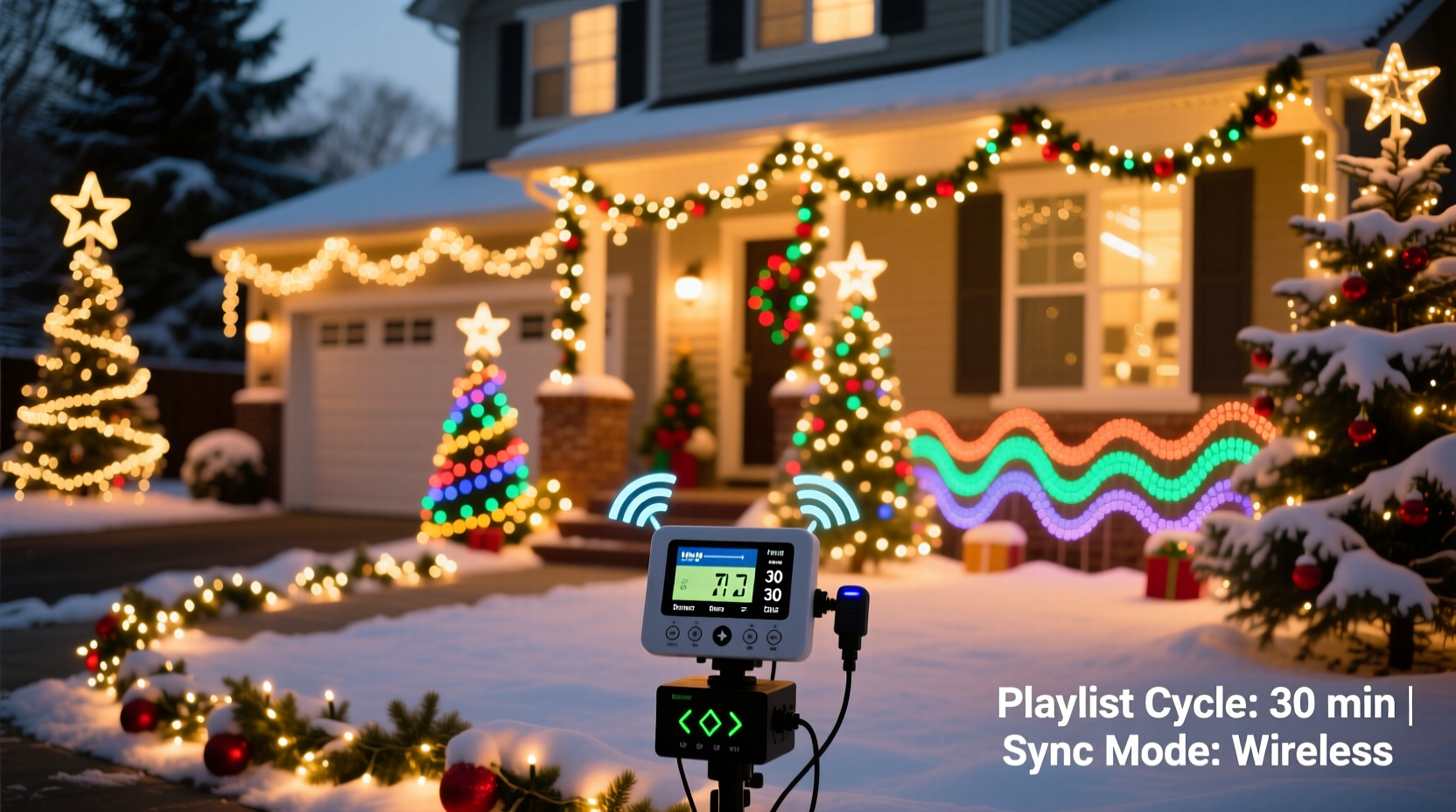
Modern holiday lighting systems rely on digital controllers such as those from brands like Light-O-Rama, Falcon F16, or DIY platforms using ESP32/ESP8266 microcontrollers. These devices connect to networks and allow users to program sequences where individual light channels respond to specific beats, melodies, or volume changes in an audio file. The key to scalability lies in scheduling: automating when certain light-and-sound combinations play, repeat, or rotate.
Rotating playlists aren’t just about variety—they also reduce wear on equipment, prevent audio fatigue for nearby residents, and accommodate different moods throughout the season. For example, early December might feature classic carols, while New Year’s Eve calls for upbeat pop remixes. A well-structured rotation plan supports these transitions seamlessly.
“Automation isn’t just about convenience—it’s about storytelling. Each playlist can reflect a theme, era, or emotion, turning your display into a narrative journey.” — Daniel Reyes, Smart Holiday Lighting Designer
Step-by-Step Guide to Building a Rotating Schedule
Creating a rotating playlist system involves both technical setup and creative planning. Follow this timeline to build a reliable, flexible schedule:
- Inventory Your Equipment: List all controllable elements—RGB strips, spotlights, pixel trees, speakers, fog machines. Note which are addressable (individually programmable) versus grouped zones.
- Select Your Controller Platform: Choose software that supports scheduling and playlist rotation. Light-O-Rama’s S4 and S5 suites, xLights with Companion, or Home Assistant integrations offer robust options.
- Create Themed Playlists: Group songs and corresponding light sequences by theme (e.g., “Classics,” “Pop Remixes,” “Kids’ Favorites”). Aim for 5–7 playlists with 3–6 tracks each.
- Assign Time Slots and Days: Decide when each playlist will run. You might rotate daily, weekly, or based on holidays (e.g., Thanksgiving weekend vs. Christmas Eve).
- Upload Sequences and Audio: Import your pre-made light sequences and match them precisely to MP3/WAV files. Ensure time alignment down to the millisecond.
- Program the Scheduler: Use your controller’s scheduler to define start times, durations, and rotation order. Set exceptions for special dates.
- Test Before Launch: Run a full cycle manually to verify transitions, volume levels, and synchronization accuracy.
- Monitor and Adjust: After going live, observe performance over several nights. Make tweaks to timing or volume as needed.
Optimizing Rotation Frequency and Timing
The frequency of playlist rotation depends on your goals. A private home display may benefit from daily changes to surprise repeat viewers, while a public installation might rotate weekly to maintain consistency. Consider audience behavior: if most visitors come once, frequent rotation adds novelty. If locals pass by nightly, too much change may feel disorienting.
Timing windows matter too. Most displays run between 5:00 PM and 10:00 PM. Within that window, you can structure rotations in several ways:
- Sequential Rotation: Play one full playlist per night in a fixed order.
- Randomized Selection: Let the system pick a playlist at random each evening (good for unpredictability).
- Time-Based Segments: Divide the evening into blocks (e.g., 5–6:30 PM: Classics; 6:30–8:30 PM: Pop; 8:30–10 PM: Dance Mix).
- Holiday Triggers: Automatically switch playlists on specific dates (e.g., switch to “New Year’s Countdown” on December 31).
For larger setups, consider staggering audio output. Not every song needs full volume. Soft instrumental tracks can play earlier in the evening, escalating to high-energy finales as night falls.
Do’s and Don’ts of Playlist Management
| Do | Don’t |
|---|---|
| Balance audio genres to appeal to all ages | Play loud bass-heavy tracks late at night in residential areas |
| Use crossfades between songs to avoid abrupt silence | Overlap multiple sequences unintentionally due to poor timing |
| Back up all sequences and schedules monthly | Rely solely on cloud storage without local copies |
| Label files with date and theme for easy sorting | Use generic names like “song1.mp3” or “lights_final_v2.lms” |
| Include short buffer periods between sequences | Run back-to-back shows without pause—can cause overheating |
Real Example: The Johnson Family’s Rotating Light Show
The Johnsons in suburban Ohio run a popular neighborhood display viewed by hundreds each December. In 2022, they noticed declining engagement after the second week—neighbors reported “hearing the same songs again.” For 2023, they redesigned their system around rotation.
They created six themed playlists: “Traditional Carols,” “Jazz Holidays,” “Disney Magic,” “Rock & Roll Xmas,” “Kids’ Corner,” and “New Year’s Eve Blast.” Using Light-O-Rama’s S5 software, they scheduled one theme per day in a repeating cycle, with “New Year’s Eve Blast” locked to December 31. They also added a “Director’s Cut” random mode for weekends, pulling one sequence from each theme for a greatest-hits style show.
The result? Repeat visits increased by 65%, and local media featured their display as “the evolving holiday experience.” By rotating content, they kept the magic alive all season long.
Checklist: Setting Up Your Rotating Playlist System
- ☐ Audit all lighting zones and speaker outputs
- ☐ Confirm controller firmware is up to date
- ☐ Design at least 4 distinct themed playlists
- ☐ Sync light sequences precisely with audio tracks
- ☐ Program the scheduler with start/end times and rotation rules
- ☐ Test all transitions and volume levels
- ☐ Implement remote monitoring (if available)
- ☐ Share the rotation calendar with family or team members
- ☐ Plan for off-season backup and storage of sequences
Integrating Smart Home and Cloud Tools
Advanced users can integrate their lighting system with smart home platforms like Home Assistant, Node-RED, or IFTTT. This enables dynamic triggers—for instance, activating a “Snowfall Playlist” when weather data indicates snow, or switching to a “Quiet Night” mode during heavy wind to protect equipment.
Cloud-based scheduling offers another layer of control. Platforms like xLights Companion allow you to manage playlists remotely via smartphone. You can push last-minute changes, pause shows during power-saving alerts, or even let fans vote on the next night’s theme through social media polls.
One emerging trend is audience interaction: some systems use Bluetooth beacons or QR codes to let visitors select the next song. While this introduces complexity, it also deepens engagement—especially for community-driven displays.
Frequently Asked Questions
Can I rotate playlists without internet access?
Yes. Most standalone controllers like Light-O-Rama’s CTB16PC or Falcon F16 have internal clocks and SD card storage, allowing fully offline scheduling. Just ensure the device clock is correctly set before disconnecting.
How many songs should each playlist contain?
Aim for 3 to 6 songs per playlist, with total runtime between 15 and 30 minutes. This keeps the show engaging without overstaying its welcome. Longer playlists work for public events with extended viewing hours.
What if my controller doesn’t support automatic rotation?
If your hardware lacks built-in rotation, you can simulate it using timed scripts or external automation tools. For example, a Raspberry Pi running a Python script could trigger different sequence files via GPIO or network commands on a daily basis.
Conclusion: Bring Your Display to Life—All Season Long
A static holiday light show fades into the background after a few viewings. But a thoughtfully scheduled, rotating playlist system keeps your display fresh, exciting, and deeply personal. By aligning music and lights with intention—and varying them over time—you create not just a spectacle, but a shared experience that evolves with the season.
The tools are accessible, the techniques are proven, and the impact is real. Whether you’re entertaining toddlers or delighting senior neighbors, a rotating playlist shows care, creativity, and attention to detail. Start small if needed: two playlists, one transition per week. Then expand as your confidence grows.




 浙公网安备
33010002000092号
浙公网安备
33010002000092号 浙B2-20120091-4
Comments
No comments yet. Why don't you start the discussion?