
For many streamers, sponsorships represent a major milestone—not just financially, but as validation of their influence and consistency. Landing brand deals on Twitch isn’t about luck; it’s the result of strategic positioning, audience growth, and professional outreach. Whether you're a mid-tier streamer with 200 concurrent viewers or a rising star nearing 1,000, the path to sponsorships is accessible—if you know where to focus.
This guide walks through the exact steps successful streamers use to attract sponsors, from building credibility to closing deals that align with their brand and community.
Step 1: Build a Professional Streamer Profile
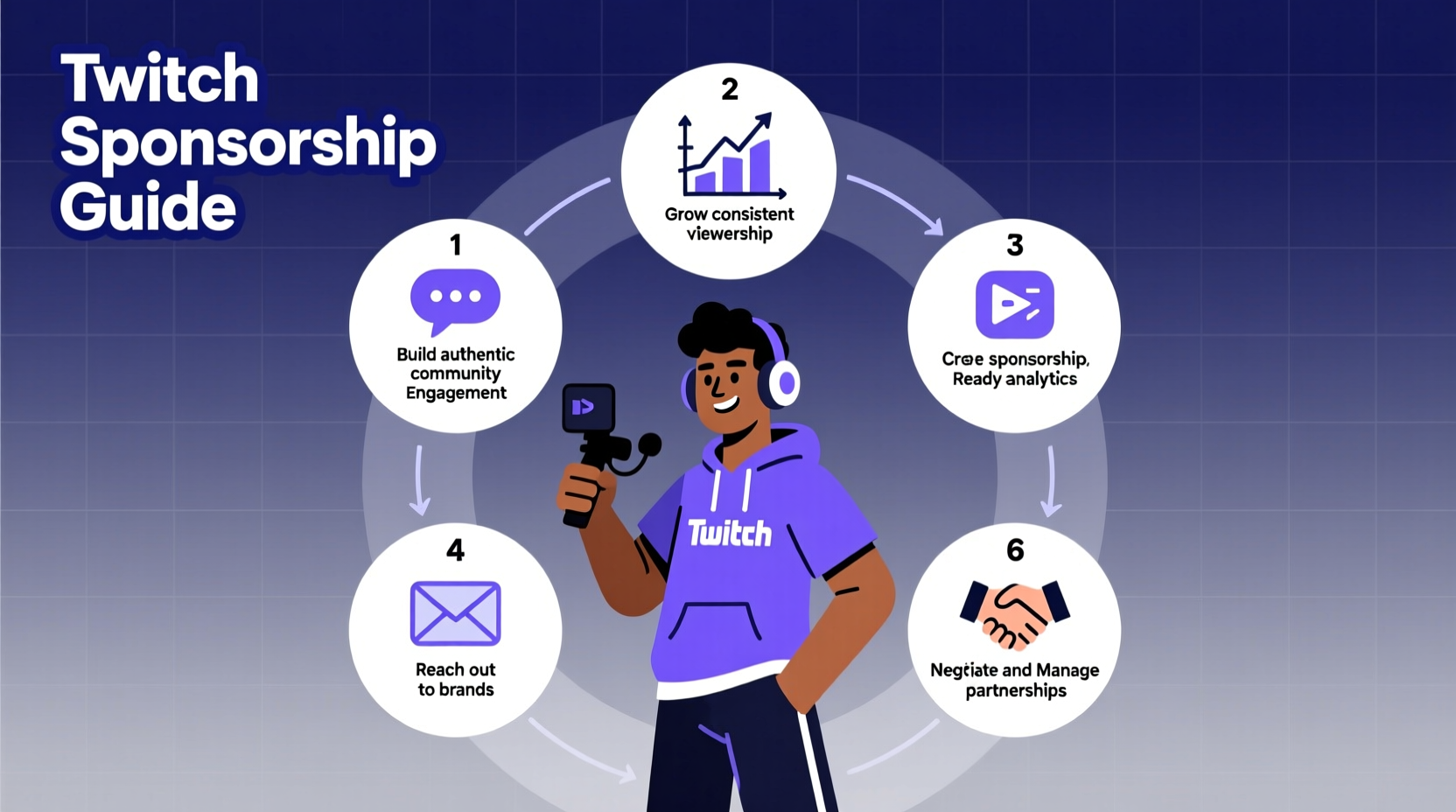
Brands don't sponsor personalities—they sponsor platforms. Before reaching out to companies, ensure your channel functions like a media property. That means consistent branding, reliable streaming schedules, and clear value for potential partners.
- Define your niche: Are you a variety gamer, IRL streamer, or competitive FPS specialist? The more specific your content, the easier it is for brands to assess fit.
- Optimize your channel: Use high-quality overlays, an updated bio, and pinned social links. Include a “For Business Inquiries” note in your bio or About section.
- Stream consistently: Aim for at least 3–4 streams per week on a predictable schedule. Brands favor reliability over raw viewer count.
Step 2: Understand Your Audience and Metrics
Sponsors care less about your follower count and more about who watches you—and how engaged they are. You need data to prove your value.
Use Twitch Analytics to gather key insights:
- Average viewership and peak concurrents
- Viewer demographics (age, gender, location)
- Engagement rates (chat activity, subscriber conversion)
- Top games streamed and content categories
If possible, export monthly performance summaries into a PDF one-pager—this becomes your media kit.
“Brands want to see authenticity and engagement, not just numbers. A 500-person chat reacting live is more valuable than 5,000 passive views.” — Jordan Lee, Brand Partnerships Manager at gaming agency PlayForge
Step 3: Identify and Research Compatible Sponsors
Not every brand is right for your channel. Cold-emailing random companies leads to rejection. Instead, target businesses that already advertise in your niche.
Look for brands that:
- Advertise on Twitch via ads or sponsored raids
- Sponsor similar-sized streamers
- Sell products relevant to your audience (e.g., energy drinks, peripherals, VPNs)
Check competitor channels. If a streamer in your category has a logo overlay or mentions a product during gameplay, that brand is open to influencer marketing.
Real Example: How Mid-Tier Streamer Landed First Sponsorship
Maria, a 450-average-viewer RPG streamer, noticed several fantasy-themed streamers were promoting a new D&D dice subscription box. She researched the company, found their partnership page, and sent a personalized email highlighting her engaged community of tabletop gamers. Within two weeks, she secured a $300/month deal with free product and custom promo codes. Her secret? She included a short video clip showing her natural integration of the product during a live session.
Step 4: Craft a Winning Outreach Strategy
When contacting brands, your message must be concise, professional, and tailored. Avoid generic templates.
Email Structure That Converts
- Subject Line: Clear and direct (e.g., “Sponsorship Opportunity – [Your Channel] x [Brand]”)
- Opening: Introduce yourself and mention why you admire the brand.
- Value Proposition: Share key metrics and explain how your audience aligns with their customers.
- Offer: Propose a simple collaboration (e.g., 3 shoutouts/month + social posts).
- Call to Action: Invite them to view your media kit or schedule a call.
Step 5: Deliver Value and Maintain Relationships
Securing a sponsorship is only half the battle. Retaining sponsors requires consistent performance and communication.
After signing a deal:
- Stick to agreed deliverables (shoutouts, overlays, social posts).
- Provide post-campaign analytics (e.g., code redemptions, estimated impressions).
- Ask for feedback and suggest future collaborations.
Brands often renew contracts with creators who are easy to work with—even if their numbers aren’t the highest.
Do’s and Don’ts When Working With Sponsors
| Do | Don’t |
|---|---|
| Be transparent about your audience size and engagement | Overstate your metrics or fake screenshots |
| Integrate sponsor messages naturally into your content | Read robotic scripts that break immersion |
| Respond promptly to emails and requests | Ghost sponsors after the campaign ends |
| Track promo code usage and share results | Forget to report performance or ask for renewal |
Alternative Paths to Sponsorships
If direct outreach feels daunting, consider third-party platforms that connect streamers with brands:
- Fans.ly Brand Connect: Matches creators with vetted campaigns.
- StreamerSupply: Focuses on gaming and lifestyle sponsorships.
- OpnForm: Allows brands to discover and contact you directly.
These platforms reduce friction but may take a commission (typically 10–20%). Still, they’re excellent for gaining first-time experience and building credibility.
FAQ
How many followers do I need to get Twitch sponsorships?
There’s no minimum, but most brands consider channels with at least 200–300 average viewers. Micro-influencers (100–500 viewers) can succeed by targeting niche products and demonstrating high engagement.
Should I accept free product-only sponsorships?
Yes—if the product fits your brand and you can genuinely use it on stream. These deals build trust with audiences and can lead to paid partnerships later. Just ensure the brand allows you to disclose the relationship properly.
How much should I charge for a sponsorship?
A common benchmark is $5–$10 CPM (cost per thousand viewers). For example, a streamer averaging 500 viewers might charge $25–$50 per shoutout. Social media promotion and exclusivity increase value.
Final Checklist: Are You Ready for Sponsorships?
- ✅ Streaming consistently (3+ times/week)
- ✅ Have a professional bio with contact info
- ✅ Created a media kit with analytics and clips
- ✅ Researched 5–10 compatible brands
- ✅ Drafted a personalized outreach email template
- ✅ Set up a business email for partnerships
Take Action Today
Sponsorships don’t appear overnight—but they do appear to those who act like professionals. Start by refining your channel presence, gathering your stats, and reaching out to one brand this week. Every major streamer began exactly where you are now: building momentum one stream, one email, one connection at a time.




 浙公网安备
33010002000092号
浙公网安备
33010002000092号 浙B2-20120091-4
Comments
No comments yet. Why don't you start the discussion?