
In an era where digital privacy is increasingly under pressure, many users are hesitant to provide personal information—especially phone numbers—when signing up for online services. Email accounts often require mobile verification, ostensibly for security or spam prevention. However, this practice can compromise anonymity and expose users to SIM-swapping attacks, data leaks, or unwanted tracking. The good news: it's entirely possible to create a secure email account without handing over your phone number. This guide outlines practical methods, trusted providers, alternative verification techniques, and long-term strategies to maintain control over your digital identity.
Why Avoid Giving Your Phone Number?
Phone numbers are uniquely personal identifiers that are difficult to change and easy to exploit. Once linked to an online account, they become a single point of failure. If a service suffers a data breach, your number could be sold on the dark web. It may also be used for phishing attempts, targeted ads, or social engineering attacks. Additionally, some platforms use phone numbers to cross-reference user identities across services, undermining efforts to maintain separate digital personas for work, personal use, or activism.
“Linking your real phone number to every online account increases your attack surface significantly. Privacy isn’t about hiding—it’s about reducing unnecessary exposure.” — Dr. Lena Torres, Cybersecurity Researcher at the Digital Rights Institute
For journalists, activists, or individuals in high-risk environments, avoiding phone-based verification is not just preferable—it’s essential.
Step-by-Step Guide to Creating a Secure Email Without a Phone Number
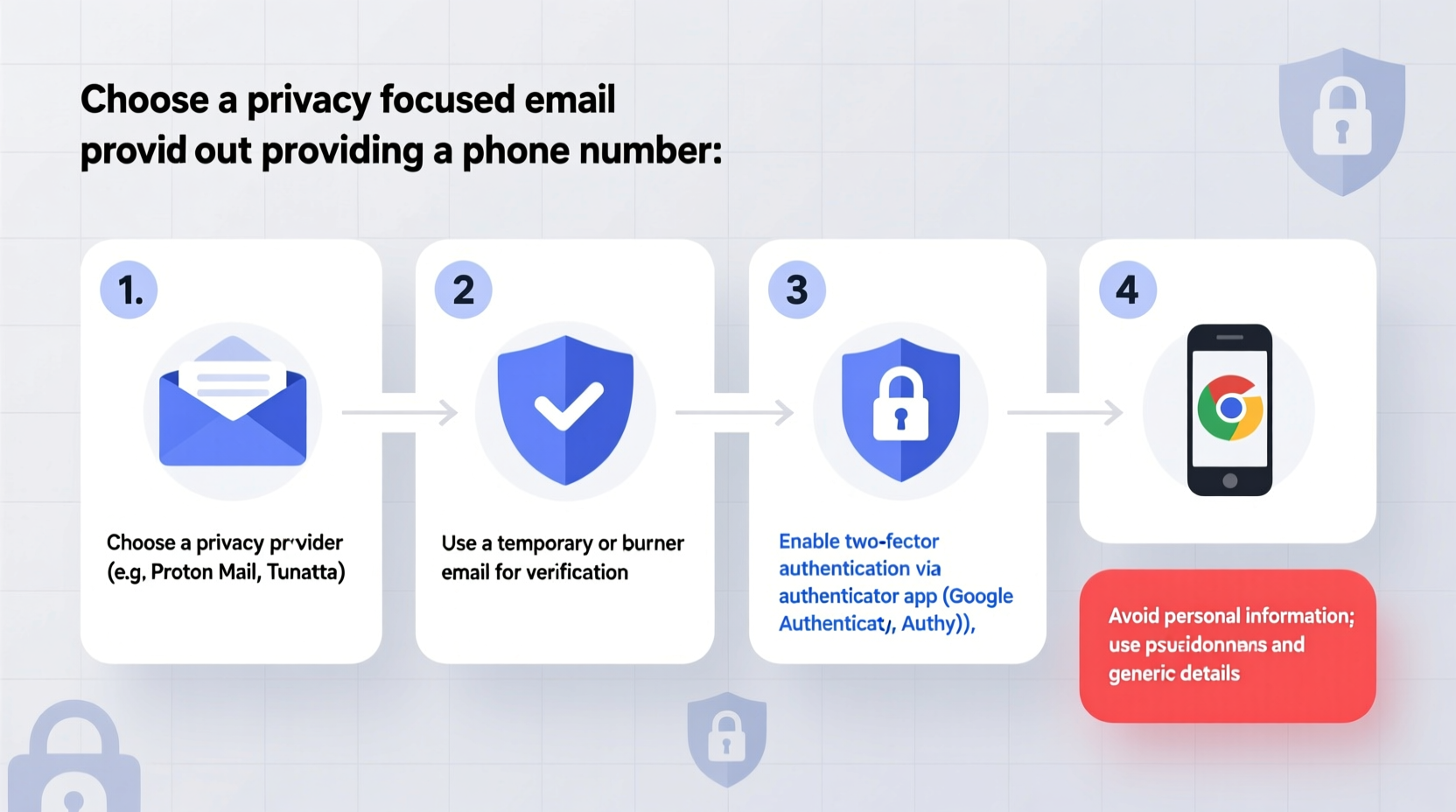
Creating a private, secure email account without a phone number involves choosing the right provider, preparing anonymous credentials, and bypassing SMS verification. Follow these steps carefully:
- Select a privacy-respecting email provider: Choose one that doesn’t enforce phone verification during sign-up (e.g., Proton Mail, Tutanota).
- Use a pseudonym and fake details: Provide a username and recovery information that cannot be traced back to you.
- Generate a strong password: Use a password manager to create a unique, complex password (at least 16 characters with mixed cases, numbers, and symbols).
- Access via Tor or a trusted VPN: To mask your IP address during registration, consider using the Tor browser or a no-logs VPN.
- Enable two-factor authentication (2FA) using an authenticator app: Prefer apps like Authy or Google Authenticator over SMS.
- Avoid linking other personal accounts: Don’t connect social media or cloud storage tied to your real identity.
Top Email Providers That Don’t Require Phone Verification
Not all email services demand a phone number. Some are built specifically for privacy and operate out of jurisdictions with strong data protection laws. Below is a comparison of reliable options:
| Provider | Encryption | Phone Required? | Free Plan Available | Notes |
|---|---|---|---|---|
| Proton Mail | End-to-end (PGP) | No (optional) | Yes | Based in Switzerland; open-source; highly secure |
| Tutanota | End-to-end (AES + RSA) | No | Yes | German-based; fully encrypted calendar and contacts |
| Mailbox.org | Transport & end-to-end | No | Limited trial | Germany-hosted; offers aliases and office suite |
| Disroot | Transport encryption | No | Yes | Federated, community-run; supports XMPP and cloud |
| Zoho Mail | Transport encryption | Sometimes (depends on region) | Yes | Indian company; free tier has branding; moderate privacy |
Proton Mail and Tutanota are widely regarded as the most trustworthy due to their transparent security models and legal bases in privacy-friendly countries. Both allow full functionality without any phone number input during registration.
Bypassing Phone Verification: Alternative Methods
If a service insists on phone verification, there are still ways to proceed without using your personal number. These alternatives vary in reliability and legality—always ensure compliance with local laws.
- Virtual phone numbers (VoIP): Services like TextNow, MySudo, or Google Voice offer temporary or secondary numbers. Note: Some email providers block VoIP numbers.
- Disposable number apps: Apps such as Burner or Hushed generate short-term numbers but may not work with major email platforms.
- Friends or family numbers (with consent): A trusted contact can receive a one-time code. Ensure they understand the request and delete the message afterward.
- Temporary inbox services: Sites like Temp-Mail.org or 10MinuteMail provide disposable email addresses, but avoid using them for long-term accounts due to low security.
Mini Case Study: Securing Communication for a Whistleblower Network
A small investigative journalism collective needed to establish secure communication channels for whistleblowers in repressive regions. Team members were concerned that requiring phone numbers for email sign-ups would endanger sources if devices were seized or monitored.
The solution was to use Proton Mail accounts created over the Tor network, with usernames unrelated to real names and passwords stored in Bitwarden. Two-factor authentication was enabled via Authy on isolated devices. No personal phone numbers were used at any stage. They also set up custom domain emails through Proton (via paid plan) to further obscure affiliations.
Within three months, the system successfully received and processed over 50 sensitive tips—all while maintaining complete operational anonymity. The absence of phone linkage prevented any successful doxxing attempts despite active surveillance from external actors.
Essential Checklist for Anonymous Email Setup
Before finalizing your new email account, run through this checklist to ensure maximum privacy and security:
- ✅ Chosen an email provider that does not require phone verification
- ✅ Used a pseudonym and untraceable recovery email (if required)
- ✅ Created a strong, unique password using a password manager
- ✅ Registered using private browsing mode or Tor
- ✅ Enabled 2FA with an authenticator app (not SMS)
- ✅ Disabled metadata sharing and telemetry in settings
- ✅ Verified PGP encryption is active (for Proton/Tutanota)
- ✅ Avoided logging into the account from shared or public devices
Frequently Asked Questions
Can I recover my account without a phone number?
Yes, if you’ve set up proper recovery options. Proton Mail allows you to designate a recovery email or memorize a recovery phrase. Tutanota recommends printing backup codes. Always store these securely offline.
Are email providers without phone verification less secure?
No. In fact, many no-phone-required providers like Proton and Tutanota offer stronger security than mainstream services like Gmail. Their end-to-end encryption and zero-access architecture mean even the provider cannot read your emails.
Will my IP address be logged?
Most privacy-focused providers minimize or anonymize IP logging. Proton Mail retains connection logs for 7 days, while Tutanota claims not to log IPs at all. For greater anonymity, access your account via Tor or a reputable no-logs VPN.
Final Thoughts: Take Control of Your Digital Identity
Your email address is often the gateway to your digital life—from password resets to financial notifications. Protecting it shouldn’t come at the cost of surrendering personal information unnecessarily. By choosing the right tools and practices, you can establish a secure, private email presence without ever handing over your phone number.
Privacy is not about living off-grid; it’s about making informed choices. Start today by creating an email account that respects your boundaries. Whether you're shielding personal correspondence, managing side projects, or safeguarding sensitive communications, the ability to stay anonymous online is both a right and a responsibility.




 浙公网安备
33010002000092号
浙公网安备
33010002000092号 浙B2-20120091-4
Comments
No comments yet. Why don't you start the discussion?