
Placing a security freeze on your TransUnion credit report is one of the most effective ways to prevent unauthorized access to your credit file. Unlike credit monitoring or fraud alerts, a credit freeze locks down your credit report so that no lender or creditor can view it without your explicit permission. This makes it extremely difficult for identity thieves to open new accounts in your name. Whether you're responding to a data breach or proactively protecting your financial identity, this guide walks you through every step of freezing your TransUnion credit report securely and efficiently.
Why Freeze Your TransUnion Credit Report?
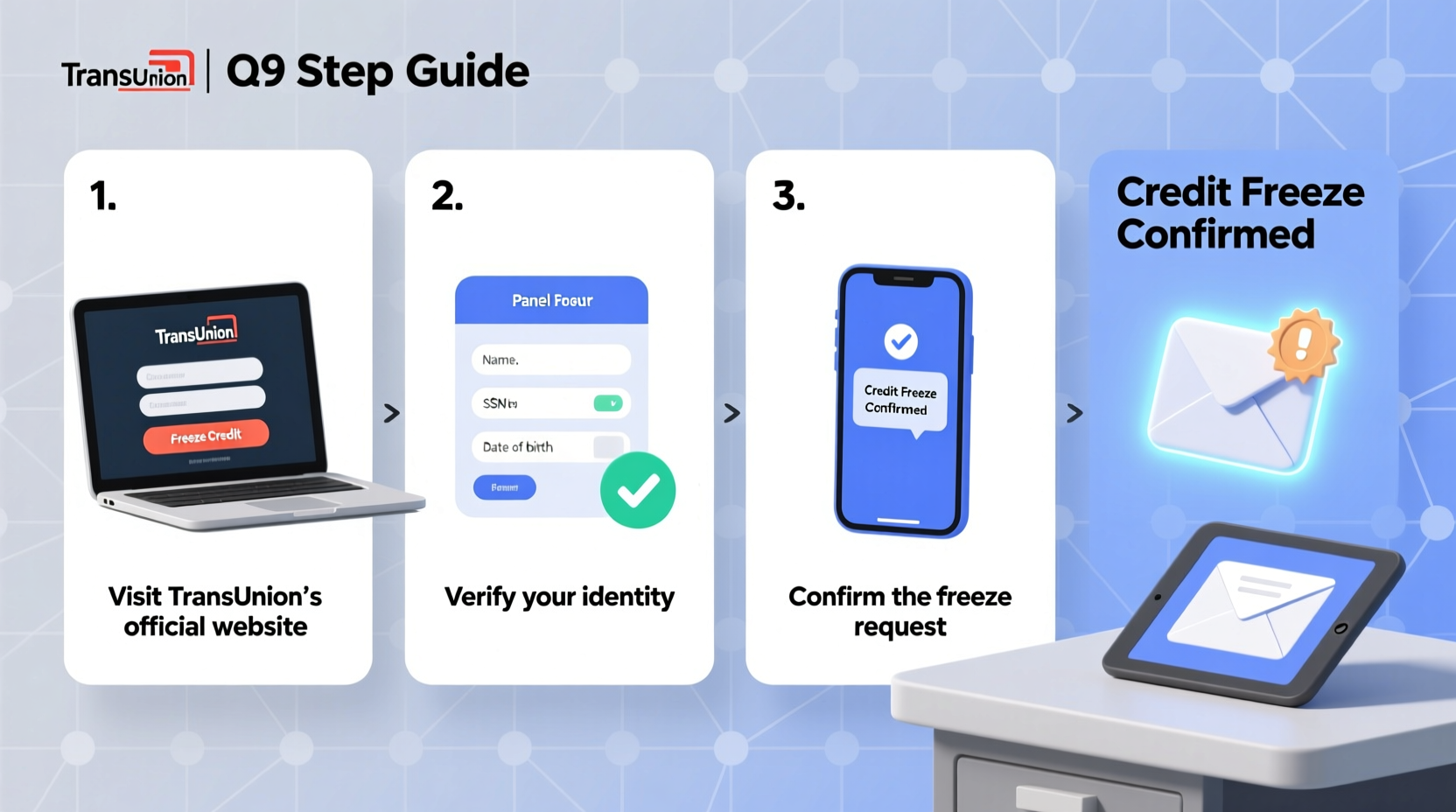
A credit freeze, also known as a security freeze, restricts access to your credit report. When frozen, potential creditors cannot pull your credit history, which stops most forms of new account fraud. This is especially important given the rise in data breaches and synthetic identity theft. While a freeze doesn’t affect your credit score or prevent you from using existing credit cards, it adds a critical layer of protection.
TransUnion, one of the three major U.S. credit bureaus, allows consumers to freeze their reports online, by phone, or by mail. The process is free, reversible, and protected under federal law thanks to the Economic Growth, Regulatory Relief, and Consumer Protection Act of 2018.
“Credit freezes are the gold standard for preventing new account fraud. They’re free, easy to set up, and give consumers real control over their credit files.” — Sarah Johnson, Senior Identity Theft Analyst at the Consumer Financial Protection Bureau (CFPB)
Step-by-Step Guide to Freezing Your TransUnion Credit Report
Follow these steps carefully to ensure your credit freeze is applied correctly and securely.
- Visit the Official TransUnion Website
Go to transunion.com/credit-freeze. Avoid third-party links or ads—only use the official site to prevent phishing risks. - Select “Freeze Your Credit”
Click the option to place a freeze on your credit report. You’ll be prompted to create an account or log in if you already have one. - Verify Your Identity
TransUnion will ask for personal information including:- Full name
- Date of birth
- Social Security number
- Current and previous addresses
- Other verification questions (e.g., past loans or credit accounts)
- Confirm the Freeze
Once verified, confirm that you want to freeze your credit. You’ll receive a confirmation message and a unique PIN (also called a passcode) used to lift the freeze later. - Store Your PIN Securely
Write down your PIN and store it in a secure location—never save it in an unencrypted digital note or email. You’ll need it to temporarily lift or permanently remove the freeze.
Alternative Methods: Phone and Mail
If you prefer not to use the online method, TransUnion offers two other secure options.
Freeze by Phone
Call TransUnion’s dedicated credit freeze line at 1-888-909-8872. A representative will guide you through identity verification and set up the freeze. You’ll receive your PIN via mail within 3 business days.
Freeze by Mail
Send a written request to:
TransUnion LLC
P.O. Box 160
Woodlyn, PA 19094
Your letter must include:
- Full name, address, date of birth, and Social Security number
- Photocopies of two forms of ID (e.g., driver’s license and utility bill)
- A check or money order of $5 if required by your state (though federally mandated to be free)
Do’s and Don’ts of Credit Freezing
| Do’s | Don’ts |
|---|---|
| Use strong, unique passwords for your TransUnion account | Share your PIN via text, email, or social media |
| Freeze your reports with all three bureaus (Equifax, Experian, TransUnion) | Assume one freeze covers all credit bureaus |
| Keep printed confirmation emails or letters | Delete confirmation messages immediately |
| Lift the freeze temporarily when applying for credit | Leave your credit frozen indefinitely when expecting loan approvals |
Real Example: Preventing Fraud After a Data Breach
In 2022, Maria from Austin received a notice that her health insurance provider had suffered a data breach exposing her Social Security number. Concerned about identity theft, she immediately placed a credit freeze with TransUnion, Equifax, and Experian. Two months later, someone attempted to open a credit card in her name. Because her reports were frozen, the application was denied instantly. Maria never had to deal with fraudulent charges or credit repair. Her proactive freeze saved her time, stress, and potential financial loss.
This case illustrates how timely action can prevent serious harm—even if you haven’t yet seen signs of fraud.
How to Temporarily Lift or Remove the Freeze
You may need to lift your freeze when applying for a loan, renting an apartment, or opening a new credit account. Here’s how:
- Log in to your TransUnion account or call 1-888-909-8872.
- Enter your PIN or provide identity verification.
- Choose to lift the freeze either:
- Temporarily (e.g., for 24 hours or until a specific date)
- Permanently (removes the freeze entirely)
- Confirm the change. Access is typically restored within minutes online.
Frequently Asked Questions
Does a credit freeze hurt my credit score?
No. A freeze does not impact your credit score in any way. It only restricts access to your report. You can continue using your existing credit cards and accounts normally.
Can I still get my free annual credit report if my file is frozen?
Yes. You are entitled to one free credit report per year from each bureau at annualcreditreport.com, regardless of a freeze. The freeze only blocks creditors, not you.
Is a credit freeze the same as a fraud alert?
No. A fraud alert requires businesses to verify your identity before opening an account but doesn’t block access. A freeze completely locks your report. Fraud alerts last one year (or seven years with an identity theft report), while a freeze remains until you remove it.
Checklist: Securing Your Credit Across All Bureaus
To maximize protection, freeze your credit with all three major bureaus. Use this checklist:
- ✅ Freeze credit with TransUnion (follow steps above)
- ✅ Visit equifax.com to freeze your Equifax report
- ✅ Go to experian.com/freeze to lock your Experian file
- ✅ Store all PINs/passcodes in a secure password manager or safe
- ✅ Confirm each freeze is active by attempting a soft credit check (via a bank or credit card app)
- ✅ Set calendar reminders to review or update freezes annually
Final Thoughts and Action Steps
Freezing your TransUnion credit report is a simple yet powerful step toward safeguarding your financial identity. With cybercrime on the rise and personal data frequently exposed in corporate breaches, relying solely on vigilance isn’t enough. A credit freeze acts like a lock on your financial front door—preventing intruders while letting you come and go freely.
The setup takes less than 15 minutes online, costs nothing, and gives you full control. Combine it with freezes at Equifax and Experian for complete coverage. Stay proactive, keep your PINs secure, and revisit your credit settings annually.




 浙公网安备
33010002000092号
浙公网安备
33010002000092号 浙B2-20120091-4
Comments
No comments yet. Why don't you start the discussion?