
As the holiday season approaches, festive lighting transforms homes into cheerful displays. However, leaving Christmas lights on for extended hours can lead to unnecessary energy consumption and higher utility bills. The solution? Automating your display with timers. By setting timers for Christmas lights, you gain control over when they turn on and off—ensuring your home sparkles at just the right times while conserving energy.
This guide walks through practical steps to integrate timer systems into your holiday lighting setup. From choosing the right timer type to programming schedules that align with local sunset times, you’ll learn how to maintain a beautiful, eco-friendly display without lifting a finger each night.
Why Use Timers for Holiday Lighting?
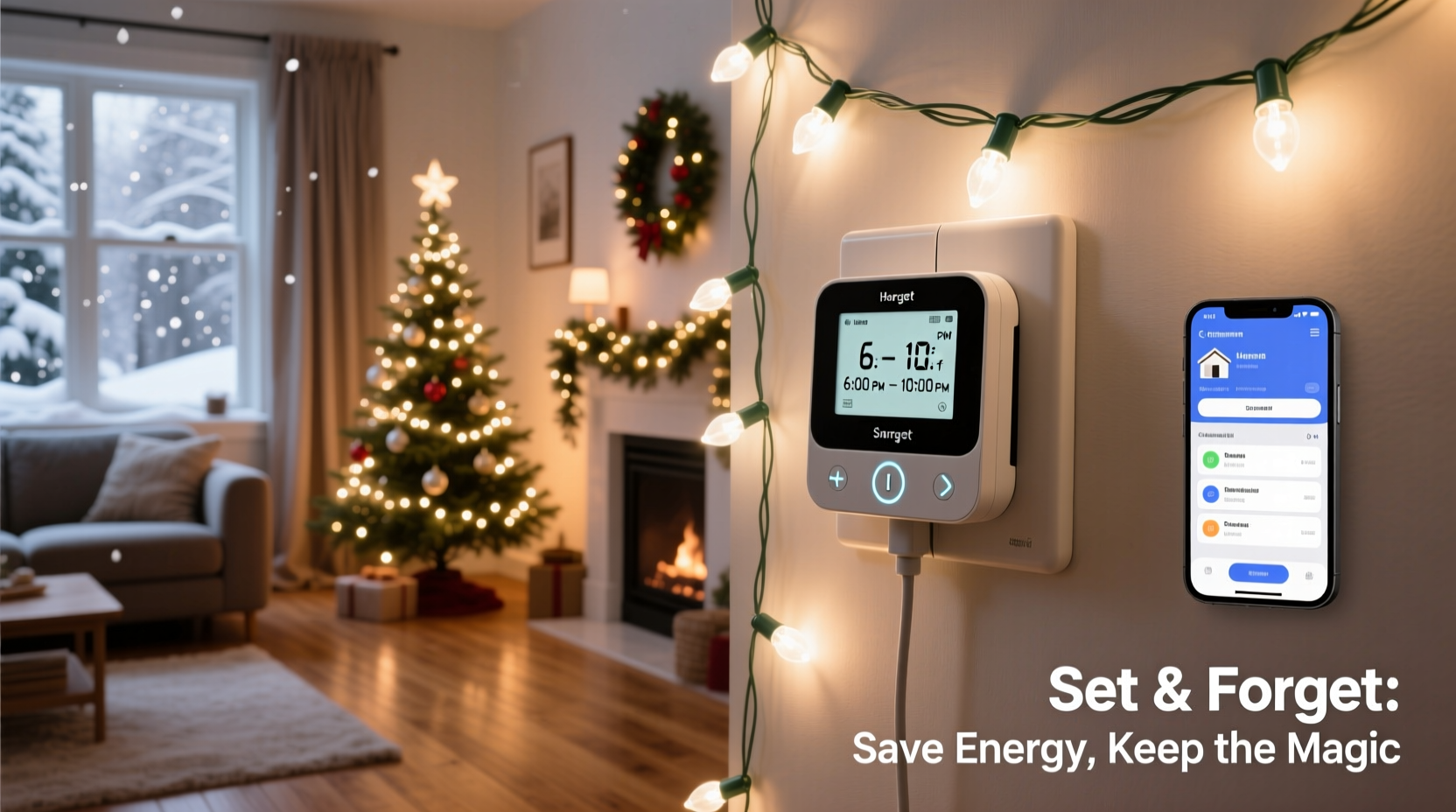
Manual operation of Christmas lights is not only inconvenient but also inefficient. Forgetting to turn them off can waste energy, especially during early winter mornings when lights may remain on long after sunrise. Timers eliminate human error by automating operations based on pre-set schedules.
Energy conservation is a growing concern during the holidays. According to the U.S. Department of Energy, decorative holiday lighting accounts for nearly 6% of residential electricity use in December. By using timers, households can cut this usage in half simply by limiting operation to 4–6 hours per evening instead of 8 or more.
Beyond savings, timers enhance safety. Overheating from prolonged use—especially with older incandescent bulbs—can pose fire risks. Timers reduce exposure time, lowering potential hazards.
Selecting the Right Timer for Your Setup
Not all timers are created equal. Choosing the correct model depends on your lighting system, location (indoor vs. outdoor), and desired level of automation. Here’s a breakdown of common types:
- Mechanical Plug-In Timers: Affordable and simple, these use rotating dials to set on/off periods in 15- or 30-minute increments. Best for basic setups but lack precision and weather resistance.
- Digital Plug-In Timers: Offer exact scheduling, multiple daily cycles, and override options. Many include backlit screens and child locks. Ideal for indoor and covered outdoor outlets.
- Smart Plugs with App Control: Wi-Fi-enabled devices that allow remote access via smartphone apps. You can adjust schedules, monitor energy usage, and even sync with voice assistants like Alexa or Google Assistant.
- Astronomical Timers: Automatically adjust daily based on local sunrise and sunset times. Perfect for maintaining consistent lighting windows year-round without manual updates.
- In-Line Cord Timers: Built directly into light strings. Convenient but less flexible than plug-in models.
When selecting a timer, consider load capacity. Most standard timers support up to 1,800 watts—enough for several strands of LED lights but insufficient for large incandescent arrays. Always check the total wattage of your connected lights and ensure it falls below the timer’s maximum rating.
“Automated lighting controls are one of the easiest ways homeowners can reduce seasonal energy spikes.” — Dr. Laura Simmons, Energy Efficiency Researcher at the National Renewable Energy Lab
Step-by-Step Guide to Setting Up a Christmas Light Timer
Installing and configuring a timer doesn’t require technical expertise. Follow this sequence for reliable, hands-free operation:
- Assess your lighting layout. Identify which circuits or outlets power your lights. Group them logically (e.g., front yard, roofline, tree) so you can manage zones independently if needed.
- Choose a compatible timer. If placing outdoors, select a weatherproof digital or smart plug rated for exterior use. Ensure it fits snugly into the outlet and isn’t obstructed by snow or decorations.
- Connect the timer to power. Plug the timer into the outlet first. Then connect your light string(s) to the timer. Avoid daisy-chaining multiple high-wattage strands unless the timer explicitly allows it.
- Set the current time and date. Accurate internal clock settings are essential for proper scheduling. Refer to the user manual for button sequences or app-based setup.
- Create an on/off schedule. Start with a simple cycle: On at 5:00 PM, Off at 11:00 PM. Adjust later based on natural light conditions and neighborhood activity.
- Test the system. Manually trigger the “on” function to confirm lights respond. Wait for the off cycle or simulate time advancement if possible.
- Monitor performance. Check the first few evenings to ensure lights operate as expected. Look for flickering, delayed responses, or tripped GFCI outlets.
For smart plugs, take advantage of geofencing or sunrise/sunset automation features. These adjust timing dynamically throughout the season, eliminating the need for monthly recalibration.
Optimizing Schedules for Maximum Efficiency
The most effective lighting schedule balances visibility, ambiance, and energy savings. Lights should be on when people are likely to see them—typically between dusk and bedtime—but not beyond necessity.
Begin by researching average sunset times in your area for November through January. In many regions, sunset ranges from 4:30 PM to 5:00 PM. Aiming to start illumination within 30 minutes of darkness ensures maximum impact.
Limit runtime to **6 hours or less per night**. Extended operation past midnight offers diminishing returns in terms of enjoyment while increasing energy costs. Exceptions may apply for special events like Christmas Eve, where temporary overrides make sense.
| Time Period | Recommended Action | Rationale |
|---|---|---|
| Sunrise to Sunset | Lights OFF | No visibility benefit; prevents wasted energy |
| One Hour After Sunset | Lights ON | Coincides with peak viewing time |
| 10:00 PM – 11:00 PM | Lights OFF | Reduces late-night consumption; respects neighbors |
| Christmas Eve / Special Nights | Extend to Midnight | Allows for festive exceptions without routine disruption |
Real Example: How One Family Cut Their Holiday Bill by 40%
The Thompson family in Portland, Oregon, used to leave their outdoor Christmas lights on from 5:00 PM to 8:00 AM every day. Their display included 12 strands of older incandescent mini-lights and two illuminated reindeer figures. After receiving an unexpectedly high November electric bill, they decided to investigate alternatives.
They replaced six of the oldest strands with ENERGY STAR-rated LED lights and installed two outdoor-rated digital timers—one for the roofline and another for ground-level decorations. They programmed both to run from 5:15 PM to 10:30 PM daily, aligning with local sunset and family viewing habits.
The results were immediate. Their December energy consumption dropped by 38%, saving $57 compared to the previous year—even with colder temperatures and more frequent heating use. Neighbors noticed no difference in display quality, and the family appreciated never having to remember to switch lights off.
Checklist: Setting Up Energy-Efficient Christmas Light Timers
Use this checklist to ensure a smooth, effective installation:
- ☐ Inventory all light strings and note bulb type (LED vs. incandescent)
- ☐ Calculate total wattage per circuit to match timer capacity
- ☐ Select weather-resistant timers for outdoor use
- ☐ Choose programmable or smart timers for flexibility
- ☐ Install timers before hanging lights for easier access
- ☐ Program on/off times aligned with sunset/sunrise
- ☐ Test operation manually before final mounting
- ☐ Schedule weekly checks for malfunctions or outages
- ☐ Plan for easy removal/storage post-holiday season
- ☐ Consider labeling timers by zone (e.g., “Front Yard,” “Porch”) for clarity
Common Mistakes to Avoid
Even experienced decorators make errors when integrating timers. Watch out for these pitfalls:
- Overloading the timer: Connecting too many high-wattage strands can trip internal fuses or create fire hazards.
- Ignoring weather protection: Standard indoor timers exposed to rain or snow may short-circuit. Always use enclosures or outdoor-rated models.
- Setting inconsistent schedules: Varying on/off times nightly reduces reliability and increases confusion.
- Forgetting battery backups: Some digital timers reset during power outages. Models with battery support retain settings and prevent downtime.
- Using outdated mechanical timers: These degrade over time and often drift out of sync, leading to incorrect operation.
“A single well-placed timer can save over 100 kWh during the holiday season—that’s equivalent to powering a refrigerator for a month.” — Energy Saving Trust, UK
Frequently Asked Questions
Can I use a timer with solar-powered Christmas lights?
Most solar-powered light strings have built-in photocells that turn them on at dusk and off at dawn. Adding an external timer is usually unnecessary and may interfere with charging cycles. However, some advanced solar systems allow manual override or scheduling via app control.
Do timers work with LED Christmas lights?
Yes, and they’re especially effective. LED lights consume up to 90% less energy than incandescent bulbs, and when paired with a timer, the combined savings are substantial. Just ensure the timer is compatible with low-wattage loads, as some older models may not detect very small currents.
How do I prevent my timer from freezing in cold weather?
To protect outdoor timers from ice buildup, install them in covered areas like under eaves or inside weatherproof outlet boxes. Avoid direct exposure to snow or standing water. Smart plugs with IP44 or higher ratings offer better durability in harsh climates.
Conclusion: Automate Smartly, Celebrate Sustainably
Setting timers for Christmas lights to conserve energy automatically isn’t just about cutting costs—it’s about celebrating responsibly. With minimal effort, you can enjoy a dazzling holiday display that turns on like magic each evening and shuts down before dawn, protecting both your wallet and the environment.
Modern technology makes automation easier than ever. Whether you choose a simple digital timer or a full smart-home integration, the key is consistency and planning. Take action now, before the rush of the season begins, and set up a system that works seamlessly from Thanksgiving through New Year’s Day.




 浙公网安备
33010002000092号
浙公网安备
33010002000092号 浙B2-20120091-4
Comments
No comments yet. Why don't you start the discussion?