
As the holiday season approaches, festive lighting transforms homes into cheerful displays of warmth and celebration. But managing multiple sets of Christmas lights manually can be tedious, inconsistent, and even risky if left on too long. Automating their operation through efficient timer setups ensures your display shines at the right times while conserving energy and reducing fire hazards. Whether you're decorating a modest porch or orchestrating a neighborhood-favorite light show, setting up reliable timing systems is essential.
The key lies not just in plugging lights into any available timer, but in creating a coordinated, scalable system that accounts for different zones, durations, and power requirements. With the right planning and tools, you can automate your entire holiday lighting setup—saving time, electricity, and stress.
Assess Your Lighting Zones and Power Needs
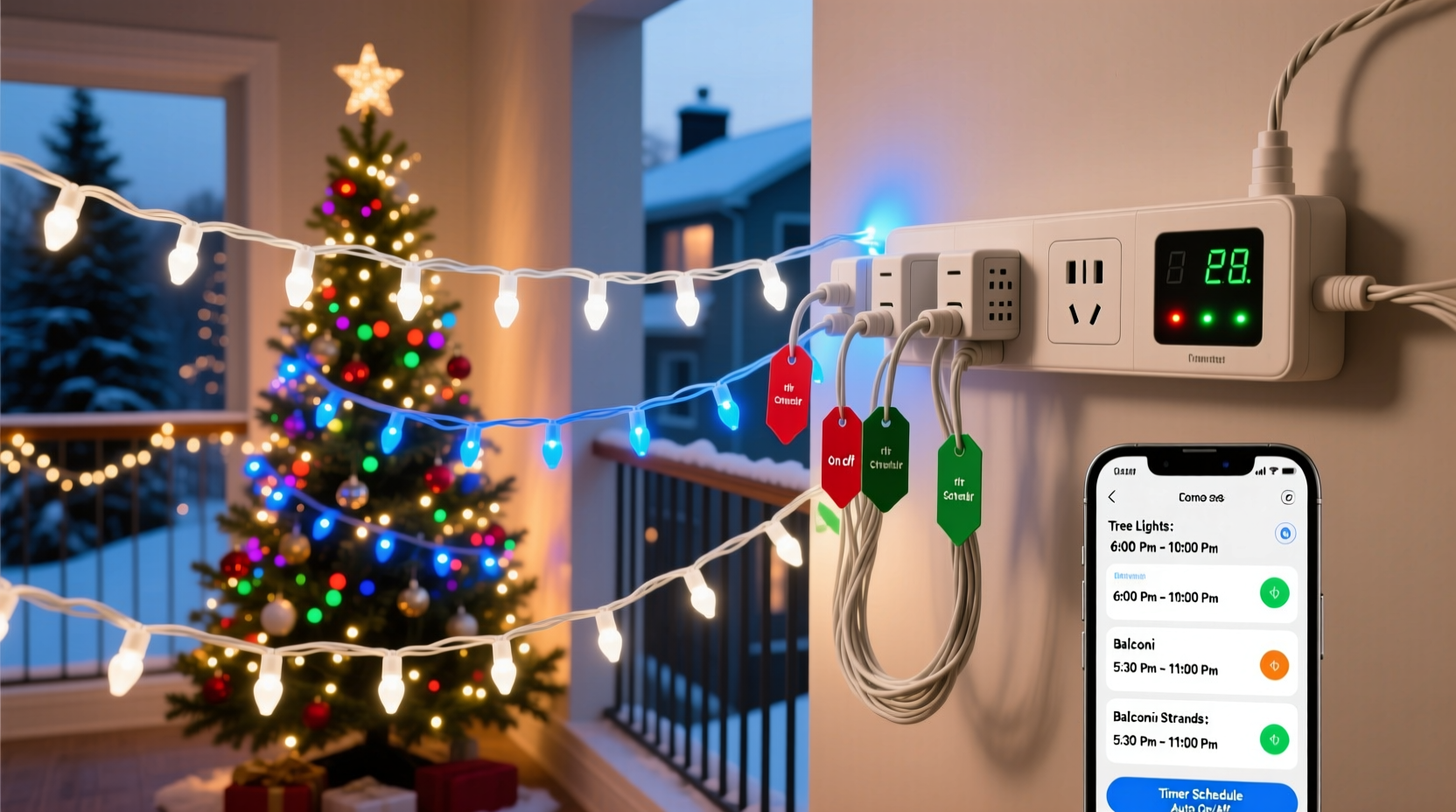
Before connecting a single timer, evaluate how many light sets you plan to control and where they’re located. Group them logically by area: front yard, roofline, porch, indoor trees, etc. Each group may require independent scheduling based on visibility, usage patterns, or electrical load.
Start by listing each zone along with:
- The number of light strings
- Total wattage per zone (check labels or use a wattage calculator)
- Indoor vs. outdoor placement
- Desired on/off times
- Accessibility for maintenance
This inventory helps determine whether standard plug-in timers suffice or if you need heavy-duty or smart solutions. Most mechanical and digital timers support up to 1,800 watts (15 amps), which typically covers several strands. Exceeding this limit risks overheating and circuit failure.
Select the Right Timer Type for Your Setup
Not all timers are created equal. Choosing the correct type impacts reliability, precision, and scalability when managing multiple light sets.
| Timer Type | Best For | Limits | Multi-Set Suitability |
|---|---|---|---|
| Mechanical Dial Timers | Simple schedules (daily on/off) | Inflexible; no daylight saving adjustment | Moderate – good for one zone |
| Digital Plug-In Timers | Precise daily programming, multiple events | Limited automation features | Good – supports staggered times |
| Smart Plugs / Wi-Fi Timers | Remote control, app-based scheduling | Requires stable internet and hub | Excellent – ideal for multiple zones |
| Astronomical Timers | Sunset/sunrise syncing across seasons | Higher cost; setup complexity | Outstanding – perfect for large displays |
| Outlet Strip Timers | Controlling several outlets at once | Single schedule for all ports | Fair – useful for grouped areas |
For small displays, mechanical or basic digital models work fine. However, when handling three or more distinct zones—such as rooftop icicle lights, driveway path markers, and living room tree lights—smart or astronomical timers offer far greater efficiency.
“With smart timers, I can adjust my entire neighborhood display from my phone during unexpected weather changes.” — Derek Langston, Residential Lighting Designer
Step-by-Step: Setting Up a Multi-Zone Timer System
Follow this sequence to establish an organized, reliable system for controlling multiple Christmas light sets using timers.
- Map Out Zones: Label each lighting area (e.g., “Front Roof,” “Tree,” “Garden Path”) and note outlet locations.
- Check Circuit Capacity: Ensure circuits aren’t overloaded. Avoid daisy-chaining high-draw strings beyond safe limits.
- Choose Control Method: Decide between individual smart plugs, multi-outlet strips with built-in timers, or centralized controllers.
- Install Timers: Connect each zone to its designated timer. Use GFCI-protected outlets outdoors.
- Program Schedules: Set consistent on/off times. For realism, consider turning lights on 15–30 minutes before sunset and off at midnight.
- Test Individually: Activate each timer separately to confirm proper function and timing accuracy.
- Sync Across Devices: If using smart devices, group them in your home automation app under “Holiday Lights” for unified control.
- Add Automation Rules: Create triggers like “Turn off all lights if temperature drops below freezing” or “Skip schedule on New Year’s Eve.”
For example, program rooftop lights to turn on at dusk and off at 11 PM, while indoor tree lights run from 5 PM to 9 PM every weekday. Smart systems allow exceptions for weekends or special events.
Real-World Example: Coordinating a Large Display
The Rivera family in Denver maintains a popular holiday display spanning two stories, a front lawn, and an interior staircase. They manage 12 separate light sets across five zones. Initially, they used manual switches and post-it notes—a system prone to missed turns and excessive energy use.
Last year, they upgraded to four Kasa Smart Wi-Fi plugs and one TP-Link outdoor timer. Each device controls a specific zone:
- Kitchen Tree – On 5 PM to 9 PM (weekdays), extended to 11 PM weekends
- Roofline Icicles – Syncs with sunset via smart plug’s auto-schedule feature
- Front Pathway – Activates only when motion detected after dark
- Lawn Reindeer – Runs 4:30 PM to 11:30 PM nightly
- Staircase Rail Lights – Controlled manually via app during gatherings
They also integrated voice commands with Alexa: “Alexa, turn on holiday lights early for guests.” The result? A seamless, energy-efficient display requiring zero daily effort. Their electricity bill increased by only $8.50 over six weeks—down from $27 the previous year.
Optimize Efficiency with Advanced Features
Modern timers go beyond simple scheduling. Leveraging advanced functions enhances both convenience and performance.
Sunset/Sunrise Tracking: Astronomical and some smart timers calculate local sunrise and sunset times daily, adjusting automatically throughout December. No need to reprogram as days shorten.
Vacation Mode: Randomizes on/off cycles to simulate occupancy, improving home security without compromising the festive look.
Remote Monitoring: Receive alerts if a timer fails or a circuit trips. Some apps show real-time energy consumption per outlet.
Group Scenes: Create scenes like “Full Display” or “Evening Ambiance” that toggle multiple timers simultaneously.
To maximize these benefits, ensure firmware is updated, passwords are secure, and devices are on a dedicated network segment if possible—especially important when using IoT-connected hardware.
“Automation isn’t just about convenience—it’s about consistency and safety. A well-timed light stays bright longer and reduces strain on wiring.” — Carla Mendez, Electrical Safety Consultant
Common Mistakes to Avoid
Even experienced decorators make errors that undermine their efforts. Steer clear of these pitfalls:
- Overloading outlets: Connecting too many strings to one timer exceeds amperage ratings.
- Using indoor timers outdoors: Standard plastic housings degrade in rain or snow unless rated for exterior use.
- Ignoring daylight saving shifts: Non-automatic timers will drift out of sync unless reset twice a year.
- Setting overly long hours: Leaving lights on from 4 PM to 8 AM wastes energy and shortens bulb life.
- Skipping labeling: Without clear tags, troubleshooting becomes guesswork when one zone fails.
Checklist: Efficient Christmas Light Timer Setup
Use this checklist to ensure your multi-set timer configuration runs smoothly:
- ✅ Audit all light sets and group by location and purpose
- ✅ Verify total wattage per circuit does not exceed 80% of capacity
- ✅ Select appropriate timer types for each zone (smart, digital, astronomical)
- ✅ Install GFCI-protected outlets for outdoor connections
- ✅ Program consistent on/off times aligned with natural light patterns
- ✅ Test each timer individually before full activation
- ✅ Label all cords and corresponding timers for easy identification
- ✅ Enable automatic sunset/sunrise adjustments where available
- ✅ Set up remote access or app notifications for monitoring
- ✅ Schedule periodic checks for loose connections or damage
FAQ
Can I connect multiple light sets to one timer?
Yes, as long as the combined wattage stays below the timer’s maximum load (typically 1,800 watts). Use a surge-protected power strip to safely link several strands to a single timer outlet.
What’s the best time to turn Christmas lights on and off?
Aim to turn lights on around dusk—usually 30 minutes before sunset—and off between 10 PM and midnight. This balances visibility with energy conservation and neighborly consideration.
Do smart timers work during power outages?
Most lose settings unless battery-backed. After an outage, Wi-Fi timers may need reconnecting. Choose models with memory retention or automatic reconnection features for uninterrupted operation.
Final Thoughts
Efficiently setting timers for multiple sets of Christmas lights isn’t just about automation—it’s about creating a smarter, safer, and more sustainable holiday experience. By assessing your layout, selecting the right technology, and applying strategic scheduling, you eliminate daily chores and reduce unnecessary energy use.
A well-timed display looks intentional and inviting, running like clockwork without constant attention. Whether you’re managing a few indoor strands or a sprawling outdoor spectacle, investing time upfront pays dividends in peace of mind and performance throughout the season.




 浙公网安备
33010002000092号
浙公网安备
33010002000092号 浙B2-20120091-4
Comments
No comments yet. Why don't you start the discussion?