
As the holiday season approaches, few things bring more warmth and cheer than a home adorned with twinkling Christmas lights. But manually turning them on and off each day is outdated, inefficient, and often forgotten. The modern solution? Automate your holiday lighting so they turn on at sunset—every single day—without you lifting a finger.
With today’s smart technology, it’s easier than ever to create a dynamic lighting schedule that shifts with the seasons. No need to adjust timers weekly as daylight shortens. Instead, your lights adapt in real time, activating precisely when natural light fades. This not only enhances curb appeal but also improves energy efficiency and home security during the darker winter months.
Why Sunset-Based Lighting Automation Matters
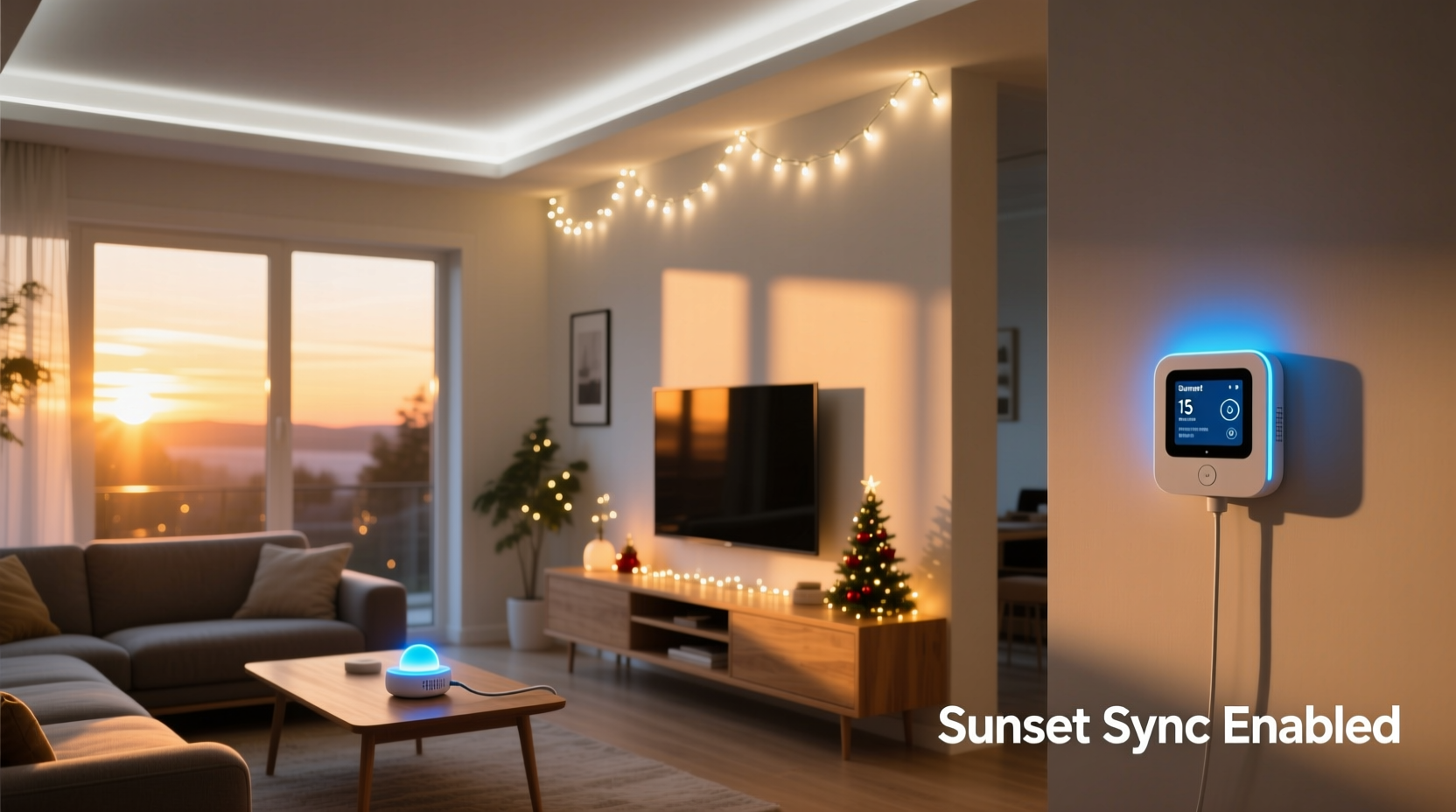
The timing of sunset changes daily, especially across fall and winter. In early December, for example, sunset might occur at 4:45 PM, but by late January, it could shift to 5:30 PM. A static timer set to turn on lights at 5:00 PM will either run too late in early winter or too early in late winter, leading to wasted energy or missed ambiance.
Automating your Christmas lights to sync with local sunset times solves this problem. It ensures your display illuminates at the most visually effective moment—just as dusk settles—while avoiding unnecessary power use during brighter evenings.
“Smart lighting automation isn’t just about convenience—it’s about creating a consistent, reliable experience that respects both aesthetics and energy consumption.” — Daniel Ruiz, Smart Home Systems Engineer
Additionally, automated lighting contributes to home security. A house that lights up predictably every evening appears occupied, deterring potential intruders. When combined with seasonal awareness, this system becomes both functional and festive.
Choosing the Right Technology for Sunset Syncing
There are several ways to automate your Christmas lights based on sunset. The best method depends on your existing setup, technical comfort level, and budget. Below are the three primary solutions:
- Smart Plugs with Geolocation Features
- Dusk-to-Dawn Photocell Timers
- Advanced Smart Hubs with Astronomical Clocks
1. Smart Plugs (Wi-Fi or Bluetooth Enabled)
These are the most accessible entry points into automated lighting. Devices like the TP-Link Kasa KP115, Amazon Smart Plug, or Eve Energy work through smartphone apps and support location-based scheduling. Once you enable geolocation, the plug uses your ZIP code or GPS coordinates to calculate daily sunrise and sunset times.
You can set rules such as “Turn on at sunset” and “Turn off at 11:00 PM.” Many apps also allow you to customize offsets—e.g., turn on 15 minutes after sunset or shut off an hour before midnight.
2. Dusk-to-Dawn Outdoor Timers with Light Sensors
These traditional mechanical or digital timers have built-in photocells that detect ambient light. When it gets dark, the circuit closes and powers the connected lights. They’re inexpensive, easy to install, and require no Wi-Fi or app setup.
However, they lack precision. A streetlight or snow reflection might trick the sensor into thinking it's still daytime. Also, you can't set custom off-times unless the model includes a dual-function mode (dusk-on + timed-off).
3. Smart Home Hubs (e.g., Hubitat, Home Assistant, or Apple HomeKit)
For advanced users, integrating lights into a full smart home ecosystem offers the highest level of control. Platforms like Home Assistant pull real-time astronomical data from online APIs and can trigger automations based on exact sunset times, twilight phases, or even weather conditions.
This approach allows complex routines—such as dimming lights gradually at sunset or changing colors on special dates—but requires more technical setup and maintenance.
Step-by-Step Guide to Setting Up Sunset Automation
Follow this practical guide to get your Christmas lights running on a sunset-synced schedule using a smart plug—the most common and user-friendly option.
- Choose and Install a Compatible Smart Plug
Select a weather-rated outdoor smart plug that supports scheduling and geolocation. Plug it into a GFCI-protected outdoor outlet. - Connect the Plug to Your Wi-Fi Network
Download the manufacturer’s app (e.g., Kasa, Smart Life, or Alexa). Follow the in-app instructions to pair the device with your home network. Ensure the plug shows as online. - Plug in Your Christmas Lights
Attach your light strand to the smart plug. Make sure all connections are secure and elevated off the ground to prevent water exposure. - Enable Location Services in the App
Go to the app settings and allow location access. Confirm your address is correct—this determines accurate sunset calculations. - Create a Sunset-Based Schedule
Navigate to the scheduling section. Choose “Sunset” as the start time. Set an offset if desired (e.g., 10 minutes after sunset). Then select an end time—common choices are 10:00 PM, 11:00 PM, or midnight. - Test the Automation
Wait until evening or temporarily adjust the schedule to a test time. Verify the lights turn on and off as expected. Check the app logs if automation fails. - Add Redundancy (Optional)
Set a backup rule: “If lights are off after 5:00 PM and it’s dark outside, turn on.” Some systems allow conditional logic based on ambient light sensors or other triggers.
Comparing Automation Methods: Pros, Cons, and Best Uses
| Method | Pros | Cons | Best For |
|---|---|---|---|
| Smart Plugs with Geolocation | Precise sunset tracking, customizable schedules, remote control via app | Requires stable Wi-Fi, higher cost per unit | Most homeowners seeking balance of ease and control |
| Photocell Timers | Inexpensive, no app needed, automatic adjustment | Limited scheduling options, prone to false triggers | Renters or those with simple setups |
| Smart Home Hubs | Full automation, integration with other devices, weather-aware triggers | Steeper learning curve, ongoing maintenance | Tech-savvy users and automation enthusiasts |
Real-World Example: The Johnson Family Setup
The Johnsons live in Portland, Oregon, where winter days are short and weather unpredictable. Each year, they decorate their roofline, trees, and walkway with over 1,200 LED lights. In past years, they used a basic timer set to 5:00 PM, which meant their lights came on too early in November (still daylight) and too late in December (already fully dark).
Last year, they upgraded to two TP-Link Kasa smart plugs. They configured one for the roof lights (on at sunset, off at 10:30 PM) and another for the pathway (on at sunset, off at 11:00 PM). Using the app, they enabled location services and tested the system weekly.
The result? Their display now aligns perfectly with natural darkness, drawing compliments from neighbors and passersby. They estimate saving nearly 15% on holiday electricity usage compared to previous years, thanks to optimized runtime.
Essential Checklist for a Reliable Sunset-Synced System
✅ Test all components before full deployment ✅ Confirm accurate location settings in your app ✅ Use outdoor-rated, UL-listed equipment only ✅ Pair lights with surge protection ✅ Set consistent end times to avoid overnight burnout ✅ Label each plug or circuit for easy identification ✅ Monitor performance during first week of operation
Common Pitfalls and How to Avoid Them
- Incorrect Location Settings: If your app thinks you're 50 miles away, sunset times will be off. Double-check your ZIP code or GPS accuracy.
- Wi-Fi Dropouts: During storms or high traffic, smart plugs may disconnect. Consider a mesh network extender near your outdoor outlets.
- Overloading Circuits: Don’t daisy-chain too many strands. Check amperage limits—most outdoor circuits handle 15–20 amps.
- Ignoring Time Zone Changes: If you travel or daylight saving ends, ensure your device auto-updates. Most do, but older models may need manual resets.
- Sensor Obstruction (for photocells): Snow, dirt, or nearby lights can block sensors. Clean regularly and position away from interference.
Frequently Asked Questions
Can I use voice assistants to control sunset-scheduled lights?
Yes. Once your smart plug is integrated with Alexa, Google Assistant, or Siri, you can use voice commands to override schedules (“Alexa, turn off the Christmas lights”) while maintaining the underlying automation.
Do sunset-based schedules work during daylight saving time changes?
Absolutely. Modern smart devices automatically adjust for daylight saving time because they rely on real-time astronomical data tied to your geographic location. No manual updates are required.
What happens if my internet goes down?
Most smart plugs lose remote access and scheduling functions without internet. However, some models store recent routines locally and may continue basic operations. For critical reliability, consider pairing a smart plug with a local photocell timer as a fallback.
Maximizing Efficiency and Longevity
Automated lighting isn’t just convenient—it extends the life of your decorations. LEDs last longer when operated within optimal temperature ranges and duty cycles. By limiting runtime to essential hours (e.g., 5 PM to 11 PM), you reduce heat buildup and component stress.
Also, consistent automation prevents accidental all-night operation, which can lead to overheating in enclosed fixtures or damaged sockets. Pair your schedule with periodic inspections: check for frayed wires, loose connections, or insect nests in housing units.
Conclusion: Let Technology Handle the Holidays
Setting up a Christmas lighting schedule that adjusts automatically by sunset combines tradition with innovation. It removes the guesswork, reduces energy waste, and keeps your home looking festive at exactly the right time. Whether you choose a simple photocell timer or a full smart home integration, the goal is the same: effortless beauty that enhances the spirit of the season.
Take action this weekend. Unpack your lights, test your gear, and configure your automation. By the time the first snow falls or the neighborhood carolers arrive, your home will shine bright—right on time, every time.




 浙公网安备
33010002000092号
浙公网安备
33010002000092号 浙B2-20120091-4
Comments
No comments yet. Why don't you start the discussion?