
Working or studying from home has become increasingly common, but not everyone has the luxury of a private office. For those sharing an apartment, house, or living space with roommates, family, or partners, carving out a productive work environment can feel like an uphill battle. Noise, visual clutter, interruptions, and limited space all contribute to distractions that erode focus and efficiency. The good news is that even in the tightest shared environments, it’s possible to design a functional, distraction-free workspace—without sacrificing harmony or personal boundaries.
The key lies in intentional design, communication, and consistency. By combining smart spatial planning with behavioral strategies, you can create a zone that signals “work mode” to both your brain and the people around you. This guide walks through proven methods to establish a focused workspace in shared settings, whether you're using a corner of the dining table, a fold-out desk in the hallway, or a repurposed closet.
Define Your Workspace—Even Without Walls
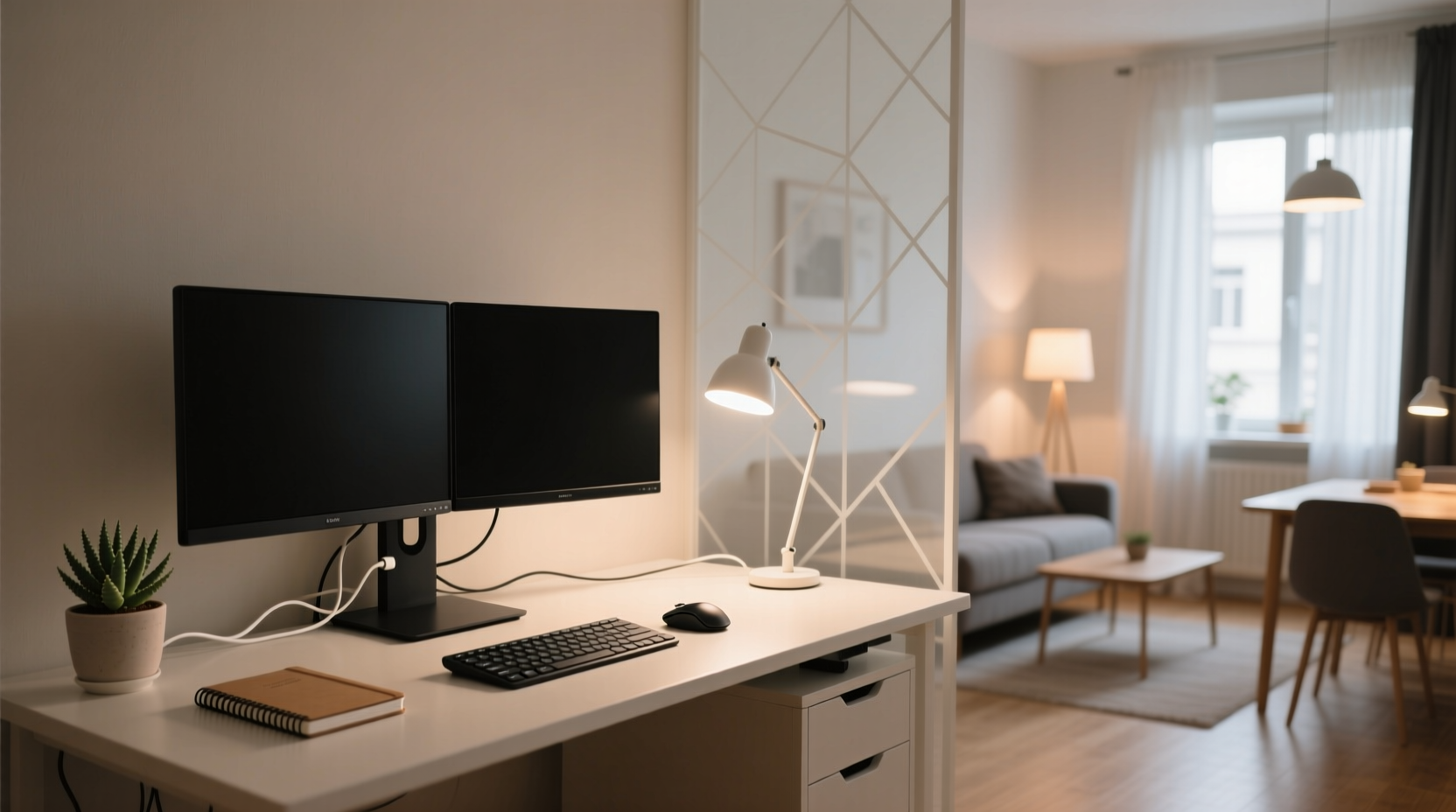
In a shared living area, physical separation is often impossible. But psychological separation is achievable. Start by clearly defining where your workspace begins and ends. This doesn’t require moving walls—just intentionality. Use furniture placement, rugs, lighting, or even a bookshelf as a visual divider to mark your zone.
For example, positioning a small desk perpendicular to the couch creates a subtle boundary. A standing screen or plant shelf between your chair and the main living area adds privacy without blocking light. Even a consistent mat or rug under your desk signals transition: when you step onto it, you’re in work mode.
Consistency matters. Use the same spot every day. Over time, your brain associates that location with concentration, making it easier to enter a state of flow despite nearby movement.
Minimize Sensory Distractions
Distractions come in many forms: noise, visual chaos, temperature fluctuations, and even smells. Addressing each enhances cognitive control.
Noise Control
Ambient conversation, TV sounds, or kitchen clatter can fracture attention. While complete silence isn’t necessary—or always helpful—for deep work, uncontrolled noise is detrimental. Consider these solutions:
- Noise-canceling headphones: These are invaluable in open environments. Even mid-range models significantly reduce background chatter and low-frequency hums.
- White noise or ambient sound: Play low-volume brown noise, rainfall, or café sounds through speakers or earbuds to mask unpredictable noises.
- Agree on quiet hours: Coordinate with housemates or family to designate certain blocks (e.g., 9–11 AM) as low-noise periods.
Visual Clutter
Your peripheral vision picks up movement and color, even if you’re not consciously aware. A busy living room with constant foot traffic or flashing screens pulls focus subconsciously.
To reduce visual intrusion:
- Face away from high-traffic paths or TVs.
- Use a monitor hood or side panels to narrow your field of view.
- Keep only essential items on your desk—cables, notebooks, and chargers should be neatly tucked away.
Establish Behavioral Boundaries
Physical setup alone won’t sustain focus. Shared spaces require social agreements. Clear, respectful communication prevents misunderstandings and reinforces your work routine.
Talk to your housemates about your schedule. Instead of saying, “Don’t bother me,” which can sound abrupt, frame it collaboratively: “I’m most productive between 9 and 12. If I wear headphones, I’m in deep work mode—feel free to message me instead of calling out.”
Consider using a visual signal:
- A red/green sign on your desk (“In Focus Mode” / “Available”)
- A specific hat or glasses you only wear while working
- A closed door—even if it’s a closet converted into a micro-office
“Environmental cues are powerful. When people see consistent signals—like someone wearing headphones at a certain time—they begin to respect the boundary unconsciously.” — Dr. Lena Torres, Cognitive Psychologist specializing in remote work environments
Optimize for Functionality and Flexibility
Space constraints demand smart choices. Prioritize multi-functional, compact, and easily storable gear. You don’t need a full desk; you need a system that supports focus and can be packed away when needed.
| Item | Recommended Choice | Avoid |
|---|---|---|
| Desk | Foldable wall-mounted or lap desk | Bulky desks that dominate shared areas |
| Chair | Ergonomic folding stool or cushioned seat with back support | Unsupportive dining chairs used long-term |
| Storage | Rolling cart or labeled bins under desk | Leaving materials scattered overnight |
| Lighting | Adjustable LED desk lamp with warm/cool settings | Overhead lights that wash out screens |
Invest in portability. If you share a dining table, use a tray to hold your daily essentials. At the end of the day, pack everything into a tote or rolling case. This ritual reinforces closure and keeps the space communal again.
Real Example: Maria’s Kitchen Counter Office
Maria, a freelance graphic designer in a two-bedroom apartment with two roommates, had no spare room. She transformed one end of her kitchen counter into a semi-permanent workspace. She installed a pull-out shelf underneath for her laptop and monitor, added a slim rolling drawer for pens and tablets, and placed a tall indoor plant between her chair and the fridge to break sightlines.
She uses over-ear noise-canceling headphones during core hours and agreed with her roommates to avoid loud music before noon. A small corkboard above her station holds daily priorities. Every evening, she slides the shelf back in, covers her equipment with a cloth, and resets the counter for cooking. After six months, her roommates rarely interrupt her during work hours—it’s simply part of the household rhythm.
Step-by-Step Guide to Setting Up Your Space
Follow this sequence to build a sustainable, low-distraction workspace in a shared environment:
- Assess available zones: Identify potential spots—near natural light, away from high-traffic paths, close to outlets.
- Pick your primary location: Choose one consistent spot, even if temporary.
- Define boundaries: Use rugs, furniture, plants, or screens to segment the area.
- Equip minimally: Add only what’s essential—laptop, notebook, charger, lamp.
- Control sensory input: Test noise-canceling options and adjust lighting.
- Communicate your schedule: Share your work hours and interruption preferences with others.
- Create a start/end ritual: Begin with a five-minute setup (e.g., plug in, open planner); end with packing up and clearing the surface.
- Review weekly: Note what’s working and adjust—move the desk, change headphones, renegotiate quiet times.
Distraction-Free Habits That Complement Your Space
No workspace is immune to internal distractions. Pair your physical setup with behavioral discipline:
- Time-block tasks: Use a digital calendar to assign specific types of work to specific hours. Knowing you have 45 minutes for emails reduces the urge to check them constantly.
- Use app blockers: Tools like Freedom, Cold Turkey, or Focus To-Do mute distracting websites during work sessions.
- Adopt the “two-minute rule”: If a thought pops up (“I should text Mom”), jot it down on a notepad. If it takes less than two minutes, do it later; if more, schedule it.
- Take structured breaks: Follow the Pomodoro Technique—25 minutes of work, 5-minute break. Step outside, stretch, or chat briefly to reset.
These habits reinforce the purpose of your workspace. Over time, entering the zone becomes automatic.
Frequently Asked Questions
What if I don’t have any dedicated space?
Even a single shelf or a corner of a dresser can serve as a “home base.” Use a portable caddy to carry your essentials to different spots—consistency in tools and routine compensates for physical inconsistency. The goal is to create psychological ownership, not square footage.
How do I deal with roommates who don’t respect my work time?
Start with empathy. Explain not just your needs, but why they matter—e.g., “When I’m interrupted during video editing, I lose my train of thought and it takes 15 minutes to regain focus.” Propose a trial period for agreed-upon quiet hours. If issues persist, suggest a household meeting to establish shared rules for co-living productivity.
Can I use the bedroom as a workspace?
Only if absolutely necessary—and with caution. Blurring sleep and work spaces can disrupt rest. If you must work in the bedroom, avoid facing the bed. Use a separate lamp for work hours, and never eat or work in bed. Shut down completely before bedtime to preserve mental separation.
Checklist: Build Your Shared-Space Workspace
- ✅ Identify a consistent spot for work
- ✅ Define the area with rug, shelf, or screen
- ✅ Invest in noise management (headphones, white noise)
- ✅ Minimize visual distractions (face away from traffic, declutter desk)
- ✅ Communicate your schedule and boundaries
- ✅ Equip with ergonomic, compact tools
- ✅ Establish a daily setup and shutdown ritual
- ✅ Use digital tools to block distractions
- ✅ Review and adjust monthly
Conclusion
Creating a distraction-free workspace in a shared living area isn’t about having the most space—it’s about making the most of what you have. With deliberate design, clear communication, and consistent routines, even a corner of a studio apartment can become a sanctuary of focus. The habits you build in constrained environments often prove more durable than those formed in ideal conditions. They teach adaptability, resilience, and resourcefulness—qualities that extend far beyond productivity metrics.




 浙公网安备
33010002000092号
浙公网安备
33010002000092号 浙B2-20120091-4
Comments
No comments yet. Why don't you start the discussion?