
Setting up a dual monitor configuration can dramatically improve productivity, whether for work, design, coding, or entertainment. However, when your workspace features a glass desk, the setup demands extra caution. Glass surfaces, while sleek and modern, are more fragile than solid wood or metal desks and require thoughtful handling—especially when supporting heavy equipment like monitors and stands. Without proper installation, you risk damaging the desk, misaligning your monitors, or even causing an accident due to instability.
The challenge lies in balancing aesthetics, ergonomics, and safety. A poorly secured dual monitor arm on a glass surface can lead to cracks, wobbles, or sudden collapses. This guide walks through every critical step of installing a dual monitor stand on a glass desk with precision and confidence. From choosing the right hardware to reinforcing support and testing stability, this article provides actionable insights that ensure both longevity and performance.
Selecting the Right Dual Monitor Stand
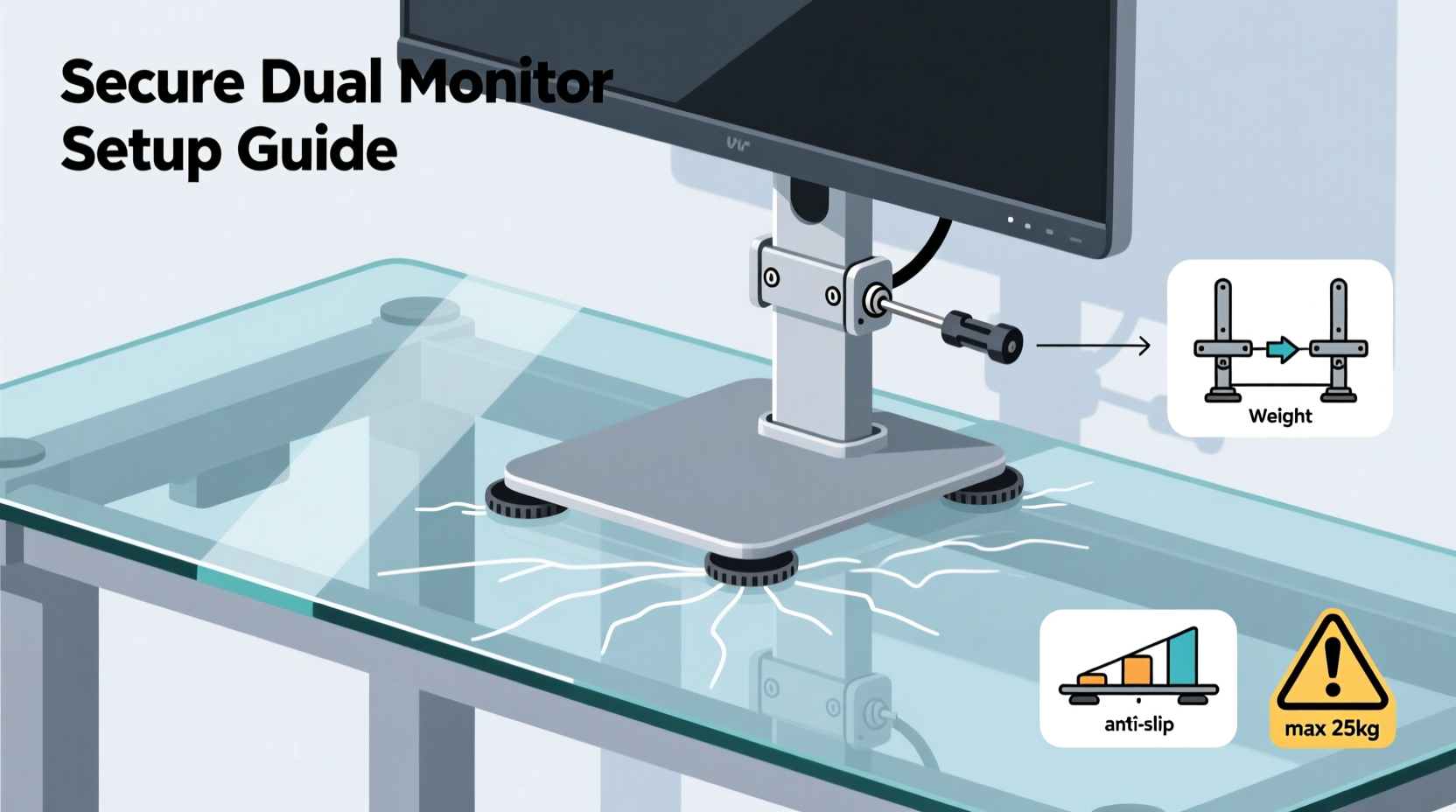
Not all monitor arms are suitable for glass desks. The mounting mechanism and weight distribution vary significantly between models. For glass surfaces, prioritize stands designed specifically for clamp-on or grommet-mounted installations with reinforced bases and padding.
Look for these key features:
- Reinforced clamps with rubberized pads – These protect the glass edge and increase grip.
- Grommet mount compatibility – Allows for a central hole installation, distributing pressure evenly.
- Weight capacity exceeding total monitor load – Include the weight of both monitors, brackets, and cables.
- Adjustable tension settings – Prevents sagging and allows smooth movement without overloading the base.
Brands like Ergotron, NB, and AmazonBasics offer models explicitly rated for use on glass desks. Always check manufacturer specifications before purchase. If your desk is made from non-tempered glass, consult a professional before proceeding—non-tempered glass may not support clamped loads safely.
Preparing Your Glass Desk for Installation
Before attaching any hardware, assess your desk’s structural integrity. Most modern glass desks use tempered glass (typically 8–12mm thick), which is stronger and safer than regular glass. Tempered glass can withstand higher pressure but still has limits when concentrated force is applied at edges or corners.
Clean the intended mounting area thoroughly using a lint-free cloth and isopropyl alcohol. Any dust, oil, or debris can compromise the clamp’s grip and reduce friction, leading to slippage over time. Measure twice where the clamp or grommet will go—ideally near the back edge for optimal balance and cable management access.
“Glass desks require distributed weight and secure anchoring points. Never assume standard mounting practices apply.” — Daniel Kim, Workspace Ergonomics Consultant
If using a grommet mount, confirm whether drilling is allowed. Many manufacturers pre-drill holes, but if not, professional drilling is essential. DIY attempts can cause microfractures that spread under stress. Use a diamond-tipped drill bit designed for glass, applied slowly with water cooling to prevent chipping.
Step-by-Step Installation Guide
Follow this sequence to install your dual monitor stand safely and securely:
- Measure and mark the mounting location. Position the clamp so it sits flush against the rear edge of the desk, centered unless obstructed by drawers or supports.
- Check clearance underneath. Ensure there’s enough space beneath the desk for the clamp mechanism, especially if there are shelves or crossbeams.
- Attach rubber or felt pads to the clamp jaws. These prevent scratching and enhance grip. Replace factory pads if worn or too thin.
- Position the clamp and hand-tighten initially. Do not fully tighten yet—adjust alignment first.
- Align the vertical pole and secure the clamp bolts. Use a torque wrench if available; most clamps recommend 5–7 Nm. Over-tightening can crack glass.
- Assemble the dual arm structure according to manufacturer instructions. Attach upper arms, joints, and monitor brackets.
- Mount the monitors gradually. Attach one at a time, balancing weight symmetrically.
- Test motion and adjust tension. Arms should move smoothly but resist drifting downward.
- Route cables through the arm’s internal channel or use adhesive clips. Reduces strain on moving parts.
- Perform a final stability test. Gently push each monitor side-to-side and up-down to check for wobble or shifting.
Stability Enhancements and Safety Checks
Even with correct installation, long-term reliability depends on continuous monitoring and reinforcement. Consider these upgrades to maximize safety:
- Add an under-desk reinforcement plate – A metal or acrylic plate mounted beneath the clamp spreads pressure across a wider area of glass.
- Use anti-slip adhesive strips – Apply them between the clamp and glass for added traction.
- Install a secondary support brace – Some advanced setups include a vertical strut anchored to a wall or nearby shelf for extra rigidity.
- Limit excessive arm extension – Fully extended arms create leverage that stresses the mount. Keep monitors within 70% of maximum reach.
Avoid placing additional weight on monitor arms, such as speakers or webcams, unless the model explicitly supports it. Also, never hang objects from the arms—they’re engineered for controlled movement, not static loads.
Do’s and Don’ts of Dual Monitor Setup on Glass Desks
| Do’s | Don’ts |
|---|---|
| Use padded clamps with wide contact surfaces | Use metal-to-glass direct contact without protection |
| Tighten bolts gradually and evenly | Over-tighten clamp screws beyond recommended torque |
| Balance monitor weights symmetrically | Mount two heavy monitors on one-sided arms |
| Inspect monthly for signs of stress or shifting | Ignore small cracks or chips near the mount |
| Use internal cable management to reduce drag | Allow cables to pull on moving joints |
Real-World Example: Remote Designer’s Secure Setup
Sophie, a freelance UI/UX designer working from home, upgraded her minimalist glass desk with a dual monitor arm to streamline her workflow. Her original wooden desk had been replaced with a 10mm tempered glass model for aesthetic reasons, but she was hesitant about mounting hardware.
After researching options, she chose a grommet-mounted dual arm stand compatible with glass surfaces. She contacted the desk manufacturer to confirm load tolerance and learned that the center rear zone could support up to 15kg with proper distribution. A technician drilled a 50mm hole using a wet-cut method, minimizing thermal stress.
Sophie installed the stand with factory rubber gaskets and added a 6-inch aluminum reinforcement ring beneath the desk. After mounting her two 24-inch monitors (totaling 9.6kg), she adjusted tension carefully and routed all cables internally. Six months later, the setup remains stable, with no signs of wear or movement—even during frequent adjustments.
Her experience underscores the importance of preparation, correct tools, and incremental validation. “I didn’t rush it,” she said. “Taking three days to plan and install gave me peace of mind I wouldn’t have otherwise.”
Frequently Asked Questions
Can I use a C-clamp monitor arm on a glass desk?
Yes, but only if the clamp has wide, rubber-padded jaws designed for glass. Standard narrow clamps risk cracking the surface due to concentrated pressure. Always verify compatibility with the manufacturer and avoid over-tightening.
What if my glass desk doesn’t allow drilling?
If grommet mounting isn't possible, rely on high-quality clamp systems placed near the thickest part of the desk—usually the rear edge. Reinforce with an under-desk plate and perform regular inspections. Avoid front-edge clamps, as they’re prone to tipping.
How do I know if my glass desk can handle the weight?
Tempered glass desks 8mm or thicker typically support clamp-mounted arms up to 15kg when properly installed. Check the product manual or contact the manufacturer for exact load ratings. When in doubt, consult a structural technician familiar with furniture-grade glass.
Final Checklist Before Use
- ✅ Monitors and stand combined weight is within desk and arm limits
- ✅ Mounting hardware includes protective padding
- ✅ Clamp or grommet is securely fastened without overtightening
- ✅ All monitor connections (power, video) are stable and strain-relieved
- ✅ Arms move smoothly and hold position without drooping
- ✅ No visible gaps, wobbling, or stress marks on the glass
- ✅ Cable management prevents pulling on joints
Conclusion: Confidence Through Careful Execution
Installing a dual monitor stand on a glass desk doesn’t have to be risky—if done correctly. The elegance of a clean, transparent workspace can coexist with powerful functionality. By selecting the right hardware, preparing the surface meticulously, and following a disciplined installation process, you create a setup that’s not only safe but also built to last.
Remember, the weakest point in any system is often the connection, not the materials themselves. Protect your investment by reinforcing contact areas, checking regularly for wear, and respecting mechanical limits. Whether you're a remote worker, creative professional, or multitasking enthusiast, a well-installed dual monitor system elevates both comfort and capability.




 浙公网安备
33010002000092号
浙公网安备
33010002000092号 浙B2-20120091-4
Comments
No comments yet. Why don't you start the discussion?