
Every December, millions of families welcome a tiny, red-suited emissary from the North Pole: the Elf on the Shelf. According to tradition, this scout observes children’s behavior and reports nightly to Santa—moving to a new location each morning while remaining unseen during waking hours. The resulting mystery is part of the charm—but so is the playful, shared wonder of *almost* catching the elf mid-movement.
Setting up a hidden camera isn’t about surveillance in the clinical sense. It’s about capturing joyful, spontaneous moments: a child’s gasp upon discovering the elf tangled in spaghetti, perched atop the dog’s head, or holding a tiny “naughty list” next to a half-eaten cookie. Done thoughtfully, it deepens family storytelling, preserves memories, and honors the spirit of the tradition—without compromising trust, safety, or ethics.
This guide walks through every practical consideration: choosing the right device, positioning it with intention, respecting privacy boundaries, managing expectations, and transforming raw footage into meaningful keepsakes. It reflects real-world experience—not just technical specs—and draws on insights from educators, child development specialists, and families who’ve refined their approach over multiple holiday seasons.
Why “Hidden” Doesn’t Mean “Secretive”—Ethics First
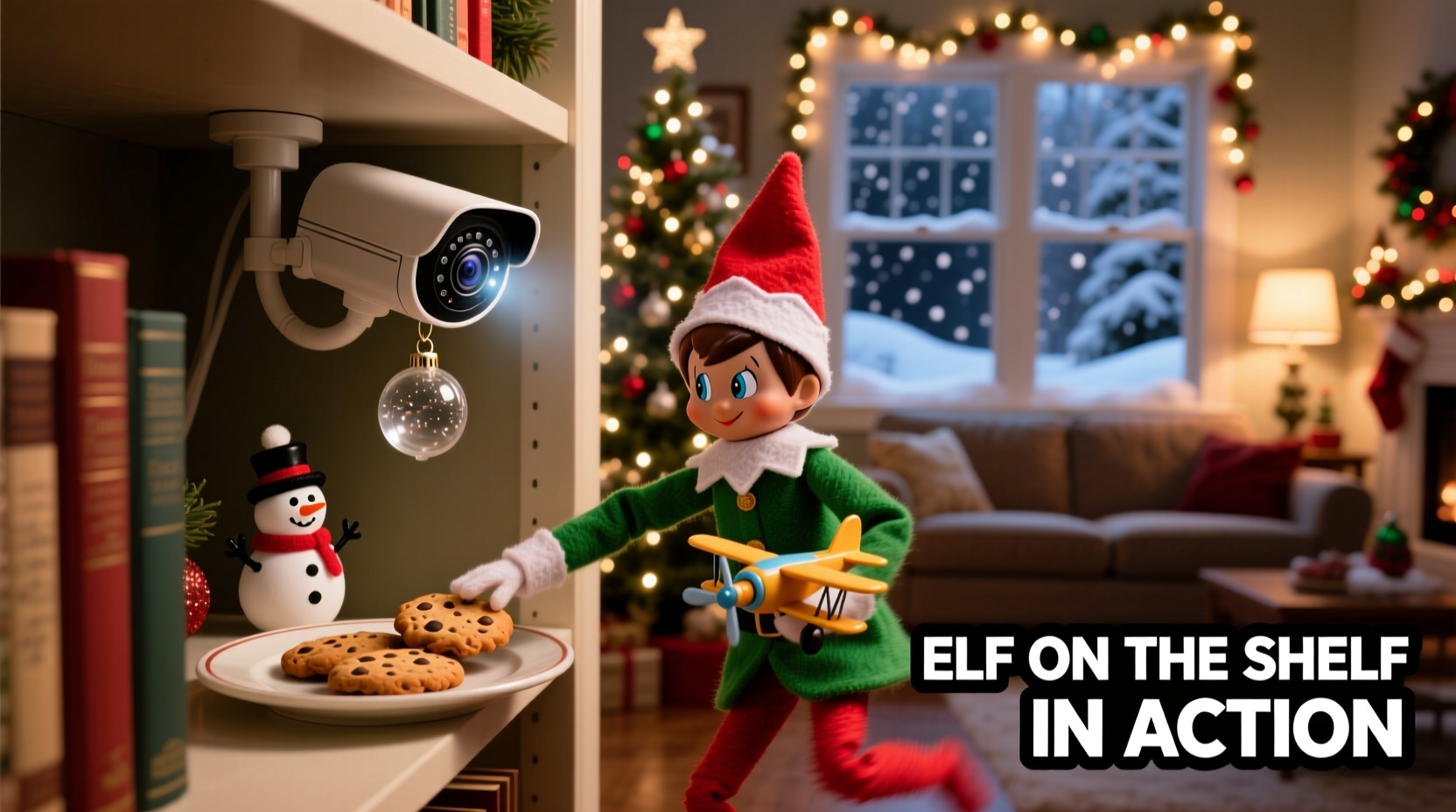
The phrase “hidden camera” carries weight. In a home context, especially involving children, transparency matters. Experts emphasize that surveillance should never undermine psychological safety or erode trust between parent and child.
Dr. Lena Torres, developmental psychologist and author of Play, Wonder, and Belonging in Early Childhood, explains: “The magic of the Elf on the Shelf lies in its collaborative fiction—a shared story where adults and children co-create meaning. Introducing covert recording without framing can unintentionally shift the dynamic from playful participation to performance anxiety. When families choose to document, the healthiest approach is to make it part of the ritual—not a separate, invisible layer.”
In practice, this means telling children (age-appropriately) that you’re using a “magic camera” to help remember all the elf’s adventures—or waiting until after Christmas to show clips as a surprise recap. It also means never placing cameras in private areas like bedrooms (beyond shared common spaces), bathrooms, or changing areas—even if the elf “might” go there. The goal is delight, not data collection.
Choosing the Right Device: Function Over Gimmicks
Not all cameras suit this purpose. You need something small, reliable, unobtrusive, and easy to manage—not a high-end security system. Below is a comparison of common options based on real-world holiday use cases:
| Device Type | Best For | Key Limitations | Privacy Safeguards |
|---|---|---|---|
| Wi-Fi Mini Camera (e.g., Wyze Cam Pan Mini) | Families wanting live preview, motion alerts, and cloud backup | Requires stable Wi-Fi; may emit faint LED glow unless disabled | Disable microphone; turn off cloud sharing; delete footage after January |
| USB-Powered Dummy Camera + Separate Recorder | Low-tech households; parents avoiding smart devices entirely | No remote access; requires manual SD card retrieval | No network connection = no remote hacking risk; physical-only access |
| Dashcam-Style Motion Detector (e.g., Reolink Go Plus) | Outdoor elf setups (e.g., porch, garage, backyard) | Battery life varies; outdoor models less discreet indoors | Local storage only; optional password lock on SD card |
| Smart Speaker Camera (e.g., Amazon Echo Show 8) | Existing smart-home users seeking integration | Visible device; always-on mic raises consent concerns | Disable voice recording; cover lens when not actively filming |
Crucially, avoid devices marketed as “nanny cams” that lack clear physical indicators (like status LEDs) or offer remote viewing without local notification. Transparency begins with visibility—even if subtle. A soft blue light, placed near a bookshelf or behind a plant, signals presence without drawing attention.
A Step-by-Step Setup Timeline (3 Days Before Elf Arrival)
- Day -3: Define the Zone & Secure Consent
Identify 1–2 high-probability locations (e.g., kitchen counter, mantel, bookshelf). Discuss plans openly with all household members aged 5+. Use age-appropriate language: “We’ll set up a special camera to watch the elf’s adventures—but only where everyone feels okay being seen.” - Day -2: Mount & Test
Mount the camera at 4–5 feet height, angled slightly downward. Use removable adhesive strips—not nails or screws. Test motion detection using a toy figure or rolled sock. Confirm recording starts within 2 seconds of movement and captures facial detail at 3 feet distance. - Day -1: Configure Privacy Settings
Disable audio recording. Set motion zones to exclude doorways (to avoid capturing guests unexpectedly). Enable automatic overnight recording stop (e.g., 9:00 PM–6:00 AM) unless your elf is famously nocturnal. Format the SD card or verify cloud storage quota. - Elf Arrival Day: Place & Position
Set the elf in its first pose *within the camera’s field of view*, but not directly facing the lens. Add visual cues—a tiny chair, a spoon “left behind”—to encourage natural interaction. Avoid reflective surfaces (mirrors, glass tables) that cause glare or false motion triggers. - Ongoing: Review & Rotate Weekly
Check footage every 2–3 days. If the elf hasn’t moved into frame, adjust placement—not the camera. After Christmas, archive clips in a password-protected folder titled “2024 Elf Adventures” and delete raw files from the device.
Real Example: The Thompson Family’s “Mantel Monitor” System
The Thompsons of Portland, Oregon, began using a hidden camera in 2021 after their 6-year-old daughter asked, “How does he *really* get from the tree to the fridge?” Rather than dismiss the question, they turned it into a project. They mounted a $35 Wyze cam inside a hollowed-out faux log beside their fireplace—its lens peeking through a drilled hole disguised as a knot.
For three years, they’ve captured moments now cherished as heirlooms: their son “rescuing” the elf from a cereal box, their toddler offering it a sippy cup, and once, the cat gently batting it off the mantel onto a cushion below. Crucially, they never showed footage *during* December. Instead, on New Year’s Eve, they host an “Elf Recap Night”: popcorn, hot cocoa, and a curated 12-minute montage synced to gentle piano music.
“It stopped being about proof,” says mom Maya Thompson, “and became about continuity. Watching those clips, my kids see how their curiosity, kindness, and silliness have grown—not just the elf’s poses.” Their rule? No footage is saved beyond January 15. Every year, they reset—both the device and the story.
What NOT to Do: A Critical Do’s and Don’ts Table
| Action | Do | Don’t |
|---|---|---|
| Placement | Mount in open, well-lit common areas with clear sightlines to high-traffic zones | Hide inside cabinets, behind curtains, or in personal spaces like bedrooms or bathrooms |
| Audio | Record video only; disable microphones entirely | Capture conversations, bedtime routines, or sibling arguments—even “by accident” |
| Sharing | Export short, edited clips for family-only viewing (e.g., grandparents’ holiday email) | Post unedited footage publicly—on social media, forums, or Elf-themed websites |
| Expectations | Treat footage as bonus content—not proof of compliance or behavior tracking | Use clips to correct behavior (“See? The elf saw you take the cookie!”) |
| Maintenance | Check battery/SD card weekly; label storage with date and year | Forget to delete old files—leaving 2022 footage accessible alongside 2024 |
FAQ: Practical Questions Answered
Can I use my smartphone as a hidden camera?
Technically yes—but not recommended. Smartphones lack dedicated motion-sensing firmware, drain batteries quickly, and often trigger notifications or backups that compromise discretion. More importantly, leaving your phone unattended in a common area creates security risks (unlocked access, accidental app launches). Dedicated mini-cameras are cheaper, more reliable, and designed for passive operation.
What if the elf doesn’t move into frame for several days?
That’s normal—and valuable. It signals either low motion sensitivity (adjust zone size) or that your elf prefers subtlety. Resist the urge to reposition the camera aggressively. Instead, try relocating the elf *closer* to the existing field of view for one night, then gradually expand outward. Some families find the most magical moments happen just outside the frame: a trail of glitter leading toward the lens, or a shadow crossing the wall.
Is it legal to record without telling older kids (10+)?
Legally, yes—in shared household spaces—but ethically, no. Children aged 10+ have developing autonomy and privacy awareness. Failing to disclose recording risks damaging trust and modeling poor digital citizenship. A better approach: invite them to help choose camera angles, edit clips, or even script “elf commentary” for the final montage. Co-creation reinforces respect far more than concealment ever could.
Conclusion: Capturing Magic, Not Just Motion
Setting up a hidden camera for your Elf on the Shelf isn’t about solving a mystery—it’s about honoring the quiet, daily rituals that make childhood feel enchanted. It’s the difference between asking “Did he move?” and saying, “Look how he held your drawing *just so* while you slept.” It’s about preserving not just evidence, but emotion: the awe in a child’s eyes, the tenderness in a shared giggle, the way imagination transforms ordinary objects into portals to wonder.
When done with care, this practice becomes intergenerational. Years later, your child might show *their* child the same clip—the elf balanced on a teacup, a stray curl escaping its hat—and say, “This is how Grandma and I kept the magic alive.” That continuity is the real reward—not perfect footage, but sustained connection.
So choose your device wisely. Mount it thoughtfully. Talk openly. Delete deliberately. And above all—leave space for the unplanned, the imperfect, the beautifully human moments that no camera can fully capture… but that your heart will remember forever.




 浙公网安备
33010002000092号
浙公网安备
33010002000092号 浙B2-20120091-4
Comments
No comments yet. Why don't you start the discussion?