
In today’s connected world, managing the daily charge of smartphones, tablets, smartwatches, earbuds, laptops, and other gadgets can become chaotic. A single outlet won’t cut it when everyone in the household needs power at once. Without a system, cords tangle, outlets overload, and valuable time is lost hunting for chargers. The solution? A dedicated home charging station designed to handle multiple devices efficiently, safely, and with minimal visual clutter. Setting one up isn't just about convenience—it's an investment in safety, organization, and long-term device health.
Why You Need a Centralized Charging Station
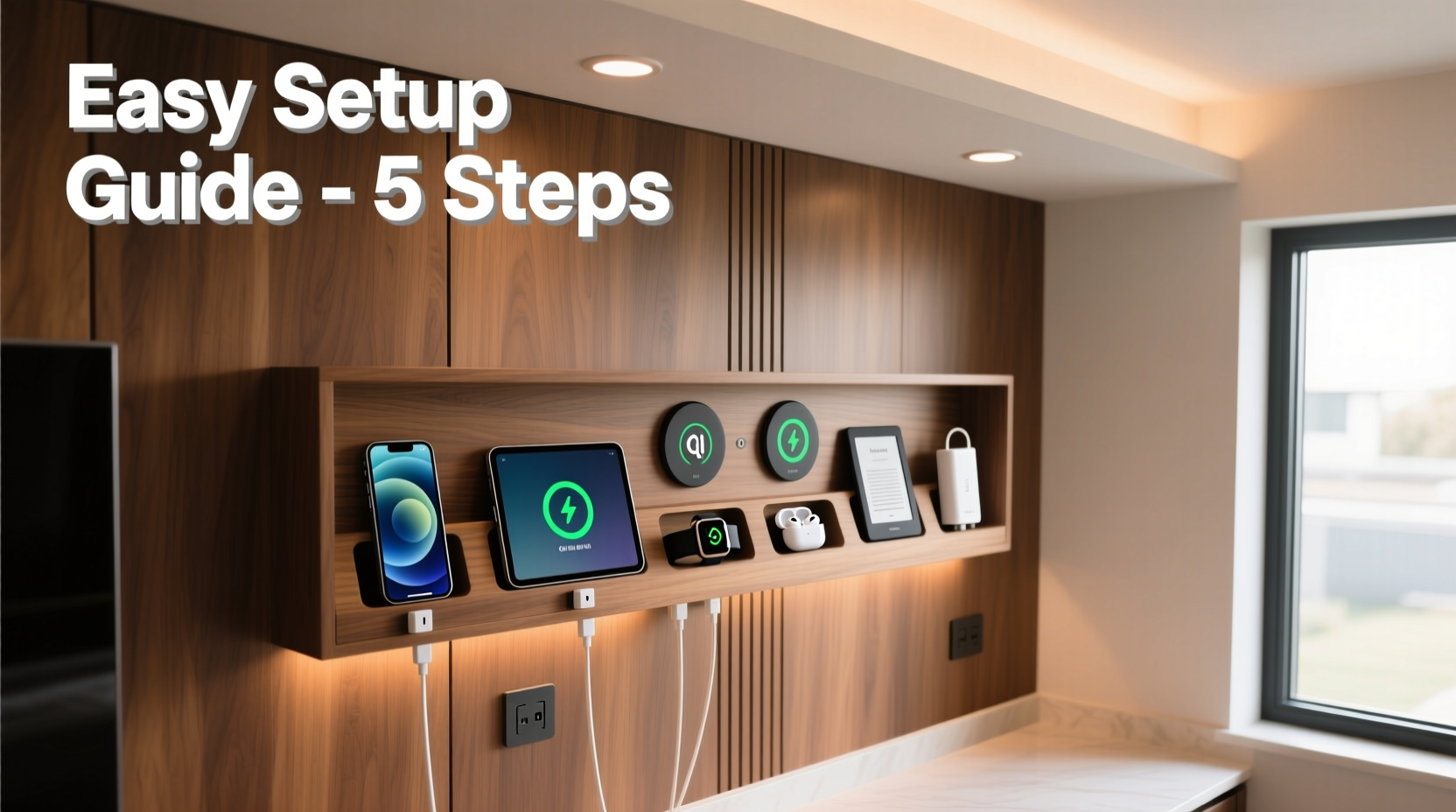
Most homes have charging happening in scattered locations: the bedroom nightstand, kitchen counter, living room sofa side table. This leads to inefficiency and risk. Overloaded power strips, frayed cables under furniture, or forgotten phones left charging overnight can create fire hazards. According to the U.S. Fire Administration, electrical distribution and lighting equipment are involved in nearly 34,000 home fires annually—many linked to improper use of extension cords and overused outlets.
A centralized charging station consolidates all your charging needs into one accessible, organized location. It reduces cable clutter, prevents accidental damage to ports, ensures consistent access to power, and allows you to monitor charging cycles. Whether you're charging two devices or ten, a well-planned setup improves both function and aesthetics.
Step-by-Step Guide to Building Your Charging Hub
Creating an effective multi-device charging station involves more than plugging a power strip into the wall. Follow this structured approach to ensure reliability, scalability, and safety.
- Assess Your Device Load
Select every device that regularly needs charging: phones, tablets, wireless earbuds, smartwatches, e-readers, handheld gaming consoles, etc. Note their charging requirements—USB-A, USB-C, magnetic connectors (like Apple’s MagSafe), or proprietary cables. - Choose the Right Location
Pick a spot near a wall outlet to minimize cord length. Avoid humid areas like bathrooms or direct sunlight exposure, which can degrade batteries and cables. Ensure there's enough ventilation around the station to prevent heat buildup. - Select a Power Distribution Solution
Instead of daisy-chaining multiple power strips, use a high-quality surge protector with enough outlets and USB ports. Look for models with built-in USB-C PD (Power Delivery) and QC (Quick Charge) support for faster, smarter charging. - Invest in a Multi-Port Charging Dock or Hub
Dedicated charging docks with individual cradles keep devices upright and organized. Some include labeling slots, cable management channels, and even cooling fans. For desks, consider vertical stands with pass-through ventilation. - Manage Cables Strategically
Use labeled velcro straps, silicone sleeves, or braided wraps to group and identify cables. Run excess length through cable raceways or under-desk trays. Avoid tight bends or pinching cords behind furniture. - Add Smart Features (Optional)
Smart plugs or Wi-Fi-enabled power strips allow remote shutoff, scheduling, and energy monitoring. Schedule charging to end during off-peak hours or stop automatically after 8 hours to extend battery life. - Label and Maintain
Assign each port or dock slot to a specific person or device. Update labels as devices change. Perform monthly checks for worn insulation, loose connections, or overheating signs.
Essential Equipment Comparison
Not all charging solutions are created equal. Below is a comparison of common options based on capacity, safety, and usability.
| Product Type | Max Devices Supported | Key Features | Best For |
|---|---|---|---|
| Basic Power Strip | 4–6 (with adapters) | Low cost, limited protection | Temporary setups |
| Surge Protector with USB | 3–5 + 2–4 USB ports | Overload protection, EMI filtering | Living rooms, offices |
| Multi-Device Charging Dock | 6–10 (varies by model) | Individual bays, cable management, LED indicators | Families, tech-heavy households |
| Smart Charging Station | 4–8 + app control | Remote scheduling, energy tracking, auto-shutoff | Energy-conscious users |
Real Example: The Martinez Family Setup
The Martinez family of five struggled with nightly charging chaos. Between two teens with phones and tablets, a toddler’s learning tablet, parents’ work laptops, and shared wireless earbuds, outlets were maxed out and cords tangled across the floor. They decided to build a permanent solution in their mudroom.
They installed a wall-mounted cabinet with ventilation slits and mounted a 12-outlet surge protector inside. Each family member got a labeled bin with their name and assigned ports. A vertical charging dock holds phones and watches, while tablets rest on padded shelves. Excess cables are routed through adhesive clips along the cabinet base. A smart plug turns everything off at 10 PM unless manually overridden.
Within a week, the routine became automatic. No more dead devices in the morning, and the reduction in stress was noticeable. “It sounds small,” said Maria Martinez, “but having one place where everyone knows to plug in has changed our evenings.”
Do’s and Don’ts of Home Charging Stations
| Do | Don’t |
|---|---|
| Use surge protectors rated for your region’s voltage | Plug high-wattage appliances (heaters, microwaves) into the same circuit |
| Label cables and assign devices | Cover the station with fabric or stack items on top |
| Inspect cords monthly for fraying or heat damage | Leave devices charging unattended for days |
| Use USB-C PD chargers for modern smartphones and laptops | Use damaged or third-party uncertified chargers |
“Overloading circuits with cheap power strips is one of the most common—and preventable—fire risks in homes today.” — James Liao, Electrical Safety Engineer, National Fire Protection Association
Charging Best Practices for Battery Longevity
Your charging station isn’t just about power delivery—it should also promote healthy battery habits. Lithium-ion batteries, used in most modern electronics, degrade faster when exposed to extreme heat, full discharges, or constant 100% charging.
- Keep charge between 20% and 80%: Frequent full cycles stress batteries. Use partial charges whenever possible.
- Unplug once charged: Leaving devices plugged in after reaching 100% causes trickle charging, which generates heat and wears down cells.
- Avoid charging under pillows or blankets: Heat dissipation is critical. Enclosed spaces increase temperature and risk thermal runaway.
- Use manufacturer-recommended chargers: Third-party adapters may lack proper voltage regulation, leading to inconsistent charging or damage.
Many newer phones and laptops include \"optimized charging\" features that learn your routine and delay full charging until you typically unplug. Enable these settings to reduce wear over time.
Checklist: Building Your Charging Station
- Inventory all devices needing regular charging
- Identify a safe, ventilated location near a power outlet
- Purchase a surge-protected power strip or smart hub with adequate ports
- Acquire sufficient high-quality charging cables (preferably braided)
- Choose a docking solution (shelf, stand, or cabinet)
- Label each cable and assign device slots
- Install cable organizers (clips, ties, raceways)
- Test all connections and verify no overheating occurs
- Schedule monthly maintenance checks
- Consider adding a smart plug for automated shutoff
Frequently Asked Questions
Can I charge all my devices overnight safely?
Modern devices regulate charging and stop drawing power once full, making overnight charging generally safe. However, doing so regularly increases heat exposure and accelerates battery aging. For better longevity, use scheduled charging or a smart plug to limit charge duration.
Is it okay to mix different brands of chargers and cables?
You can mix brands if they meet safety standards (look for UL, CE, or FCC certification). However, avoid unknown or uncertified accessories—they may deliver unstable voltage, damage ports, or pose fire risks. Stick to reputable brands with positive user reviews.
How many devices can I safely plug into one outlet?
It depends on the circuit capacity and device wattage. A standard 15-amp circuit supports about 1,800 watts. Most phone chargers use 5–10 watts, tablets 12–20W, and laptops 30–100W. As a rule, avoid connecting more than 6–8 high-draw devices plus peripherals on a single circuit without professional evaluation.
Conclusion: Create Order from Chaos
Setting up a home charging station for multiple devices is more than a decluttering project—it's a commitment to safety, efficiency, and digital wellness. With thoughtful planning, the right tools, and consistent habits, you can eliminate the nightly scramble for outlets and reduce the risks associated with poor electrical practices. Whether you live alone or manage a busy household, a centralized, well-maintained charging hub brings peace of mind and operational simplicity.
Start small if needed: designate one drawer or shelf, add a quality power strip, and organize what you already own. Over time, refine the system as your tech needs evolve. The goal isn’t perfection—it’s progress toward a safer, smarter way to power your life.




 浙公网安备
33010002000092号
浙公网安备
33010002000092号 浙B2-20120091-4
Comments
No comments yet. Why don't you start the discussion?