
In an age of constant digital noise and overflowing inboxes, the modern worker faces a silent productivity killer: clutter. Not just physical clutter—though that matters—but cognitive overload from too many tools, notifications, and distractions. A minimalist workspace isn’t about austerity or empty desks; it’s about intentionality. It’s designing an environment where every object, layout decision, and habit supports deep work, mental clarity, and creative flow. When done right, minimalism becomes a catalyst for focus, efficiency, and innovation.
This guide walks through the principles and practices of building a workspace that clears not only your desk but also your mind. From furniture selection to digital hygiene, each element is chosen to reduce friction and amplify concentration.
The Philosophy Behind Minimalist Workspaces
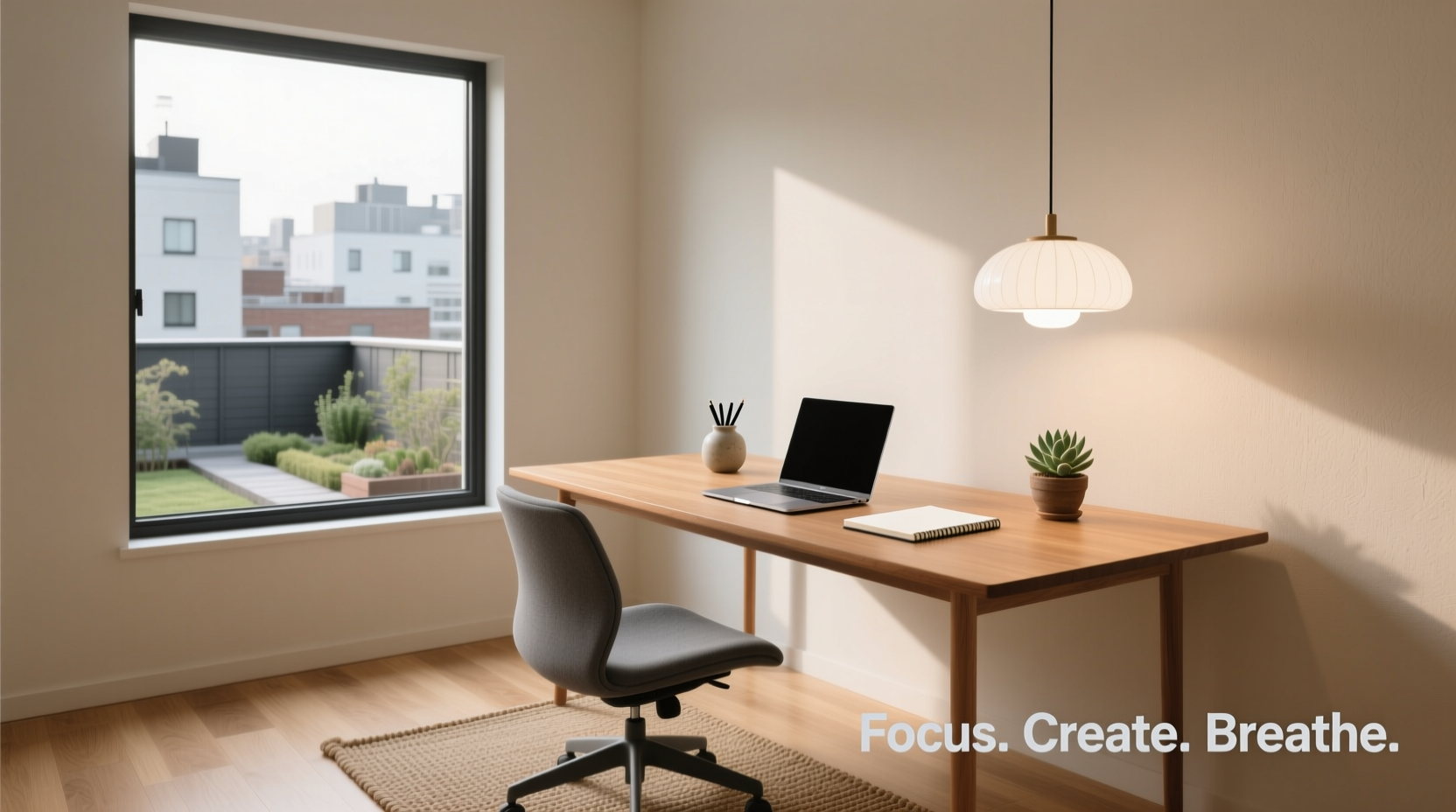
Minimalism in design and lifestyle is often misunderstood as mere subtraction. In reality, it’s about prioritization. As designer John Pawson, known for his stripped-down architectural style, puts it:
“Minimalism is not an aesthetic of lack, but of clarity.” — John Pawson, Architect
Applied to a workspace, this means removing everything that doesn’t serve your primary goals: focused work and creative thinking. The Japanese concept of *shinrin-yoku*, or forest bathing, illustrates this principle indirectly. Being in nature reduces mental fatigue because natural environments are inherently uncluttered and low-stimulus. A minimalist workspace aims to replicate that calming effect indoors.
Research from Princeton University Neuroscience Institute shows that visual clutter competes for attention, reducing cognitive performance. By minimizing distractions, you free up mental bandwidth for deeper thought and problem-solving. This isn’t just about feeling calm—it’s about functioning at a higher level.
Step-by-Step Guide to Building Your Minimalist Workspace
Creating a minimalist workspace isn't a one-time cleanup. It’s a process of refinement and continuous evaluation. Follow these seven steps to build a space aligned with your workflow and values.
- Define Your Core Work Activities: Start by listing the three main tasks you perform daily—writing, coding, designing, planning, etc. This helps identify what tools and materials are essential.
- Clear Everything Off Your Desk: Remove all items. Yes, everything. This creates a blank slate and forces intentional decisions about what returns.
- Categorize Your Tools: Group items into categories: digital devices, writing instruments, reference materials, personal items. Evaluate each based on frequency of use and necessity.
- Apply the 90/90 Rule: If you haven’t used an item in the last 90 days and don’t expect to use it in the next 90, remove it. This rule, popularized by productivity expert Colin Wright, prevents hoarding “just in case” items.
- Select Only Daily Essentials: Allow only what you use every day back onto the desk. Typically, this includes your computer, notebook, pen, and perhaps a water bottle.
- Designate Storage Zones: Use drawers, shelves, or containers to store secondary tools (e.g., stapler, extra cables) out of sight but within reach.
- Test and Iterate: Work in the space for three days. Note any friction points. Did you miss something? Was there too much emptiness? Adjust accordingly.
Essential Elements of a Functional Minimalist Desk
A minimalist workspace thrives on simplicity, but it must still be functional. The key is selecting high-quality, multipurpose items that align with your needs. Below is a breakdown of core components and what to look for.
| Element | Recommended Features | Common Pitfalls |
|---|---|---|
| Desk | Spacious surface (at least 48” wide), neutral color, cable management built-in | Too small, wobbly, or overly decorative |
| Chair | Ergonomic support, adjustable height, breathable fabric | Stylish but uncomfortable, no lumbar support |
| Lighting | Natural light preferred; supplement with warm-white LED task lamp | Harsh overhead lighting or blue-heavy bulbs |
| Computer Setup | Single monitor (or dual if essential), clean cable routing, dark mode enabled | Multiple monitors with unrelated tabs open |
| Writing Tools | One notebook, one pen (refillable preferred) | Seven pens, sticky notes everywhere, multiple half-used pads |
Color psychology plays a subtle but important role. Neutral tones—white, gray, beige, soft wood—create a calm backdrop that doesn’t compete for attention. Avoid bright colors unless they serve a functional purpose, like a red timer for Pomodoro sessions.
Digital Minimalism: Cleaning Up Your Virtual Space
Physical minimalism is incomplete without digital minimalism. A cluttered desktop, chaotic browser tabs, and endless app notifications undermine even the cleanest desk.
Follow these actions to streamline your digital environment:
- Delete unused applications and files weekly.
- Organize desktop icons into one folder labeled “Inbox” and review daily.
- Use full-screen mode when working on a single document or application.
- Turn off non-essential notifications (especially social media).
- Adopt a minimalist browser setup: one search bar, no sidebars, dark theme.
“The ability to focus deeply is becoming increasingly rare—and therefore increasingly valuable.” — Cal Newport, Author of *Deep Work*
Consider using tools like Freedom or Cold Turkey to block distracting websites during work hours. These aren’t crutches—they’re boundaries that protect your attention.
Real Example: How a Freelance Writer Transformed Her Workflow
Sarah, a freelance content writer based in Portland, struggled with inconsistent output and frequent burnout. Her home office had five notebooks, three coffee mugs, a printer she rarely used, and a second monitor filled with email and Slack.
After reading about minimalist workspaces, she spent a weekend reorganizing. She sold the second monitor, donated old notebooks, and placed her printer in a closet. She adopted a single ruled notebook for brainstorming and time-blocking, and switched her laptop to dark mode with a clean wallpaper.
Within two weeks, Sarah reported a 40% increase in writing speed and fewer afternoons spent recovering from mental fatigue. “I didn’t realize how much energy I was wasting just deciding where to put things,” she said. “Now, when I sit down, my brain knows it’s time to work.”
Checklist: Building Your Minimalist Workspace
Use this checklist to ensure you’ve covered all bases before declaring your workspace complete.
- ✅ Defined primary work activities and tools needed
- ✅ Cleared desk completely and sorted belongings
- ✅ Applied 90/90 rule to remove unnecessary items
- ✅ Returned only daily-use essentials to the surface
- ✅ Set up hidden storage for occasional-use items
- ✅ Optimized chair and desk ergonomics
- ✅ Maximized natural light and added warm task lighting
- ✅ Cleaned digital desktop and disabled distractions
- ✅ Established a daily reset routine (5 minutes at day’s end)
- ✅ Tested the setup for at least three workdays
This checklist isn’t a one-off. Revisit it monthly to prevent gradual clutter creep.
Common Mistakes to Avoid
Even well-intentioned efforts can go off track. Here are frequent pitfalls and how to avoid them:
- Over-minimalizing: Removing so much that accessing tools becomes frustrating. Solution: Keep frequently used items within arm’s reach—even if it’s just one pen and one notebook.
- Ignoring Ergonomics: A beautiful desk is useless if it causes back pain. Invest in a chair that supports posture and position your screen at eye level.
- Forgetting Personal Touches: A totally sterile space can feel cold. One plant, a framed photo, or a simple piece of art can humanize the space without adding clutter.
- Not Maintaining the System: Minimalism requires upkeep. Schedule a 10-minute tidy-up every Friday to reset for the week ahead.
FAQ
Can a minimalist workspace include decoration?
Yes, but selectively. Choose one or two meaningful items—a small plant, a piece of artwork, or a candle. These should evoke calm or inspiration, not distract. If you find yourself staring at it instead of working, reconsider its place.
What if my job requires multiple tools and documents?
Minimalism adapts to context. If you're an architect or researcher, you may need more materials. The principle remains: keep only what’s actively in use visible. Store the rest in labeled, closed containers. Rotate items as projects change.
How do I maintain motivation to keep the space clean?
Build maintenance into your routine. End each work session with a 3-minute reset: file papers, clear cups, return pens to their holder. Over time, this becomes automatic, like brushing your teeth.
Conclusion: Start Small, Think Long-Term
A minimalist workspace isn’t achieved overnight, nor is it a static destination. It’s a living system that evolves with your work and mindset. The goal isn’t perfection—it’s progress toward an environment where focus comes naturally and creativity flows freely.
You don’t need to overhaul your entire office today. Start with one step: clear your desk completely tomorrow morning, then reintroduce only what you truly need. Notice how it feels to begin the day with a blank, calm surface. That sensation—of possibility, not pressure—is the essence of minimalist design.




 浙公网安备
33010002000092号
浙公网安备
33010002000092号 浙B2-20120091-4
Comments
No comments yet. Why don't you start the discussion?