
A silent disco is more than just a quiet alternative to loud music—it’s an opportunity to create an intimate, immersive atmosphere where sound and light move in sync. When paired with programmable Christmas lights, the result is a dynamic sensory experience that transforms any space into a private dance floor pulsing with rhythm and color. This guide walks you through building a synchronized silent disco that uses wireless headphones and responsive lighting to deliver a one-of-a-kind celebration.
Why Combine Silent Disco with Christmas Lights?
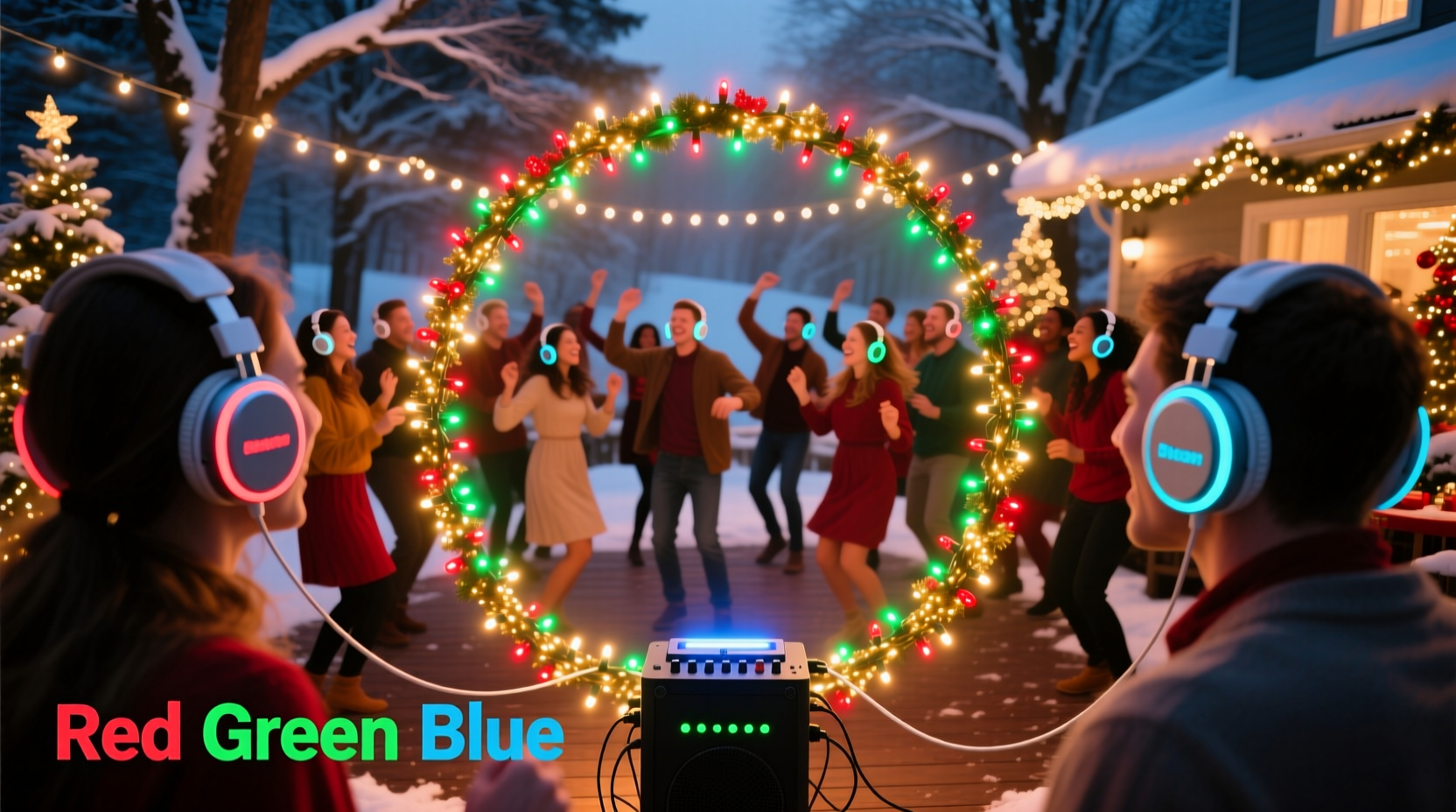
The magic of a silent disco lies in its contrast: people dancing in unison without external noise, each immersed in their own audio stream. Adding visual cues like synchronized Christmas lights deepens the immersion. Instead of relying on ambient noise or speaker vibrations, guests follow rhythmic flashes, color shifts, and patterns—turning light into a conductor of movement.
This setup is ideal for urban apartments, late-night gatherings, or outdoor events where noise restrictions apply. It also reduces sound pollution while enhancing personalization—attendees can switch between music channels via multi-channel headphones, while the lights respond uniformly to a master beat.
Essential Equipment Checklist
Before diving into setup, gather all necessary components. A successful silent disco with synchronized lighting depends on compatibility between audio transmission and light control systems.
- Wireless headphones (multi-channel preferred): Look for models supporting at least two radio frequencies (e.g., FM 88–92 MHz). These allow guests to toggle between DJs or music genres.
- Transmitter unit: Sends audio signals to headphones. Must support stereo input and multiple output channels.
- Audio source: Smartphone, laptop, or DJ controller running your playlist or live mix.
- Programmable Christmas lights: Addressable LEDs such as WS2812B strips or Wi-Fi-enabled string lights (e.g., Twinkly, Lumenplay).
- Light control hub or app: Software that translates audio input into lighting effects (e.g., xLights, MagicLight, Govee App).
- Amplifier or splitter (optional): To send the same audio signal to both the transmitter and light controller.
- Power strips and extension cords: Ensure consistent power delivery across long light runs.
Step-by-Step Setup Guide
Follow this sequence to synchronize sound and light seamlessly.
1. Plan Your Layout
Determine the dance area dimensions. Position the headphone transmitter centrally for even signal coverage. Map where lights will hang—walls, ceilings, trees, or frames—and calculate total length needed. Avoid placing electronics near water sources or high-traffic zones.
2. Install the Christmas Lights
String the lights according to your design. For best effect, create layered zones—overhead canopy, perimeter framing, floor-level accents. Secure connections tightly; loose nodes cause flickering. Plug them into a stable power source and test basic functions via their companion app.
3. Configure Audio-to-Light Sync
Use software like xLights (for advanced users) or the Govee Home app (beginner-friendly) to enable audio-reactive modes. Most apps feature built-in microphones or accept line-in signals. Connect your audio source to the device running the light app—either directly via cable or through a network stream.
If using a separate transmitter, split the audio signal: one path to the headphone transmitter, another to the light controller. A simple Y-splitter cable works for analog setups. For digital precision, use a USB audio interface with dual outputs.
4. Pair Headphones and Test Channels
Turn on the transmitter and pair all headphones. Assign music feeds to specific channels (e.g., Channel A: house music, B: retro hits, C: chill lounge). Test each channel individually to ensure clarity and volume balance.
5. Calibrate Light Response
Play a sample track with clear beats and adjust sensitivity settings in the light app. Aim for strong bass drops to trigger bright flashes and treble notes to modulate colors. Some systems allow custom profiles—save one for upbeat tracks and another for slow jams.
6. Final Integration Check
With everything powered on, run a full-system test:
- Do lights pulse in time with the music?
- Can guests switch channels without audio dropouts?
- Is there delay (latency) between sound and light?
If latency exceeds 100ms, buffer settings in the app may need adjustment, or consider hardwiring instead of relying on Wi-Fi.
Optimizing Synchronization: Do’s and Don’ts
Perfect timing between audio and visual elements makes or breaks the experience. Use this table to avoid common pitfalls.
| Do | Don’t |
|---|---|
| Use wired connections when possible to reduce latency | Rely solely on Bluetooth for light control—it often lags |
| Choose lights with high refresh rates (≥30fps) | Use non-addressable LED strings—they can't display patterns |
| Set up a master clock (audio source) to sync all devices | Mix different brands of smart lights without testing compatibility |
| Test during evening hours to judge visibility | Overload circuits—limit strands to manufacturer-recommended lengths |
Real-World Example: Apartment Rooftop Silent Party
In Brooklyn, event organizer Maya Chen hosted a winter solstice silent disco on her building’s rooftop. With strict noise ordinances after 10 PM, traditional speakers were off-limits. She used 120 feet of Twinkly lights wrapped around railings and overhead wires, connected to a Raspberry Pi running xLights synced to a Spotify playlist.
Guests wore rechargeable three-channel headphones. One feed played ambient electronic music, another featured jazz remixes, and the third was a live vinyl mix from a local DJ. The lights pulsed red and gold during upbeat sets, shifting to cool blue during slower songs.
“People said it felt like dancing inside a living aurora,” Maya recalled. “The silence made the lights feel louder somehow.” Attendance tripled the following month when neighbors asked to join—proof that thoughtful design can turn constraints into charm.
“We’re no longer limited by decibel meters. With synchronized light and private audio, we can throw vibrant parties in libraries, boats, or even hotel ballrooms after midnight.” — Julian Park, Urban Event Designer
Tips for Enhancing Guest Experience
A technically flawless setup means little if guests don’t know how to engage. Prioritize ease of use and intuitive interaction.
- Label headphone channels clearly: Use colored tags or stickers matching light themes (red = energetic, blue = relaxed).
- Provide charging stations: Offer spare batteries or USB-C docks for rechargeable models.
- Create a light show intro: Begin with a 30-second synchronized light-and-sound sequence to wow guests and demonstrate the effect.
- Limit music genre disparity: While variety is fun, wildly different tempos disrupt group rhythm. Stick to complementary BPM ranges unless hosting themed rotations.
- Use ambient fallback lighting: In case of tech failure, keep dimmable white lights ready so the space doesn’t go completely dark.
Frequently Asked Questions
Can I use regular Christmas lights for this?
No—standard incandescent or non-smart LED strings cannot react to music. You need programmable, addressable LEDs controlled via app or microcontroller (like Arduino or ESP8266) that support real-time audio response.
How many headphones do I need?
One per guest. Rent or borrow extras to cover 10–15% more than expected attendance. Most rental kits come with carrying cases and charging docks.
Is there noticeable lag between sound and light?
There can be, especially over Wi-Fi. Minimize delay by using low-latency transmitters, wired audio splits, and local processing (not cloud-based light control). Aim for under 80ms; anything higher feels disjointed.
Scaling Up: From Backyard to Festival-Level
This concept scales beautifully. Small gatherings benefit from smartphone-controlled lights and consumer-grade headphones. Larger events may require professional gear:
- Commercial transmitters with 100+ ft range and interference shielding.
- DMX-controlled LED arrays for stage-level precision.
- Dedicated sound engineers managing crossfades and channel balance.
- Backup systems including spare transmitters and pre-synced light sequences.
At a recent eco-festival in Portland, organizers deployed solar-powered silent disco pods surrounded by motion-triggered light vines. Attendees selected playlists on tablets, and the surrounding flora shimmered in response. Such installations prove that sustainability and spectacle can coexist.
Conclusion: Turn Silence Into Spectacle
Setting up a silent disco with Christmas lights and headphones isn’t just about avoiding noise complaints—it’s about redefining how we experience music. By decoupling sound from shared space and linking it to personalized visuals, you create moments of collective intimacy unlike any traditional party.
The tools are accessible, the technology is mature, and the impact is unforgettable. Whether you're hosting ten friends or a hundred guests, this fusion of rhythm and radiance turns limitations into innovation. Start small, test thoroughly, and let the lights lead the way.




 浙公网安备
33010002000092号
浙公网安备
33010002000092号 浙B2-20120091-4
Comments
No comments yet. Why don't you start the discussion?