
Coming home in the dark or walking through a dim hallway doesn’t have to be a hassle. Motion-sensor lighting offers convenience, security, and energy savings—especially when it turns on only when needed. While many assume this kind of automation requires expensive smart home systems, it’s entirely possible to install effective, automatic lighting on a tight budget. With the right approach, you can achieve reliable motion detection and illumination for under $100, even less if you focus on key areas.
This guide walks through practical, cost-effective methods to set up automatic lights using motion sensors. From selecting the right hardware to placement strategies and wiring options, every step is designed to maximize value without sacrificing performance.
Why Motion Sensor Lighting Makes Sense
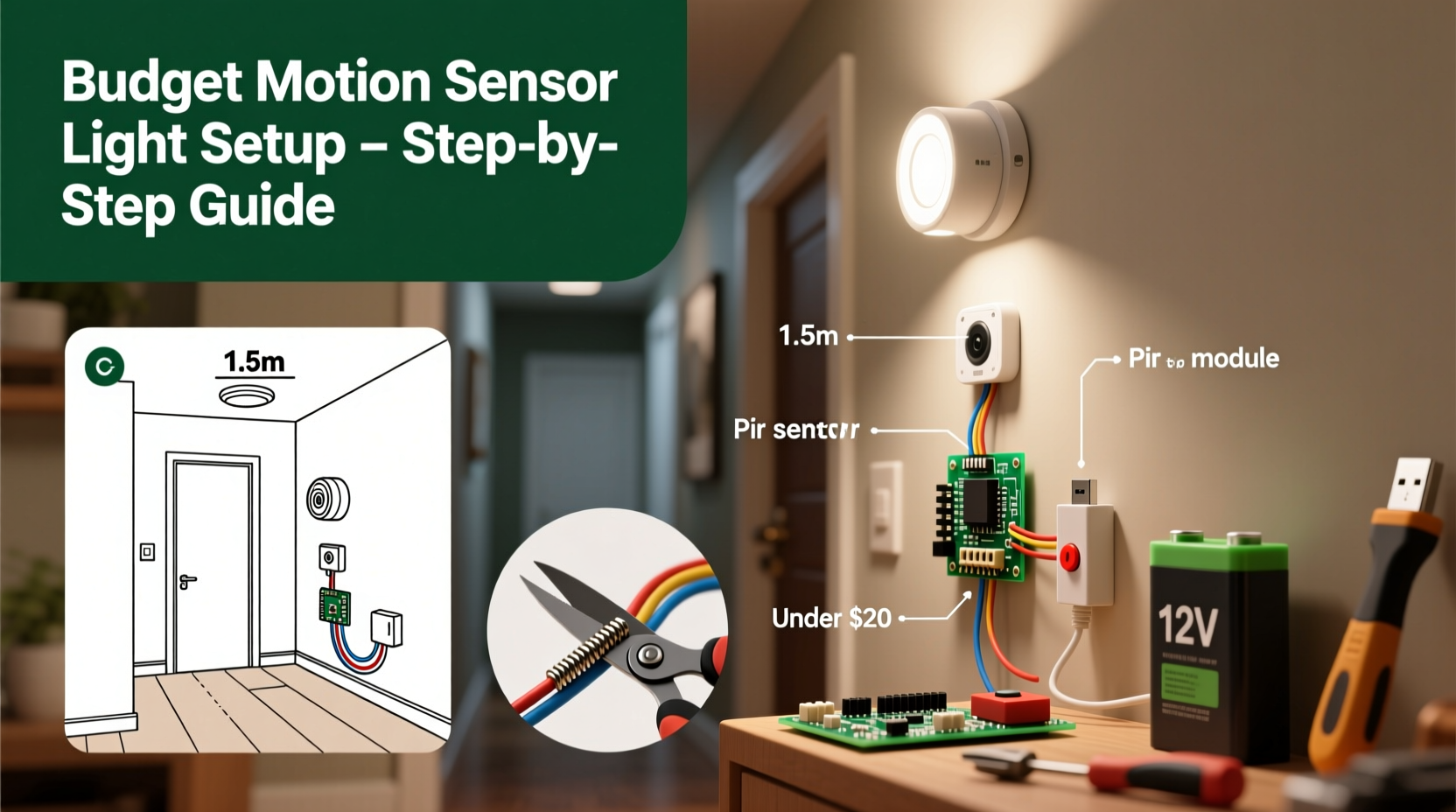
Motion-activated lights serve multiple purposes: they deter intruders, prevent trips and falls in dark areas, and reduce electricity waste by eliminating unnecessary usage. Unlike traditional always-on lighting, these systems respond only when movement is detected, which can cut energy consumption by up to 90% in low-traffic zones like garages, basements, or backyards.
Budget-conscious homeowners often overlook automation due to perceived complexity or cost. However, modern off-the-shelf solutions—from standalone sensor bulbs to plug-in modules—are more accessible than ever. Many require no electrician, minimal tools, and can be installed in under an hour.
“Motion sensors are one of the most cost-effective upgrades for both safety and efficiency in residential settings.” — David Lin, Electrical Systems Consultant
Choosing the Right Components Without Overspending
The foundation of any motion-sensing light setup lies in component selection. The goal is to balance reliability, compatibility, and price. Below is a breakdown of common options categorized by cost and complexity.
| Solution Type | Average Cost | Installation Difficulty | Best For |
|---|---|---|---|
| LED Bulbs with Built-in Sensors | $15–$25 each | Easy | Closets, pantries, small hallways |
| Plug-in Motion Sensor Modules | $10–$20 | Very Easy | Lamps, temporary setups |
| Hardwired Wall-Mounted Sensors | $20–$40 | Moderate | Hallways, staircases, garages |
| Outdoor Flood Lights with Sensors | $30–$60 | Moderate | Driveways, backyards, entryways |
| Smart Plugs + Standard Lamps | $25–$35 | Easy | Indoor automation with scheduling |
For most budget installations, combining plug-in modules with existing lamps or using self-contained LED sensor bulbs provides the fastest return on investment. These avoid rewiring and can be moved between rooms as needs change.
Step-by-Step Installation Guide
Setting up automatic lights with motion sensors follows a predictable sequence regardless of location. This step-by-step process ensures functionality, safety, and long-term reliability.
- Identify Key Areas: Start by listing locations where motion-activated lighting adds the most value—entryways, laundry rooms, under-stair storage, or outdoor paths. Prioritize spots used briefly but frequently.
- Select Your Sensor Type: Match the area to the appropriate solution. Use plug-in modules for floor lamps in hallways; screw-in sensor bulbs for ceiling fixtures in closets.
- Check Power Compatibility: Ensure your fixture supports the bulb wattage or module load. Most LED-based sensors work with standard E26/E27 sockets and consume less than 10W.
- Install the Hardware: For screw-in bulbs, simply replace the old bulb. For plug-in modules, connect the sensor between the outlet and lamp. Outdoor units may require mounting brackets and basic screwdrivers.
- Adjust Sensitivity and Duration: Most sensors include dials or switches to control detection range (typically 10–30 feet) and how long the light stays on after motion stops (from 30 seconds to 10 minutes).
- Test Thoroughly: Walk through the detection zone at different speeds and angles. Make sure pets won’t trigger false alarms if that’s a concern (some models allow pet immunity up to 40 lbs).
- Optimize Placement: Avoid pointing sensors directly at heat sources like vents or windows with sunlight, which can cause erratic behavior.
One homeowner in Portland retrofitted their entire basement staircase using two $18 LED motion bulbs. Before, they’d often fumble in the dark; now, lights activate reliably as someone descends, staying on just long enough to reach the bottom. Total time invested: 12 minutes. Total cost: $36. No wiring, no contractor.
Maximizing Value: Budget-Friendly Tips and Hacks
Even within a limited budget, small optimizations can dramatically improve performance and longevity.
- Repurpose Old Lamps: Pair inexpensive plug-in motion modules ($12) with unused table lamps. Place them in guest bathrooms or kids’ nightlights for hands-free operation.
- Use Battery-Powered Options: Wireless stick-on motion lights (around $15) work well in cabinets or RVs. They mount with adhesive and last months on AA batteries.
- Combine with Timers: Some outdoor flood lights allow timer integration. Set them to activate only during nighttime hours (e.g., 6 PM–6 AM), reducing wear and false triggers from daytime wildlife.
- Group Zones Strategically: Instead of installing sensors in every closet, cover multiple areas with one wall-mounted unit placed at a central junction, such as a hallway serving several bedrooms.
- Buy Multi-Packs: LED bulbs with sensors often come in 2- or 4-packs at a discount. Replacing multiple fixtures at once lowers the per-unit cost significantly.
Common Mistakes to Avoid
Even simple installations can fail if basic errors are made. Here’s what to watch out for:
| Mistake | Consequence | How to Fix |
|---|---|---|
| Placing sensor too high or angled incorrectly | Poor detection, especially for children or pets | Mount at 6–7 feet high, facing traffic flow |
| Ignoring ambient temperature effects | False triggers near heaters or AC vents | Relocate sensor away from thermal drafts |
| Using with incompatible dimmer switches | Flickering or failure to turn on | Ensure switch is bypassed or compatible |
| Overlooking battery life in wireless units | Sudden shutdowns, unreliable activation | Use lithium batteries and check quarterly |
One frequent issue involves using motion-sensing bulbs in enclosed fixtures not rated for them. Heat buildup can shorten lifespan or disable the sensor. Always verify the product specifications for “enclosed fixture rated” before installation.
Real-World Example: A Garage Retrofit for Under $50
Mark, a DIY enthusiast in Ohio, wanted automatic lighting in his detached garage but didn’t want to run new wires. His solution? Two 2000-lumen LED shop lights with built-in motion sensors, purchased online for $23 each. He mounted them on opposite walls using included brackets—no electrician needed.
He adjusted the sensitivity to ignore small rodents (a known issue in his area) and set the timeout to 2 minutes. Now, whenever he opens the door or walks in, the lights turn on instantly. After he leaves, they shut off automatically, eliminating the classic “Did I leave the garage light on?” worry. Total project time: 40 minutes. Total cost: $46 plus tax.
“It’s not fancy,” Mark said, “but it works exactly how I need it to. And I saved hundreds compared to hiring someone.”
FAQ: Common Questions About Budget Motion Lighting
Can I install motion sensors myself without electrical experience?
Yes, most plug-in and screw-in sensor products are designed for DIY use. As long as you follow instructions and avoid tampering with household wiring, they’re safe and legal to install. Hardwired units should only be handled by qualified individuals or licensed electricians if circuit modifications are required.
Will motion sensor lights work in cold weather?
Most modern outdoor-rated sensors function reliably down to -20°C (-4°F). Check the IP (Ingress Protection) and operating temperature ratings before purchasing. LED bulbs with sensors tend to perform better in cold conditions than older fluorescent or halogen models.
How do I stop my motion light from turning on randomly?
Random triggers are usually caused by environmental factors: moving tree shadows, HVAC airflow, or small animals. Adjust the sensitivity dial, reposition the sensor, or shield it from direct exposure to these elements. Some models offer daylight sensing to disable activation during daylight hours, preventing unnecessary cycling.
Final Checklist Before You Begin
Before buying parts or starting installation, confirm the following:
- ✅ Identify the primary use case (indoor, outdoor, security, convenience)
- ✅ Measure the space to determine coverage needs
- ✅ Confirm power source availability (outlet, hardwired fixture, battery access)
- ✅ Choose between permanent or temporary installation
- ✅ Verify compatibility with existing bulbs, switches, or fixtures
- ✅ Set a realistic budget (most projects stay under $75)
- ✅ Purchase from reputable brands with warranties (look for UL certification)
Conclusion: Smart Lighting Shouldn’t Break the Bank
Automatic lights with motion sensors aren’t just for high-end homes or commercial buildings. With thoughtful planning and off-the-shelf components, anyone can add responsive, intelligent lighting to their space for minimal cost. Whether it’s a single closet bulb or a full garage retrofit, these systems enhance safety, save energy, and simplify daily routines.




 浙公网安备
33010002000092号
浙公网安备
33010002000092号 浙B2-20120091-4
Comments
No comments yet. Why don't you start the discussion?