
Coordinating Christmas lights across multiple zones of a home—rooflines, trees, porches, and walkways—has long been a challenge for holiday decorators. The traditional method of using individual timers or manual switches often results in mismatched patterns, inconsistent brightness, and frustrating setup routines. But today’s smart lighting technology allows users to control every strand, strip, and spotlight from a single app, syncing animations, colors, and schedules across dozens of devices. Whether you're aiming for a subtle glow or a full-blown synchronized light show, modern solutions make it possible—and surprisingly simple.
The key lies in choosing the right ecosystem, understanding network limitations, and configuring devices properly. With platforms like Philips Hue, LIFX, TP-Link Kasa, Govee, and specialized systems like Twinkly or Holiday Coro, homeowners can create dynamic, music-responsive displays that react in unison across different areas of their property.
Choosing the Right Smart Lighting System
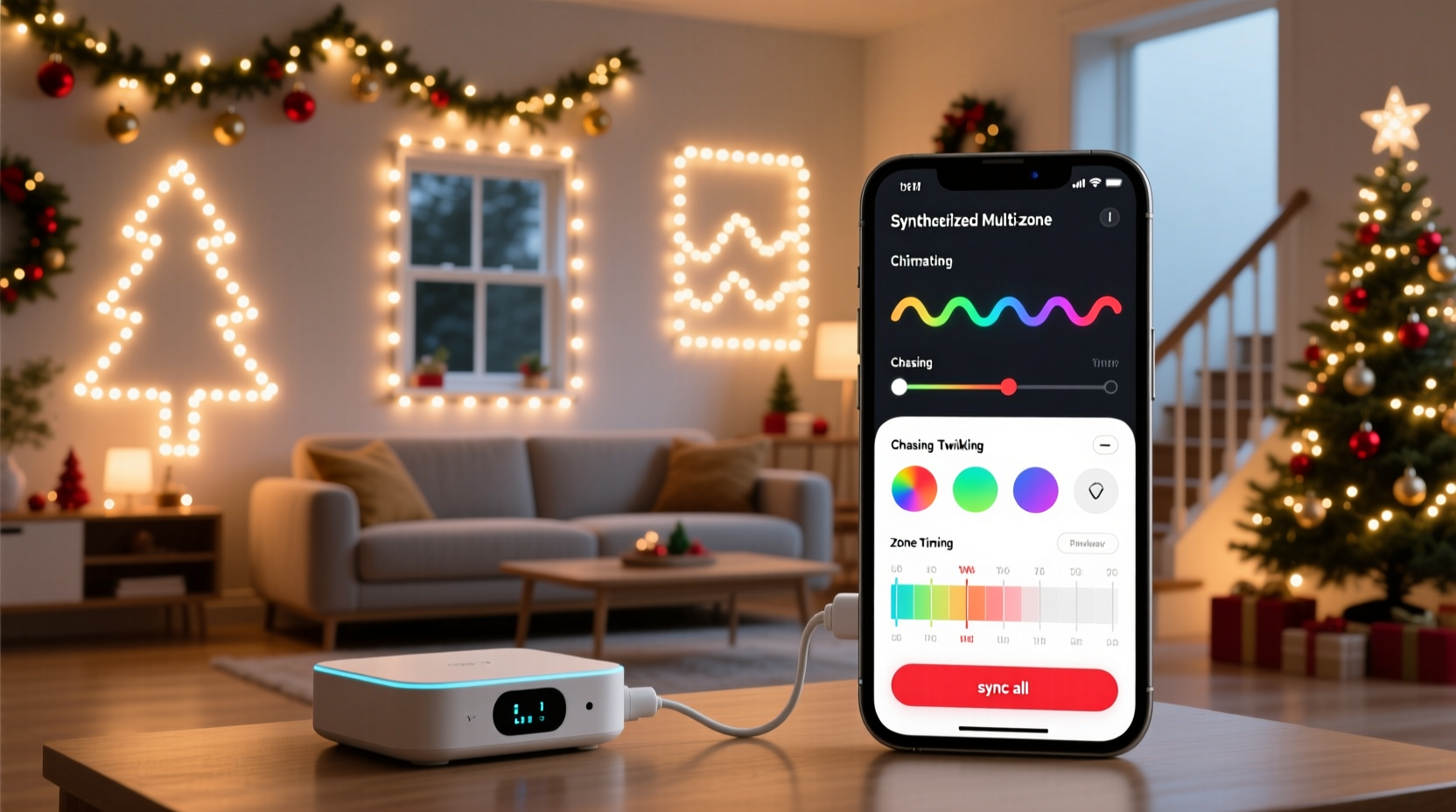
Not all smart lights are built for multi-zone synchronization. Some work well indoors but struggle with outdoor exposure or large-scale coordination. For synchronized holiday displays, consider these factors when selecting hardware:
- Wi-Fi vs. Bluetooth vs. RF Control: Wi-Fi-based lights offer remote access and broader coverage, essential for managing multiple zones. Bluetooth has limited range and typically supports fewer devices. Radio frequency (RF) controllers may require a bridge but can handle more nodes reliably.
- App Compatibility: Ensure all devices are compatible with a single app. Mixing brands often leads to fragmented control unless integrated via a hub like Apple HomeKit, Google Home, or Amazon Alexa.
- Outdoor Durability: Look for IP65 or higher waterproof ratings if installing on roofs, trees, or lawn fixtures.
- Color and Brightness Range: Full RGB color capability and adjustable brightness allow for greater creative flexibility, especially when syncing to music or creating gradients.
Step-by-Step Setup for Synchronized Zones
Follow this structured process to install and configure synchronized multi-zone Christmas lights using a single app.
- Plan Your Zones: Divide your home into logical lighting zones—front roofline, back porch, tree wrap, driveway markers, etc. Assign each a label for easy identification in the app.
- Purchase Compatible Lights: Buy smart LED strings or strips that support your chosen platform. For example, use all Govee outdoor strips or all Twinkly curtain lights to maintain uniformity.
- Install Physical Hardware: Secure lights safely using clips or ties. Avoid sharp bends in flexible strips and ensure power supplies are protected from moisture.
- Connect to Power and Network: Plug in each string and follow the manufacturer’s instructions to pair it with your Wi-Fi network via the app. This usually involves pressing a sync button and waiting for confirmation.
- Name and Group Devices: In the app, assign descriptive names (e.g., “Front Roof,” “Porch Columns”) and create groups for zones you want to control together.
- Test Individual Controls: Turn each zone on and off remotely to confirm connectivity. Adjust brightness and test color changes.
- Create Synchronized Scenes: Use the app’s scene editor to define lighting effects—like fading red and green, twinkling snowflakes, or wave patterns—that activate simultaneously across selected zones.
- Set Schedules: Program daily on/off times based on sunset and sunrise. Most apps allow geofencing or astronomical clocks for automatic adjustments.
- Enable Music Sync (Optional): If supported, enable audio-reactive modes where lights pulse to ambient sound or streamed music during gatherings.
- Final Test Run: Activate your full display at night to evaluate timing, brightness balance, and overall harmony between zones.
“With proper planning and unified hardware, even complex multi-zone setups can behave like a single intelligent system.” — Daniel Reyes, Smart Home Integration Specialist
Comparison of Leading Multi-Zone Lighting Platforms
Different ecosystems offer varying levels of performance, scalability, and ease of use. Here's a comparison to help you choose:
| Platform | Max Devices per App | Music Sync | Weatherproof Options | Zoning Flexibility |
|---|---|---|---|---|
| Govee | 50+ | Yes (via mic or audio input) | IP65 & IP67 models available | High – custom groups and scenes |
| Twinkly | 10,000 LEDs (per network) | Yes (advanced beat detection) | Full outdoor line | Very High – pixel-level control |
| Philips Hue | 50 lights + accessories | Limited (requires third-party apps) | Select outdoor products | Moderate – good for rooms, less ideal for fine zoning |
| TP-Link Kasa | 240 devices (theoretical) | No native support | Some outdoor-rated options | Moderate – basic grouping only |
| Holiday Coro (DIY-focused) | Unlimited (with controller) | Yes (via software) | Designed for outdoor use | Extremely High – fully customizable |
For most homeowners seeking plug-and-play simplicity, Govee or Twinkly provide the best balance of app control, synchronization quality, and outdoor durability. Enthusiasts building elaborate shows may prefer Holiday Coro with Raspberry Pi integration, though it requires technical know-how.
Real-World Example: A Suburban Family’s Coordinated Display
The Thompson family in Denver wanted to elevate their annual Christmas display without spending hours adjusting timers or dealing with flickering strands. Their home had four distinct zones: front roofline, two evergreen trees, and a covered patio wrapped in white lights.
They chose Govee’s Wi-Fi-enabled LED strip kits and rope lights due to their weather resistance and app-based control. Each zone was installed over a weekend, with power adapters housed in waterproof enclosures. Using the Govee Home app, they named each device and created a group called “Holiday Lights.”
They programmed a schedule to turn on at dusk and off at 11 PM nightly. For special occasions like Christmas Eve, they activated a “Festive Glow” scene with slow color transitions between red, gold, and green. During neighborhood visits, they enabled music sync mode, allowing the lights to gently pulse to carols playing from a portable speaker.
The result? A professionally synchronized look that drew compliments—and no more midnight trips outside to reset malfunctioning timers.
Avoiding Common Pitfalls
Even with advanced technology, mistakes can disrupt synchronization. Be mindful of these frequent issues:
- Network Congestion: Too many smart devices on one Wi-Fi network can cause lag or dropouts. Consider setting up a dedicated 2.4 GHz band for lights, as most smart LEDs don’t support 5 GHz.
- Power Supply Issues: Undersized transformers or daisy-chaining too many strings can lead to dimming or failure. Follow manufacturer guidelines for maximum load per circuit.
- Outdated Firmware: Manufacturers release updates to improve stability and add features. Check your app periodically for firmware upgrades.
- Inconsistent Timing: If one zone lags behind others, reboot the device or re-pair it with the app. Sometimes signal strength affects responsiveness.
- Overcomplication: Starting with too many effects or zones can make management overwhelming. Begin with two or three synchronized areas and expand gradually.
“Synchronization fails not because of bad hardware, but poor network hygiene and misaligned expectations.” — Lena Patel, IoT Network Consultant
Checklist: Preparing Your Synchronized Light System
Use this checklist before powering up your display:
- ☐ All lights are securely mounted and protected from wind/rain
- ☐ Each device is connected to the same Wi-Fi network (2.4 GHz preferred)
- ☐ Devices are renamed and grouped by zone in the app
- ☐ Firmware is updated across all units
- ☐ On/off schedules reflect local sunset times
- ☐ Backup power strip or surge protector is in place
- ☐ Music sync or animation tests have been performed
- ☐ Neighbor notification sent (if display is bright or includes sound)
Frequently Asked Questions
Can I mix different brands of smart lights in one synchronized display?
Direct app control across brands is rare. However, platforms like Google Home or Apple HomeKit can group devices from different manufacturers under voice commands or routines. True pixel-perfect synchronization, however, usually requires a single ecosystem.
Do I need a hub or bridge for multi-zone control?
Most Wi-Fi-based systems (Govee, Twinkly, Kasa) connect directly to your router and do not require a hub. Zigbee or Z-Wave lights (like some Philips Hue variants) do need a central bridge. For holiday-specific setups, hubless Wi-Fi models are simpler and more scalable.
What if my Wi-Fi signal is weak outdoors?
Weak signals can cause delays or disconnections. Install a Wi-Fi extender near the house exterior or use mesh networking pods to boost coverage. Alternatively, choose systems that support offline scheduling so lights run on time even if temporarily disconnected.
Conclusion: Bring Your Holiday Vision to Life
Synchronized multi-zone Christmas lights are no longer reserved for theme parks or tech gurus. With intuitive apps, reliable hardware, and thoughtful planning, any homeowner can achieve a polished, coordinated display that enhances seasonal cheer. The ability to control everything from a phone—adjusting colors, timing effects, or responding to music—adds a layer of convenience and creativity that transforms decoration into an experience.
Start small if needed, learn your system’s capabilities, and build year after year. A unified lighting setup not only impresses neighbors but becomes a cherished family tradition—one powered by innovation and illuminated by joy.




 浙公网安备
33010002000092号
浙公网安备
33010002000092号 浙B2-20120091-4
Comments
No comments yet. Why don't you start the discussion?