
In the digital age, long, unwieldy URLs can disrupt user experience, reduce click-through rates, and look unprofessional. Whether you're sharing content on social media, sending emails, or running marketing campaigns, shortened links offer a cleaner, more effective way to direct traffic. But not all URL shorteners are created equal. Choosing the right tool and using it strategically can make a significant difference in engagement, analytics, and brand trust.
Why Shorten Links?
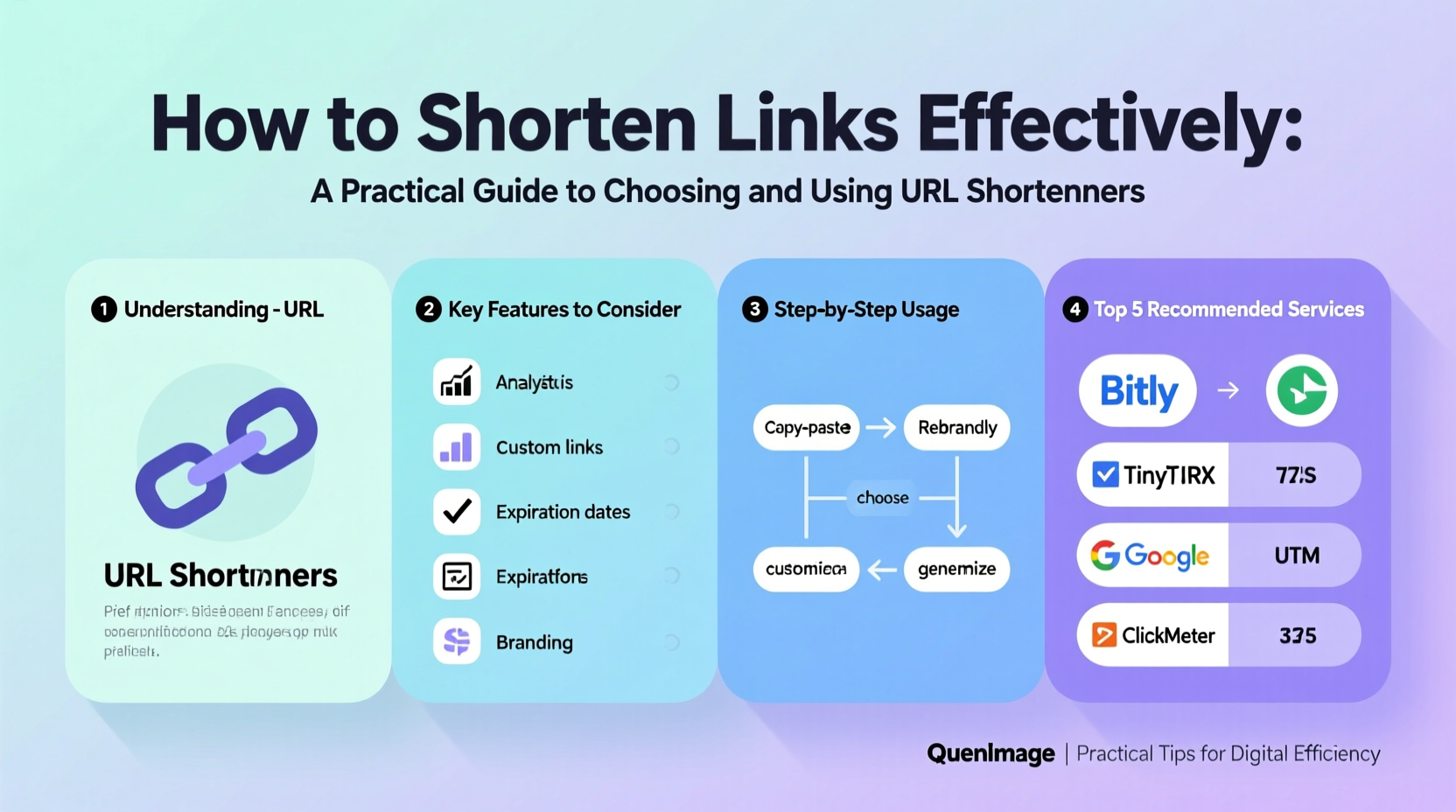
A typical web address might include complex parameters, session IDs, or tracking codes—resulting in a string that’s difficult to read, remember, or share. Shortened links eliminate clutter while preserving functionality. Beyond aesthetics, they serve several practical purposes:
- Improved readability: Clean links appear more trustworthy and are easier to share verbally or in print.
- Enhanced tracking: Many shorteners provide detailed analytics, including click counts, geographic data, and referral sources.
- Brand consistency: Custom domains allow businesses to maintain brand identity even in shortened form (e.g., go.yourbrand.com).
- Social media optimization: Platforms like Twitter have character limits; shorter links free up space for compelling messages.
Key Features to Look for in a URL Shortener
Selecting the right service depends on your goals—whether it's personal use, team collaboration, or enterprise-level marketing. Consider these features when evaluating options:
| Feature | Why It Matters | Examples of Providers |
|---|---|---|
| Custom Domains | Maintains brand identity and increases credibility. | Bitly, Rebrandly, Short.io |
| Click Analytics | Track performance across channels and audiences. | Bitly, TinyURL Pro, ClickMeter |
| Link Expiry & Scheduling | Useful for time-sensitive promotions or event invites. | Short.io, BL.INK |
| QR Code Generation | Enables offline-to-online transitions via scannable codes. | TinyURL, Bitly, Scanova |
| API Access | Allows integration with CRM, email tools, or dashboards. | Rebrandly, Bitly, Cutt.ly |
“Branded short links improve perceived legitimacy by up to 40% compared to generic ones.” — Digital Marketing Institute, 2023 Report
Step-by-Step Guide to Creating Effective Shortened Links
Follow this structured approach to maximize the impact of your shortened URLs:
- Define Your Goal: Are you measuring campaign success, improving shareability, or enhancing brand presence? Your objective shapes which tool and features you need.
- Pick a Reliable Service: For individuals, free tools like TinyURL may suffice. For business use, invest in services offering custom domains and analytics.
- Register a Custom Domain (Optional but Recommended): Purchase a short domain (e.g., go.yoursite.com) and connect it to your shortener for branded links.
- Create the Link: Paste your original URL into the shortener. If available, customize the slug (the part after the domain) to be descriptive (e.g., go.yoursite.com/newsletter-signup).
- Add Tracking Parameters: Use UTM tags to monitor source, medium, and campaign in Google Analytics.
- Test Before Sharing: Open the link from multiple devices and locations to verify redirection and loading speed.
- Distribute Strategically: Share via appropriate channels—email, social posts, SMS—and track initial engagement.
- Analyze and Optimize: Review click data weekly. Identify high-performing platforms and refine messaging accordingly.
Real-World Example: Boosting Email Campaign Performance
A mid-sized e-commerce brand was experiencing low click-through rates on promotional emails. Their product links were long and intimidating, often breaking across lines in mobile clients. They switched to using Bitly with a custom domain (shop.brandname.com) and applied consistent UTM tagging.
Within four weeks, their average CTR increased by 27%. The team discovered that links shared on Instagram drove twice as many conversions as those from Facebook, prompting a budget reallocation. Additionally, branded links improved recipient trust—spam complaints dropped by 15%.
This case illustrates how thoughtful link management isn’t just about convenience—it directly influences user behavior and ROI.
Best Practices and Common Pitfalls
To get the most out of URL shortening, follow these do’s and don’ts:
| Do’s | Don’ts |
|---|---|
| Use descriptive slugs (e.g., /summer-sale) | Use random strings unless necessary (e.g., /x7k2m9) |
| Enable HTTPS and ensure destination security | Shorten links to untrusted or malicious sites |
| Monitor link performance regularly | Ignore broken or outdated redirects |
| Use UTM parameters for campaign tracking | Assume all clicks come from one source without tagging |
| Set expiration dates for temporary offers | Leave expired promotions active indefinitely |
Frequently Asked Questions
Are shortened links safe?
Most reputable URL shorteners scan destinations for malware and allow users to preview links before clicking. However, malicious actors can abuse public shorteners. Always use trusted services and avoid clicking on suspicious short links from unknown sources.
Can I edit or delete a shortened link after creation?
It depends on the platform. Free versions often lock edits once created. Premium plans from providers like Bitly or Rebrandly typically allow modification of destination URLs, expiration settings, and tracking tags—even after distribution.
Do shortened links affect SEO?
No. Search engines follow redirects properly, so the SEO value passes to the final destination. However, search engines cannot index the short link itself. For discoverability, always pair shortened links with contextual text or canonical URLs elsewhere.
Checklist: Launching a Shortened Link Successfully
- ✅ Define the purpose of the link (tracking, branding, simplification)
- ✅ Choose a shortener with required features (custom domain, analytics, API)
- ✅ Set up UTM parameters if tracking campaign performance
- ✅ Customize the slug for clarity and branding
- ✅ Test the link across devices and browsers
- ✅ Monitor initial clicks and engagement patterns
- ✅ Update or retire the link when no longer relevant
Final Thoughts
Shortening links is more than a cosmetic fix—it’s a strategic component of modern digital communication. When used wisely, short URLs enhance professionalism, enable precise tracking, and support scalable marketing efforts. The key lies in selecting a reliable service, maintaining consistency, and continuously analyzing results.




 浙公网安备
33010002000092号
浙公网安备
33010002000092号 浙B2-20120091-4
Comments
No comments yet. Why don't you start the discussion?