
Starting a podcast doesn’t require expensive equipment or paid subscriptions. With the right approach and free resources, anyone can launch a professional-sounding show from their bedroom, home office, or even a quiet corner of a library. The rise of digital audio platforms has democratized content creation, making it possible to reach global audiences without spending a dime on gear or hosting. This guide walks through every step—from concept to publication—using only free tools and smart strategies.
Define Your Podcast’s Purpose and Audience
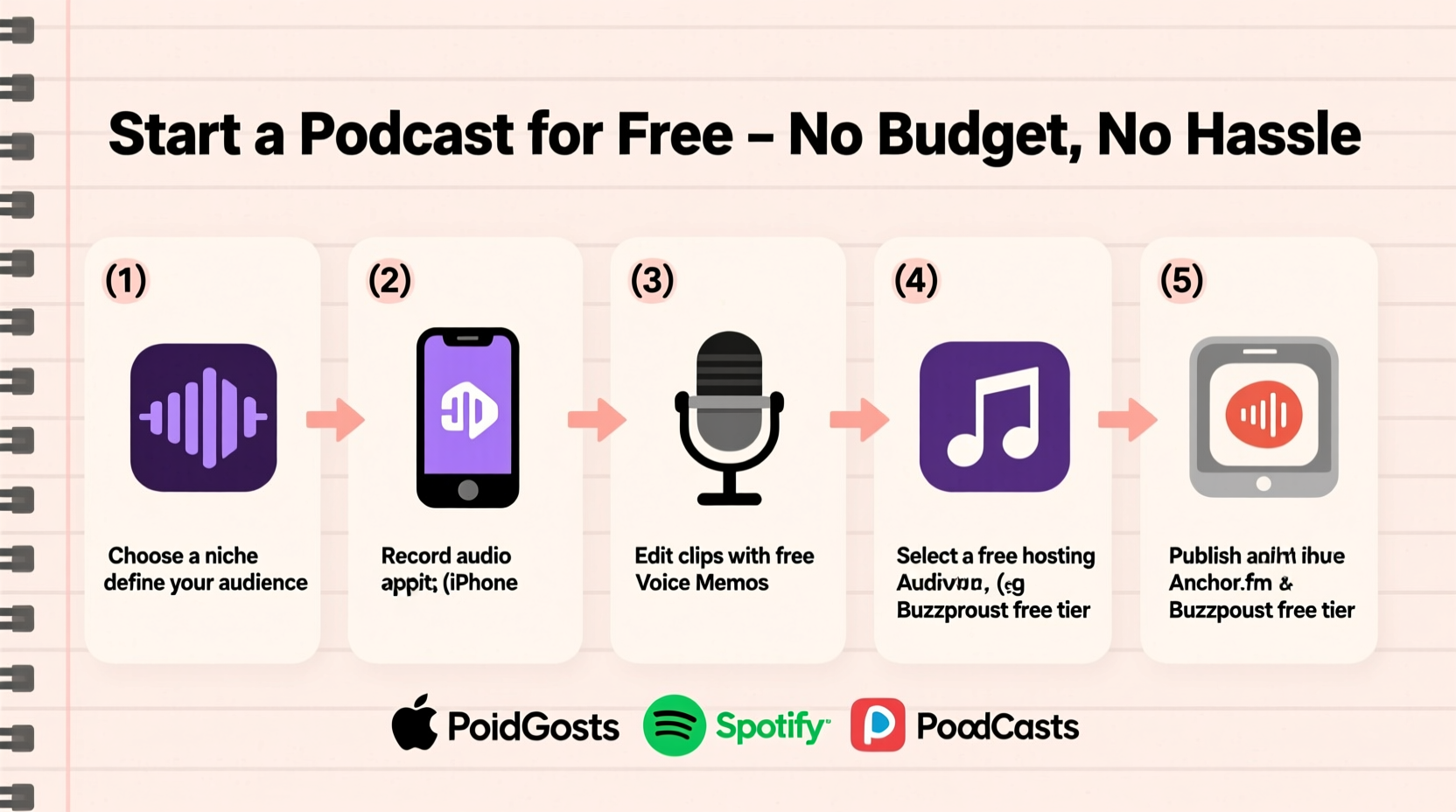
Before touching any software, clarify your podcast's core mission. What do you want to talk about? Who are you speaking to? A strong foundation in purpose ensures consistency and helps attract the right listeners. Choose a niche that aligns with your knowledge, passion, or experience—whether it’s mental health, indie filmmaking, personal finance, or true crime stories from local communities.
A focused topic allows you to stand out in a crowded market. For example, instead of “a general tech podcast,” consider “a podcast reviewing free apps for small business owners.” Specificity builds authority and trust faster than broad themes.
Use Free Tools to Record High-Quality Audio
You don’t need a $200 microphone to start. Most smartphones, laptops, and even tablets have built-in microphones capable of decent audio quality—especially when used correctly. The key is minimizing background noise and optimizing your recording environment.
Find a quiet space like a closet filled with clothes (which naturally dampens sound), use blankets to reduce echo, and record during low-traffic hours. Avoid fans, refrigerators, or street-facing windows. Speak clearly and maintain a consistent distance from the mic.
For actual recording, here are reliable free tools:
- GarageBand (Mac/iOS): Intuitive, powerful, and pre-installed on Apple devices. Offers multi-track editing, effects, and easy export options.
- Anchor (now part of Spotify): All-in-one platform for recording, editing, hosting, and distribution. Available as a web app and mobile app. Lets you record directly in-browser or via phone.
- Podcast Republic Recorder (Android): Simple mobile recorder with clean interface and direct upload support.
- Obs Studio: Free, open-source software primarily for screen recording but excellent for capturing high-quality audio. Works across Windows, Mac, and Linux.
- AudioMass: Browser-based digital audio workstation (DAW) that requires no download. Great for light editing and noise reduction.
“Clarity trumps production value. A well-recorded voice in a quiet room beats a fancy mic in an echo chamber.” — Lena Torres, Independent Podcast Producer
Step-by-Step Guide to Launching Your First Episode
Follow this timeline to go from zero to published in under two weeks—even if you’ve never recorded anything before.
- Day 1–2: Finalize Concept & Format
Select episode length (15–30 minutes is ideal for beginners), decide between solo, interview, or narrative format, and write a short script or outline. - Day 3: Set Up Recording Environment
Pick your quietest room. Turn off appliances. Hang towels or use pillows to absorb reflections. Test audio levels by recording a 30-second sample. - Day 4: Record a Draft
Use GarageBand, Anchor, or another free tool to record your first take. Don’t aim for perfection—focus on natural delivery. Do multiple takes if needed. - Day 5: Edit Using Free Tools
Cut long pauses, ums, and mistakes. Use Audacity (free desktop software) or AudioMass to remove background noise and normalize volume. Export as MP3 at 96–128 kbps for small file size and good quality. - Day 6: Create Cover Art
Design a simple, readable image (1400x1400 pixels minimum). Use Canva’s free version—select “Podcast Cover” template, choose bold fonts, and avoid clutter. Save as JPG or PNG. - Day 7: Choose a Free Hosting Platform
Upload your episode to Anchor.fm (recommended), which offers unlimited storage, automatic distribution to Spotify, Apple Podcasts, Google Podcasts, and more—all free. - Day 8–10: Submit to Directories
Once hosted on Anchor, submit your feed to podcast directories. Most auto-distribute, but manually add to Pocket Casts or Overcast if desired. - Day 11–12: Promote Your Launch
Share your trailer or first episode on social media, Reddit (relevant subreddits like r/podcasts or r/NoSleep), Facebook groups, or forums related to your topic. - Day 13–14: Gather Feedback & Plan Next Steps
Ask friends or early listeners for honest input. Note what worked and refine your process for Episode 2.
Free Hosting Options Compared
Not all free hosts are equal. Some limit features, insert ads, or restrict analytics. Here’s a comparison of top free podcast hosting platforms:
| Platform | Storage | Distribution | Monetization | Limitations |
|---|---|---|---|---|
| Anchor (Spotify) | Unlimited | Auto to Spotify, Apple, Google, etc. | Optional ad marketplace | Owned by Spotify; limited customization |
| PodBean (Free Tier) | 5 hours of audio | Manual submission required | No monetization on free plan | Very limited storage |
| SoundCloud | 3 hours (free account) | Limited podcast directory access | Paid-only monetization | Not optimized for podcast discovery |
| Buzzsprout (Free Tier) | 2 hours/month (9 episodes max) | Full distribution | None on free tier | Short time window before deletion |
| Podping (Decentralized) | Unlimited (via IPFS) | Fast indexing on podcast feeds | Community-driven | Tech-heavy setup; not beginner-friendly |
For most new creators, Anchor remains the best choice due to its seamless integration, zero cost, and wide reach. It also allows you to keep your show even if you later switch hosts.
Real Example: From Silence to 1,000 Downloads
Jamal, a college student in Atlanta, wanted to discuss racial equity in education but had no budget. He used his iPhone’s voice memo app to record initial ideas, then switched to Anchor after discovering its free hosting. He recorded episodes in his dorm closet, draped with hoodies for sound absorption. His first cover art was made in Canva using a free template and a quote overlay.
He launched with five episodes released weekly, promoting each on Twitter and campus Discord servers. By episode three, a professor shared it with a department mailing list. Within six weeks, his show hit 1,200 total downloads and received feedback from educators in three countries. Today, he interviews guests remotely using Zoom (free tier) and records via Anchor’s remote recording feature.
Jamal’s success wasn’t due to gear—it was consistency, clarity, and community engagement. He reinvested early listener donations into a $40 USB mic months later, but the foundation was built entirely for free.
Essential Checklist: Launch Your Podcast in 10 Steps
Print or bookmark this checklist to stay on track:
- ✅ Choose a clear, specific podcast topic
- ✅ Define your target listener (write a short bio: age, interests, challenges)
- ✅ Write a working title and episode outline
- ✅ Find a quiet place to record (test acoustics)
- ✅ Download a free recording tool (e.g., Anchor, GarageBand)
- ✅ Record and edit your first episode (keep it under 20 mins)
- ✅ Design cover art using Canva or Adobe Express (free)
- ✅ Sign up for a free host (Anchor recommended)
- ✅ Upload episode, add show details, publish
- ✅ Share link on 2+ platforms and ask for feedback
Common Mistakes to Avoid
- Overcomplicating the format: Start with solo or co-hosted monologues before attempting complex narratives.
- Ignoring metadata: Always fill in episode titles, descriptions, and tags. These help people discover your show.
- Releasing inconsistently: Even monthly is fine—but stick to it. Irregular posting kills momentum.
- Skipping promotion: Publishing isn’t enough. Share thoughtfully in communities where your audience already gathers.
- Waiting for perfect sound: Early imperfections are normal. Improve over time, not before launching.
Frequently Asked Questions
Can I really start a podcast with just my phone?
Yes. Modern smartphones have high-quality microphones. Use the Voice Memos app (iOS) or a free recorder like Easy Voice Recorder (Android). Record in a quiet space, speak close to the mic, and avoid windy areas. You can edit and upload directly via Anchor.
Do I need music or intros?
No. While intro music adds polish, it’s not required. If you want background tracks, use royalty-free libraries like Free Music Archive, Incompetech, or YouTube Audio Library. All offer downloadable music under Creative Commons licenses.
What if I’m shy or nervous on mic?
Most new podcasters feel this way. Practice by recording short daily voice notes. Listen back to get used to your voice. Remember: authenticity resonates more than performance. Your perspective matters—even if your voice shakes a little at first.
Conclusion: Start Before You’re Ready
The biggest barrier to starting a podcast isn’t money—it’s hesitation. Free tools have eliminated the technical and financial hurdles. What remains is action. Your first episode won’t be perfect, and that’s okay. What matters is that it exists.
Every successful podcaster started exactly where you are: with an idea, a device they already owned, and the courage to press record. You don’t need permission. You don’t need funding. You just need to begin.




 浙公网安备
33010002000092号
浙公网安备
33010002000092号 浙B2-20120091-4
Comments
No comments yet. Why don't you start the discussion?