
Starting a YouTube channel can feel overwhelming, especially when you’re just beginning. With over 500 hours of video uploaded every minute, standing out requires more than just hitting record. Success comes from strategy, consistency, and understanding both your audience and the platform. This guide walks through the essential steps to launch and grow a YouTube channel that not only gains traction but sustains long-term growth.
Step 1: Choose Your Niche Strategically
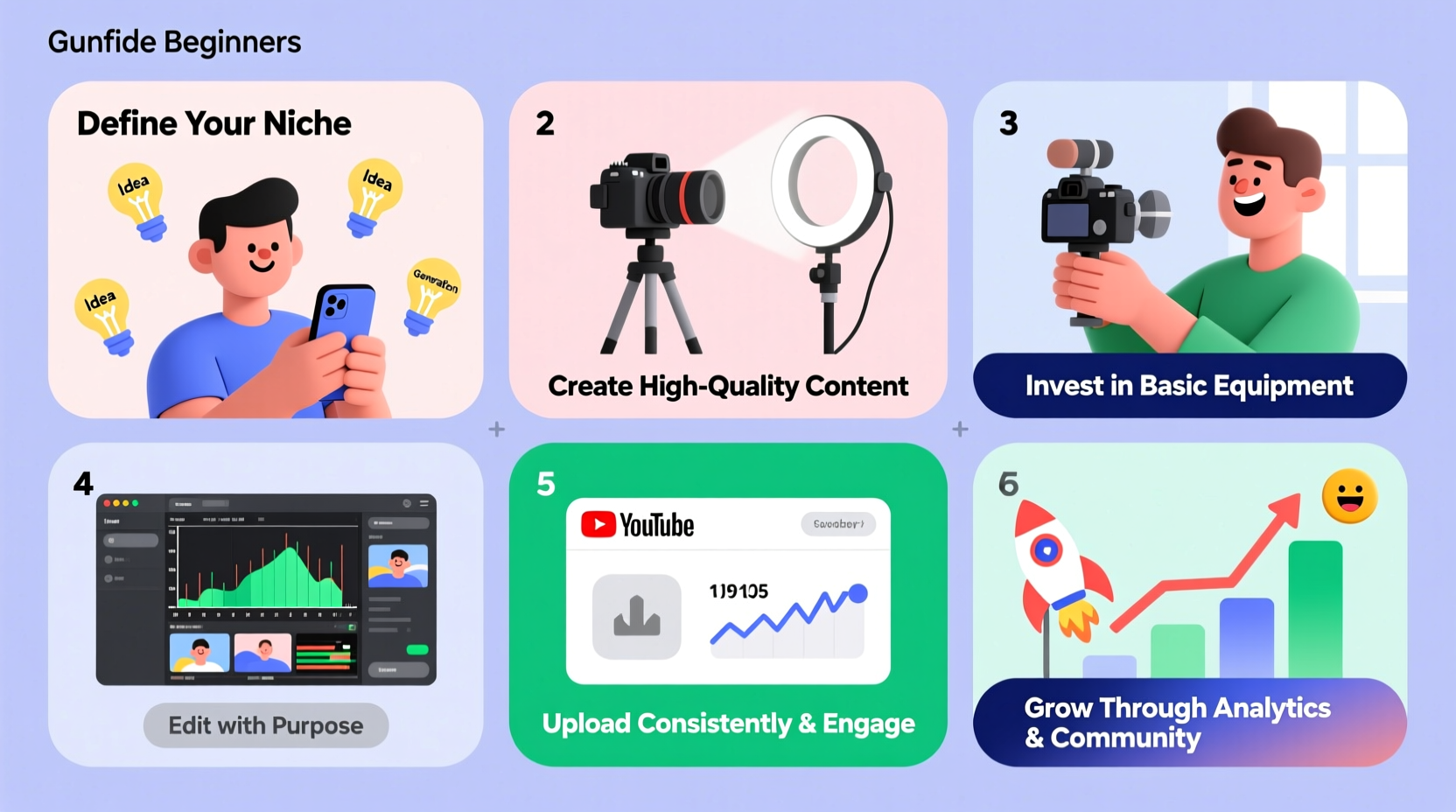
Selecting the right niche is the foundation of any successful YouTube channel. It determines who your audience will be, what kind of content you’ll create, and how easily you can grow. While passion matters, pairing it with market demand increases your chances of success.
Begin by listing topics you're knowledgeable or enthusiastic about—cooking, tech reviews, personal finance, fitness, or DIY projects. Then research each one using tools like Google Trends, YouTube search suggestions, or keyword planners. Look for niches with consistent search volume but moderate competition.
Avoid overly broad categories such as \"lifestyle\" unless you have a clear angle. Specificity helps attract a dedicated audience faster and improves YouTube’s ability to recommend your videos.
Step 2: Set Up Your Channel for Professionalism and Clarity
Your YouTube channel isn’t just a collection of videos—it’s a brand. First impressions matter. A well-branded channel builds trust and encourages viewers to subscribe.
Start by creating a Google account if you don’t already have one, then go to YouTube and set up your channel. Customize these key elements:
- Channel Name: Make it memorable, relevant to your niche, and easy to spell.
- Profile Picture: Use a high-resolution logo or professional headshot.
- Banner Art: Design a visually appealing banner (2560x1440 pixels) that reflects your brand and includes upload schedule or social links.
- About Section: Clearly describe who you are, what your channel offers, and why someone should watch. Include keywords naturally for SEO.
“Your channel art and description are your digital storefront. They should instantly communicate value.” — Sarah Kim, Digital Creator Strategist
Step 3: Plan and Produce High-Value Content
Content is king on YouTube, but not all content performs equally. The most successful videos solve problems, entertain, or educate in under five minutes—or provide deep value within longer formats.
Use a content planning framework:
- Research keywords using tools like TubeBuddy or vidIQ to identify what people are searching for.
- Create a content calendar with at least 10 video ideas before launching.
- Prioritize search-driven topics early on (e.g., “How to fix a leaky faucet”) over trend-based ones until you gain momentum.
- Structure your videos with strong hooks in the first 10 seconds, clear sections, and a call-to-action at the end.
| Video Type | Best For | Average Length |
|---|---|---|
| Tutorials / How-Tos | SEO traffic, evergreen content | 5–12 minutes |
| Vlogs | Building connection, daily updates | 8–15 minutes |
| List Videos | Engagement, shareability | 6–10 minutes |
| Reviews | Affiliate income, authority building | 7–14 minutes |
Step 4: Optimize Every Video for Discovery
YouTube is the second-largest search engine in the world. To get found, every video must be optimized for both algorithms and humans.
Follow this checklist for each upload:
- Title: Include primary keyword near the front. Keep under 60 characters. Example: “Beginner Guitar Tutorial – Learn Your First Song in 10 Minutes”
- Description: Write at least 200 words. Place important links and keywords in the first two lines. Summarize the video and include timestamps for longer content.
- Tags: Use a mix of broad and specific tags (e.g., “guitar lesson,” “easy guitar songs for beginners”).
- Thumbnail: Design custom thumbnails with bold text, high contrast, and expressive faces. Avoid clutter.
- Cards & End Screens: Link to other videos or prompt subscriptions during the last 20 seconds.
“Thumbnails and titles are your first impression. If they don’t grab attention, nothing else matters.” — Mark Rivera, YouTube Growth Consultant
Step 5: Launch and Grow with Consistency and Community
Many new creators upload once, see low views, and quit. Sustainable growth takes time. The first 10 videos are rarely viral—but they build the foundation.
Commit to a realistic upload schedule. Weekly is ideal for beginners. More frequent posting accelerates algorithmic recognition, but only if quality remains high.
Engage actively with your audience:
- Respond to comments within 24–48 hours.
- Ask questions in your videos to spark discussion.
- Encourage likes and subscriptions without begging—integrate calls naturally.
Mini Case Study: From Zero to 10K Subscribers in Six Months
Jamie, a former teacher, launched a YouTube channel called “Simple Science At Home” focused on fun experiments parents could do with kids. She started by researching popular science queries, then created clear, energetic videos using household items.
Her first video got 87 views. But she stuck to a weekly schedule, improved thumbnails after studying top-performing channels, and responded to every comment. By video #18—a “DIY Lava Lamp” tutorial—her content was picked up by a parenting blog and shared widely on Pinterest.
Within three months, her average views jumped from 300 to over 12,000 per video. At six months, she hit 10,000 subscribers and began earning through affiliate links for science kits. Her consistency and focus on solving real problems made the difference.
Essential Starter Checklist
Before publishing your first video, ensure you’ve completed these tasks:
- ✅ Selected a focused, sustainable niche
- ✅ Created a branded channel name, profile image, and banner
- ✅ Planned at least 10 video ideas with keyword research
- ✅ Recorded and edited your first 3 videos
- ✅ Designed custom thumbnails for each
- ✅ Written optimized titles and descriptions
- ✅ Set up a consistent upload schedule
- ✅ Enabled monetization (once eligible)
Frequently Asked Questions
How much does it cost to start a YouTube channel?
You can start for free using a smartphone and natural lighting. A basic setup with a decent microphone ($50–$100) and free editing software like DaVinci Resolve or Shotcut is sufficient for high-quality results. Invest in gear gradually as your channel grows.
When will I start making money?
Monetization requires 1,000 subscribers and 4,000 watch hours in the past year. Some creators reach this in 3 months; others take over a year. Focus on value first—revenue follows visibility and engagement.
Do I need to show my face on camera?
No. Many successful channels use voiceovers, animations, or B-roll footage. What matters is clarity, energy, and usefulness. However, showing your face can accelerate connection and trust with viewers.
Conclusion: Start Now, Improve Along the Way
The best time to start a YouTube channel was a year ago. The second-best time is today. Perfection is not required—consistency and authenticity are. Every major creator began exactly where you are now: with an idea, a camera, and the courage to press upload.
Take action. Publish your first video, learn from feedback, refine your process, and keep going. The journey from zero to a thriving audience is built one thoughtful video at a time.




 浙公网安备
33010002000092号
浙公网安备
33010002000092号 浙B2-20120091-4
Comments
No comments yet. Why don't you start the discussion?