
Turning a video game idea into reality may seem like a distant dream, especially if you’ve never coded or designed before. But every major developer started exactly where you are—curious, passionate, and willing to learn. The journey from concept to playable game is more accessible than ever thanks to free tools, online communities, and structured learning paths. With focus and persistence, anyone can begin building their first game today.
Clarify Your Game Concept
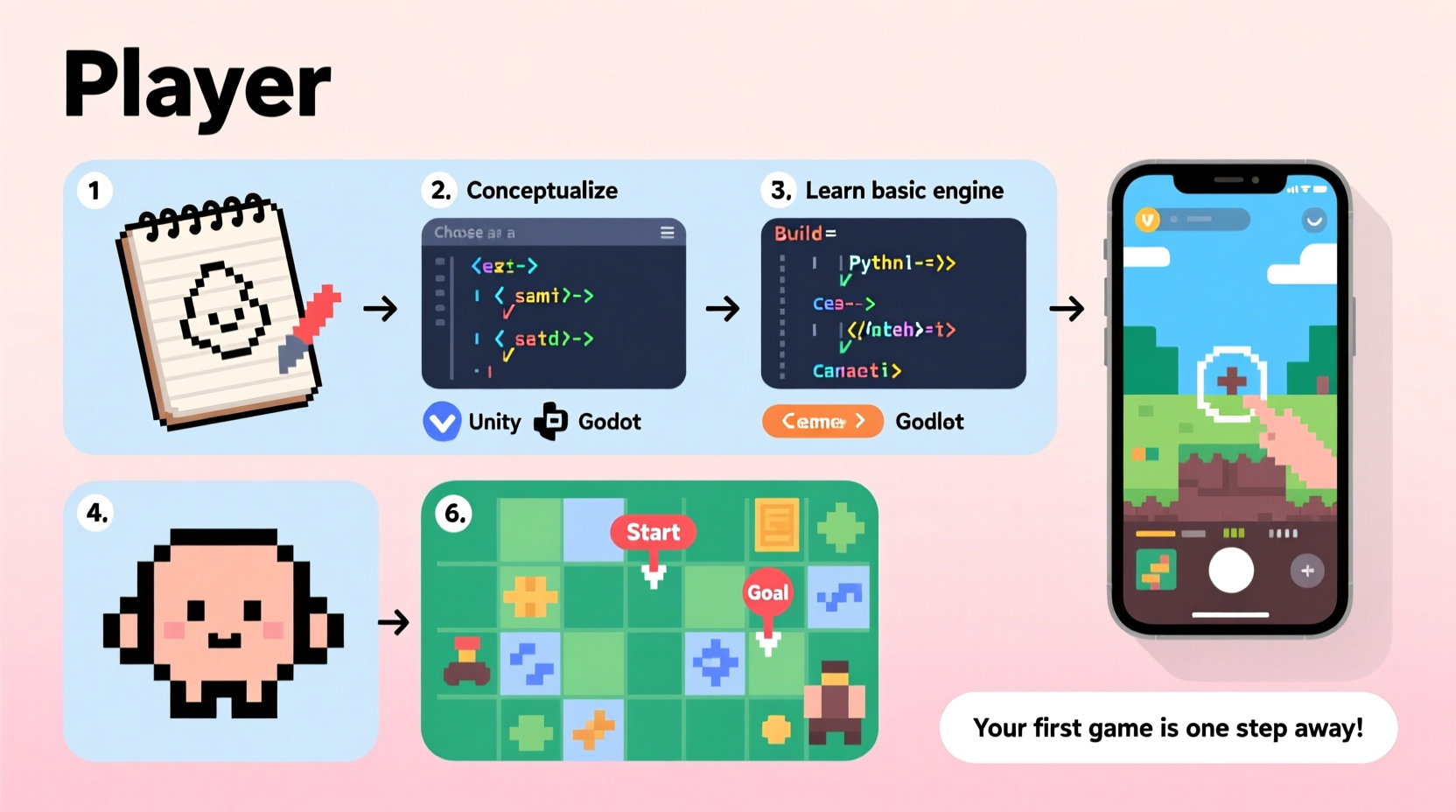
Before writing a single line of code, define what kind of game you want to make. A clear vision prevents wasted effort and keeps development focused. Ask yourself: Is it a puzzle game, platformer, narrative adventure, or something experimental? Who is the player, and what emotions should they feel while playing?
Avoid starting with overly ambitious projects like open-world RPGs or multiplayer shooters. Instead, aim for a minimal but complete experience—a prototype that captures the core gameplay loop. For example, instead of “a space exploration game,” try “a 2D spaceship dodging asteroids for one minute.” This approach helps you finish faster and learn by doing.
Choose the Right Tools and Engine
Selecting a game engine is one of the most important early decisions. Modern engines handle rendering, physics, audio, and input, so you don’t have to build everything from scratch. Here’s a comparison of popular beginner-friendly options:
| Game Engine | Best For | Learning Curve | Cost |
|---|---|---|---|
| Unity | 2D/3D games, cross-platform deployment | Moderate (C#) | Free for individuals under $100k revenue |
| Godot | 2D games, lightweight, open-source | Gentle (GDScript) | Completely free |
| Construct | No-code 2D games, rapid prototyping | Very low (visual scripting) | Free trial; paid license for export |
| Unreal Engine | High-fidelity 3D games | Steep (C++ or Blueprints) | Free until $1M revenue |
For absolute beginners, Godot or Construct offer intuitive interfaces and require little to no programming. Unity remains a strong choice due to its vast tutorial library and job market relevance. Try each engine with a simple test project—like moving a character across the screen—to see which feels most comfortable.
“Start small, finish something. Completing even a tiny game teaches you more than planning a masterpiece.” — Anna K., indie developer and educator at GameDev.tv
Follow a Step-by-Step Development Process
Creating a game follows a logical progression. Follow these stages to stay organized and avoid burnout:
- Design the Core Mechanic: Identify the primary action—jumping, shooting, matching tiles—and build around it.
- Create a Paper Prototype: Sketch levels, flowcharts, or rules on paper to test gameplay without coding.
- Build a Minimal Viable Prototype (MVP): Code only enough to demonstrate the main interaction (e.g., player moves and collects an item).
- Add Polish Gradually: Once the MVP works, enhance visuals, sound, and feedback (animations, particle effects).
- Test Frequently: Play your game often and invite others to try it. Note where players get stuck or confused.
- Iterate and Refine: Use feedback to improve mechanics, difficulty, and pacing.
- Publish and Share: Export your game to a web format or desktop executable and upload it to platforms like itch.io.
This process mirrors professional pipelines used in studios. By treating your project as a real product, you develop discipline and problem-solving skills critical for long-term growth.
Build Assets or Use Free Resources
You don’t need to be an artist or composer to make a compelling game. Thousands of free or low-cost assets are available online:
- Kenney.nl: Offers over 100,000 public domain game assets, including sprites, UI elements, and sounds.
- OpenGameArt.org: Community-driven repository of music, sound effects, and pixel art.
- ZapSplat.com: High-quality sound effects and voiceovers, many free with attribution.
- Itch.io asset packs: Search for “free” tags to find curated bundles for specific genres.
If you enjoy creating visuals, tools like Aseprite (for pixel art) or Piskel (free browser-based editor) let you design characters and animations without expensive software. Similarly, Bfxr and ChipTone generate retro-style sound effects instantly.
Mini Case Study: From Idea to Launch in Six Weeks
Jamie, a college student with no prior coding experience, wanted to make a game about avoiding procrastination. Inspired by classic arcade titles, they designed “Focus Runner”—a side-scroller where the player jumps over distractions like social media icons and coffee cups.
Using Godot and assets from Kenney.nl, Jamie spent two weeks learning the engine through YouTube tutorials. They built the MVP in week three: a character that moved left and right and jumped over obstacles. Over the next few weeks, they added score tracking, sound effects, and three difficulty levels based on peer feedback.
In week six, Jamie exported the game to HTML5 and uploaded it to itch.io. It received over 500 plays and positive comments on its relatable theme and clean mechanics. More importantly, Jamie gained confidence to pursue further projects, eventually contributing to a local game jam team.
The key to Jamie’s success wasn’t technical mastery—it was consistency, using free tools, and focusing on a narrow scope.
Essential Beginner Checklist
Use this checklist to track your progress from idea to finished game:
- ☑ Define a simple, one-sentence game concept
- ☑ Choose a beginner-friendly game engine (e.g., Godot, Unity, Construct)
- ☑ Set up your development environment and run a “Hello World” scene
- ☑ Design a paper prototype or flowchart of gameplay
- ☑ Build a playable MVP with basic controls and one interactive element
- ☑ Add sound, visuals, and user feedback (e.g., score display)
- ☑ Test the game on someone else and observe their experience
- ☑ Fix bugs and refine controls based on feedback
- ☑ Export the game and publish it on itch.io or another platform
- ☑ Reflect on what worked and what you’d improve next time
Frequently Asked Questions
Do I need to know how to code to make a video game?
Not necessarily. Tools like Construct, GDevelop, or Bitsy allow you to create games using visual logic or pre-built behaviors. However, learning basic programming (like C# or GDScript) gives you greater control and flexibility as your projects grow.
How long does it take to make a first game?
A simple game can take anywhere from a weekend to six weeks, depending on complexity and time invested. Spending 5–10 hours per week on a focused prototype is realistic for most beginners. The goal isn’t speed—it’s completion.
Can I make money from my first game?
While monetization is possible, most beginner games serve as learning tools rather than income sources. Platforms like itch.io allow pay-what-you-want downloads, but focus on building skills and a portfolio first. Revenue often comes with experience and audience growth.
Keep Building, Keep Learning
Every great game developer started with a single idea and the courage to try. You don’t need a degree, a team, or expensive software to begin. What matters is taking that first step—installing an engine, moving a sprite, hearing a sound play when a button is pressed. These small wins compound into real skill.
Your first game won’t be perfect, and that’s the point. It will teach you what tutorials cannot: how to solve unexpected problems, manage scope, and turn abstract ideas into interactive experiences. Each project builds confidence and clarity for the next.




 浙公网安备
33010002000092号
浙公网安备
33010002000092号 浙B2-20120091-4
Comments
No comments yet. Why don't you start the discussion?