
In an age where smartphones hold the keys to our personal lives—bank accounts, private messages, location history, photos, and more—the risk of unauthorized access is no longer a paranoid fantasy. Cell phone tapping, whether through spyware, network interception, or social engineering, is a real threat affecting everyday users. The good news: you don’t need advanced technical skills to significantly reduce your exposure. With deliberate habits and smart tools, you can reclaim control over your digital privacy starting today.
Understanding How Phones Get Tapped
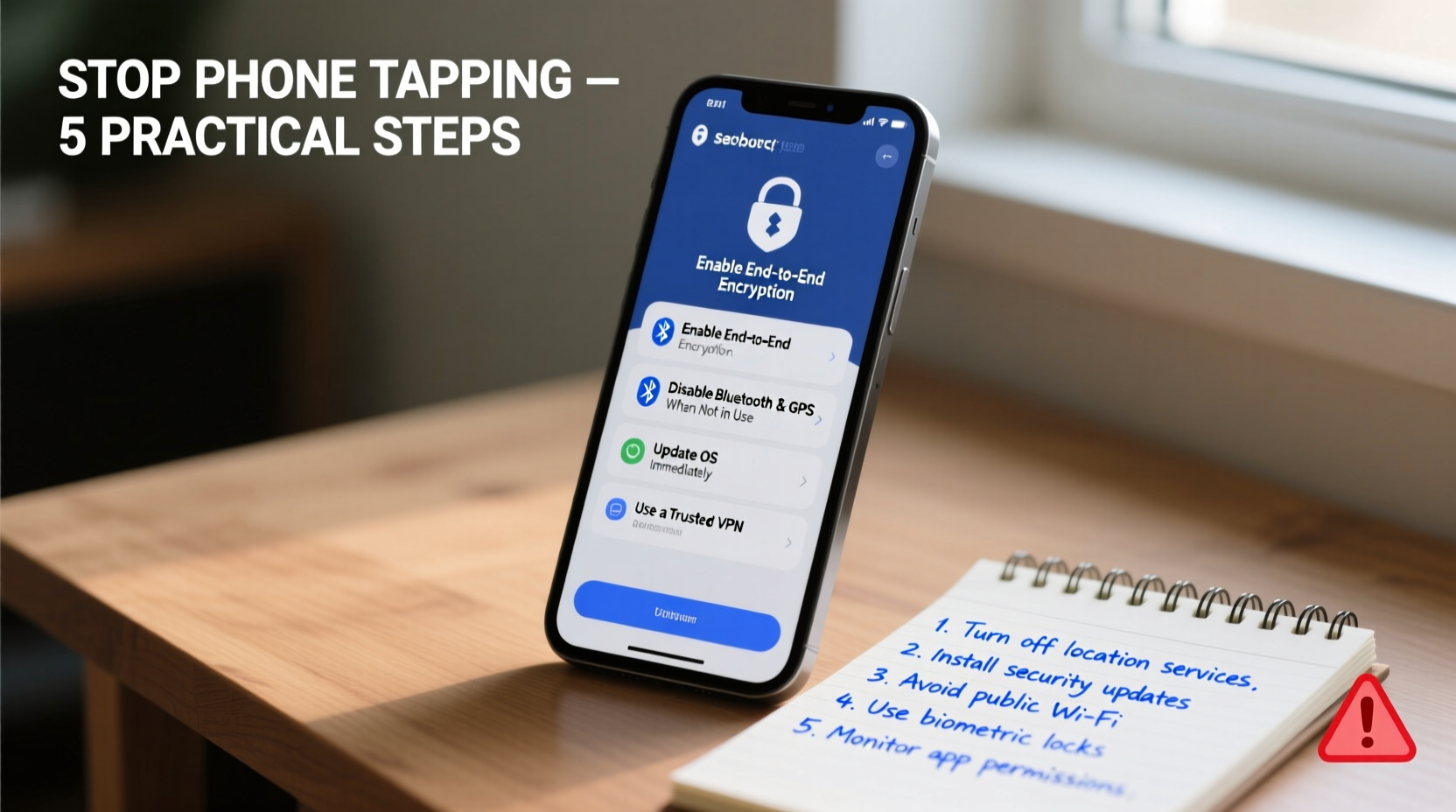
Before defending against phone tapping, it’s essential to understand how it happens. Most breaches fall into three categories:
- Spyware installation: Malicious apps or links install hidden software that logs keystrokes, tracks location, or records calls.
- Network interception: Attackers exploit unsecured Wi-Fi or cellular networks to capture data in transit.
- Physical access exploitation: Someone with temporary access to your device installs monitoring tools or resets security settings.
Government-level surveillance exists, but for most people, the greater danger comes from opportunistic hackers, jealous partners, or data-harvesting apps. Recognizing these vectors helps you apply targeted defenses.
Step-by-Step Guide to Secure Your Phone Today
Follow this actionable timeline to harden your phone against eavesdropping and unauthorized tracking.
- Update your operating system and apps immediately. Software updates often patch critical security flaws exploited by spyware like Pegasus or Predator. Enable automatic updates under Settings > System (Android) or General (iOS).
- Install a reputable mobile security app. Look for tools like Bitdefender Mobile Security or Malwarebytes that actively scan for malicious behavior. Avoid unknown antivirus apps from third-party stores—they may be malware themselves.
- Enable full-disk encryption. Both iOS and Android encrypt data by default when a passcode is set. Ensure yours is at least six digits (preferably alphanumeric) and disable biometrics if you're at high risk of coercion.
- Review app permissions monthly. Go to Settings > Privacy and audit which apps have access to your microphone, camera, location, and contacts. Revoke access for any app that doesn’t genuinely need it (e.g., a flashlight app shouldn’t track your location).
- Disable Bluetooth and Wi-Fi when not in use. These can be entry points for nearby attackers using tools like “BlueBorne” exploits.
- Use two-factor authentication (2FA) everywhere possible. Prefer authenticator apps (Google Authenticator, Authy) over SMS-based 2FA, which is vulnerable to SIM-swapping attacks.
- Check for signs of compromise weekly. Unusual battery drain, overheating, strange background noises during calls, or unfamiliar apps are red flags.
Essential Do’s and Don’ts Table
| Action | Do | Don't |
|---|---|---|
| Passwords & Locks | Use strong passcodes and enable biometric locks | Use simple PINs or disable screen lock |
| App Downloads | Download only from official app stores | Install APKs or IPA files from unknown sources |
| Public Wi-Fi | Use a trusted VPN when connecting | Log into banking or email on open networks |
| Links & Messages | Verify sender before clicking links | Open attachments from unknown numbers |
| Backups | Encrypt cloud backups with strong passwords | Leave backups unencrypted or public |
Real Example: A Wake-Up Call from a Suspicious Partner
Jamie, a marketing consultant in Austin, began noticing odd behavior on her iPhone: texts disappearing, apps opening on their own, and her partner knowing details she hadn’t shared. After consulting a cybersecurity expert, a forensic scan revealed mSpy—a commercial spyware app—installed via a phishing link sent during a heated argument. The app had been logging her messages, calls, and location for over two months.
After removing the malware, resetting all passwords, and enabling stricter privacy controls, Jamie regained control. Her experience underscores a growing trend: intimate partner surveillance is one of the most common forms of phone tapping. Her story isn’t unique—but her proactive response made all the difference.
“Most consumer-grade spyware relies on deception, not zero-day exploits. User awareness is the strongest firewall.” — Dr. Lena Torres, Digital Forensics Researcher at MIT Cybersecurity Lab
Privacy Checklist: 10 Actions You Can Take Right Now
Print or save this checklist and complete it within the next 24 hours to drastically improve your phone’s security posture.
- ✅ Update your phone’s OS and all installed apps
- ✅ Set a strong alphanumeric passcode
- ✅ Disable “Share My Location” in Find My (iOS) or Find My Device (Android)
- ✅ Review and revoke unnecessary app permissions
- ✅ Install a trusted mobile security app
- ✅ Enable two-factor authentication on email, social media, and banking apps
- ✅ Turn off Bluetooth, Wi-Fi, and NFC when not in use
- ✅ Delete unused or suspicious apps
- ✅ Run a full virus scan
- ✅ Backup your data securely and encrypt the backup
Frequently Asked Questions
Can someone tap my phone without touching it?
Yes, through malicious links (smishing), infected websites, or network-based attacks. While physical access makes installation easier, remote exploits do exist—especially if your phone is outdated or jailbroken.
How do I know if my phone is being tapped?
Warning signs include rapid battery drain, unusual data usage, strange background noises during calls, unexpected reboots, or apps running in the background you didn’t open. However, modern spyware is often designed to remain invisible. Regular security scans are more reliable than symptom-spotting.
Are iPhones safer than Android phones?
iPhones benefit from tighter app store controls and faster update distribution, making them generally more secure out-of-the-box. However, both platforms are vulnerable if users engage in risky behaviors like sideloading apps or ignoring updates. No device is immune to determined attackers.
Final Steps Toward Lasting Privacy
Securing your phone isn’t a one-time task—it’s an ongoing practice. Think of privacy like fitness: occasional effort won’t sustain results. By integrating small, consistent habits—like checking permissions monthly, updating software promptly, and questioning every app download—you build long-term resilience.
The tools to protect yourself already exist. What’s missing for most people is awareness and urgency. You don’t need to become a hacker to defend against one. Just stay informed, stay skeptical, and act decisively when something feels off.




 浙公网安备
33010002000092号
浙公网安备
33010002000092号 浙B2-20120091-4
Comments
No comments yet. Why don't you start the discussion?