
Every smartphone owner has experienced it: the frustration of a frayed or broken charger cable right where it meets the plug. The most vulnerable point—the junction between the flexible cord and the rigid connector—bears the brunt of daily wear. Constant bending, twisting, and tugging gradually weaken internal wires until the cable stops working entirely. Instead of replacing chargers every few months, you can extend their lifespan significantly with smart habits and simple modifications. This guide explores the root causes of cable failure and offers practical, long-term solutions that actually work.
Why Charger Cables Break at the Connector
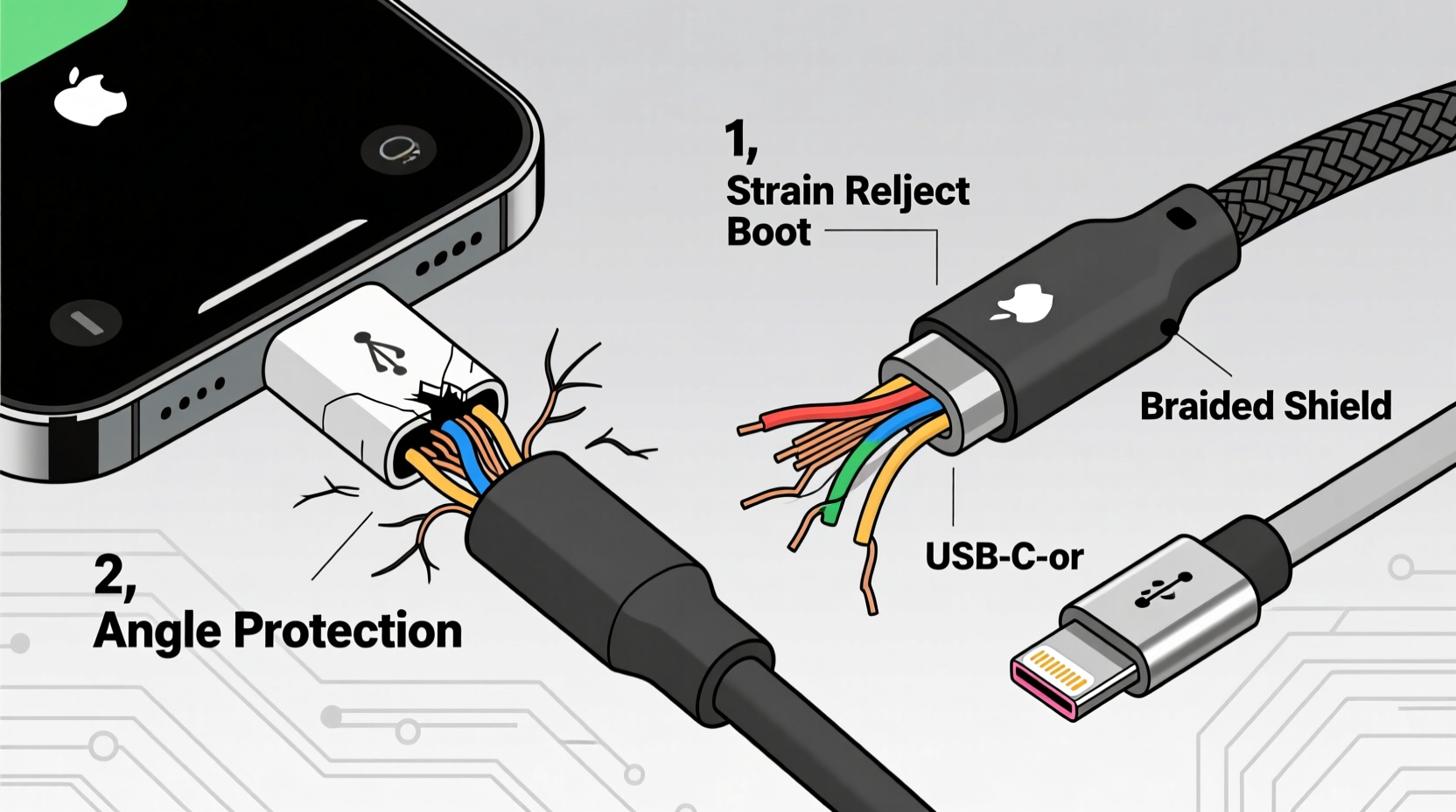
The weak spot in nearly every charging cable is the transition zone—the molded section where the soft rubber sheath meets the hard plastic or metal of the plug. Inside this area, copper wires are soldered directly to the connector’s pins. Repeated stress from plugging, unplugging, and resting the cable under tension causes microscopic fractures in the wires. Over time, these fractures grow until the connection fails completely.
Manufacturers often prioritize cost and flexibility over durability in this region. Many budget cables use thin-gauge wires and minimal strain relief, making them prone to early failure. Even high-end cables can suffer if used improperly. Environmental factors like dust, moisture, and temperature fluctuations accelerate wear, but mechanical stress remains the primary culprit.
“Over 70% of cable failures originate within half an inch of the connector due to repeated flexing.” — Dr. Lin Zhao, Materials Engineer at the Consumer Electronics Reliability Lab
Effective Strategies to Prevent Cable Damage
Preventing damage requires both behavioral changes and physical interventions. The goal is to minimize stress on the critical junction and reinforce weak points before they fail.
Use Proper Cable Management Habits
How you handle your charger daily plays a major role in its longevity. Avoid yanking the cable out by the cord—always grip the plug itself when disconnecting. Pulling from the wire amplifies strain on the internal connections.
When storing the cable, avoid tight coils or sharp bends near the ends. Instead, loosely loop the cord using the “over-under” method: alternate loops over and under your hand as you wind. This prevents kinks and torsion that degrade internal wiring.
Add Strain Relief with DIY Reinforcement
Reinforcing the vulnerable end of the cable is one of the most effective ways to prevent breakage. Several household items can act as makeshift strain reliefs:
- Spring from a retractable pen: Slide the spring over the base of the connector. It absorbs flex and prevents sharp bends.
- Heat-shrink tubing: Apply a piece over the joint and use a hairdryer to shrink it. Provides a snug, protective layer.
- Plastic straw or old pen casing: Cut to size and slide over the base for added rigidity.
- Epoxy putty: Mold around the joint and let cure. Creates a permanent, robust buffer.
These solutions redistribute bending forces away from the solder points, effectively extending cable life by months or even years.
Choose High-Durability Charging Cables
Not all cables are created equal. Investing in a well-built model from the start reduces the risk of premature failure. Look for features like:
- Braided nylon exterior (resists fraying)
- Metal or reinforced connectors
- Thick strain relief boots (rubber or silicone sleeves at the ends)
- Gold-plated contacts (better conductivity and corrosion resistance)
Brands like Anker, Belkin, and Cable Matters offer models specifically engineered for durability. While they cost more upfront, their longer lifespan makes them more economical over time.
Step-by-Step Guide to Reinforce Your Charger Cable
If you’re dealing with a cable showing early signs of wear—or want to protect a new one—follow this reinforcement process:
- Inspect the cable: Check for visible cracks, exposed wires, or stiffness near the connector.
- Clean the area: Wipe the base of the plug with isopropyl alcohol to remove dirt and oils.
- Select a reinforcement method: Choose from heat-shrink tubing, a pen spring, or epoxy putty based on availability and desired permanence.
- Apply the solution:
- For heat-shrink: Slide the tube over the joint, then apply heat evenly until it conforms.
- For a spring: Position it so it covers the bend zone and moves freely with the cable.
- For epoxy: Knead the putty, wrap it around the base, and shape it into a smooth taper. Let cure for 24 hours.
- Test functionality: Plug in the device to ensure the cable still charges properly after modification.
- Establish storage routine: Store the cable loosely coiled in a drawer or pouch to maintain protection.
This process takes less than 15 minutes and can double or triple the usable life of a standard cable.
Do’s and Don’ts of Charger Cable Care
| Do | Don't |
|---|---|
| Grip the plug when unplugging | Pull the cable from the cord |
| Use over-under coiling for storage | Wrap tightly around devices or fingers |
| Store in a dry, cool place | Leave in direct sunlight or hot cars |
| Use braided or reinforced cables | Rely on ultra-thin or no-name cables |
| Add strain relief at the connector | Ignore early signs of fraying |
Real-World Example: Sarah’s Three-Year Charger
Sarah, a freelance graphic designer, uses her phone constantly for client calls, navigation, and file transfers. She used to go through a new charger every 3–4 months. After reading about cable reinforcement, she applied heat-shrink tubing to her latest USB-C cable and began using proper coiling techniques.
She also switched to a wall outlet adapter instead of charging via her laptop, reducing the need to frequently unplug and move the cable. Two years later, the same charger still works perfectly. Last year, she upgraded to a braided Anker cable and reinforced it with a spring from an old pen. Now in its third year, it shows no signs of wear.
“I probably saved over $60 just by spending 10 minutes fixing my charger,” she said. “It’s amazing how such small changes make a huge difference.”
Upgrade Smart: Choosing Long-Lasting Alternatives
While reinforcing existing cables helps, upgrading to more resilient options provides a more sustainable solution. Consider these alternatives:
- Magnetic charging cables: These feature detachable connectors that break away under tension, protecting the main cable. Brands like PITAKA and Mophie offer MagSafe-compatible versions for iPhone users.
- Right-angle adapters: Reduce strain by changing the angle of insertion, especially useful when charging in tight spaces.
- Wireless charging: Eliminates the need for frequent plugging altogether. A high-quality Qi pad can reduce wear on physical ports and cables.
- Modular cables: Some systems allow you to replace only the damaged end, rather than the entire cable.
For heavy users, combining wireless charging at home with a single reinforced cable for travel minimizes overall wear and maximizes convenience.
FAQ
Can I fix a broken cable myself?
Yes, if the break is near the connector, you can cut off the damaged end and resolder the wires to a new plug, provided you have basic electronics skills. Alternatively, use a barrel connector repair kit. However, for most users, replacing the cable is faster and more reliable.
Are expensive cables worth it?
In most cases, yes. Premium cables use better materials, thicker insulation, and superior strain relief. Independent tests show that a $15 reinforced cable lasts 3–5 times longer than a $3 generic version, making it more cost-effective over time.
Does wireless charging harm battery life?
No more than wired charging. Modern smartphones regulate input power regardless of method. In fact, slower wireless charging can reduce heat buildup, potentially benefiting long-term battery health.
Checklist: How to Protect Your Charger Long-Term
Follow this checklist to keep your charging cables functional and intact:
- ✅ Always unplug by gripping the connector, not the cord
- ✅ Use the over-under method to coil and store cables
- ✅ Reinforce the connector base with heat-shrink tubing or a spring
- ✅ Invest in a braided or reinforced cable from a reputable brand
- ✅ Avoid exposing cables to extreme temperatures or moisture
- ✅ Use wireless charging when possible to reduce plug wear
- ✅ Inspect cables monthly for early signs of damage
- ✅ Keep a reinforced backup cable on hand
Conclusion
Charger cables don’t have to be disposable. With awareness of how and why they fail, you can take meaningful steps to prevent breakage at the connector. Simple habits like proper unplugging and coiling, combined with affordable reinforcements like heat-shrink tubing or pen springs, dramatically increase durability. Upgrading to well-built cables or adopting wireless charging further reduces reliance on fragile cords.
Millions of chargers end up in landfills each year due to preventable wear. By applying these strategies, you not only save money but also contribute to a more sustainable tech lifestyle. Start today—reinforce one cable, change one habit, and see how long it lasts.




 浙公网安备
33010002000092号
浙公网安备
33010002000092号 浙B2-20120091-4
Comments
No comments yet. Why don't you start the discussion?