
There’s nothing more frustrating than a phone charger that stops working—especially when the issue isn’t with the plug or port, but with the cable fraying right where it meets the connector. This weak point is notorious for wear and tear, leading to intermittent charging, exposed wires, or complete failure. While modern chargers aren’t built to last forever, you don’t have to replace them every few months. With a few clever, low-cost hacks and mindful habits, you can dramatically extend the life of your charger cables. These solutions are practical, easy to implement, and proven to work.
Why Charger Cables Break at the Ends
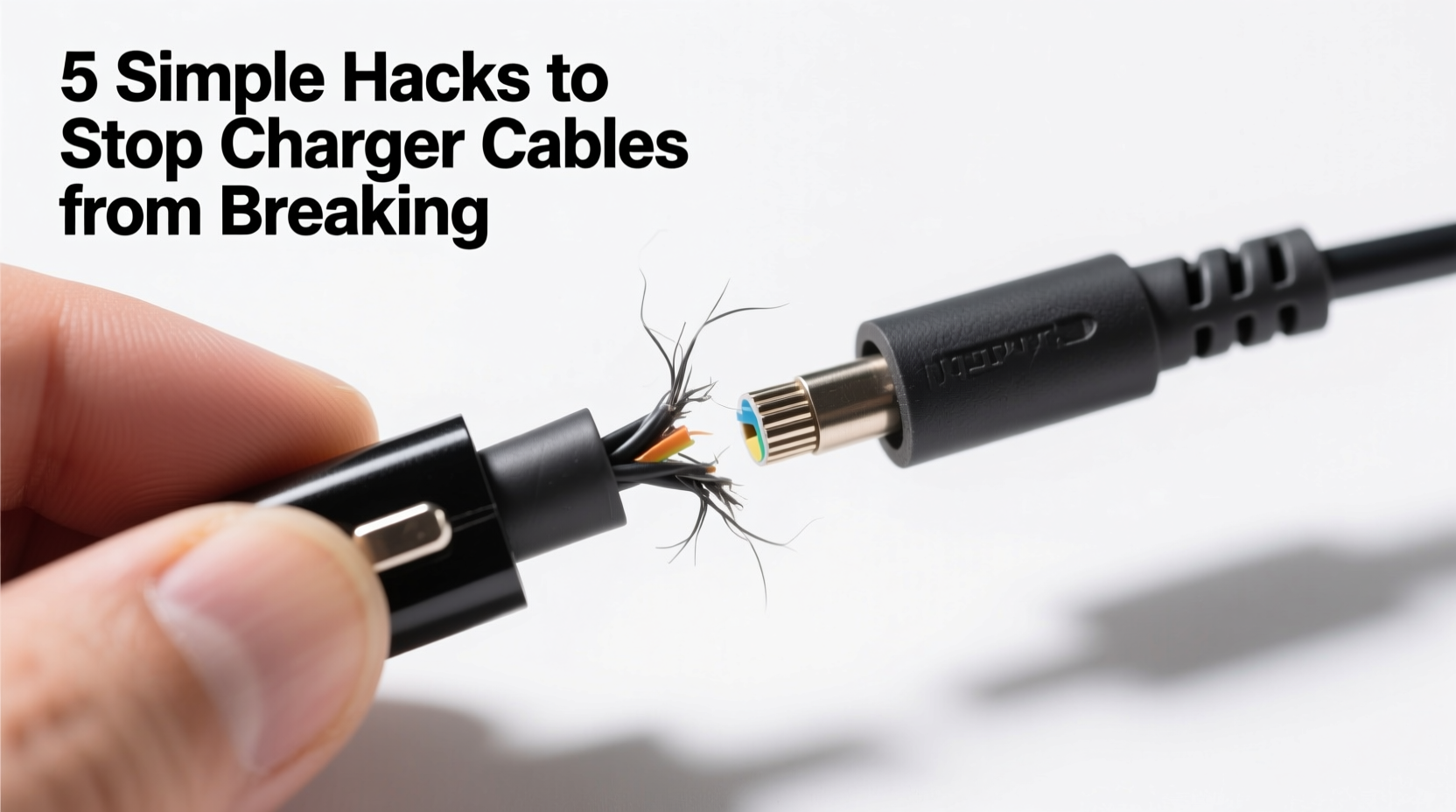
The root cause of most charger failures lies in mechanical stress. Every time you plug in or unplug your device, bend the cable around furniture, or yank it out by the cord, you’re applying strain to the junction between the flexible wire and the rigid connector. This area contains delicate internal wiring that’s vulnerable to repeated bending. Over time, this motion causes micro-fractures in the copper strands, eventually severing the connection.
Manufacturers often use softer insulation near the plug to allow flexibility, but this also makes the region more prone to cracking. Environmental factors like heat, dust, and moisture accelerate degradation. Cheaply made cables with thin shielding or poor soldering at the joint fail even faster.
“Over 70% of cable failures originate within half an inch of the connector due to flex fatigue.” — Dr. Alan Reyes, Electronics Durability Researcher, IEEE
Simple Hacks to Reinforce and Protect Charger Cables
You don’t need specialized tools or expensive gear to protect your cables. Many household items can act as effective reinforcements. The goal is to reduce strain on the vulnerable base of the connector and prevent sharp bends.
1. Use a Spring from an Old Pen
One of the most popular DIY fixes involves repurposing a spring from a discarded ballpoint pen. Slide the spring over the cable so that it wraps around the joint where the cable meets the plug. The spring acts as a flexible support, absorbing bending forces and distributing stress away from the weak point.
2. Apply Heat-Shrink Tubing
Heat-shrink tubing provides a durable, professional-grade reinforcement. Cut a piece long enough to cover the last inch of the cable and the base of the connector. Slide it into place and use a hairdryer or lighter (with caution) to shrink it tightly around the joint. This creates a seamless, protective sleeve that resists fraying.
For added strength, apply two layers—one covering the cable and another overlapping the connector base. This method is especially effective for USB-C and Lightning cables used daily.
3. Wrap with Sugru Moldable Glue
Sugru is a self-curing rubber compound that hardens into a flexible, waterproof material. Knead a small amount and mold it around the cable’s stress point, blending it smoothly from the plug body down the cord. Let it cure for 24 hours. The result is a custom-fitted bumper that absorbs shocks and prevents kinking.
Available in multiple colors, Sugru also lets you color-code your cables—a bonus for organization.
4. Use a Cable Protector Clip
Plastic or silicone cable protectors are inexpensive and widely available online. These clips snap around the cable and plug, forming a flexible hinge that limits how sharply the cable can bend. They’re especially useful for travel or high-movement environments.
While not as permanent as other methods, they’re removable and reusable across multiple cables.
Smart Charging Habits That Prevent Damage
No matter how well you reinforce your cables, poor usage habits will shorten their lifespan. Changing the way you handle your charger can be just as impactful as physical modifications.
Avoid Yanking the Cable
Pulling the cable out by the cord instead of gripping the plug puts extreme stress on the internal wires. Always hold the plug itself when disconnecting. Teach children and others who use your devices this habit to prevent accidental damage.
Don’t Wrap Tightly Around Devices
Wrapping your charger tightly around your phone or power bank may seem neat, but it encourages deep creases in the cable. Instead, loosely coil it in a figure-eight pattern or use a velcro tie to keep loops gentle and wide.
Keep Connectors Dry and Clean
Moisture and debris inside the charging port can cause corrosion or misalignment, forcing you to wiggle the plug to make contact—which increases wear. Regularly inspect and clean ports with a dry toothbrush or compressed air.
| Habit | Damaging? | Better Alternative |
|---|---|---|
| Pulling cable by the cord | Yes – causes internal wire breakage | Always grip the plug head |
| Coiling tightly around objects | Yes – creates sharp bends | Loose coils or use a cable wrap |
| Leaving cable in hot cars | Yes – degrades insulation | Store in shaded, cool areas |
| Using while charging aggressively | Yes – constant movement strains joint | Limit phone use during charging |
Step-by-Step Guide to Reinforcing Your Charger
If you’re ready to strengthen your current charger, follow this practical sequence using common household materials:
- Clean the area: Wipe the last inch of the cable and plug base with a dry cloth to remove dust and oils.
- Select your method: Choose one reinforcement technique—heat-shrink, Sugru, spring, or clip.
- Prepare materials: Cut heat-shrink tubing to 1.5 inches, knead Sugru until soft, or test-fit the spring.
- Apply reinforcement: Position the material so it covers the transition zone between plug and cable.
- Secure and cure: Shrink the tubing with heat, let Sugru dry for 24 hours, or snap the clip into place.
- Test functionality: Plug in the cable to ensure it still connects properly and charges without interference.
- Repeat for other cables: Apply the same protection to all frequently used chargers.
This process takes less than 10 minutes per cable and can add months—or even years—to their usable life.
Real-Life Example: Sarah’s Charging Struggles
Sarah, a freelance photographer, was replacing her iPhone charger every six to eight weeks. She charged her phone constantly on shoots, often unplugging quickly between clients. The cables consistently failed at the Lightning connector, leaving her scrambling for spares.
After learning about the pen spring hack, she applied it to her next charger. She also started coiling her cable loosely in her bag and made a habit of unplugging by the plug head. Over the next year, that single reinforced cable lasted nine months—more than triple her previous average. She now uses Sugru on her primary home charger and keeps spring-reinforced backups in her kit.
“It felt silly at first,” she said, “but spending five minutes on protection saved me money and stress every month.”
Checklist: Protect Your Charger in 5 Minutes
- ☐ Inspect your current charger for early signs of fraying
- ☐ Gather one reinforcement tool (spring, Sugru, heat-shrink, or clip)
- ☐ Clean the connector and cable base
- ☐ Apply the protector to the stress point
- ☐ Test charging function after application
- ☐ Update your charging habits to avoid strain
- ☐ Repeat for all essential cables (tablet, headphones, etc.)
Frequently Asked Questions
Can I fix a charger that’s already starting to fray?
Yes—early intervention is key. If the wires aren’t exposed yet, applying heat-shrink tubing or Sugru can halt further damage. For cables with visible copper, repair is risky; replacement is safer to avoid electrical hazards.
Are wireless chargers a better long-term solution?
In many cases, yes. Wireless charging eliminates physical wear on cables entirely. However, it generates more heat and may slow battery longevity over time. It’s best used alongside wired charging to reduce overall cable usage rather than as a full replacement.
Do braided cables last longer?
Braided nylon jackets are more resistant to abrasion and tangling than rubber or PVC coatings, making them sturdier overall. However, they still fail at the connector joint under stress. Reinforcement methods should still be applied for maximum durability.
Final Tips for Long-Term Cable Care
Prevention beats repair. Even the best hacks won’t compensate for consistent misuse. Store cables loosely in a drawer or pouch, not crammed under heavy objects. Avoid routing them across doorways or foot traffic zones. When traveling, use a dedicated cable organizer to prevent crushing in luggage.
Invest in higher-quality cables from reputable brands—they often use better strain relief and thicker conductors. Look for models with lifetime warranties or replace programs. And always keep at least one backup cable protected and ready.
Conclusion: Small Changes, Big Results
Charger cables don’t have to be disposable. A few simple interventions—like adding a spring, using heat-shrink tubing, or adjusting how you unplug—can drastically reduce failure rates. These fixes cost little or nothing and take only minutes to apply. More importantly, they foster awareness of how we interact with our tech, encouraging habits that save money, reduce e-waste, and keep devices powered when you need them most.




 浙公网安备
33010002000092号
浙公网安备
33010002000092号 浙B2-20120091-4
Comments
No comments yet. Why don't you start the discussion?