
Spam calls have become one of the most persistent digital nuisances for iPhone users. From fake IRS agents to phishing scams disguised as delivery notifications, unwanted callers exploit caller ID spoofing and automated dialing systems to reach thousands daily. Apple has responded with increasingly robust tools, but many users still receive dozens of spam calls each week. The good news is that with a combination of iOS features, third-party apps, and smart habits, you can significantly reduce or even eliminate these interruptions. This guide walks through proven methods—directly applicable to your iPhone—to regain control over your phone line.
Understanding the Spam Call Problem on iPhones
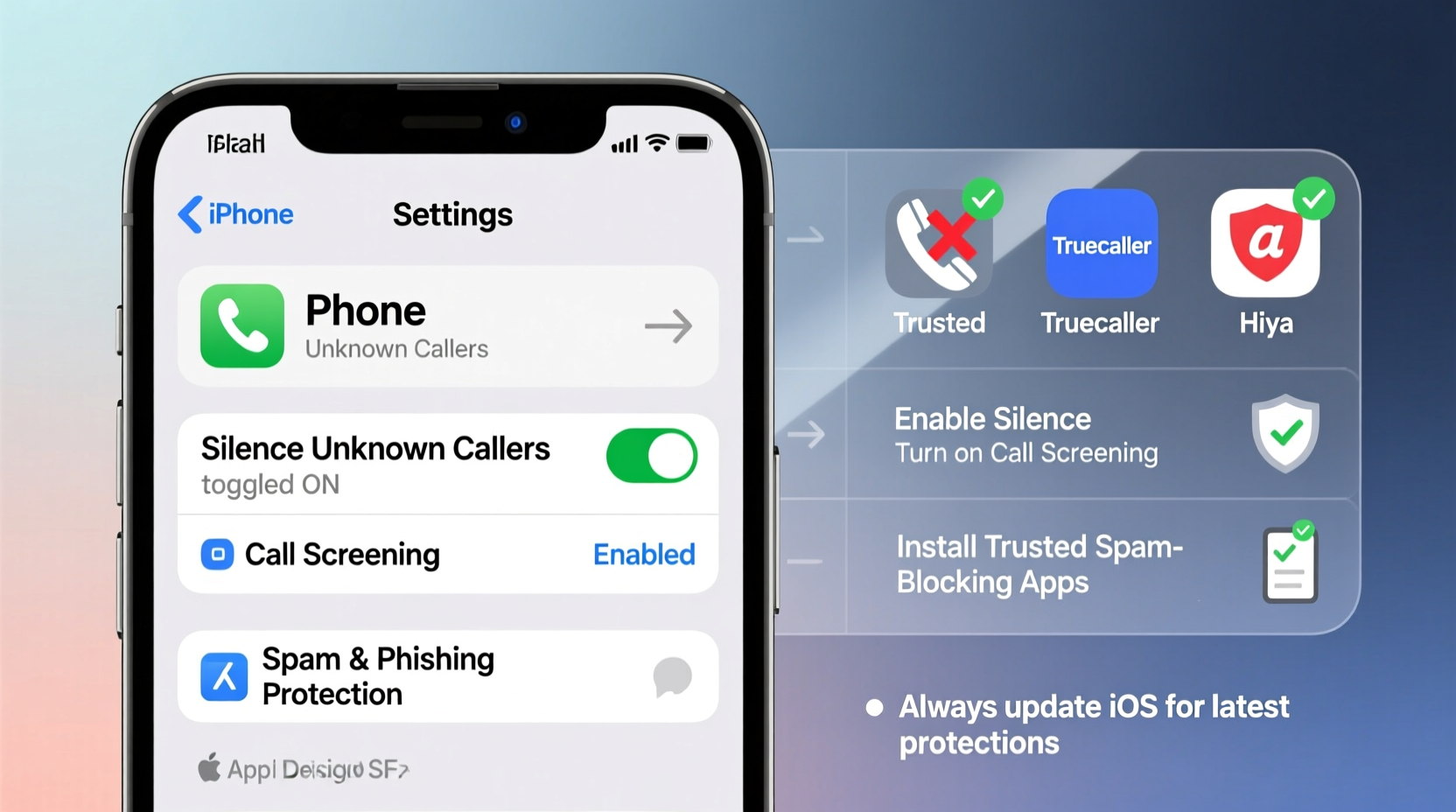
Unlike Android devices, which often rely heavily on Google’s call filtering ecosystem, iPhones use a hybrid approach combining Apple’s native technology with carrier-level services and third-party solutions. Despite improvements in iOS 13 and later versions, spam calls persist due to evolving scam tactics. Scammers frequently rotate numbers, making blacklists less effective. They also use neighbor spoofing—displaying local area codes—to increase answer rates.
Apple introduced Silence Unknown Callers in iOS 13, which routes calls from non-contacts directly to voicemail. While helpful, it doesn’t block all spam, especially if the number appears legitimate. Additionally, some important calls might be missed if contacts aren’t saved correctly. Understanding how spam operates helps inform better defenses.
“Spam calls are no longer just annoying—they’re dangerous. Over 40% of scam attempts now begin with a fraudulent phone call.” — Federal Trade Commission (FTC), 2023 Consumer Sentinel Network Report
Step-by-Step: Enable Built-In iPhone Features to Block Spam
iOS includes several underutilized tools designed specifically to combat unwanted calls. These require no downloads and integrate seamlessly with your device.
- Turn On Silence Unknown Callers
Go to Settings > Phone > Silence Unknown Callers. When enabled, calls from numbers not in your contacts, Mail, or Messages are sent straight to voicemail. You’ll still see them listed under Recents, so you can review later without interruption. - Block Frequent Spam Numbers Manually
Open the Phone app, tap “Recents,” find the spam number, swipe left, and select “Block this Caller.” Confirm when prompted. This works best for repeat offenders. - Disable Wi-Fi Calling Temporarily During High Spam Periods
Some users report increased spam via Wi-Fi calling, particularly international VoIP numbers. If you notice a spike, go to Settings > Phone > Wi-Fi Calling and toggle it off temporarily. - Use Do Not Disturb with Contact Filtering
Set up Do Not Disturb to allow only favorites during specific hours. Go to Settings > Focus > Do Not Disturb, then under “People,” choose “Favorites.” This minimizes disruptions at night or during work.
Top Third-Party Apps That Work With iPhone
While Apple restricts deep call interception on iOS, several apps use CallKit integration to identify and report spam in real time. These apps analyze global databases of reported numbers and provide instant alerts.
| App Name | Key Feature | Cost | User Rating (App Store) |
|---|---|---|---|
| RoboKiller | AI-powered Answer Bots that waste scammers’ time | $4.99/month or $39.99/year | 4.7★ |
| Hiya | Real-time spam detection & identity verification | Free (Premium: $3.99/month) | 4.5★ |
| Calls Blacklist | Custom rules, auto-block, SMS filtering | Free with ads; Pro: $2.99 | 4.6★ |
| Truecaller | Huge global database, caller ID lookup | Free (Premium: $5.99/month) | 4.4★ |
Each of these apps requires enabling a \"Call Blocking & Identification\" extension in Settings > Phone > Call Blocking & Identification. Once activated, they run in the background, labeling incoming calls and optionally blocking them based on threat level.
RoboKiller stands out for its humor and effectiveness—its Answer Bots engage scammers in endless loops, reducing future calls system-wide. Truecaller excels in identifying unknown numbers but requires sharing contact data, raising privacy concerns for some users.
Mini Case Study: How Sarah Reduced Spam Calls by 90%
Sarah, a freelance graphic designer in Austin, was receiving over 15 spam calls daily—mostly mortgage refinancing offers and fake Apple support lines. She initially ignored them but found herself distracted during client calls.
She started by enabling “Silence Unknown Callers” and manually blocking five recurring numbers. Then she installed Hiya, allowing it full access to call identification. Within two days, her iPhone began labeling 80% of unknown calls as “Spam Risk” or “Telemarketer.”
After one week, her spam volume dropped to 1–2 per day. She set up a rule in Hiya to auto-silence numbers flagged as high-risk. Six months later, she averages fewer than five spam calls per month. “It felt like regaining my privacy,” she said. “I finally trust my phone again.”
Carrier-Level Solutions: Boost Your Protection
Your cellular provider may offer additional spam-blocking tools, often free of charge. These operate at the network level, stopping spam before it reaches your device.
- AT&T Call Protect: Free version includes automatic spam detection, caller ID, and one-tap blocking. Premium ($4/month) adds scam reporting and international fraud protection.
- T-Mobile Scam Shield: Completely free. Includes Scam ID (labels spam), Scam Block (stops known fraud numbers), and Scam ID+ (predictive analytics).
- Verizon Call Filter: Offers basic spam blocking for free. Premium tier ($2.99/month) provides advanced spam detection and spam risk score display.
To activate these, download your carrier’s app (e.g., AT&T Call Protect, T-Mobile Scam Shield), log in with your account, and follow setup instructions. Then enable the service in Settings > Phone > Call Blocking & Identification.
Checklist: Complete Spam Call Defense Setup
Follow this checklist to ensure maximum protection against spam calls on your iPhone:
- ✅ Enable Silence Unknown Callers in Settings > Phone
- ✅ Review recent calls and block obvious spam numbers
- ✅ Install a reputable spam-blocking app (e.g., RoboKiller, Hiya)
- ✅ Activate the app’s CallKit extension in Settings > Phone > Call Blocking & Identification
- ✅ Download your carrier’s spam protection app and turn on Scam ID/Block features
- ✅ Add key service numbers (doctor, bank, etc.) to your Contacts
- ✅ Set up Do Not Disturb to allow only Favorites during quiet hours
- ✅ Regularly check blocked numbers list and remove any false positives
What Not to Do: Common Mistakes That Invite More Spam
Some actions unintentionally encourage more spam. Avoid these pitfalls:
| Don't | Why It’s Harmful | Do Instead |
|---|---|---|
| Answer unknown calls out of curiosity | Confirms your number is active; leads to more calls | Let it go to voicemail or silence it |
| Press buttons to “opt-out” or speak to a representative | Triggers more aggressive targeting | Hang up immediately |
| Share your number on public forums or unsecured websites | Increases exposure to scraping bots | Use alternate emails or masked numbers |
| Use the same number for every online signup | Makes tracking and spoofing easier | Consider a secondary VOIP number for registrations |
“Every time you interact with a spam call—even to say ‘stop calling’—you signal that the line is monitored by a real person. That’s gold for scammers.” — Kevin Davis, Cybersecurity Analyst at ThreatMark Labs
Frequently Asked Questions
Can I completely eliminate spam calls on my iPhone?
No solution guarantees 100% elimination, but combining Silence Unknown Callers, a third-party app like Hiya or RoboKiller, and your carrier’s spam shield can reduce spam by over 90%. Remaining calls are usually from newly generated or spoofed numbers not yet flagged in databases.
Are third-party call-blocking apps safe? Do they access my data?
Most reputable apps use minimal data access required for caller ID and blocking. However, apps like Truecaller upload your entire contact list to improve their global database. If privacy is a concern, choose apps like Calls Blacklist or Hiya, which offer opt-in data sharing and transparent policies.
Why do I still get spam calls even with everything turned on?
Scammers constantly generate new numbers and use neighbor spoofing to mimic local digits. These numbers haven’t been reported yet, so they bypass filters. Over time, as more users report them, blocking improves. Also, ensure your blocking extensions are enabled in Settings and running properly.
Conclusion: Take Back Control of Your iPhone Experience
Spam calls don’t have to be an unavoidable part of owning a smartphone. With Apple’s native tools, powerful third-party apps, and carrier-backed protections, you can dramatically reduce interruptions and protect yourself from fraud. The key is layering defenses: silence unknown callers, leverage AI-powered blockers, and avoid behaviors that invite more spam. A few minutes spent configuring your iPhone can save hours of annoyance and potential risk.




 浙公网安备
33010002000092号
浙公网安备
33010002000092号 浙B2-20120091-4
Comments
No comments yet. Why don't you start the discussion?