
Modern vehicles rely on wireless communication between the key fob and the car’s receiver system for locking, unlocking, starting, and even remote engine activation. But if you've noticed your key fob suddenly struggling to respond—especially from a distance—you're not alone. Signal degradation can happen gradually or without warning, turning what should be a seamless experience into a frustrating one. The good news is that most causes of weak signals are preventable or fixable with simple, practical steps.
Understanding why your key fob loses signal strength is the first step toward restoring its performance. From battery issues to electromagnetic interference, multiple factors contribute to poor transmission. More importantly, knowing how to diagnose and address these issues can extend the life of your fob and ensure reliable access to your vehicle.
Why Key Fobs Lose Signal Strength
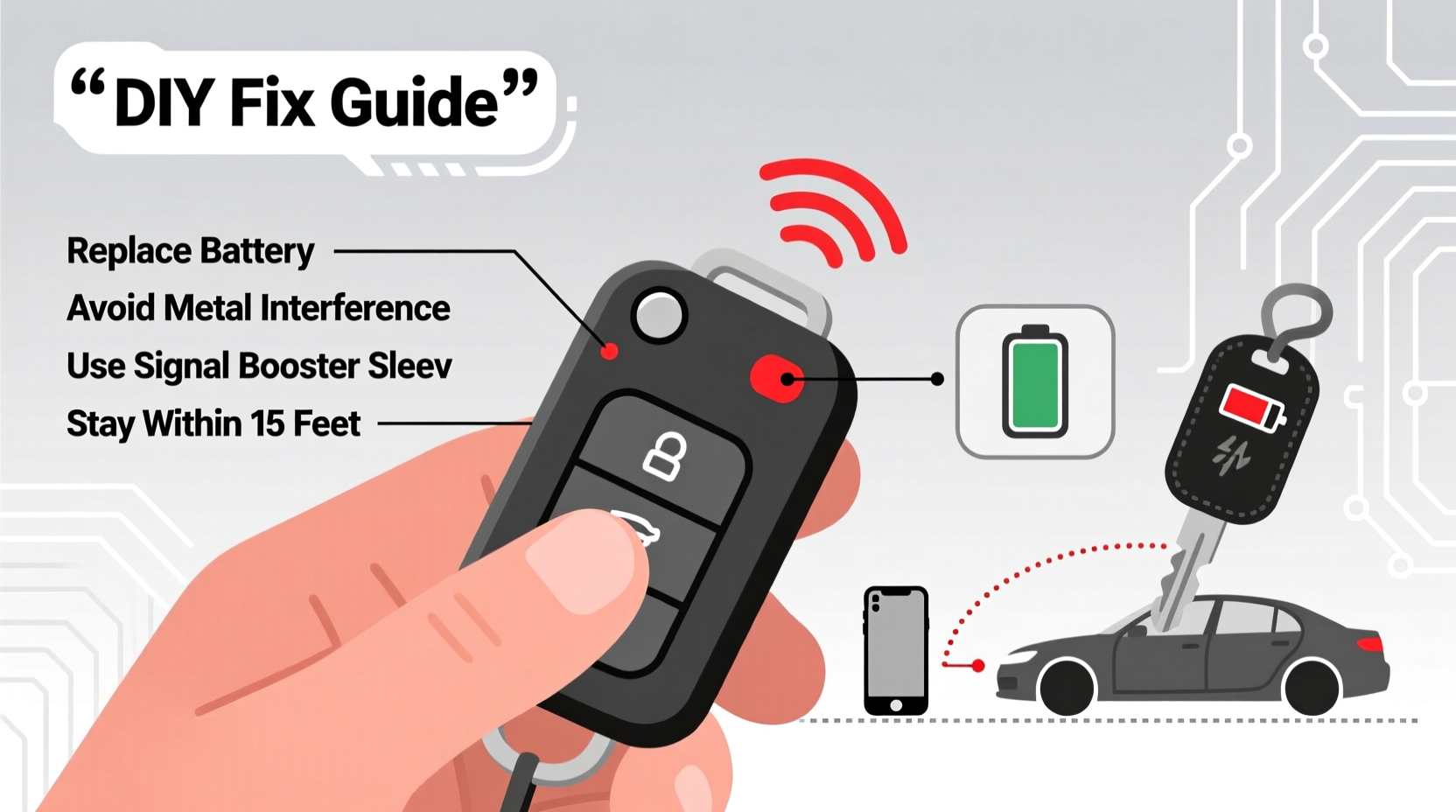
Car key fobs operate using radio frequency (RF) signals, typically at 315 MHz or 433.92 MHz depending on region and manufacturer. These low-power transmissions are designed to travel up to 30–50 feet under ideal conditions. However, various internal and external factors can interfere with or weaken this signal.
The most common reasons for signal loss include:
- Weak or dying battery – The primary culprit in over 70% of cases.
- Physical obstructions – Metal objects, walls, or even your body can block RF waves.
- Electromagnetic interference (EMI) – Nearby electronics like smartphones, microwaves, or power lines disrupt transmission.
- Damaged internal components – Drops, moisture, or wear can compromise circuitry.
- Signal jamming or spoofing – Though rare, malicious devices may interfere in high-theft areas.
- Poor antenna alignment in the car – Some vehicles have weak receiver sensitivity or outdated systems.
Unlike mechanical keys, electronic fobs require consistent power and clear signal paths. When any part of this system degrades, performance suffers—often without immediate warning.
Step-by-Step Guide to Restore and Maintain Strong Signal
Addressing signal loss isn’t complicated, but it does require systematic troubleshooting. Follow this timeline to identify and resolve the issue efficiently.
- Check the battery voltage – Use a multimeter to test if the CR2032 battery reads below 2.8V. Replace if necessary.
- Clean the contacts – Open the fob and gently wipe metal contacts with a cotton swab dipped in rubbing alcohol.
- Eliminate interference sources – Remove the fob from pockets with phones, wallets with RFID cards, or near smartwatches.
- Test in an open area – Move away from buildings, vehicles, and large metal structures to isolate environmental factors.
- Resynchronize the fob – Refer to your owner’s manual to reprogram or reset the fob-car pairing.
- Inspect for physical damage – Look for cracked casing, water stains, or corroded circuits.
- Try a second fob – If available, use a backup to determine if the issue is isolated to one device.
If the problem persists after these steps, the issue may lie with the car’s receiver module or antenna system, which may require professional diagnostics.
Common Interference Sources and How to Avoid Them
Many people overlook the role their daily environment plays in weakening key fob signals. Electromagnetic fields are everywhere, and while they don’t always cause issues, certain combinations can significantly degrade performance.
| Interference Source | How It Affects Signal | Recommended Action |
|---|---|---|
| Smartphones | Emits RF noise that can mask fob signals | Store fob separately in bag or coat pocket |
| RFID credit cards / passports | Can create shielding or reflective surfaces | Keep in separate wallet compartment or sleeve |
| Microwave ovens | Leakage near 433 MHz can disrupt fobs | Avoid using fob near kitchen appliances |
| Power lines or transformers | Generate strong EMI fields | Don’t attempt remote start near substations |
| Other key fobs | Signal crosstalk when stored together | Use individual pouches or spacing |
One often-overlooked factor is the “Faraday cage” effect created by metal-lined wallets, briefcases, or building materials. Even aluminum foil in packaging can reflect or absorb RF energy, rendering your fob useless until removed.
“Signal attenuation in modern key fobs is rarely about the device itself—it's usually environmental. I’ve seen perfectly functional fobs fail inside a leather wallet with a metal money clip.” — Daniel Reeves, Automotive Electronics Technician with 18 years of field experience
Preventive Maintenance Checklist
To avoid recurring signal issues, adopt a proactive care routine. This checklist helps ensure your key fob remains responsive and durable over time.
- ✅ Replace the battery annually or biannually
- ✅ Clean internal contacts every 6 months
- ✅ Store the fob away from phones, laptops, and tablets
- ✅ Avoid exposing the fob to extreme temperatures (below -10°C or above 50°C)
- ✅ Keep it dry; never leave in wet pockets or near humid environments
- ✅ Use a protective silicone case to prevent impact damage
- ✅ Re-pair the fob with your vehicle every 6 months as preventive measure
- ✅ Rotate between multiple fobs if available to reduce wear
Just like tires or oil, your key fob benefits from scheduled maintenance. Treating it as a critical component—not just a convenience—can prevent lockout emergencies.
Real-World Example: Why Sarah’s Fob Stopped Working
Sarah, a marketing executive in Chicago, began having trouble unlocking her 2021 Honda Accord from the sidewalk outside her office. She’d press the button repeatedly, only for the doors to unlock after three or four attempts—or not at all. Initially, she assumed the car was malfunctioning.
After visiting the dealership, diagnostics showed no fault in the car’s receiver. The technician tested her fob and found the battery voltage had dropped to 2.6V—well below operational threshold. He replaced the battery, cleaned the contacts, and advised her to stop storing the fob in the same front pocket as her smartphone.
She also discovered her new RFID-blocking wallet, designed to protect against digital theft, was unintentionally blocking her key fob signal. Once she switched to a non-metallic wallet insert and kept her phone in a separate bag compartment, the fob worked flawlessly from 40 feet away.
This case highlights how multiple small factors—a weak battery, EMI from a phone, and RF shielding from a wallet—can combine to cripple functionality.
When to Consider Upgrading or Repairing
Not all fobs can be saved. If you’ve followed all best practices and still experience poor range or intermittent failure, consider these options:
- Battery replacement with OEM-grade cells – Avoid cheap knockoffs; they often have inconsistent voltage output.
- Professional repair services – Some specialists clean circuit boards, replace solder joints, or upgrade antennas.
- Firmware update – Certain luxury brands allow updates via dealer software to improve responsiveness.
- Replacement with a newer model fob – If your car supports it, newer fobs often have better encryption and stronger transmitters.
- Signal-boosting accessories – Small external antennas or repeater modules can enhance transmission (though rarely needed).
Note: DIY repairs involving soldering or disassembling sealed units carry risk. Unless you’re experienced with microelectronics, seek professional help.
Frequently Asked Questions
Why does my key fob work inside the house but not outside?
This usually points to localized interference. Inside, your fob might be near Wi-Fi routers, cordless phones, or smart home devices emitting conflicting frequencies. Alternatively, thick exterior walls or metal framing in your garage can block outgoing signals. Try testing near a window or stepping outside before pressing the button.
Can cold weather affect my key fob’s signal?
Yes. Lithium coin batteries lose voltage efficiency in cold temperatures. Below freezing, a marginal battery may drop below operational levels, reducing transmission power. Keep your fob close to your body (e.g., inside a jacket) during winter to maintain temperature stability.
Is it safe to wrap my key fob in aluminum foil?
Only if you're trying to block the signal—such as preventing relay attacks at night. However, doing so regularly defeats the purpose of having a remote. Instead, use a dedicated Faraday pouch designed for key fobs, which offers protection without permanent signal suppression.
Conclusion: Take Control of Your Key Fob’s Performance
Your car key fob is more than a convenience—it’s a vital piece of your daily routine. Letting signal issues go unaddressed risks lockouts, delayed starts, and unnecessary service visits. By understanding the causes of signal loss and applying consistent, practical solutions, you regain reliability and peace of mind.
Start today: test your fob’s range, check the battery, and audit where you store it daily. Small changes—like separating it from your phone or replacing an aging battery—can restore full functionality. Don’t wait until you’re stranded in a parking lot on a rainy evening.




 浙公网安备
33010002000092号
浙公网安备
33010002000092号 浙B2-20120091-4
Comments
No comments yet. Why don't you start the discussion?