
In an era where traditional cable subscriptions are declining due to high costs and inflexible packages, many viewers are cutting the cord—literally. Yet, one common concern remains: How do you keep access to your local broadcast channels like ABC, CBS, NBC, FOX, and PBS without a cable subscription or rooftop antenna? The good news is that modern technology offers several reliable, cost-effective ways to stream local channels directly to your smart TV, phone, tablet, or computer—no coaxial cables or rabbit ears required.
Whether you're moving to a new city, simplifying your entertainment setup, or just tired of paying for hundreds of channels you never watch, this guide walks through proven methods to access local programming in full HD, often with cloud DVR and on-demand features included. From live TV streaming platforms to free ad-supported services, you’ll find practical solutions tailored to different budgets and viewing preferences.
Why Ditch Cable and Antenna?
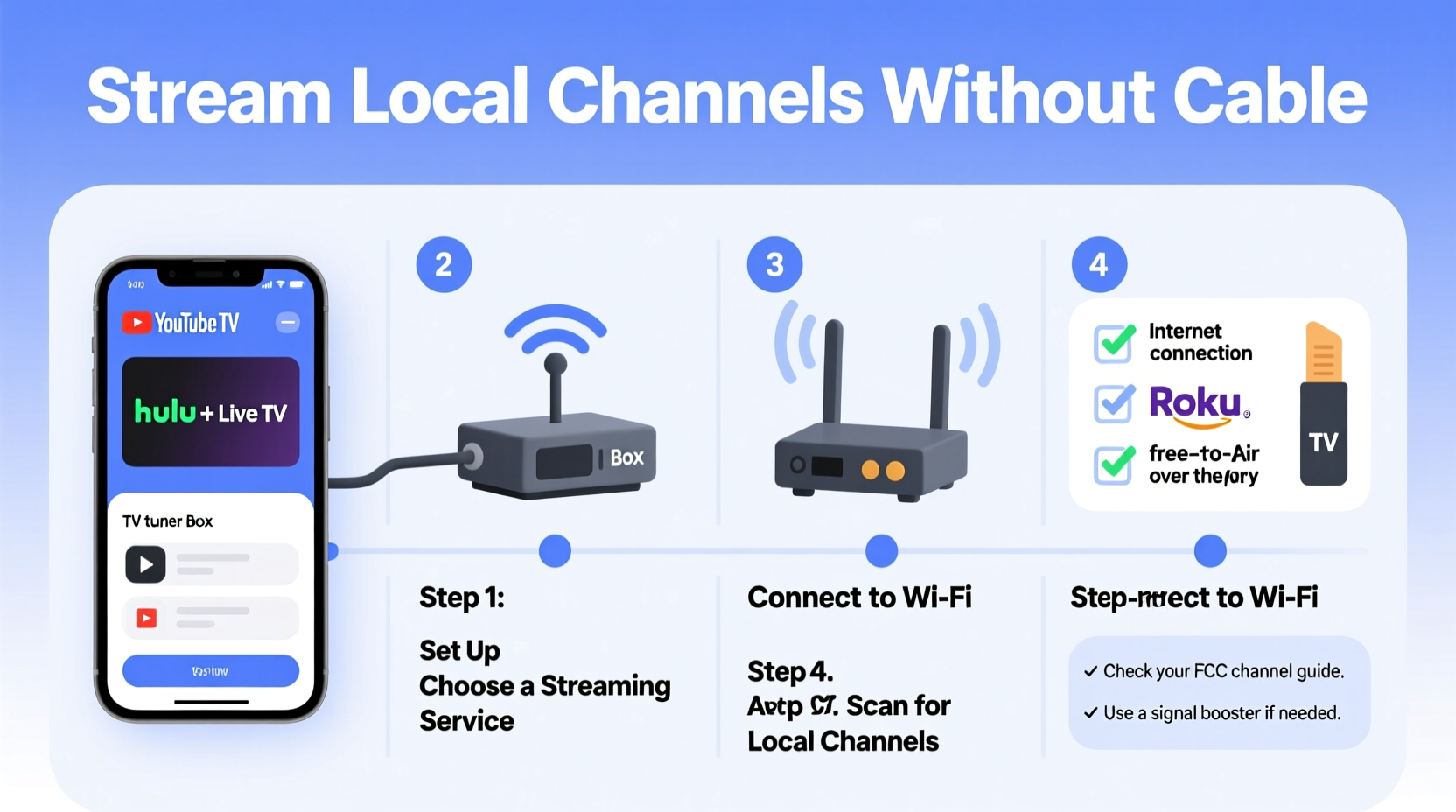
Traditional cable has long dominated home television, but it comes with drawbacks: rising prices, long-term contracts, and bundles filled with unwanted channels. Meanwhile, over-the-air (OTA) antennas provide free access to local networks but require proper placement, signal strength, and line-of-sight to broadcast towers—conditions not always feasible in apartments, basements, or rural areas with weak reception.
Streaming local channels digitally eliminates these issues. You gain flexibility in device compatibility, eliminate hardware clutter, and often enjoy additional features such as program guides, pause/rewind functionality, and multi-device support. Plus, most streaming options offer mobile apps, letting you watch your favorite morning news or evening sports while on the go.
Top Streaming Services That Carry Local Channels
The fastest way to replace cable for local content is through a live TV streaming service. These platforms act as virtual cable providers, delivering real-time broadcasts—including local network stations—over the internet. Below are the leading options known for consistent local channel availability:
- Hulu + Live TV – Offers ABC, CBS, FOX, NBC, and PBS in most major markets. Includes access to Hulu’s on-demand library and unlimited cloud DVR.
- YouTube TV – Known for strong local coverage across all top networks. Also provides unlimited cloud DVR and simultaneous streams on up to three devices.
- FuboTV – Originally focused on sports, Fubo now includes major locals in most areas and offers extra regional sports networks.
- Paramount+ with Showtime (Local Streaming) – In select cities, Paramount+ streams live local CBS stations. Availability is limited but growing.
Pricing typically ranges from $65 to $75 per month, which may seem steep compared to basic cable—but when you factor in no equipment fees, contracts, or installation, it becomes competitive. More importantly, these services deliver localized content without relying on physical antennas or geographic limitations beyond broadband access.
“Streaming live TV has reached parity with traditional cable in terms of reliability and channel depth—especially for urban and suburban households.” — David Lin, Senior Analyst at BroadbandNow Research Group
Free Alternatives: Watch Local Channels Without Paying a Dime
If a monthly subscription isn’t in your budget, don’t overlook free, legal streaming platforms. While they won’t offer every local affiliate everywhere, several services provide access to major networks depending on your location.
Pluto TV
This ad-supported platform includes dedicated live channels for CBS News, NBC, and local-focused content in select regions. It doesn’t offer full market-specific programming yet, but its lineup continues expanding.
Tubi
Tubi features a growing collection of live and on-demand network shows. While not structured as a traditional “live TV” grid, it partners with Fox and others to stream recent episodes shortly after broadcast.
Roku Channel
Available both on Roku devices and via app on other platforms, the Roku Channel hosts live streams of local news, weather, and syndicated programming. Some cities see full integration with local broadcasters.
Local Now
A lesser-known but valuable option, Local Now delivers hyper-local news, traffic, and weather updates from over 100 U.S. markets. Available on iOS, Android, Fire TV, and Apple TV.
These platforms are entirely free and supported by ads. They’re ideal for casual viewers who prioritize news, weather, and select primetime shows rather than full DVR control or live sports.
| Service | Cost | Local Channel Access | Device Support |
|---|---|---|---|
| Hulu + Live TV | $76.99/month | Strong (most markets) | Smart TVs, phones, tablets, streaming sticks |
| YouTube TV | $72.99/month | Excellent (broadest coverage) | All major platforms |
| FuboTV | $74.99/month | Good (varies by region) | Wide compatibility |
| Pluto TV | Free | Limited (CBS/NBC only) | Most streaming devices |
| Local Now | Free | Moderate (news/weather focus) | iOS, Android, Fire TV, Apple TV |
Step-by-Step Guide: Setting Up Your Cord-Free Local Viewing System
Follow this sequence to transition smoothly from cable or antenna to a fully digital local channel experience:
- Determine your ZIP code and local affiliates. Visit https://www.locast.org (if available) or use RabbitEars.info to identify which networks serve your area.
- Check service availability. Go to YouTube TV, Hulu + Live TV, or FuboTV websites and enter your ZIP to confirm if your local ABC, CBS, FOX, and NBC stations are carried.
- Choose your primary platform. If budget allows, pick a paid service for full functionality. Otherwise, test free apps like Pluto or Tubi to see if they meet your needs.
- Download the app. Install the chosen service on your preferred device—Fire Stick, Roku, Apple TV, or smart TV built-in app store.
- Sign up and log in. Create an account, link payment if needed, and authenticate your profile.
- Test playback and DVR. Tune into a live broadcast during peak hours (e.g., evening news) to ensure stable streaming. Try pausing and rewinding to confirm buffer performance.
- Set up parental controls and profiles (optional). Customize user settings for kids, guests, or secondary viewers.
Mini Case Study: How Sarah Cut the Cord and Kept Her Local News
Sarah Thompson, a 42-year-old teacher from Columbus, Ohio, canceled her $110/month cable package after realizing she only watched local morning news, Sunday football, and occasional primetime dramas. She initially tried an indoor HDTV antenna but struggled with spotty reception due to thick concrete walls in her apartment building.
After researching alternatives, she signed up for a 7-day free trial of YouTube TV. She confirmed that all four major networks were available in her area and tested live streaming during the evening news. Impressed by the picture quality and seamless DVR recording, she continued the service at $72.99/month—saving nearly $40 compared to cable.
Beyond savings, Sarah appreciated being able to watch delayed broadcasts on her iPad during lunch breaks and share login access with her husband so they could watch different programs simultaneously. For her, streaming didn’t just replace cable—it improved her viewing experience.
What About Locast? A Brief Note on Nonprofit Streaming
Locast was once a popular nonprofit service that retransmitted local broadcast signals over the internet for free, charging only optional donations to cover operational costs. However, following a 2022 federal court ruling in favor of major broadcasters, Locast ceased operations nationwide.
While there’s no direct successor today, some community-based initiatives and municipal broadband providers are exploring similar models under stricter compliance frameworks. Keep an eye on future developments, as public interest in accessible local media remains strong.
FAQ
Can I get local channels on Roku or Fire Stick without an antenna?
Yes. Devices like Roku and Amazon Fire Stick support apps such as YouTube TV, Hulu + Live TV, and Pluto TV, which stream local channels directly over the internet—no antenna required.
Do I need fast internet to stream local channels?
A minimum download speed of 10 Mbps is recommended for HD streaming. For multiple users or 4K content, aim for 25 Mbps or higher. Use a speed test tool like Fast.com to verify your connection stability.
Are local channels available in rural areas via streaming?
Availability depends on both your internet quality and whether the streaming provider carries affiliates in your designated market area (DMA). Rural users should check ZIP-specific listings before subscribing.
Final Checklist: Are You Ready to Stream Locals Cord-Free?
- ✅ Confirmed which local networks serve your area
- ✅ Verified availability on Hulu, YouTube TV, or FuboTV
- ✅ Tested internet speed for smooth streaming
- ✅ Selected a primary device (smart TV, streaming stick, etc.)
- ✅ Downloaded necessary apps and created accounts
- ✅ Completed trial period and evaluated picture quality
- ✅ Set up DVR recordings or notifications for favorite shows
Conclusion: Embrace the Future of Local Television
Accessing local channels no longer requires bulky equipment or expensive subscriptions. With a reliable internet connection and the right streaming service, you can enjoy crisp, uninterrupted broadcasts of news, weather, sports, and entertainment—all on your terms. Whether you choose a premium live TV platform or rely on free ad-supported apps, the tools exist to make cord-cutting both simple and satisfying.




 浙公网安备
33010002000092号
浙公网安备
33010002000092号 浙B2-20120091-4
Comments
No comments yet. Why don't you start the discussion?