
Transforming your holiday display into a synchronized light-and-music show no longer requires professional equipment or advanced coding skills. With today’s smart home technology, homeowners can create dazzling, rhythmically choreographed Christmas light shows that captivate neighbors and spread seasonal cheer—right from their living rooms. Whether you're aiming for a subtle flicker in time with carols or a full-blown neighborhood spectacle, modern tools make syncing lights to music accessible, safe, and surprisingly simple.
This guide walks you through the entire process—from choosing compatible hardware to fine-tuning effects—using widely available smart lighting systems, apps, and audio synchronization platforms. No prior technical experience is needed, just a bit of planning and creativity.
Selecting Compatible Smart Lighting Systems
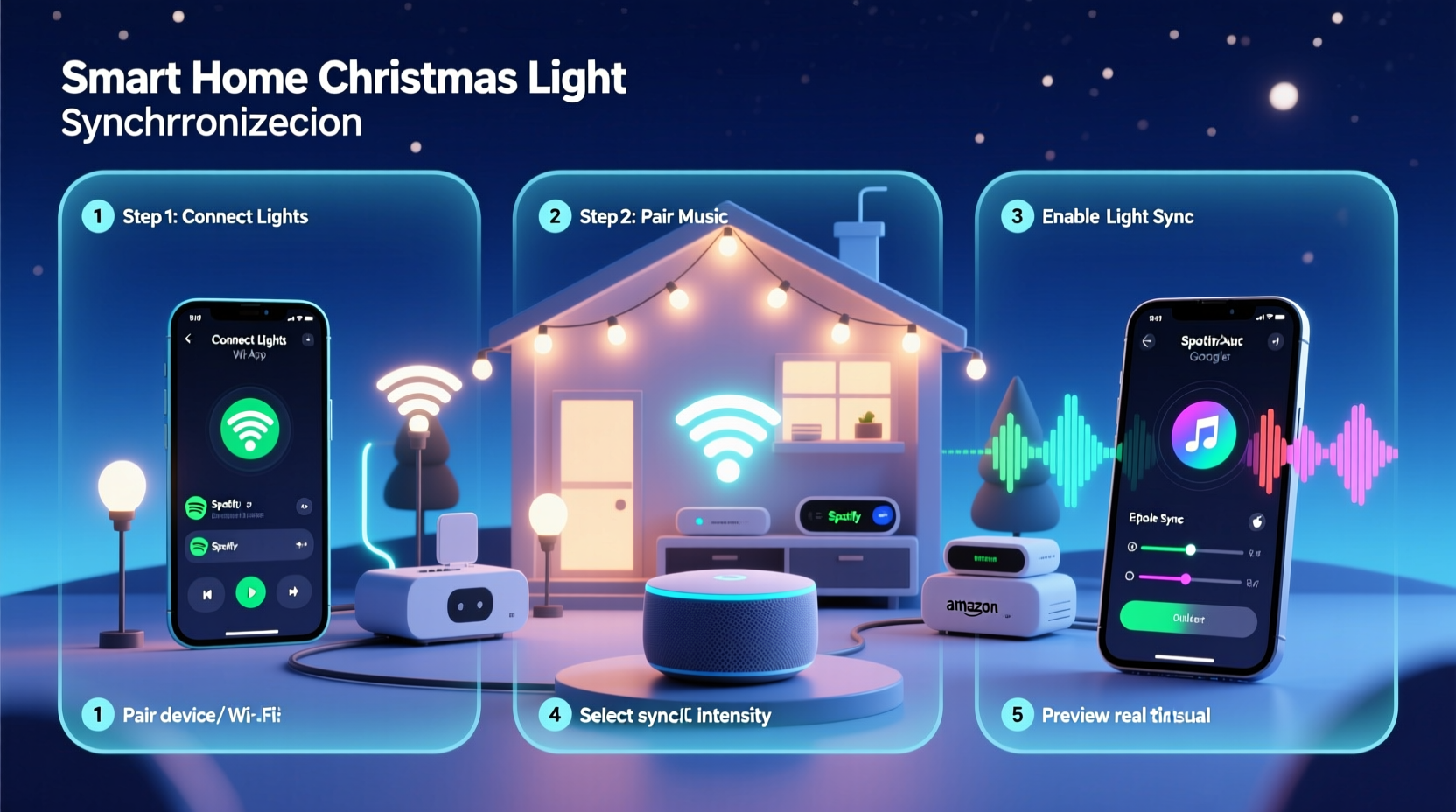
The foundation of any synchronized light show is reliable, programmable lighting. Not all smart bulbs or strips support rapid, precise changes required for musical syncing. Choose products designed for dynamic control and high responsiveness.
Popular options include:
- Philips Hue – Offers excellent color range and fast response times. Works with third-party apps for music sync.
- LIFX – High-brightness bulbs with strong API support for automation and external triggers.
- TP-Link Kasa – Affordable and reliable, though slightly slower than Hue or LIFX; best for basic pulsing effects.
- Shelly RGBW2 + LED Strips – For outdoor installations, these allow direct control over custom light setups via Wi-Fi.
- Govee LED Strips – Budget-friendly with built-in music modes and app-based scene programming.
Ensure all devices are on the same Wi-Fi network and updated to the latest firmware. Stability is crucial—lag or disconnections during playback ruin synchronization.
Essential Software and Apps for Music Sync
Hardware alone won’t create a synced show. You need software that interprets audio signals and translates them into lighting commands. Several user-friendly platforms handle this automatically.
Top Sync Tools Compared
| App/Platform | Compatibility | Music Sync Method | Best For |
|---|---|---|---|
| Bose SoundTouch + Hue Integration | Hue only | Real-time ambient beat detection | Indoor, subtle background effects |
| Hue Sync (by Signify) | Hue, LIFX, Nanoleaf | Desktop app analyzes audio output | TV, gaming, music syncing |
| Govee Home App | Govee devices only | Microphone-based beat detection | Quick setup, indoor use |
| WLED (Open Source) | DIY ESP8266/ESP32 setups | Audio-reactive via ReActive or AirSync | Advanced users, large outdoor displays |
| Light-O-Rama (with SBC) | Proprietary controllers | Precise pre-programmed sequences | Professional-grade shows |
For most beginners, Hue Sync or Govee Home provide the smoothest entry point. Both offer intuitive interfaces and real-time audio analysis without requiring manual effect mapping.
“We’ve seen homeowners go from zero to full musical synchronization in under two hours using Hue Sync. The key is starting small—sync one strip to one song before scaling up.” — Derek Langston, Smart Lighting Consultant at HomeTech Labs
Step-by-Step Guide to Sync Lights to Music
Follow this sequence to set up your first synchronized display. This example uses Philips Hue and the Hue Sync desktop app, but principles apply across platforms.
- Set up your smart lights – Install bulbs or strips according to manufacturer instructions. Ensure they appear in your hub app (e.g., Hue Bridge) and respond to basic commands like on/off and color change.
- Download Hue Sync (or equivalent) – Available for Windows and macOS from the official Philips website. Install and launch the app.
- Link your lighting system – Open Hue Sync, sign in to your Hue account, and select which rooms or zones you want to include in the sync zone.
- Choose your mode – Hue Sync offers three modes:
- Music: Reacts to volume and frequency in real time.
- Video: Matches screen colors (useful if playing holiday videos).
- Game: Syncs to action intensity (less relevant here).
- Play your holiday playlist – Use Spotify, YouTube, or local files. Play through the same device running Hue Sync so it captures the audio stream directly.
- Adjust sensitivity and intensity – Use sliders in the app to control how aggressively lights react. Lower intensity creates gentle pulses; higher settings yield dramatic flashes.
- Test and refine – Try different songs (e.g., “Jingle Bell Rock” vs. “Silent Night”) to see how dynamics vary. Adjust room groupings if some areas respond too slowly.
- Schedule or automate (optional) – In the Hue app, create a routine that activates Hue Sync every evening between December 1 and January 1, starting at 5 PM.
Scaling Up: Outdoor Displays and Multi-Zone Control
Indoor syncing is straightforward, but many aim for curb appeal with driveway-spanning, roof-rimming light shows. This demands more robust solutions.
For larger installations:
- Use weatherproof LED strips connected to Shelly RGBW2 or WLED-powered controllers.
- Power supplies must match total wattage needs—add a 20% buffer to prevent overheating.
- Deploy a dedicated Wi-Fi extender outdoors to maintain signal strength.
- Control multiple zones independently (e.g., roofline vs. tree vs. pathway) for layered effects.
WLED paired with AirSync allows real-time music syncing over Wi-Fi without a PC running constantly. AirSync captures audio from a source device and broadcasts beat data across your network, which WLED nodes interpret and execute.
Mini Case Study: The Miller Family Light Show
The Millers in Portland, Oregon wanted to elevate their annual Christmas display. Previously, they used static multicolor strings. In 2023, they upgraded to 120 feet of addressable LED strips powered by ESP32 boards running WLED.
They configured AirSync on a Raspberry Pi connected to a Bluetooth speaker. Using a curated playlist of classic and pop holiday tracks, they mapped each section of their house—gutters, porch columns, yard trees—to different WLED instances.
After calibration, the lights pulsed, chased, and faded in rhythm with the music. A simple web dashboard let them start the show with one tap. By mid-December, their driveway attracted over 500 visitors, many recording videos shared locally on social media.
“We spent under $400 on parts,” said Mark Miller. “The hardest part was soldering the connections. The syncing itself took less than an hour once we understood WLED’s UI.”
Safety, Efficiency, and Best Practices
While impressive, synchronized lighting introduces electrical and operational considerations.
Do’s and Don’ts of Holiday Light Syncing
| Do | Don't |
|---|---|
| Use UL-listed, outdoor-rated components for exterior setups | Overload circuits—limit draws to 80% of breaker capacity |
| Group lights by zone and circuit for easier troubleshooting | Run cables under snow or standing water |
| Test synchronization during daylight to catch glitches | Leave systems unattended overnight without surge protection |
| Label controllers and power sources clearly | Use extension cords as permanent wiring solutions |
Energy efficiency matters when running displays for hours. Smart bulbs typically consume 0.5–1W each when dimmed. A 50-bulb strand might use 50W at full brightness. Schedule lights to run only during peak viewing hours (e.g., 5–9 PM).
Frequently Asked Questions
Can I sync non-smart Christmas lights to music?
Not directly. Traditional incandescent or fixed-color LED strings lack individual control. However, you can connect them to a relay module controlled by a smart plug programmed via IFTTT or Home Assistant. This allows basic on/off pulsing based on audio levels, but not color or pattern variation.
Will syncing lights to music increase my electric bill significantly?
Typically, no. Most smart LEDs are energy-efficient. A full outdoor setup with 200 bulbs running four hours nightly for 30 days adds roughly $10–$15 to your monthly bill, depending on local rates and brightness settings.
Can neighbors hear the music from my light show?
If you play audio externally, yes. Consider offering a QR code linking to a streaming playlist so viewers can listen privately on their phones. This avoids noise complaints and allows people to enjoy the show at their own volume.
Final Checklist Before Launching Your Show
- All lights are securely mounted and protected from moisture.
- Controllers and power supplies are enclosed and elevated off the ground.
- Wi-Fi coverage is stable across all device locations.
- Audio source and sync app are tested together with multiple songs.
- Neighbors have been notified about the display schedule.
- A shutdown routine is scheduled to turn off all lights after the season.
- Contact information is posted nearby in case of issues.
Conclusion: Bring the Holidays to Life with Rhythm and Light
Synchronizing Christmas lights to music has evolved from a niche hobby into an accessible expression of holiday joy. With smart home tech, you don’t need engineering expertise—just curiosity and attention to detail. From cozy living room accents to block-centerpiece spectacles, the tools exist to make your vision real.
Start small. Master one song with one string of lights. Then expand. Share your progress online, invite feedback, and keep refining. The magic isn’t just in the blinking—it’s in the moment someone stops walking, smiles, and feels a little more festive because of what you created.




 浙公网安备
33010002000092号
浙公网安备
33010002000092号 浙B2-20120091-4
Comments
No comments yet. Why don't you start the discussion?