
Synchronized light displays that dance in time with music have become a hallmark of modern holiday celebrations. What once required expensive commercial-grade equipment can now be achieved at home using affordable smart lighting systems and free or low-cost software. With the right approach, even beginners can create a professional-looking synchronized Christmas light show that delights neighbors and goes viral online. The key lies in selecting compatible hardware, mastering basic sequencing techniques, and understanding how to map lights to music without breaking the bank.
Understanding the Components of a Music-Synced Light System
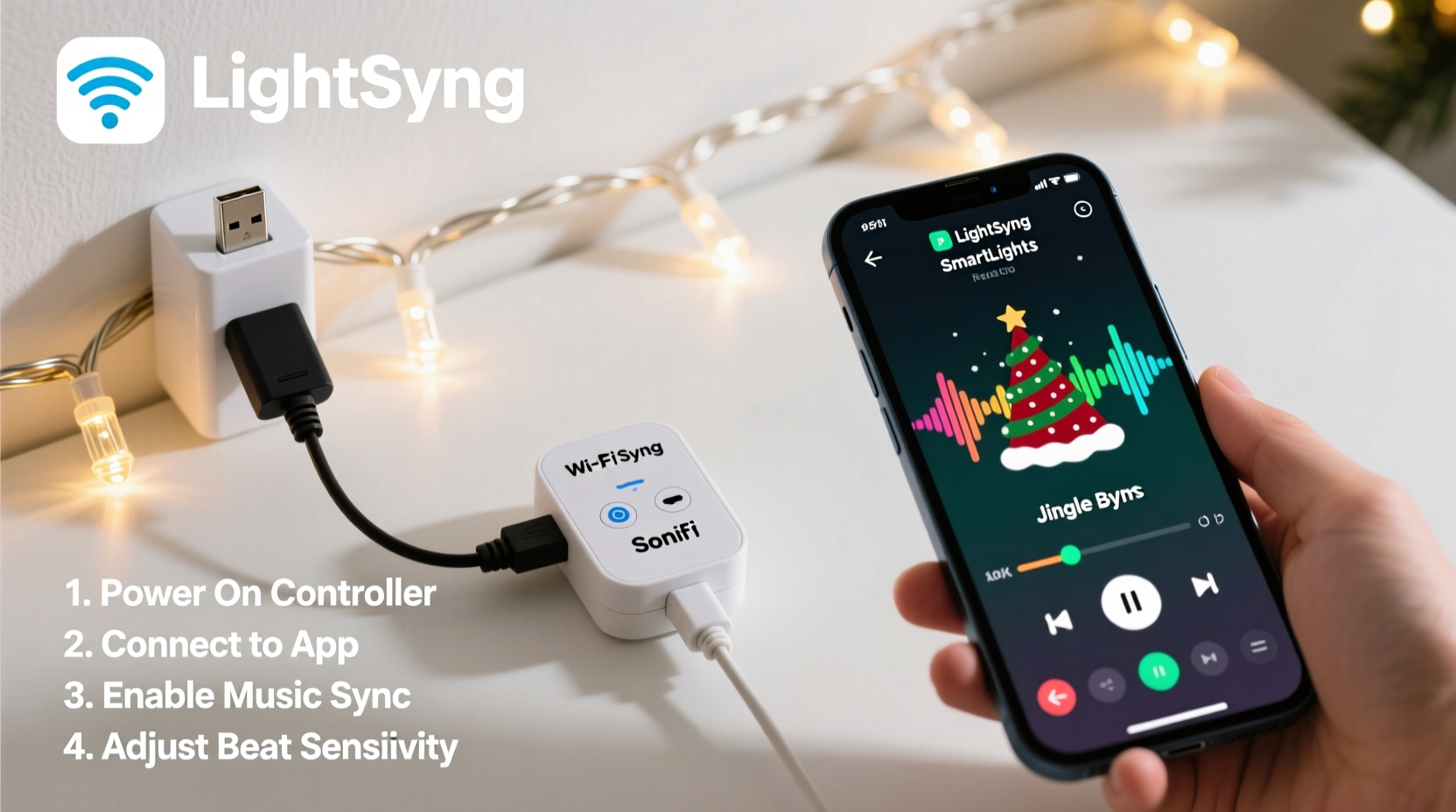
A synchronized light-and-music setup involves three core components: lights, controllers, and control software. Each plays a distinct role in transforming static holiday decorations into dynamic performances.
The lights themselves are typically strings of addressable LEDs (like WS2811 or WS2812B) or traditional AC-powered strands controlled via relays. Addressable LEDs allow individual bulbs to change color and brightness independently, making them ideal for complex animations. For those on a budget, non-addressable strips paired with simple relay modules offer a cost-effective alternative for on/off effects.
Controllers act as intermediaries between your computer or phone and the lights. Affordable options include ESP8266-based boards like Wemos D1 Mini or NodeMCU, which connect to Wi-Fi and accept commands from apps. These microcontrollers can drive dozens—even hundreds—of LED nodes when properly powered. More advanced users may opt for dedicated solutions like Falcon F16v3, but these come at a higher price point.
Control software is where the magic happens. Programs such as xLights, Vixen Lights, or HolidayCoro’s Nutcracker let you design sequences visually, aligning light changes precisely with musical beats. Many of these tools are open-source and free, drastically reducing entry costs. They support audio import, timeline editing, and real-time previewing, enabling detailed choreography without prior programming experience.
Step-by-Step Guide to Syncing Lights with Music
Creating a synced display doesn’t require an engineering degree, but it does demand patience and attention to detail. Follow this sequence to build your first performance-ready setup.
- Choose Your Hardware: Purchase addressable LED strips (preferably waterproof if outdoors), a Wi-Fi-enabled microcontroller (e.g., Wemos D1 Mini), logic level shifter (to protect data lines), power supply (5V or 12V depending on strip specs), and jumper wires.
- Assemble the Circuit: Connect the controller’s GPIO pin to the LED strip’s data input through a logic level shifter. Ensure common ground between controller and power supply. Use capacitors across power leads to prevent voltage spikes.
- Flash Firmware: Install firmware like ESPixelStick or WLED onto the microcontroller using Arduino IDE or pre-built binaries. These turn the device into a UDP-receiving node compatible with xLights.
- Set Up Software: Download and install xLights on a Windows PC or Linux machine (via Wine). Configure your model layout by defining how many channels each light segment uses and assigning them virtual positions.
- Import Music: Drag your chosen holiday track into xLights. The software analyzes tempo and beat structure automatically, helping you time transitions accurately.
- Create Sequences: Use the timeline editor to assign colors, fades, chases, and effects to match musical elements—bass drops, vocals, crescendos. Preview in real time using the built-in simulator.
- Test and Transmit: Once satisfied, run a live test. Send frames from xLights over your local network to the controller’s IP address. Observe responsiveness and adjust timing if needed.
- Deploy Outdoors: Weatherproof connections, secure wiring, and elevate controllers off the ground. Consider using extension cords with GFCI protection for safety.
This process typically takes 4–8 hours for a beginner’s first project. Subsequent shows become faster as templates and configurations are reused.
Best Affordable Controllers and Software Options
Not all smart controllers deliver equal value. Below is a comparison of popular budget-friendly choices suitable for syncing lights with music.
| Controller | Price Range | Lights Supported | Software Compatibility | Wi-Fi Control |
|---|---|---|---|---|
| Wemos D1 Mini + ESPixelStick | $7–$10 | Up to 500 LEDs | xLights, Vixen | Yes |
| NodeMCU with WLED | $8–$12 | Up to 800 LEDs | WLED App, limited xLights | Yes |
| Falcon Player (FPP) on Raspberry Pi | $35+ (Pi only) | Thousands of LEDs | FPP native, xLights export | Yes |
| Shelly RGBW2 | $25–$30 | One RGBW zone | Home Assistant, limited sync | Yes |
| TP-Link Kasa Smart Strip | $30–$40 | On/Off only (no color animation) | Third-party APIs via IFTTT | Yes |
For serious synchronization work, the Wemos D1 Mini running ESPixelStick remains the gold standard under $10. It supports E1.31 (sACN), allowing seamless integration with xLights and multi-controller setups. In contrast, Shelly and Kasa devices lack granular frame-level control, limiting their use to ambient background effects rather than precise musical alignment.
“With under $20 in parts and free software, homeowners can achieve what used to cost thousands. The democratization of lighting tech has changed holiday displays forever.” — Mark Reynolds, DIY Lighting Enthusiast & Founder of LightShowWiki.org
Real Example: A First-Time Synced Display on a Budget
Daniel Kim, a high school teacher in Ohio, wanted to surprise his family with a synchronized light show but had no prior electronics experience. He started with a $9 Wemos D1 Mini, a $15 100-LED WS2812B strip, and downloaded xLights after watching two YouTube tutorials.
Over a weekend, he wired the components together, following a breadboard diagram from a forum. After troubleshooting a flickering issue caused by insufficient power (he upgraded from USB to a 5V/4A wall adapter), his lights responded reliably. Using xLights’ beat-snap feature, he mapped simple color waves to Mariah Carey’s “All I Want for Christmas Is You.”
He expanded the next year with two more controllers controlling roof outlines and a reindeer figure, all triggered simultaneously from one xLights instance. His display now draws over 1,000 visitors annually and streams live on social media. Total investment: under $60.
Daniel’s success wasn’t due to advanced gear—it came from persistence, community support, and starting small. His advice? “Don’t aim for perfection on day one. Just get one light moving with the music. That moment when it works? That’s what keeps you going.”
Common Pitfalls and How to Avoid Them
Even with affordable tools, several issues commonly derail first attempts at synchronization.
- Power Overload: Running long LED strips from underpowered supplies causes dimming, flickering, or complete failure. Always calculate total current draw (e.g., 60mA per LED at full white) and oversize your supply by 20%.
- Data Signal Degradation: Long runs (>3m) without signal boosting lead to erratic behavior. Use a 74HCT245 logic level shifter or buffer chip to maintain clean data transmission.
- Network Latency: If lights lag behind music, check Wi-Fi congestion. Assign static IPs to controllers and reduce packet loss by minimizing other network traffic during playback.
- Poor Audio Sync: Some music files have leading silence. Trim audio in xLights or use the “delay start” function to align the first beat with the first flash.
- Weather Damage: Outdoor setups fail when moisture enters connectors. Seal joints with silicone gel or heat-shrink tubing, and place controllers in ventilated enclosures.
Checklist: Preparing Your Synchronized Light Show
Use this checklist before launching your display to ensure reliability and visual impact.
- ✅ Verify all LED strips are tested and functioning individually
- ✅ Confirm each controller has a stable power source and proper grounding
- ✅ Flash correct firmware (ESPixelStick, WLED, etc.) and confirm connectivity
- ✅ Assign static IP addresses to all controllers on your network
- ✅ Import and trim music file in xLights; remove unwanted silence
- ✅ Build at least one complete sequence with intro, climax, and fade-out
- ✅ Test entire sequence outdoors under real conditions (darkness, cold)
- ✅ Waterproof all electrical connections and elevate controllers off ground
- ✅ Share showtime schedule with neighbors to manage noise and traffic
- ✅ Have backup power strips and spare fuses on hand
Frequently Asked Questions
Can I sync lights with music without a computer running all night?
Yes. Once sequences are created in xLights, they can be exported to standalone players like Falcon Player (FPP) on a Raspberry Pi. The Pi runs independently, loading shows from an SD card or USB drive without needing a PC.
Do I need to code to make lights sync with music?
No coding is required. Tools like xLights provide drag-and-drop interfaces for designing effects. You adjust sliders, pick colors, and snap actions to beats—all visually. The software handles the underlying data protocols.
Is it safe to run these setups outdoors?
Yes, provided you follow electrical safety practices. Use outdoor-rated extension cords, GFCI outlets, sealed enclosures for electronics, and avoid daisy-chaining too many strands. Never leave faulty wiring unattended.
Bring the Magic Home—Start Tonight
The era of jaw-dropping, music-synchronized Christmas lights is no longer reserved for theme parks or million-dollar homes. Today, anyone with a modest budget, a willingness to learn, and a few evenings to spare can create a display that captures the spirit of the season. By leveraging affordable smart controllers and powerful open-source software, you’re not just decorating—you’re crafting experiences that bring joy to your community.
There’s no perfect time to begin. Whether you’ve never touched a soldering iron or you’re familiar with basic circuits, the tools exist, the knowledge is shared freely, and the results speak for themselves. Plug in your first LED strip, fire up xLights, and play that first note. When the lights respond in kind, you’ll understand why so many come back year after year to build something brighter—not just in their yards, but in the hearts of those who see it.




 浙公网安备
33010002000092号
浙公网安备
33010002000092号 浙B2-20120091-4
Comments
No comments yet. Why don't you start the discussion?