
Christmas light displays that dance in rhythm with music have long been the crown jewel of holiday neighborhoods. What once required expensive controllers and advanced programming is now achievable for under $200 using off-the-shelf smart home devices. With tools like smart plugs, Wi-Fi bulbs, and free software, anyone can create a synchronized light show that impresses neighbors and delights visitors—all without writing a single line of code.
The key lies in understanding which components work together seamlessly and how to choreograph effects to match tempo, mood, and musical cues. Whether you're setting up your first display or upgrading an existing one, this guide walks through practical, tested methods using accessible technology.
Understanding the basics: How synchronization works
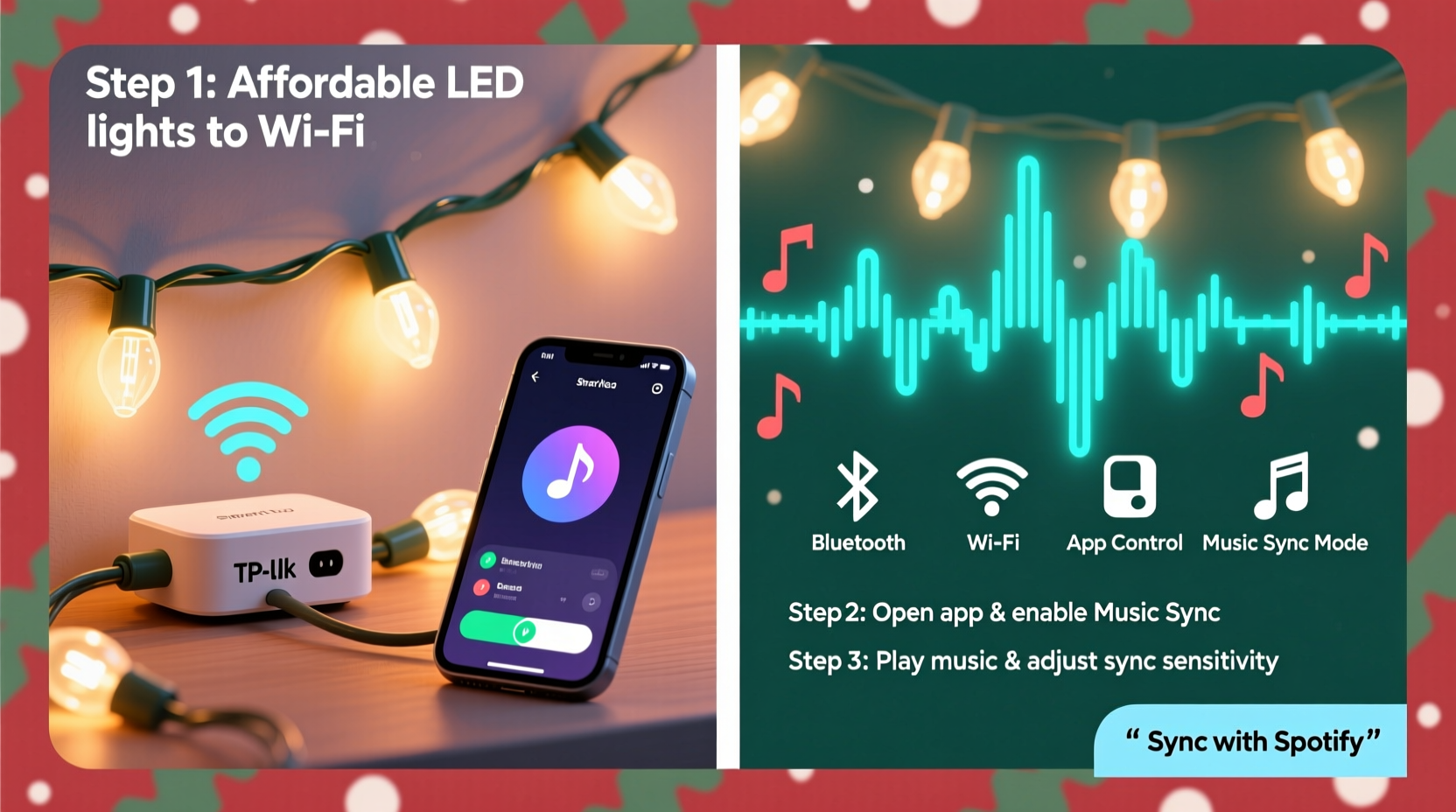
Synchronizing lights with music means aligning changes in brightness, color, or on/off states with beats, melodies, or emotional shifts in a song. Traditionally, this was done using DMX controllers and dedicated lighting software. Today, consumer-grade smart lighting systems offer enough responsiveness and variety to produce compelling results—especially when paired with automation platforms.
Smart bulbs and plugs communicate over Wi-Fi or Bluetooth and can be controlled via apps or third-party services like IFTTT (If This Then That), Home Assistant, or Node-RED. These platforms allow users to trigger lighting actions based on time, audio input, or pre-programmed sequences.
While most smart bulbs aren’t designed for millisecond-level precision, modern models from brands like Nanoleaf, Philips Hue, and TP-Link Kasa respond quickly enough for noticeable beat syncing—especially when effects are grouped and simplified.
Essential gear: Budget-friendly tools you’ll need
You don’t need professional equipment to build a synced display. The following components form the foundation of a cost-effective setup:
- Smart LED strips or bulbs: Choose addressable RGB strips (like Govee Light Sync or LIFX Z) or multi-color smart bulbs (Philips Hue, Nanoleaf Shapes).
- Smart plugs: For non-RGB items like incandescent mini-lights or inflatables (TP-Link Kasa or Wemo Mini).
- Music source: Smartphone, tablet, or laptop with speakers or Bluetooth audio output.
- Control hub (optional): A Raspberry Pi or old computer running open-source sync software.
- Free synchronization software: Options include Xlights (free), HitLights, or Govee’s built-in music mode.
For a basic two-zone setup—say, roofline lights and tree animation—you can stay under $150. More elaborate designs scale affordably by reusing components across zones.
| Device Type | Best For | Affordable Pick | Approx. Cost |
|---|---|---|---|
| RGB LED Strip | Rooflines, windows, railings | Govee WiFi LED Strip | $30–$50 |
| Smart Plug | String lights, inflatables | TP-Link Kasa KP105 | $15 each |
| Smart Bulb | Tree, porch fixtures | Philips Hue White & Color Ambiance | $20–$25 |
| Sync Software | Beat detection and sequencing | Xlights (open source) | Free |
| Audio Output | Playing music locally | Laptop or Bluetooth speaker | $0–$50 |
“The biggest shift in DIY holiday lighting has been accessibility. Five years ago, syncing required technical know-how. Now, plug-and-play solutions let families focus on creativity.” — Daniel Ruiz, Smart Home Enthusiast & Holiday Display Designer
Step-by-step guide: Building your first music-synced display
Follow this sequence to set up a fully functional, music-responsive light display using widely available tools.
- Plan your layout: Sketch where lights will go—roofline, trees, walkway—and group them into logical zones (e.g., Zone 1: Roof LEDs, Zone 2: Tree bulbs).
- Install hardware: Mount LED strips, screw in smart bulbs, and plug string lights into smart outlets. Ensure all devices are on the same Wi-Fi network.
- Set up control software: Download Govee Home or Kasa for simple app control. For deeper customization, install Xlights on a spare computer.
- Test connectivity: Turn each zone on/off remotely. Confirm color changes and brightness adjustments work.
- Select your music: Pick songs with clear beats and dynamic shifts (e.g., “Dance of the Sugar Plum Fairy,” “Uptown Funk,” or classic carols with strong percussion).
- Enable music mode: In Govee or Nanoleaf apps, activate built-in music sync. Allow microphone access so lights react in real time.
- Refine sensitivity: Adjust sound threshold and effect speed to prevent over-triggering during quiet passages.
- Run a live test: Play the full track outdoors with speakers. Observe timing and make note of delays or missed beats.
- Optimize placement: Reposition microphones or speakers closer to lights if response lags. Consider using a 3.5mm audio cable from PC to controller for zero-latency triggering.
- Automate the show: Use Google Calendar + IFTTT or Home Assistant to start the playlist and lights at sunset daily.
Real-world example: A suburban family’s $180 synchronized setup
The Thompsons in Columbus, Ohio, wanted to elevate their annual front-yard display. Their goal: sync rooftop LEDs and a lit tree to a 90-second medley of holiday favorites, viewable from the street.
They started with two 16.4-ft Govee LED strips ($45 each) along the eaves, six Philips Hue bulbs ($140 total) inside their artificial tree, and two Kasa smart plugs ($30) for driveway stakes and a snowman inflatable. All devices connected to their 2.4GHz home network.
Using the Govee app, they enabled music sync mode and played their custom mix through a portable Bluetooth speaker placed near the house. Initial tests showed slight lag, so they switched to playing audio directly from a laptop running Xlights with a virtual MIDI output to trigger Hue scenes via a bridge emulator.
After fine-tuning fade durations and beat thresholds, the display matched crescendos and pauses accurately. They automated daily operation using a Google Assistant routine: “Hey Google, start holiday show” triggered at 5:30 PM.
The final result drew nightly visitors, with neighbors recording videos and children dancing in the driveway. Total investment: $179. Time spent: about six hours over two weekends.
Advanced option: Using Xlights for precise choreography
For those seeking frame-perfect control, Xlights is the gold standard in open-source holiday lighting software. It supports complex sequences, visual timelines, and integration with hundreds of smart devices.
Xlights works by analyzing an audio file and allowing users to map lighting effects (fades, chases, flashes) to specific beats or instruments. You can preview animations in a 3D model of your layout and export sequences to run standalone via a Raspberry Pi or low-cost PC.
Setup steps:
- Download Xlights from xlights.org (Windows, macOS, Linux).
- Create a “model” of your physical layout—assign channels to each light strip or bulb group.
- Import your MP3 and use the beat detection tool to mark tempo.
- Drag and drop effects onto the timeline, snapping them to beats.
- Connect to your lights via E1.31 (sACN) protocol using a Wi-Fi-to-DMX bridge or compatible smart hub.
- Run the sequence live or export to a scheduler.
Though steeper in learning curve, Xlights offers unmatched creative freedom. Users have created symphonies with dozens of zones, timed transitions, and even narrative arcs across multiple songs.
Troubleshooting common issues
Even well-planned displays encounter hiccups. Here are frequent problems and fixes:
- Lights not responding to music: Check microphone permissions, ensure volume is high enough, and confirm no background noise interference.
- Delayed reactions: Wi-Fi latency is common. Reduce distance between router and devices, or use Ethernet-connected controllers.
- Partial syncing: If only some lights react, verify firmware updates and re-pair unresponsive units.
- Colors not matching: Calibrate white balance across different brands—some bulbs render “warm white” differently.
- App crashes during playback: Close other apps, restart the device, or switch to a dedicated media player.
Frequently asked questions
Can I sync non-smart lights with music?
Yes, but indirectly. Plug traditional lights into smart outlets, then use audio-reactive automation via IFTTT or Home Assistant. Response won’t be as fluid as with RGB strips, but rhythmic flashing works well for upbeat tracks.
Do I need a smart speaker or hub?
No. Most syncing happens through apps on phones or computers. A smart speaker can help with voice control but isn’t required for music coordination.
Is it safe to leave the display running overnight?
If using UL-listed, outdoor-rated products and surge protectors, yes. However, schedule shutdowns after midnight for safety and energy savings. Most smart plugs support timers to automate this.
Final checklist: Launch-ready verification
Before going public with your display, run through this checklist:
- All lights power on individually and respond to app commands.
- Music sync mode activates and reacts to sound clearly.
- Outdoor wiring is elevated and protected from snow or foot traffic.
- Audio is loud enough to trigger lights but not disruptive to neighbors.
- Automation starts the show reliably at scheduled times.
- Bonus: Add a small sign with a QR code linking to a donation page or song list.
Conclusion: Bring joy with rhythm and light
Synchronized Christmas lights are no longer reserved for theme parks or tech gurus. Affordable smart devices and intuitive software have democratized the magic, letting homeowners express holiday spirit with motion, color, and music. What began as a backyard experiment can become a neighborhood tradition—one that spreads cheer and inspires others to try.
The tools are ready. The season is coming. With a modest investment and a few evenings of setup, you can transform your home into a beacon of festive energy. Don’t wait for perfection—start small, learn as you go, and share the light.




 浙公网安备
33010002000092号
浙公网安备
33010002000092号 浙B2-20120091-4
Comments
No comments yet. Why don't you start the discussion?