
Smart Christmas lights have evolved from simple plug-and-play strings into sophisticated IoT devices—but fragmentation remains the biggest headache for holiday decorators. You might own Philips Hue outdoor strips, Nanoleaf Shapes panels, Govee LED icicles, and Wyze Color Bulbs, each locked inside its own app with separate accounts, cloud dependencies, and incompatible protocols. The conventional solution—buying a pricey universal hub like Hubitat or SmartThings—feels like overkill for seasonal use. Worse, many hubs still don’t support all light brands natively. The good news? You don’t need hardware to unify them. With today’s ecosystem maturity, cross-brand synchronization is not only possible—it’s surprisingly stable, local-first, and entirely app-driven.
Why Universal Hubs Aren’t Always the Answer
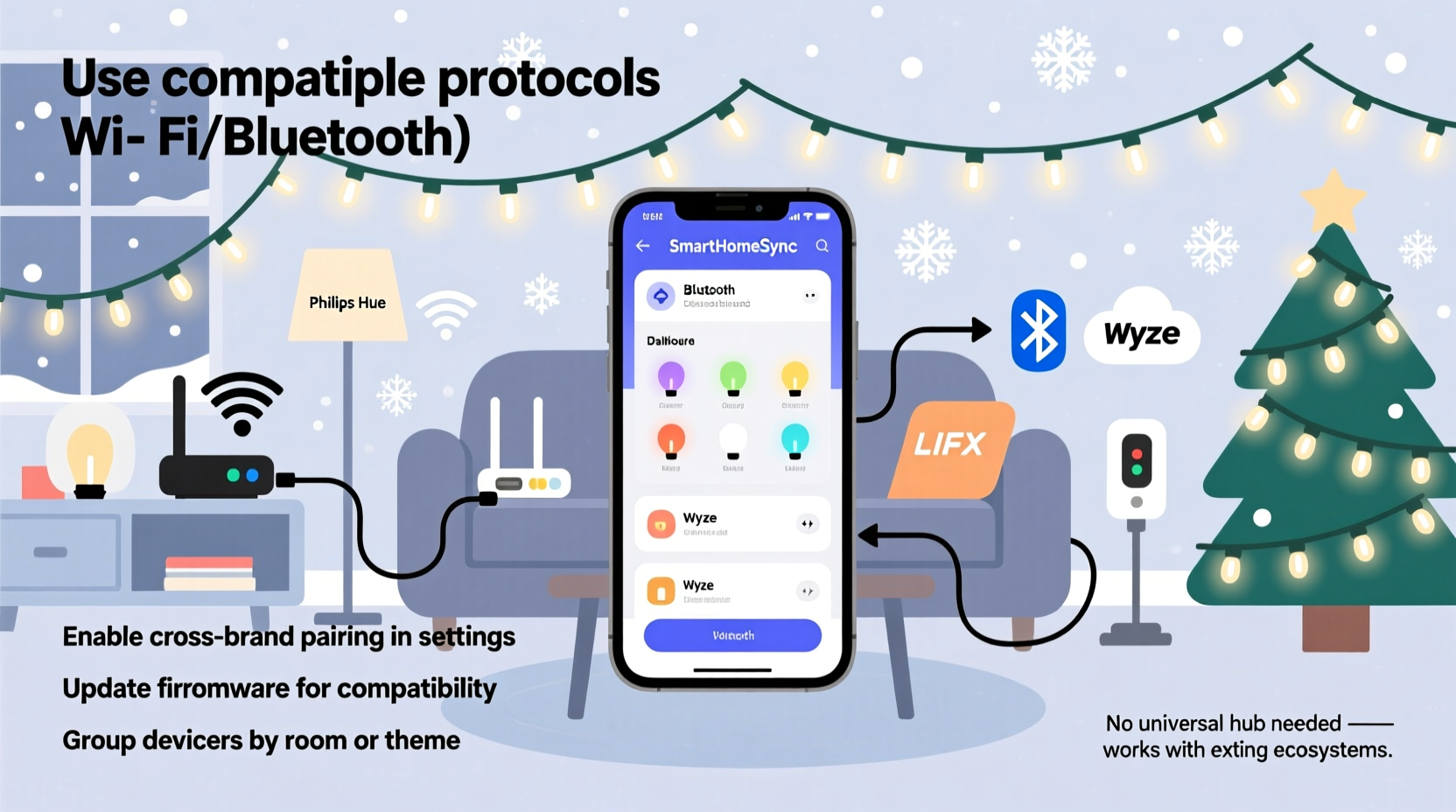
Universal hubs promise central control but introduce new complications: subscription fees, firmware update delays, added latency, and single points of failure. During peak holiday weeks, a hub crash can leave your entire display dark. More critically, many “universal” hubs lack deep integration for lighting-specific features—like synchronized music modes, precise color temperature ramps, or per-segment animation sequencing across heterogeneous brands. Instead of adding another device to manage, leverage what you already have: your smartphone, your home Wi-Fi, and modern interoperability standards that run quietly in the background.
Method 1: Native App Bridging via HomeKit (iOS/macOS)
Apple’s HomeKit is the most mature, secure, and brand-agnostic platform for unifying smart lighting—provided the lights are HomeKit-compatible. As of 2023, over 40 major lighting brands—including Philips Hue, Nanoleaf, LIFX, Govee (select models), Eve Light Strip, and Belkin Wemo—offer official HomeKit support. Unlike third-party bridges, HomeKit uses end-to-end encryption and runs locally when possible, meaning your lights respond instantly even if the internet goes down.
Setup is straightforward: In each brand’s app, locate the “Add to Home” or “HomeKit Setup” option (usually under Settings > Integrations). Scan the HomeKit QR code displayed in the light’s app or enter the eight-digit setup code manually. Once added, open the Apple Home app, assign lights to rooms, create scenes (“Christmas Morning,” “Evening Glow”), and build automations (“At sunset, turn on all exterior lights at 30% brightness”). Crucially, HomeKit treats every compatible light as a first-class citizen—no workarounds needed for dimming, color, or scheduling.
Limitation: Not all Govee, Meross, or TP-Link Kasa lights support HomeKit natively. For those, you’ll need fallback methods—but for the majority of mid-to-high-tier lights, HomeKit delivers seamless, zero-hub unification.
Method 2: IFTTT + Cloud-to-Cloud Automation (Cross-Platform)
IFTTT (If This Then That) remains a powerful tool for bridging non-HomeKit lights—especially budget-friendly brands like Wyze, Meross, and older Govee models. While IFTTT relies on cloud APIs (introducing slight latency), it’s reliable during holidays and requires no technical setup beyond account linking.
The workflow is simple: Connect your Wyze account and your Govee account to IFTTT. Then create an applet like “If Wyze light turns on → Turn on Govee light strip.” You can chain multiple actions: trigger a Philips Hue scene *and* a Nanoleaf rhythm mode *and* a Meross floodlight—all from a single Wyze button press. IFTTT supports over 900 services, and its “Multi-Step Applets” (available on paid plans) let you orchestrate up to 10 actions per trigger—ideal for layered displays.
Real-world example: Sarah, a schoolteacher in Portland, decorates her porch, roofline, and backyard with four different light brands. She uses a Wyze Switch mounted by her front door as her “master control.” When she taps it, IFTTT triggers: (1) Govee icicles fade in over 8 seconds, (2) Nanoleaf panels pulse gently in amber, (3) Meross floodlights illuminate the path, and (4) Philips Hue bulbs warm to 2700K. All happen within 1.2 seconds—fast enough to feel instantaneous. She built the entire system in under 20 minutes using only her phone and free IFTTT tier.
“Most users assume syncing means buying hardware. But the real breakthrough has been software-layer interoperability—especially standardized cloud APIs and well-documented developer portals. Brands now treat third-party automation not as a feature, but as infrastructure.” — Rajiv Mehta, IoT Platform Architect at Tuya Smart
Method 3: Local-First Control with Home Assistant (Advanced but Powerful)
For full local control, granular timing, and offline reliability, Home Assistant is unmatched—even without a dedicated hub. Running on a $35 Raspberry Pi 5 or even a spare laptop, Home Assistant acts as a private, self-hosted command center. It communicates directly with lights over your local network using native protocols: Zigbee (via USB coordinator), Matter (over Thread or Wi-Fi), or direct HTTP/REST APIs.
Here’s how it works for mixed-brand lights:
- Philips Hue: Uses official Hue Bridge integration—but Home Assistant can also talk directly to the bridge via local API (no cloud required).
- Govee & Meross: Use community-maintained integrations that poll local device IPs, bypassing cloud servers entirely.
- Nanoleaf: Supports both local API and Matter—meaning you can control panels and bulbs with millisecond precision, even with no internet.
- Wyze: Requires a local proxy (like wyzeapi) since Wyze removed official local control—but dozens of GitHub-hosted solutions restore it reliably.
Once integrated, you create a unified dashboard with custom cards showing all lights grouped by zone (e.g., “Front Yard,” “Tree,” “Porch”). You can script complex sequences: “Every night at 4:30 PM, fade all lights to 15% warm white; at 5:00 PM, activate Nanoleaf Rhythm synced to Spotify; at 11:00 PM, gradually dim to off over 12 minutes.” All logic executes locally—no cloud dependency, no monthly fee, no vendor lock-in.
Method 4: Matter Over Thread/Wi-Fi (The Future-Proof Path)
Matter 1.3 (released late 2023) is the game-changer—and it’s already live in thousands of lights. Matter is an open, royalty-free standard developed by the Connectivity Standards Alliance (CSA), backed by Apple, Google, Amazon, and Samsung. Its core promise: one device, one certification, works across all Matter-compatible ecosystems.
Here’s what matters for your lights:
| Brand | Matter Support Status (2024) | How to Enable | Notes |
|---|---|---|---|
| Philips Hue | Full (Gen 4+ bridges & newer bulbs) | Update Hue Bridge firmware; add via Apple Home/Google Home | Legacy Hue bulbs require Gen 4 bridge for Matter |
| Nanoleaf | Full (Shapes, Elements, Lines v2) | Update firmware; scan Matter QR in Nanoleaf app | Supports Thread + Wi-Fi dual-band |
| Govee | Select models only (H6159, H6199) | Enable in Govee app > Matter section | Avoid older H6104/H6129—they’re Wi-Fi-only and lack Matter |
| LIFX | Full (all 2023+ bulbs) | Update firmware; add via Home app | Best-in-class Matter implementation—zero lag |
| TP-Link Kasa | Partial (KL430, KL50—Wi-Fi only) | Enable in Kasa app > Matter toggle | No Thread support; limited to basic on/off/dim |
With Matter, you pick *one* controller—Apple Home, Google Home, or Amazon Alexa—and add *all* certified lights through that single interface. No app switching. No duplicate accounts. No cloud relays. Just tap “All Lights On” and every Matter-certified string, bulb, and panel responds in unison. And because Matter runs over Thread (a low-power, mesh networking protocol), your lights stay responsive even during internet outages.
What to Avoid: Common Sync Pitfalls
Not all integration paths deliver equal reliability. Here’s what seasoned decorators consistently warn against:
- Using Bluetooth-only lights for whole-house sync: Bluetooth has a ~30-foot range and doesn’t mesh. A Govee Bluetooth strip on your roof won’t respond to your phone in the living room—and can’t be triggered by other devices.
- Assuming “Works with Alexa” means full functionality: Many lights only support basic voice commands (on/off/dim), not animations, color loops, or group sequencing. Check the skill’s feature list—not just its presence in the store.
- Ignoring firmware versioning: A Govee light running firmware v1.09.02 may support IFTTT, but v1.10.01 could break it until IFTTT updates its service. Always verify compatibility before upgrading.
- Overloading your 2.4 GHz channel: Too many smart devices on the same Wi-Fi channel cause packet loss and delayed responses. Use a Wi-Fi analyzer app to find the least congested channel (1, 6, or 11) and set your router accordingly.
Step-by-Step: Build Your Unified Light System in Under 45 Minutes
- Inventory & Verify: List every light brand, model number, and current firmware. Check each manufacturer’s website for Matter/HomeKit/IFTTT support status.
- Prioritize Local First: Install Home Assistant on a Raspberry Pi (or use the free Home Assistant Cloud trial). Add Matter-compatible lights first via QR code scan.
- Fallback to Cloud: For non-Matter lights, link accounts to IFTTT. Create one “Master Trigger” applet (e.g., a Wyze Button press) that activates scenes across other brands.
- Group Strategically: In your chosen app (Home, Google Home, or Home Assistant), create zones—not by brand, but by location: “Front Roofline,” “Back Deck,” “Indoor Tree.” Assign all relevant lights to these zones.
- Test & Refine: Run a 30-second sequence: fade in → color cycle → fade out. Note latency per brand. If one light lags by >1 second, switch it to a local integration (e.g., replace IFTTT with Home Assistant’s native Govee integration).
- Automate the Routine: Set a daily schedule: “At sunset, activate Front Roofline at 40% brightness; at 7:00 PM, enable all zones with ‘Festive Warm’ scene.”
FAQ
Can I sync lights from brands that don’t officially support HomeKit or Matter?
Yes—but with caveats. For brands like older Meross or Feit Electric lights, use Home Assistant with community integrations (e.g., meross_iot or feit_electric). These rely on reverse-engineered local APIs and require moderate technical comfort. Avoid unofficial cloud integrations—they often break after vendor API changes.
Will syncing lights drain my Wi-Fi bandwidth or slow down my network?
No—properly configured smart lights use negligible bandwidth. A typical light sends <1 KB per minute for status updates. Even 50 lights consume less than 1% of a 100 Mbps connection. The bigger issue is Wi-Fi congestion on crowded channels, not data volume.
Do I need to keep my phone nearby for the sync to work?
No—if you use HomeKit, Matter, or Home Assistant, control happens locally via your home network. Your phone is only needed to initiate commands or adjust settings. Once scheduled, lights operate autonomously—even if your phone is off or miles away.
Conclusion
You don’t need another hub, another subscription, or another learning curve to enjoy cohesive, responsive, beautiful smart lighting. The tools are already in your pocket and your router: HomeKit for simplicity, IFTTT for flexibility, Home Assistant for full control, and Matter for future-proofing. What once required engineering degrees and $200 hubs now takes a weekend—and delivers richer, more reliable results than proprietary ecosystems ever could. Your lights aren’t siloed. They’re waiting to speak the same language. All you need is the right bridge—and today, that bridge is software, not hardware.




 浙公网安备
33010002000092号
浙公网安备
33010002000092号 浙B2-20120091-4
Comments
No comments yet. Why don't you start the discussion?