
Creating a synchronized light display during the holiday season transforms an ordinary home into a festive spectacle. When multiple sets of RGB Christmas lights move in harmony—shifting colors, pulsing to music, or fading in unison—the effect is captivating. But achieving this level of coordination requires more than just plugging in a few strings. It demands understanding of lighting technology, control systems, and proper setup techniques. Whether you're aiming for a subtle ambient glow or a full-blown musical light show, syncing your lights properly ensures every bulb contributes to a seamless visual experience.
Understanding RGB Light Technologies
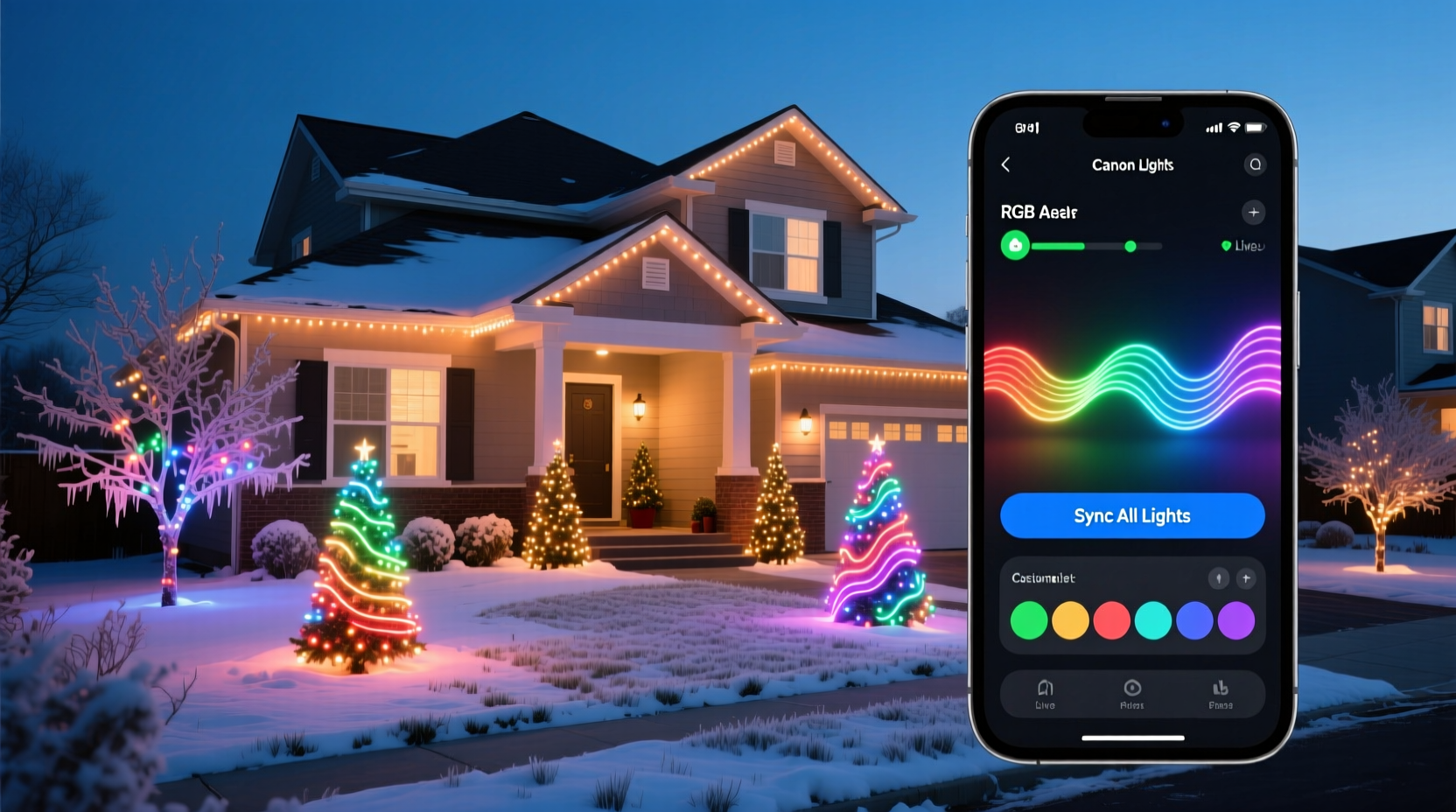
Before attempting synchronization, it's essential to understand the types of RGB lights available and how they communicate. Not all lights are created equal, and compatibility plays a major role in whether multiple sets can be synced successfully.
There are three primary categories of RGB Christmas lights:
- Non-addressable (Analog) RGB Lights: These use simple circuitry to change colors across the entire string at once. They’re typically controlled via infrared (IR) remotes or basic controllers. While affordable, they offer limited control and are difficult to synchronize precisely with other sets unless they share the same signal protocol.
- Addressable RGB Lights (e.g., WS2812B, NeoPixels): Each LED can be individually programmed, allowing complex patterns, waves, and animations. These are ideal for advanced synchronization and often connect to microcontrollers like Arduino or ESP32 devices.
- Wi-Fi/Bluetooth Smart RGB Lights: Brands like Philips Hue, Govee, Twinkly, and LIFX offer app-controlled lights that connect to your home network. These allow remote control, scheduling, and—critically—grouping and syncing through dedicated apps or third-party platforms like Home Assistant or Apple HomeKit.
The key to successful syncing lies in ensuring all light sets operate on compatible communication standards. Mixing Wi-Fi lights with IR-only strips, for example, will require additional hardware or software bridging to unify control.
Choosing the Right Control System
Synchronization begins with selecting a central control method. The choice depends on scale, budget, and technical comfort level.
| Control Method | Best For | Sync Capability | Technical Skill Required |
|---|---|---|---|
| Infrared (IR) Remote | Small indoor displays | Low – only works if all lights receive the same signal | Beginner |
| Wi-Fi App Control (Govee, Twinkly) | Medium outdoor/indoor setups | High – supports grouping, timers, music sync | Intermediate |
| DMX Controllers | Large professional installations | Very High – precise timing and effects | Advanced |
| ESP32/Arduino + WLED | Hobbyist and custom shows | Extremely High – full programmatic control | Advanced |
For most homeowners, Wi-Fi-based smart lights provide the best balance of ease and functionality. Platforms like Twinkly allow users to group multiple light strands under one scene, apply real-time effects, and even sync to audio using built-in microphones or external inputs.
“With modern smart lighting ecosystems, you don’t need to be an engineer to create a professional-grade synchronized display. The tools are now accessible to anyone with a smartphone and stable Wi-Fi.” — Marcus Lin, DIY Smart Lighting Enthusiast and Creator of SmartHomePerks
Step-by-Step Guide to Sync Multiple RGB Light Sets
Follow this sequence to achieve a unified, synchronized light show across multiple RGB sets.
- Inventory and Group Compatible Lights: Sort your lights by brand, model, and control type. Only lights from the same ecosystem (or those that support a common protocol like MQTT or Art-Net) can be reliably synced without extra hardware.
- Install Lights and Ensure Power Stability: Use weatherproof connectors for outdoor setups and ensure voltage drop is minimized—especially for long runs of addressable LEDs. Consider splitting power at intervals to maintain brightness consistency.
- Connect All Devices to the Same Network: For Wi-Fi lights, make sure each set connects to the same 2.4 GHz band. Avoid overcrowding the network; too many devices can cause lag or desynchronization.
- Use Manufacturer App to Create Groups: In the Govee Home app, for instance, go to “Groups” and add all desired light strips or bulbs. Assign them a shared name like “Front Yard Lights” or “Tree & Roof.”
- Apply Identical Effects and Timings: Select the group and choose a mode such as “Color Wave,” “Music Sync,” or “Breathing.” Confirm that all units respond simultaneously. If delays occur, restart individual units or re-pair them.
- Test with Audio Input (Optional): Enable microphone access or link to a streaming source (like Spotify via IFTTT) to let lights react to music. Adjust sensitivity to prevent erratic behavior.
- Calibrate Timing Across Units: Some apps include a “sync calibration” feature. Run it periodically, especially after firmware updates, to align response times down to the millisecond.
Advanced Synchronization Using WLED and ESP32
For users seeking maximum control, open-source firmware like WLED turns low-cost addressable LEDs into a fully synchronized lighting network. By flashing WLED onto ESP8266 or ESP32 microcontrollers, you gain access to rich features including time-synced effects, UDP real-time protocols, and integration with music visualization tools like VU Meter or Falcon Player.
Here’s how to implement it:
- Wire your addressable LED strips to the ESP32 board, matching data, power, and ground lines correctly.
- Flash the WLED firmware using the online installer at wled.me.
- Connect the device to your Wi-Fi and assign a static IP for reliability.
- Repeat for each light set, ensuring all run the same version of WLED.
- Use the WLED “Sync” settings page to enable UDP broadcast or E1.31 (sACN) protocols.
- Set one unit as the “master” sender and others as “receivers.” Now, when the master changes effect, all followers replicate it instantly.
This method is particularly powerful for large-scale holiday displays where precision matters. Users have reported success syncing over 50 separate light strings across multi-story homes using a single WLED master controller.
Troubleshooting Common Sync Issues
Even with careful planning, synchronization problems may arise. Here are frequent issues and their solutions:
- Lag Between Light Sets: Caused by weak Wi-Fi signals or overloaded networks. Solution: Reduce interference by switching channels or using Ethernet-to-Wi-Fi bridges for critical nodes.
- Partial Response or Dropouts: Often due to power fluctuations. Use regulated power supplies and avoid daisy-chaining too many strips.
- Colors Don’t Match Exactly: Different LED batches may have slight color temperature variations. Use calibration tools in apps like Twinkly or manually adjust white balance in WLED.
- App Crashes During Show: Close background apps and ensure your smartphone has sufficient memory. Alternatively, schedule shows to run independently via automation rules.
“In our neighborhood light competition, we used WLED with sACN to sync 120 meters of LED tape across three houses. The result looked like one continuous animated curtain—it won ‘Best Technical Display’ two years running.” — Derek Hu, Holiday Lighting Coordinator, Portland, OR
Checklist: Pre-Show Sync Verification
Before launching your display, verify the following:
- ✅ All light sets are powered and responding to test commands
- ✅ Connected to the same local network (same SSID and subnet)
- ✅ Grouped within the control app or configured as receivers in WLED
- ✅ Running the latest firmware version
- ✅ Physically secured and protected from weather (if outdoors)
- ✅ Tested with target music or animation sequence
- ✅ Scheduled start/stop times confirmed (if automated)
Frequently Asked Questions
Can I sync different brands of RGB lights together?
Direct syncing between different brands (e.g., Govee and Philips Hue) is not natively supported. However, you can achieve partial synchronization using smart home platforms like Home Assistant or IFTTT, which act as intermediaries to trigger scenes across ecosystems simultaneously. Note that timing may not be perfectly aligned due to API delays.
Do I need a computer to run a synchronized light show?
Not necessarily. Many modern smart lights support standalone operation via app-scheduled routines or built-in programs. A computer is only required for advanced setups involving music-reactive visuals, UDP streaming, or custom code execution (e.g., with Xlights or Jinx!).
Why do my lights lose sync after a few minutes?
This usually indicates network instability or power fluctuation. Check router logs for disconnections, upgrade to a mesh Wi-Fi system if needed, and ensure all lights have adequate power. For WLED setups, enabling “Beacon Sync” can help maintain alignment over time.
Conclusion: Bring Your Vision to Light
Synchronizing multiple sets of RGB Christmas lights is no longer reserved for professionals with six-figure budgets. With off-the-shelf smart lighting and free open-source tools, anyone can orchestrate a breathtaking, unified display that delights neighbors and captures attention online. The key is choosing compatible hardware, establishing reliable control, and testing thoroughly before showtime. Attention to detail—like consistent color output, timing calibration, and network stability—separates a good display from a great one.




 浙公网安备
33010002000092号
浙公网安备
33010002000092号 浙B2-20120091-4
Comments
No comments yet. Why don't you start the discussion?