
Creating a synchronized Christmas light show set to music transforms an ordinary holiday display into a neighborhood spectacle. When multiple strands of lights dance in rhythm with melodies—from classic carols to modern pop—the effect captivates viewers and spreads seasonal joy. While the process may seem technically daunting, modern tools and accessible software make it achievable for hobbyists and enthusiasts alike. With careful planning, the right equipment, and attention to timing, you can build a dynamic, professional-quality light show that elevates your home’s festive presence.
Understanding Light-to-Music Synchronization
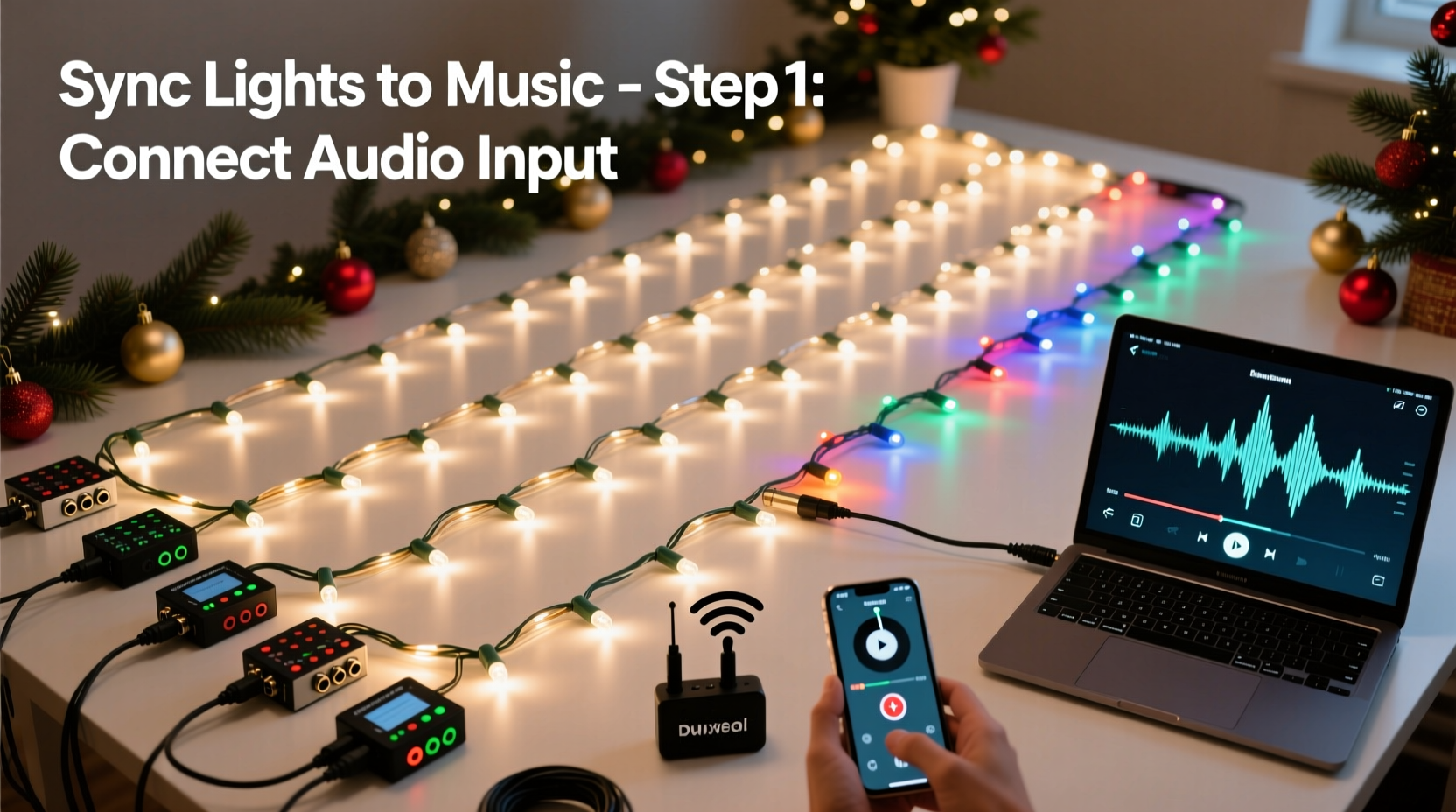
Synchronizing Christmas lights to music involves coordinating lighting effects—such as on/off sequences, color changes, fades, and chases—with specific beats, notes, or phrases in a musical track. This requires both hardware and software working together: controllers manage the electrical signals sent to light strands, while sequencing software aligns those signals precisely with audio waveforms.
The foundation of synchronization lies in frame-based timing. Most systems operate at 10–30 frames per second, meaning each change in lighting state is assigned to a specific moment in time. For example, a single \"on\" command might last for three frames (about 0.3 seconds at 10 fps), timed to match a drumbeat. The more channels (individual circuits) you control, the more complex and expressive your display becomes.
“Precision in timing separates amateur flickers from professional-grade shows. It’s not just about blinking—it’s about choreography.” — Marcus Reed, Holiday Lighting Designer & Founder of LightSync Labs
Essential Equipment for Multi-Strand Syncing
To successfully synchronize multiple light strands, you need a combination of physical components and digital tools. Below is a breakdown of what’s required:
- LED Light Strands: Use addressable LED strips (e.g., WS2811, WS2812B) or standard AC-powered mini lights controlled via smart relays. Addressable LEDs allow individual bulb control, offering greater creative flexibility.
- Light Controllers: Devices like the Falcon F16, Vixen Lights-compatible boards, or DIY Arduino/Pi setups interpret commands from your computer and send power signals to the lights.
- Power Supplies: Ensure adequate wattage and voltage regulation, especially when running dozens of strands simultaneously.
- Computer: A dedicated machine (Windows or Raspberry Pi) runs sequencing software and acts as the central hub during setup and playback.
- Audio Output: Speakers or amplified outdoor sound systems to play the music alongside the lights.
- Network Infrastructure: Ethernet cables or Wi-Fi for communication between the computer and controllers, particularly important in large displays.
Step-by-Step Guide to Synchronize Lights with Music
Follow this structured timeline to create a polished, multi-strand synchronized display.
- Select Your Music Track: Choose a song under 5 minutes for easier management. Consider tempo, emotional peaks, and recognizable rhythms. Instrumental versions often work better to avoid copyright issues when recording or streaming.
- Map Your Hardware Setup: Document how many channels you have, which lights are connected to which outputs, and their physical locations (e.g., roof line, tree, driveway arch).
- Install and Test All Lights: Power each strand independently before integration. Check for dead bulbs, loose connections, and proper polarity in addressable strips.
- Choose Sequencing Software: Popular options include Vixen Lights, Light-O-Rama Sequence Editor, and xLights. xLights is free, open-source, and widely used due to its robust features and community support.
- Create a New Sequence: In your chosen software, import the audio file and define the number of channels based on your setup. Assign names to channels (e.g., “Front Roof,” “Tree Top”) for clarity.
- Set Frame Rate: Use 10 or 20 frames per second. Higher rates offer smoother transitions but increase processing load.
- Begin Sequencing: Play the music and manually place lighting effects on the timeline. Start with major beats—use strobes or full-on flashes for drum hits. Gradually add layers: color sweeps during crescendos, slow fades during soft passages.
- Add Effects Strategically: Utilize built-in effects like twinkle, chase, gradient, and sparkle. Apply them selectively to enhance musical dynamics without overwhelming the viewer.
- Preview and Refine: Use software preview modes to simulate the show. Watch multiple times, adjusting timing by shifting events forward or backward by one or two frames until perfectly aligned.
- Test on Real Hardware: Connect your controllers and run the sequence live. Outdoor conditions—like wind, temperature, and signal interference—can affect performance.
- Finalize and Automate Playback: Once satisfied, export or schedule the sequence for automatic playback during evening hours using scheduling tools or a Raspberry Pi.
Real Example: The Johnson Family Front Yard Display
The Johnsons in suburban Denver began with six strands of traditional mini lights on their eaves and trees. After attending a local light show event, they decided to upgrade. They invested in four addressable LED strips, a Falcon F4 controller, and began learning xLights. Their first attempt—a 90-second version of “Jingle Bell Rock”—took nearly 12 hours to sequence. Initial playback revealed lag between the music and flashing lights due to Bluetooth latency. They switched to wired Ethernet, re-timed the sequence, and added snowflake animations during instrumental breaks. By year three, their display had grown to 24 channels and attracted over 3,000 visitors, with donations collected for a children’s hospital. Their success stemmed not from budget, but from patience, iterative testing, and community feedback.
Optimizing Performance and Reliability
A flawless show depends on stable operation. Even minor glitches—like delayed triggers or frozen controllers—can ruin the illusion of synchronization.
| Do | Don’t |
|---|---|
| Use surge protectors and grounded outlets for all equipment. | Run long data cables without signal boosters (limit runs to 30 ft for reliable DMX/RS-485). |
| Update firmware on controllers regularly. | Mix incompatible LED types on the same power supply without current limiting. |
| Implement redundancy—backup audio files and spare controllers on-site. | Overload circuits; keep loads below 80% of rated capacity. |
| Perform dry runs at least three days before public debut. | Place electronics where they’re exposed to rain or snow without enclosures. |
Troubleshooting Common Sync Issues
Even experienced creators face technical hiccups. Knowing how to diagnose problems saves time and frustration.
- Lights lag behind music: Often caused by audio buffering or wireless delay. Use direct USB/Ethernet connections and disable Bluetooth audio transmission.
- Random flickering: Check for voltage drop in long LED strips. Add additional power injection points every 5 meters.
- Missing channels: Verify wiring continuity and correct pin alignment. In xLights, confirm channel mapping matches physical output numbers.
- Sequence plays too fast or slow: Ensure sample rate consistency. Audio should be 44.1kHz, and frame rate must remain constant throughout.
- No sound during playback: Confirm default audio device settings and volume levels in the sequencing software and OS.
Checklist: Pre-Show Final Verification
Before opening night, go through this checklist to ensure reliability:
- ✅ All light strands are securely mounted and weatherproofed
- ✅ Every controller is powered and recognized by the host computer
- ✅ Audio file is embedded or correctly linked in the sequence
- ✅ Network cables are intact and connections are tight
- ✅ Backup power source (UPS) is functional for outages
- ✅ Show starts automatically at scheduled time (if using automation)
- ✅ Neighbors notified of nightly music hours to prevent noise complaints
Frequently Asked Questions
Can I use smart plugs like Philips Hue or TP-Link Kasa for music sync?
Yes, but with limitations. Consumer smart plugs typically respond too slowly (latency over 200ms) for precise beat matching. They work better for ambient background effects rather than rhythmic choreography. For tight synchronization, dedicated lighting controllers with sub-10ms response times are recommended.
Is it possible to sync lights without a computer running every night?
Absolutely. Many users deploy a Raspberry Pi loaded with xLights or PiLight software. Once programmed, the Pi can run autonomously, triggering sequences at set times without needing a main computer. This reduces energy use and eliminates the risk of a desktop crash disrupting the show.
How do I avoid copyright issues when playing music outdoors?
Playing copyrighted music publicly may violate licensing agreements. To stay compliant:
- Use royalty-free holiday tracks from sources like YouTube Audio Library or FreeMusicArchive.
- Obtain a license through organizations like ASCAP or BMI if using commercial songs.
- Keep volume low so sound is only audible in your yard, reducing legal exposure.
Bringing It All Together: From Concept to Community Celebration
A synchronized Christmas light display is more than decoration—it’s storytelling through light and sound. Each flash, fade, and pulse contributes to an emotional journey that resonates with audiences of all ages. The effort required—hours of programming, meticulous wiring, weatherproofing—pays dividends in smiles, social media shares, and strengthened neighborhood spirit.
Start small. Master one song with four channels before expanding. Learn the quirks of your gear, refine your sequencing workflow, and embrace imperfection in early attempts. Some of the most beloved holiday displays began as modest experiments on a single rooftop.
As technology evolves, so do possibilities. Integration with voice assistants, motion sensors, or even crowd-controlled playlists via apps can elevate interactivity. But at its core, the magic remains in the harmony of light and melody—crafted by hand, powered by passion.




 浙公网安备
33010002000092号
浙公网安备
33010002000092号 浙B2-20120091-4
Comments
No comments yet. Why don't you start the discussion?