
Transforming your home into a festive spectacle doesn’t require professional gear or a six-figure budget. With the rise of affordable smart LED technology, it’s now possible to create a dynamic, music-synchronized light display that rivals commercial installations. By pairing low-cost RGB strips and Wi-Fi-enabled controllers with free software, you can choreograph dazzling holiday lighting that pulses, fades, and dances in perfect rhythm with your favorite holiday tracks.
The key lies in understanding the ecosystem: compatible hardware, responsive control protocols, and intuitive software tools that make synchronization accessible—even for beginners. This guide walks through the practical steps, recommended components, and pro techniques to bring your musical light dreams to life without overspending.
Choosing the Right Smart Controller
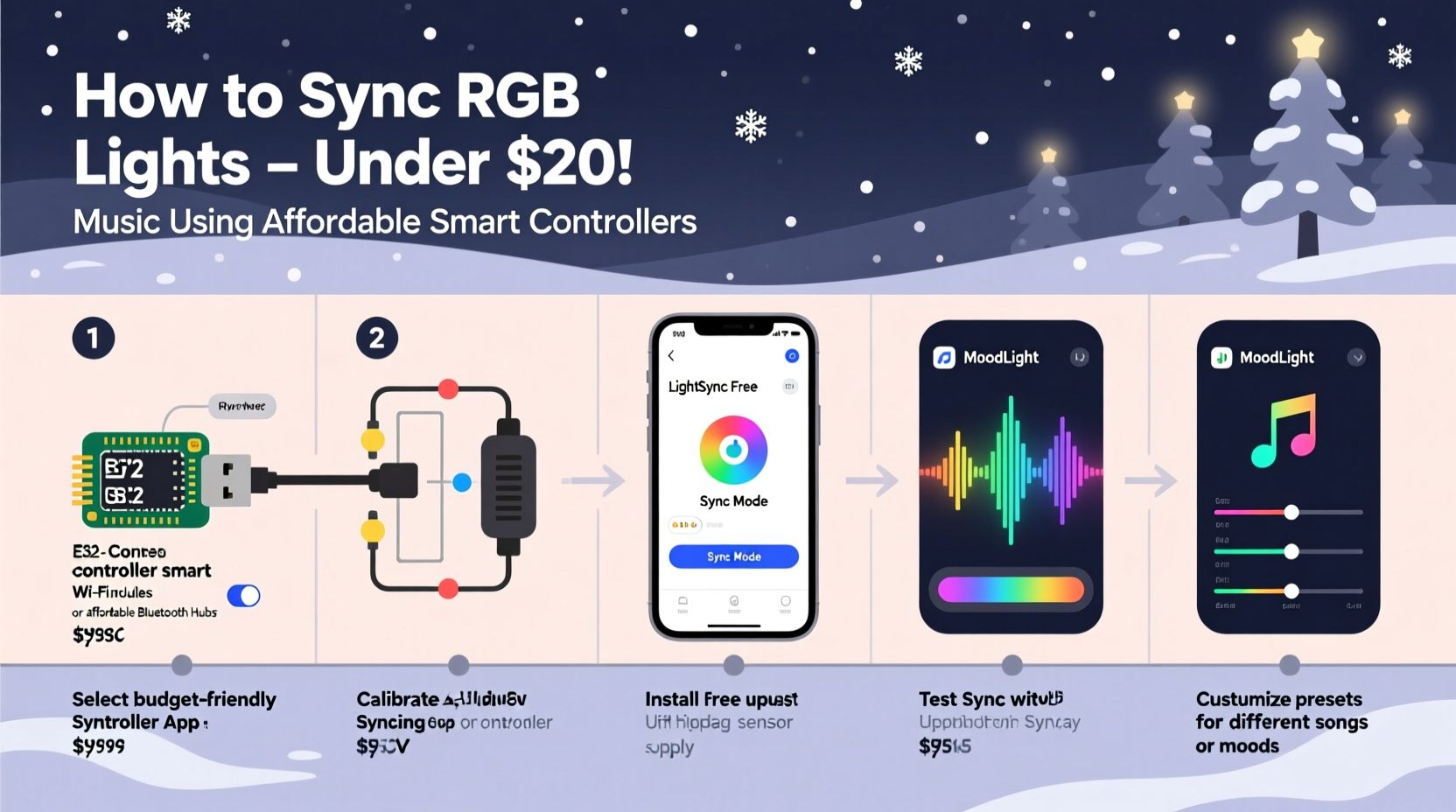
The foundation of any synchronized light setup is the controller—the device that translates audio signals into color and brightness changes across your LEDs. Not all smart lighting systems are built for real-time music response. Many consumer-grade options (like standard Philips Hue or basic Alexa-compatible strips) lack the refresh rate or protocol support needed for smooth, beat-accurate animation.
For true music synchronization, you need a controller that supports either:
- Artnet or E1.31: Industry-standard protocols used to stream DMX-like data over Ethernet or Wi-Fi for pixel-level control.
- Real-time UDP commands: Allows instant signal transmission from software to lights with minimal latency.
Affordable yet capable options include the ESP8266-based WLED controllers (e.g., NodeMCU with WS2812B strips), which run open-source firmware designed specifically for addressable LEDs. These cost as little as $15 per unit and support direct integration with music-reactive software.
Essential Components and Setup
To build a functional, music-synced system, gather these core elements:
- Addressable RGB LED strips – Use WS2812B (NeoPixel) or SK6812 strips. They allow individual LED control and are widely supported by WLED.
- Microcontroller board – ESP8266 (NodeMCU) or ESP32. The latter offers dual cores and Bluetooth, ideal for larger setups.
- Power supply – Match voltage (typically 5V or 12V) and ensure amperage exceeds total strip draw. A 5V/10A supply can handle up to 6 meters of dense 60-LED/meter strips.
- Logic level shifter (for 5V strips) – Protects the 3.3V-output ESP from voltage mismatch.
- WLED firmware – Flash this onto your ESP to enable web-based control and music effects.
- Music-reactive software – Tools like Vidaa Audio Reactive Effects, xLights, or DIY Python scripts that analyze audio and send visual data to WLED.
Once assembled, connect the data line from the ESP to the LED strip’s DIN, ensuring proper grounding between power supply and microcontroller. Power the strip externally—never rely on USB power alone beyond small prototypes.
Recommended Budget-Friendly Hardware Comparison
| Component | Model Example | Price Range | Best For |
|---|---|---|---|
| Microcontroller | ESP8266 NodeMCU | $3–$7 | Small to medium displays (under 500 LEDs) |
| LED Strip | WS2812B 5V 30/m | $8–$12 per 5m | Indoor/outdoor use; waterproof versions available |
| Firmware | WLED v0.14+ | Free | Full-color control, music effects, presets |
| Audio Software | Vidaa Audio Reactive Effects | Free | Real-time FFT analysis and pattern mapping |
| Power Supply | 12V 5A AC/DC Adapter | $10–$15 | Stable power for longer runs |
Step-by-Step: Sync Lights to Music Using WLED
Follow this sequence to get your lights dancing to music within an hour:
- Flash WLED firmware onto your ESP using the WLED Flasher tool (available at wled.me). Select your board type and install the latest release.
- Power and connect the hardware. Plug in the ESP via USB to boot WLED. It will create its own Wi-Fi network (WLED-AP).
- Join the network from a phone or laptop, then navigate to 192.168.4.1 to access the setup wizard. Connect the device to your home Wi-Fi.
- Configure LED settings: Set the number of LEDs, type (e.g., WS2812B), color order (GRB), and pin (usually D2/D4).
- Test basic effects using the “Effects” tab. Choose “Fireworks” or “Rainbow” to confirm functionality.
- Enable sound reactive mode: Go to “Sync Interfaces” > “UDP Realtime” and set the protocol to “E1.31” or “UDP Socket”. Enable “Receive from UDP Port”.
- Install audio software. Download Vidaa Audio Reactive Effects (Windows) or set up a Raspberry Pi with a custom Python script using libraries like
pyaudioandwebsockets. - Link software to WLED: In Vidaa, enter your ESP’s IP address, select UDP, and map frequency bands (bass, mids, treble) to color intensity and speed.
- Play music through the software—not your default speakers—to ensure the analyzer processes the correct audio feed.
- Calibrate sensitivity: Adjust gain, decay rate, and frequency thresholds so lights respond cleanly to beats without jitter.
Once calibrated, your lights should pulse strongly on bass hits, shimmer during high notes, and transition smoothly between songs.
“With WLED and a decent microphone input, you can achieve 90% of professional-grade responsiveness at less than 10% of the cost.” — Derek Lin, DIY Smart Lighting Enthusiast and Creator of OpenLightingProjects.org
Real-World Example: A Backyard Light Show on a $100 Budget
Mark, a hobbyist in Portland, wanted to surprise his neighborhood with a holiday light concert. He had no prior electronics experience but followed online tutorials using WLED. His setup:
- Two 5-meter WS2812B strips ($20)
- One ESP32 ($6)
- 12V 5A power supply ($12)
- Plastic channels and clips for mounting ($15)
- Laptop running Vidaa Audio Reactive Effects (free)
He mounted the strips along his roofline and porch railing, powered them safely with inline fuses, and connected everything to the ESP32. After flashing WLED and syncing via UDP, he tested with “Jingle Bell Rock” and adjusted the bass threshold so each drum hit triggered a bright red-white flash.
On opening night, he played a 15-minute loop from a tablet connected to the same Wi-Fi network. Neighbors gathered, children danced, and local news even covered the event. Total cost: $98. Mark later added a second zone for independent window lighting using another NodeMCU synced to the same audio source.
Pro Tips for Better Performance
- Minimize latency: Process audio locally instead of streaming from cloud services. Bluetooth introduces lag—use wired audio input when possible.
- Layer effects: Combine multiple WLED segments (e.g., eaves vs. trees) with different reactive behaviors for depth.
- Pre-test playlists: Some songs have inconsistent dynamics. Normalize volume levels across tracks using Audacity to prevent erratic brightness jumps.
- Add manual triggers: Use WLED’s preset system to switch scenes mid-show (e.g., “Santa’s Arrival”) via a simple button press or automation.
Common Pitfalls and How to Avoid Them
Even experienced builders encounter issues. Here are frequent problems and solutions:
| Issue | Root Cause | Solution |
|---|---|---|
| Lights flicker or reset | Insufficient power or voltage drop | Use thicker gauge wire, inject power at both ends of long strips |
| No response to music | Incorrect UDP settings or firewall blocking port | Verify IP, port 65506 open, and audio software output enabled |
| Lag between sound and lights | Wi-Fi interference or slow processing | Move closer to router, reduce number of simultaneous devices |
| Colors appear incorrect | Wrong color order in WLED settings | Change from RGB to GRB or BRG based on strip model |
| Controller disconnects frequently | Poor signal or overheating | Use Wi-Fi extender, add heat sink to ESP32 |
FAQ
Can I sync multiple light zones independently?
Yes. Use separate ESP controllers for each zone and assign them unique names and IPs. In WLED, configure “Segments” or run multiple instances of audio software to send different effects to each. Alternatively, use xLights to manage multi-zone choreography with precise timing.
Do I need coding skills to get started?
No. WLED provides a user-friendly interface, and tools like Vidaa require no programming. However, knowing basic JSON or Python unlocks advanced customization, such as triggering specific colors on vocal cues or syncing to YouTube videos via API.
Can I run this outdoors year-round?
Only if components are properly protected. Use IP65/IP67-rated LED strips, seal controllers in ventilated enclosures, and avoid direct exposure to rain or snow. Consider removing electronics after the season for longevity.
Final Checklist Before Launch
- ✅ All LEDs tested individually before final installation
- ✅ Controller flashed with latest WLED firmware
- ✅ Static IP assigned to avoid connection drops
- ✅ Power injection used for strips over 2 meters
- ✅ Audio software configured and tested with sample track
- ✅ Safety checks: GFCI outlet, secure wiring, no tripping hazards
- ✅ Backup plan: Pre-loaded playlist in case of Wi-Fi failure
Conclusion
Synchronizing RGB Christmas lights with music is no longer reserved for tech wizards or wealthy decorators. Affordable smart controllers like ESP8266 and WLED have democratized the magic, putting cinematic light shows within reach of anyone willing to spend a weekend learning the basics. From selecting the right strips to calibrating sound reactivity, every step builds toward a moment of shared joy—when the first song plays and your home becomes part of the holiday soundtrack.




 浙公网安备
33010002000092号
浙公网安备
33010002000092号 浙B2-20120091-4
Comments
No comments yet. Why don't you start the discussion?