
Synchronizing your smart Christmas lights to music used to be a complex task involving coding, audio analysis software, and endless testing. But today’s technology has simplified the process dramatically. With the right tools and approach, you can have your holiday display dancing to Mariah Carey’s “All I Want for Christmas Is You” in under 30 minutes—without touching a line of code or opening a terminal window.
The key lies in choosing compatible hardware, leveraging intuitive apps, and understanding built-in automation features that handle synchronization automatically. Whether you’re setting up a modest porch display or a full yard spectacle, this guide walks you through the fastest, most reliable methods to get your lights pulsing, fading, and flashing in perfect rhythm with your favorite holiday tunes.
Select Lights That Support Music Sync Out of the Box
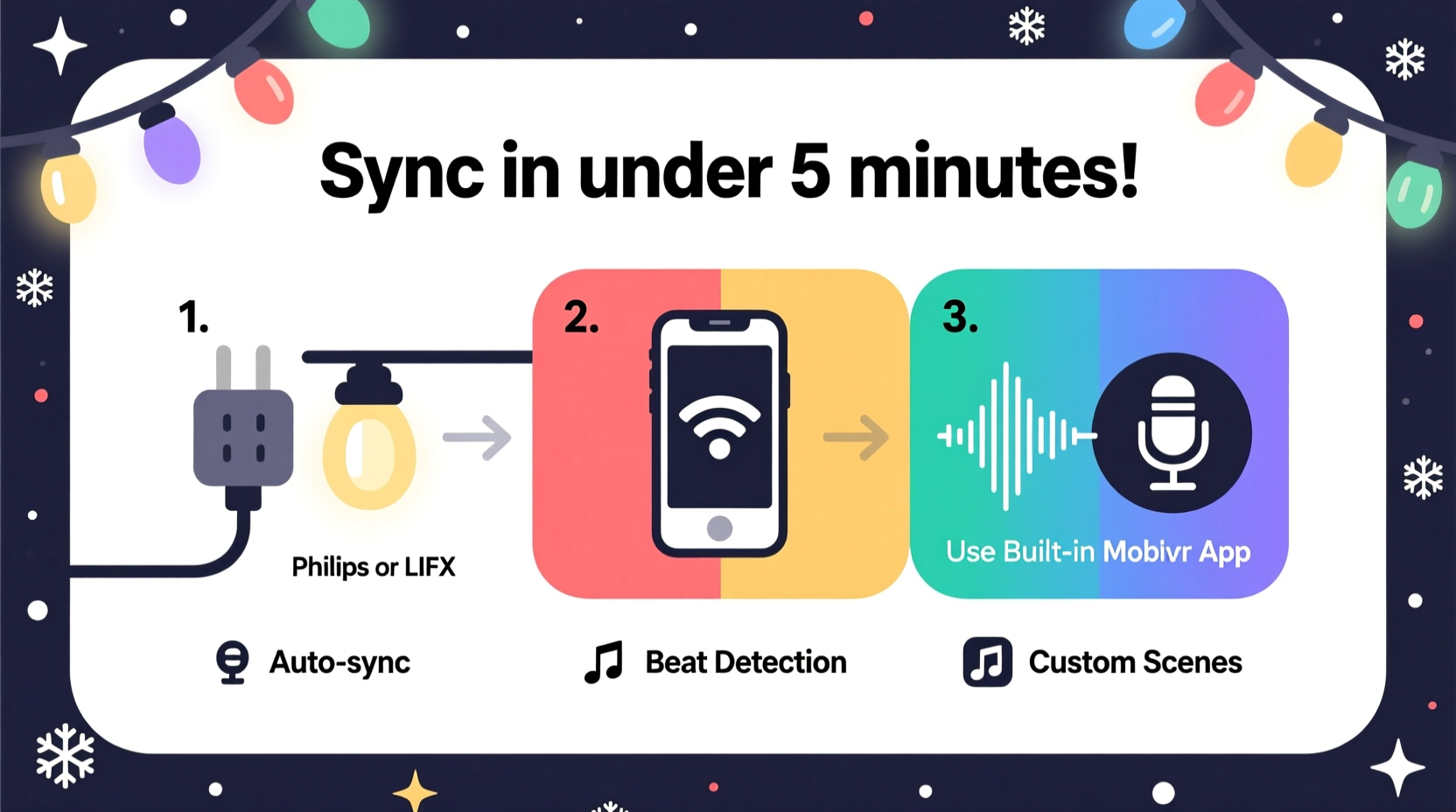
Not all smart lights are created equal when it comes to music responsiveness. Some require third-party software like xLights or Falcon Player, which demand significant setup time. Others, however, come with native music-sync capabilities that eliminate the need for external tools.
Lights from brands like Govee, LIFX, Philips Hue, and Nanoleaf offer plug-and-play music modes accessible directly through their mobile apps. These systems use your phone’s microphone to detect ambient sound and translate beats into light effects in real time. No Wi-Fi bridge? No problem—many now work over standard Bluetooth or dual-mode connections.
Use Mobile Apps with Instant Audio Integration
The fastest way to sync lights to music is by using manufacturer-approved apps that include one-tap audio activation. Here's how it works across leading platforms:
- Govee Home App: Tap the music icon, grant microphone access, and choose between sensitivity levels. The app analyzes volume and frequency in real time, adjusting colors and brightness accordingly.
- LIFX App: Enable “Sound Reactive” under Effects. Works best with local network control (no cloud lag), so ensure lights are on the same Wi-Fi band as your phone.
- Philips Hue Sync: This desktop and mobile app streams audio from your device and sends lighting cues to Hue bulbs via bridge. Offers customizable zones and intensity sliders.
- Nanoleaf Desktop & Mobile Apps: Supports direct music syncing with beat detection and gesture-based effect mapping. Also integrates with Spotify for playlist-driven lighting scenes.
These apps remove the guesswork. There’s no need to export audio waveforms or map channels manually. Once permissions are granted, synchronization begins instantly.
“Modern consumer-grade smart lighting has closed the gap between professional displays and home setups. What took engineers days five years ago now takes less than ten minutes.” — Raj Patel, Smart Lighting Engineer at IoT Home Innovations
Step-by-Step: Sync Your Lights in Under 15 Minutes
Follow this streamlined process to achieve synchronized lighting fast—even if it’s your first time:
- Power and connect your lights: Plug in your smart LED strip or string lights. Make sure they’re powered and connected to your home Wi-Fi or Bluetooth network via the manufacturer’s app.
- Test basic controls: Change color, brightness, and turn them on/off remotely to confirm connectivity.
- Open the music/sound-reactive feature: In your app, navigate to the “Effects” or “Scenes” tab and select “Music Mode” or equivalent.
- Grant microphone access: Allow the app to listen to ambient audio. On iOS and Android, this requires explicit permission—don’t skip this step.
- Play your holiday playlist: Start any song on your phone’s speaker, headphones, or nearby sound system. For best results, keep the phone near both the audio source and the lights.
- Adjust sensitivity and response: Most apps let you tweak beat detection speed, color range, and brightness reaction. Dial these in based on room acoustics.
- Position lights strategically: Place strips where movement will be visible—along windowsills, railings, or tree branches—to maximize visual impact.
This entire sequence should take no more than 15 minutes. If your lights don’t respond immediately, check signal strength and ensure no firewall or router settings are blocking UDP traffic (common with Hue and LIFX).
Comparison of Top Music-Syncing Smart Light Systems
| Product | Music Mode? | Setup Time | App Required | Best For |
|---|---|---|---|---|
| Govee LED Strip | Yes (real-time mic) | 8–10 min | Govee Home | Indoor accents, TVs, desks |
| LIFX Mini Day & Dusk | Yes (via app) | 10–12 min | LIFX | Rooms, lamps, ceilings |
| Philips Hue + Bridge | Yes (Hue Sync app) | 15–20 min | Hue / Hue Sync | Whole-home integration |
| Nanoleaf Shapes | Yes (beat-to-light) | 10 min | Nanoleaf | Wall displays, artistic setups |
| TP-Link Kasa KL430 | No native support | N/A | Kasa Smart | Basic automation only |
As shown, not every “smart” bulb supports audio syncing. Always verify music functionality before purchase.
Avoid Common Setup Pitfalls
Even with user-friendly systems, small oversights can delay success. Steer clear of these frequent issues:
- Microphone denied: If the app can’t access your phone’s mic, it won’t hear the music. Re-enable permissions in Settings > Privacy.
- Wi-Fi interference: Crowded 2.4 GHz bands cause lag. Switch to a less congested channel or use Ethernet-connected hubs where possible.
- Low volume: Soft background music may not trigger strong reactions. Boost volume or move speakers closer to the phone.
- Outdated firmware: Older versions may lack music features. Check the app for updates before troubleshooting further.
- Bluetooth range limits: Bluetooth-only lights (like some Govee models) must stay within 30 feet of the controlling device.
Real Example: A Stress-Free Front Yard Display
Mark T., a homeowner in Denver, wanted to surprise his kids with a musical light show for Christmas Eve. He bought a 16.4-foot Govee Wi-Fi LED strip and wrapped it around his porch railing. Using the Govee Home app, he enabled music mode while playing “Jingle Bell Rock” from his iPhone placed on the front steps.
Within nine minutes, the lights were pulsing to the beat—red flashing on drum hits, green fading during verses. He adjusted the sensitivity slider to reduce flickering during quiet parts. By evening, neighbors had gathered, and Mark played a 45-minute holiday playlist with seamless transitions between songs. No cables ran to a computer, no extra hardware was needed.
“I thought I’d need a degree in engineering,” Mark said. “But it worked the first time. My six-year-old even turned it on herself the next night.”
Checklist: Fast Music Sync Setup
Use this checklist to ensure a smooth, rapid installation:
- ☐ Choose lights with built-in music-sync capability
- ☐ Download the correct app and create an account
- ☐ Connect lights to power and pair via app
- ☐ Test basic functions (on/off, color change)
- ☐ Grant microphone permission to the app
- ☐ Enable music or sound-reactive mode
- ☐ Play music at moderate volume near the controller
- ☐ Fine-tune sensitivity and color palette
- ☐ Position lights for maximum visibility
- ☐ Confirm stable Wi-Fi or Bluetooth connection
Cross off each item as you go. If everything checks out, your lights should dance in harmony with the soundtrack.
Frequently Asked Questions
Can I sync multiple brands of lights together?
Generally, no—unless they’re integrated through a central platform like Apple HomeKit, Google Home, or a third-party automation tool like Home Assistant. However, mixing brands in music mode often leads to desynchronization due to latency differences. Stick to one ecosystem for reliable performance.
Do I need a hub or bridge for music syncing?
It depends. Philips Hue requires a Hue Bridge. Govee and LIFX models often connect directly via Wi-Fi or Bluetooth, eliminating the need for additional hardware. Check product specs before buying.
Can I schedule music shows to run automatically?
Not natively. While you can automate turning lights on at sunset, true music syncing requires active audio input. However, some apps like Hue Sync allow pre-recorded scenes tied to specific tracks, which can be triggered via routines.
Final Tips for a Show-Stopping Display
To elevate your setup beyond basic beat matching, explore advanced but still simple features:
- Zoning: Divide long strips into sections (e.g., left, center, right) and assign different effects to each for dynamic movement.
- Color themes: Match palettes to song moods—warm whites for carols, vibrant reds/greens for upbeat pop tracks.
- External mics: Some apps support external microphones for better sound pickup, especially useful outdoors.
- Playlist looping: Use a smart speaker or media player to loop holiday music all evening, keeping the show going.
Remember, the goal isn’t perfection—it’s joy. A slightly imperfect flicker adds charm. Focus on creating moments, not pixel-perfect choreography.
Conclusion
Synchronizing smart Christmas lights to music doesn’t require hours of tinkering or technical know-how. With modern plug-and-play systems, intuitive apps, and careful product selection, you can launch a festive, beat-matching display faster than it takes to wrap a present. The technology exists to make magic happen effortlessly—so take advantage of it.




 浙公网安备
33010002000092号
浙公网安备
33010002000092号 浙B2-20120091-4
Comments
No comments yet. Why don't you start the discussion?