
Smart lighting has evolved from simple color changes to dynamic, rhythm-responsive experiences that elevate everything from movie nights to dance parties. While many brands promote proprietary hubs and premium subscriptions to enable music sync, you don’t need to spend extra to bring your lights to the beat. With the right tools and settings, it’s entirely possible to sync smart lights to music using only your smartphone, existing smart bulbs, and free or low-cost software. This guide reveals practical, hub-free methods that deliver real-time audio-reactive lighting—no middleman required.
Understanding Music Sync Without a Hub
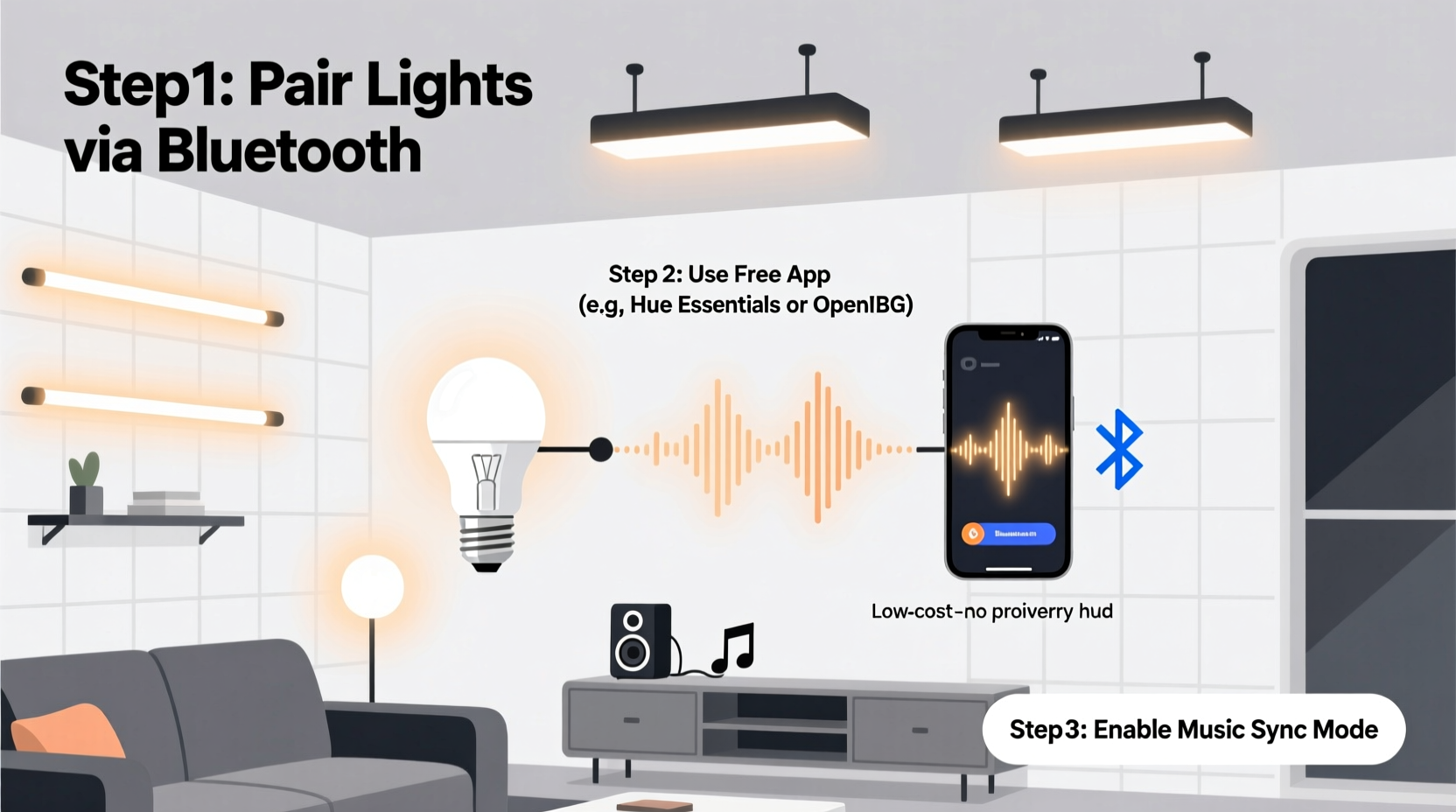
Music synchronization in smart lighting relies on detecting audio input—usually through a device’s microphone—and translating sound patterns into light effects such as brightness pulses, color shifts, or strobe-like flashes. Most high-end systems use dedicated hubs with advanced signal processing, but modern smartphones and Wi-Fi-connected bulbs are powerful enough to handle this task independently.
The key lies in bypassing manufacturer restrictions and leveraging open-source or third-party applications that access your bulb’s API directly. Many popular smart bulbs—including those from Philips Hue (via unofficial bridges), LIFX, Govee, and TP-Link Kasa—support local control over Wi-Fi, allowing external apps to send commands based on real-time data like ambient sound levels.
Without a hub, the setup depends on three components: a compatible smart bulb, a central device (like a phone or tablet) running the music-sync app, and a stable local network. The central device captures audio, processes the beat, and sends lighting instructions directly to the bulb via your home Wi-Fi—eliminating the need for cloud relays or additional hardware.
Step-by-Step: Sync Lights Using Your Smartphone
Here’s a reliable method to get your lights pulsing with music using only your Android or iOS device:
- Verify bulb compatibility: Confirm your smart lights support local API access or work with third-party apps. LIFX and Govee are particularly open in this regard; older Philips Hue models may require a jailbroken bridge or alternative firmware like Huejay or Homebridge.
- Install a music-reactive lighting app: Download a trusted app such as Lifx, Govee Home, BlinkFlow (Android), or Sound Reactor (Android). For cross-brand flexibility, consider Home Assistant paired with the Audio Spectrum add-on.
- Position your device near the sound source: Place your phone or tablet where it can clearly pick up audio. Avoid obstructions and background noise that could distort beat detection.
- Enable microphone permissions: Grant the app access to your device’s microphone. This is essential for real-time audio analysis.
- Calibrate sensitivity settings: Open the app and adjust thresholds for bass response, reaction speed, and color range. Start with moderate settings and tweak during playback.
- Test with a consistent track: Play a song with strong, steady beats (e.g., electronic dance music) to evaluate responsiveness. Adjust fade duration and intensity until lights react smoothly.
- Run in background mode: Ensure the app continues working when your screen locks. On Android, disable battery optimization for the app; on iOS, keep the app open in the app switcher.
Best Free Apps for Hub-Free Music Sync
Not all apps deliver equal performance. Some introduce lag, limited customization, or intrusive ads. Below is a comparison of top-rated, no-cost options that work without requiring a hub:
| App Name | Platform | Bulb Compatibility | Key Features | Lag Performance |
|---|---|---|---|---|
| Sound Reactor | Android | LIFX, Nanoleaf, Philips Hue (with bridge) | Real-time EQ visualization, customizable zones, MIDI export | Low (under 100ms with local control) |
| BlinkFlow | Android | LIFX, TP-Link Kasa, Yeelight | Scene triggers, beat detection, gradient transitions | Moderate (150–200ms) |
| Govee Home + Music Mode | iOS/Android | Govee LED strips and bulbs only | On-device processing, RGBIC color sequencing | Low to moderate |
| Home Assistant + Audio Spectrum | Cross-platform (self-hosted) | Nearly all Zigbee/Wi-Fi bulbs via integrations | Full automation, scene scripting, multi-room sync | Very low (local server) |
| LIFX App (built-in) | iOS/Android | LIFX bulbs only | Native music mode, no additional install needed | Low |
Among these, Home Assistant offers the most flexibility for advanced users, while LIFX and Govee provide plug-and-play simplicity. If you own multiple brands, consider standardizing on one ecosystem or using Home Assistant as a unified controller.
DIY Setup: Build a Local Music Sync Server
For tech-savvy users, creating a local music sync environment eliminates reliance on cloud services and reduces latency. This method uses a Raspberry Pi or old laptop as a dedicated lighting server.
What You’ll Need
- Raspberry Pi 3 or newer (or any Linux-capable device)
- MicroSD card with Raspberry Pi OS
- Smart lights compatible with HTTP or MQTT APIs
- Python or Node.js runtime
Implementation Steps
- Set up the Raspberry Pi and connect it to your Wi-Fi network.
- Install Home Assistant OS or run a lightweight Python script using libraries like
pyaudioandlifxlan. - Write a script that:
- Records audio from a USB microphone or system input
- Performs Fast Fourier Transform (FFT) to isolate frequency bands
- Maps bass frequencies to brightness, mids to hue shifts, and highs to saturation
- Sends UDP or HTTP commands directly to your bulbs’ local IP addresses
- Automate startup so the script runs on boot.
- Place the Pi near your entertainment system and stream music through it or let it listen passively.
This approach delivers near-instantaneous response times because all processing happens locally. It also allows for complex behaviors—like syncing multiple rooms differently based on genre—that commercial apps rarely support.
“We’ve seen users achieve concert-grade light shows using nothing more than a $35 Raspberry Pi and open-source code. The barrier isn’t technical ability—it’s awareness.” — Daniel Reeves, Smart Home Developer & IoT Educator
Mini Case Study: A College Dorm Party Upgrade
Jamal, a computer science student in Austin, wanted to enhance his dorm room gatherings without violating housing policies on power usage or bulky equipment. He owned two Govee LED strips behind his desk and a Bluetooth speaker. After researching hub-free solutions, he installed the Govee Home app and enabled Music Mode.
Initially, the lights reacted sluggishly. He realized his phone was across the room, muffling the mic. By mounting his phone on a stand near the speaker and switching to wired audio playback, he reduced latency significantly. He also created a custom scene favoring red and blue pulses for hip-hop tracks.
At his next study break party, the lights danced tightly with the beat. Friends recorded videos, and within days, three others replicated his setup. Jamal later wrote a short guide for his residence hall newsletter—highlighting that the entire system cost under $40 and required no extra devices.
Checklist: Ready-to-Go Music Sync Setup
Use this checklist before hosting your next event:
- ✅ Confirm your smart lights are on the same Wi-Fi network as your control device
- ✅ Install and test the music-sync app with a sample track
- ✅ Enable microphone access and disable battery-saving modes
- ✅ Position the listening device close to the speaker
- ✅ Adjust sensitivity to avoid false triggers from background noise
- ✅ Test multiple music genres to fine-tune color and brightness curves
- ✅ Ensure lights don’t flash rapidly if anyone present has photosensitivity concerns
- ✅ Save your preferred configuration as a reusable scene
Frequently Asked Questions
Can I sync non-branded or generic smart lights to music?
Yes, if the bulbs use standard protocols like Wi-Fi with documented APIs or are compatible with platforms like Home Assistant or MQTT. Generic “Tuya-based” lights often work through the Smart Life app, though music sync capabilities are limited. Flashing them with custom firmware like Tasmota can unlock advanced features, including audio reactivity.
Is there noticeable delay between sound and light?
Lag depends on processing method. Cloud-dependent apps may have 300–500ms delay. Local apps like Sound Reactor or self-hosted scripts typically stay under 150ms—often imperceptible. To minimize delay, use wired audio, reduce background tasks, and ensure strong Wi-Fi signals.
Do I need internet access for music sync?
No. Once set up, local control systems operate entirely offline. Your phone processes audio and communicates directly with lights over your home network. Internet is only needed initially for app downloads or firmware updates.
Maximizing Impact on a Budget
The appeal of hub-free music sync isn’t just cost savings—it’s accessibility. You don’t need to be an audiophile or tech enthusiast to create immersive environments. A single color-changing bulb behind a TV can deepen cinematic immersion. LED strips along a bookshelf can transform a quiet evening into a mood-enhancing experience.
Focus on placement and ambiance rather than quantity. One well-positioned light reacting accurately to music often feels more engaging than ten poorly synced ones. Use warm tones for jazz or acoustic sets, and rapid RGB shifts for electronic or high-energy playlists.
Also consider combining music sync with scheduled routines. For example, set your lights to automatically enter music mode every Friday at 7 PM when you typically play albums. Over time, these small automations enrich daily life without demanding constant attention.
Conclusion
Synching smart lights to music without expensive hubs is not only possible—it’s increasingly straightforward. Whether you’re using a free app, tweaking built-in features, or building a local server, the tools are available, affordable, and effective. The biggest obstacle isn’t technology; it’s knowing where to start.
Today’s smart lighting ecosystems were designed to lock users into premium upgrades, but open standards and community-driven development have broken down those walls. You already own the core components: a smart bulb and a smartphone. What remains is experimentation, calibration, and creativity.




 浙公网安备
33010002000092号
浙公网安备
33010002000092号 浙B2-20120091-4
Comments
No comments yet. Why don't you start the discussion?