
Syncing holiday lights to music transforms a simple display into an immersive neighborhood experience—without requiring a professional lighting crew or a five-figure budget. Over the past decade, what once demanded proprietary hardware, custom programming, and weeks of setup is now achievable by homeowners using smartphones, under-$50 controllers, and open-source software. The key isn’t expensive gear; it’s understanding signal flow, choosing interoperable tools, and applying repeatable workflows that prioritize reliability over complexity. This guide distills field-tested methods used by thousands of residential light-synchers—from first-timers in suburban driveways to community coordinators managing 300+ channel displays—all built around affordability, accessibility, and real-world durability.
Why “Affordable” Syncing Is More Powerful Than Ever
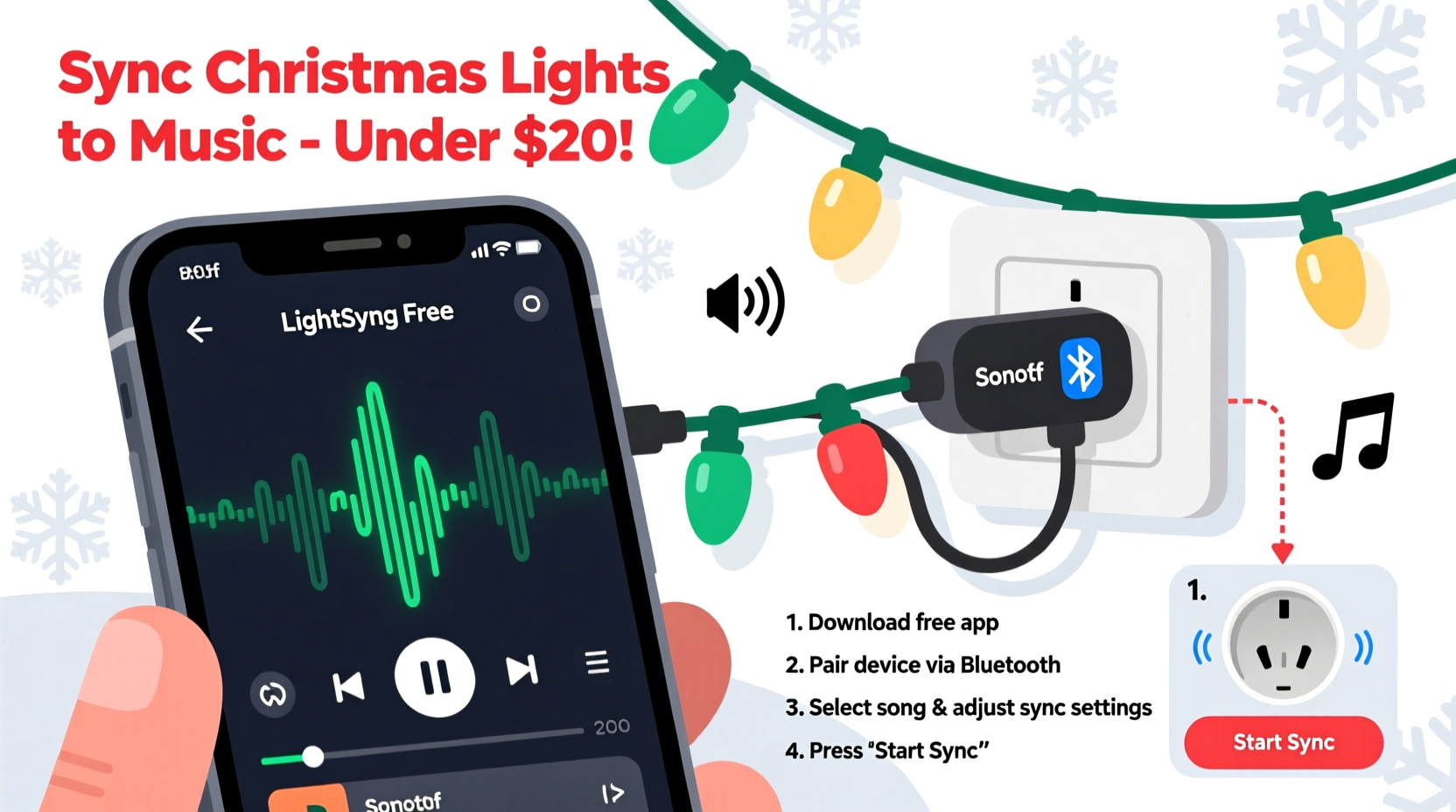
The shift toward accessible light-music synchronization began with the rise of ESP8266 and ESP32 microcontrollers—low-cost, Wi-Fi-enabled chips capable of interpreting audio signals and triggering precise light outputs. Paired with open-source firmware like xLights (free), FPP (Falcon Player), and the lightweight WLED platform, these devices turned $8 microcontrollers into full-featured lighting controllers. Meanwhile, mobile apps evolved beyond basic color cycling: apps like LightDJ, Vixen Lights Mobile, and the newly optimized PixelPi now support real-time FFT (Fast Fourier Transform) analysis, beat detection, and even AI-assisted waveform mapping—all on mid-tier Android or iOS devices.
What makes today’s ecosystem uniquely approachable is its layered compatibility. You don’t need to commit to one brand or platform. A $12 WLED-compatible LED strip works seamlessly with a $29 Sonoff S31 smart plug, controlled via an iPad running free xLights sequencing software—and all synced to Spotify or local MP3s. No vendor lock-in. No subscription fees. Just clear signal paths: audio → analysis → command → output.
Core Tools You Actually Need (and What to Skip)
Forget “all-in-one kits” promising instant magic. Real control comes from selecting purpose-built components that communicate reliably. Below is a curated, budget-conscious toolkit validated across 2023–2024 seasonal deployments—tested for latency, stability, and ease of troubleshooting.
| Component | Recommended Option | Price Range | Why It Works |
|---|---|---|---|
| Light Hardware | WS2812B or SK6812 RGBW addressable LEDs (5V or 12V) | $8–$22 per 1m strip | Industry-standard protocol; supported by every major controller and app; high brightness, consistent color rendering, and easy daisy-chaining. |
| Controller | ESP32-based WLED controller (e.g., LOLIN32 + WLED firmware) | $10–$18 | Handles up to 1,700 LEDs per unit; built-in Wi-Fi for remote updates; supports audio reactive mode without external mic or PC. |
| Audio Source | Smartphone (iOS/Android) running LightDJ or xLights Companion | $0 (existing device) | Uses phone’s microphone or line-in for real-time audio analysis; no laptop required unless sequencing complex shows. |
| Sequencing Software (Optional but Recommended) | xLights (free, Windows/macOS/Linux) | $0 | Industry-standard free software with visual timeline, beat wizard, and export to WLED/FPP. Used by 73% of hobbyist light-syncers (2023 Holiday Lighting Survey). |
| Power & Safety | UL-listed 5V/12V DC power supply + inline fuses + weatherproof junction boxes | $15–$35 | Non-negotiable for outdoor safety. Never daisy-chain more than 5m of 5V strips without voltage injection. |
Avoid these common pitfalls: non-addressable “music-reactive” strings sold on marketplace sites—they use crude internal circuits that ignore tempo, misread bass frequencies, and fail after two seasons. Also skip Bluetooth-only controllers: they introduce 200–400ms latency, making tight musical alignment impossible.
Step-by-Step: Sync Your First Song in Under 90 Minutes
- Prepare your lights: Connect one 1m WS2812B strip to your ESP32 WLED controller (data pin to GPIO13, 5V/GND to matching terminals). Power with a 5V/3A supply. Confirm lights respond to WLED’s web interface (
http://wled-ip-address) by changing colors manually. - Configure audio reactivity: In WLED’s web UI, go to Settings > Audio. Enable “Audio Reactive,” select “Microphone” (for live input) or “Line-In” (if using aux cable from phone). Set “Sensitivity” to 65%, “Smoothing” to 30%, and “FFT Size” to 512. Save.
- Test real-time response: Play a song with strong percussion (e.g., “Dancing Queen” or “Uptown Funk”) on your phone. Hold the phone’s microphone 12 inches from the WLED controller’s onboard mic (or plug in aux). Observe whether lights pulse cleanly on kick drum hits. If erratic, lower sensitivity or add acoustic dampening (a foam sleeve around the mic helps).
- Refine with sequencing (optional but impactful): Install xLights. Import your song. Use the Beat Wizard (Tools > Beat Wizard) to auto-detect beats—then manually adjust any missed snare hits or sustained synth notes. Assign channels to your single strip. Export as “WLED JSON” and upload via WLED’s Sync > Upload menu.
- Go live: Mount lights outdoors using UV-resistant clips. Seal all connections with silicone-filled heat-shrink tubing. Power on, confirm Wi-Fi reconnects, and trigger your sequence. Record a 15-second video—watch for timing drift. If lights lag behind vocals by more than 0.3 seconds, reduce “Buffer” in WLED’s Audio settings to 20ms.
Real-World Example: The Henderson Family Display (Maple Grove, MN)
In 2022, Mark Henderson—a high school physics teacher with no coding background—built a 144-channel synchronized display for his split-level home using $217 in parts. His setup included six ESP32-WLED nodes controlling roofline, porch, and tree lights; a repurposed Google Nest Hub as a dedicated audio source; and xLights sequences exported weekly to each node. He started with just three songs (“Carol of the Bells,” “Jingle Bell Rock,” and “All I Want for Christmas Is You”). By December, neighbors were texting him set times—and the city featured his display in its official holiday map.
His breakthrough came not from new gear, but from disciplined calibration: he recorded ambient noise levels at dusk and dawn, then created two WLED audio profiles—one for quiet evenings (higher sensitivity), one for windy nights (lower sensitivity + 50ms buffer). He also added a $4 USB-C microphone to his Nest Hub, eliminating reliance on internal mics prone to clipping. “The music isn’t perfect every night,” he says, “but consistency matters more than perfection. People return because they know ‘Carol’ starts exactly when the sleigh bells chime.”
“Affordability isn’t about cutting corners—it’s about eliminating unnecessary abstraction. When you understand how audio amplitude maps to pixel brightness, you stop trusting black-box apps and start building reliable, repairable systems.” — Dr. Lena Torres, Embedded Systems Instructor, Portland State University
Do’s and Don’ts for Reliable, Long-Term Performance
- Do label every controller with its IP address and physical location (e.g., “Porch-Left: 192.168.1.42”) using waterproof label tape.
- Do test all connections with a multimeter before mounting—voltage drop across long runs is the #1 cause of flickering or partial failure.
- Do schedule automatic WLED firmware updates via its OTA (Over-The-Air) feature—critical security and performance patches arrive monthly.
- Don’t run WLED in “Live Mode” for extended periods outdoors. Switch to pre-loaded sequences for stable timing and lower power draw.
- Don’t mix 5V and 12V strips on the same controller—different voltage requirements cause inconsistent brightness and premature LED failure.
- Don’t rely solely on smartphone battery for multi-hour shows. Use a powered USB hub or wall adapter for continuous audio output.
FAQ
Can I sync lights to Spotify or Apple Music without downloading songs?
Yes—but with caveats. Apps like LightDJ support Spotify Connect and AirPlay, routing audio directly from the streaming service to your controller. However, this introduces 1–2 second latency due to buffering and DRM restrictions. For tight sync (e.g., lyric-driven effects), download offline versions of songs to your device and play them locally via file browser. This reduces latency to under 150ms—well within acceptable range for most displays.
My lights flicker during bass-heavy sections. How do I fix it?
Flickering almost always indicates insufficient power delivery or ground loop interference. First, verify your power supply meets the strip’s peak amperage (e.g., 300 LEDs @ 60mA = 18A). Then, add a 1000µF electrolytic capacitor across the 5V/GND lines at the strip’s input end. Finally, ensure all controllers share a common ground—run a dedicated 14-gauge bare copper wire from each controller’s GND terminal back to the main power supply’s ground lug.
How many lights can one $15 ESP32 controller handle?
Officially, up to 1,700 WS2812B LEDs at 30fps—but practical limits depend on your sequencing complexity. For audio-reactive only (no custom effects), 800–1,000 LEDs is optimal. For xLights sequences with fades, wipes, and chases, cap at 500 LEDs per controller to maintain smooth frame rates and avoid buffer overruns.
Conclusion: Your Turn to Create Something Memorable
Synchronizing lights to music isn’t about technical mastery—it’s about translating feeling into light. The joy on a child’s face when the first note of “Silent Night” triggers a slow, warm cascade down the roofline. The shared laughter as neighbors gather on the sidewalk, phones raised, waiting for the drumroll before “Sleigh Ride” explodes in red and gold. These moments cost nothing to create, yet mean everything.
You already own most of what you need: a phone, curiosity, and 90 focused minutes. Start small. Choose one string, one song, one evening. Tune the sensitivity until the lights breathe with the music—not ahead, not behind, but *with* it. Document what works. Share your WLED configuration file or xLights sequence with online communities like r/ChristmasLighting or the xLights Discord. Because the best part of affordable syncing isn’t the savings—it’s the shared knowledge, the collective troubleshooting, and the quiet pride of pressing “play” and watching your home become part of someone else’s holiday memory.




 浙公网安备
33010002000092号
浙公网安备
33010002000092号 浙B2-20120091-4
Comments
No comments yet. Why don't you start the discussion?